How-to · Learning ops · Stack inventory · Oct 2026
Stack map for learning ops (Oct 2026): inventory AI seats across LMS, authoring, video, enablement, and chat
How-to inventory — learning and enablement jobs, tools, owners, and overlaps. Overlap is the point: in 2026 the LMS drafts courses, the authoring tool drafts courses, the video tool drafts scripts, the enablement platform runs its own training, and everyone has a chat assistant that drafts all of it again. Pair with Stack map for people ops and Stack map for knowledge ops.
What this how-to covers
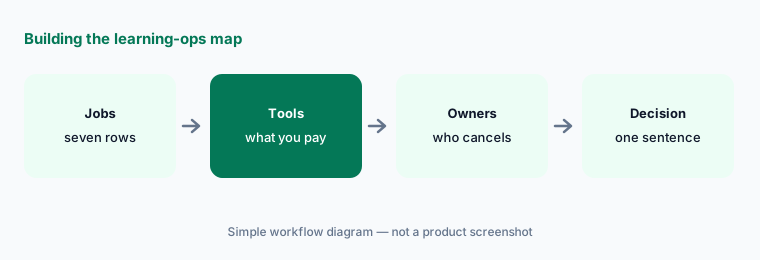
Learning teams rarely buy one AI tool on purpose. The LMS adds an AI assistant, a course builder, and an MCP server; the authoring tool adds AI drafts, avatars, and translation; the video tool adds scripts and avatars; the SOP tool drafts procedures; the sales enablement platform adds its own training and AI roleplay; the content library adds AI search and playlists; and every coordinator already has a chat assistant. A year later, four tools can draft the same onboarding course and nobody knows which version is current. This how-to builds one table — Job | Tool | Owner | Cost/mo | Overlap | Decision — for the seven jobs where that overlap is most common.
It is an inventory, not a ranking. Fill Cost/mo from your own invoices, write overlaps in plain sentences, and add a column for who approves: every course that is published, every training assignment, every archive or bulk change, every reminder that goes to learners, and every skill level recorded about a person. AI drafts and suggests; a named person approves. An AI-drafted course isn’t accurate or compliant until its owner has checked it, completion is not competence, and no employee personal data goes into a general chat tool.
How to inventory learning-ops AI seats
Examples at a glance: each feature has a concrete example from a real job plus a short Try this you can run this week.
1. Build the blank table (primary)
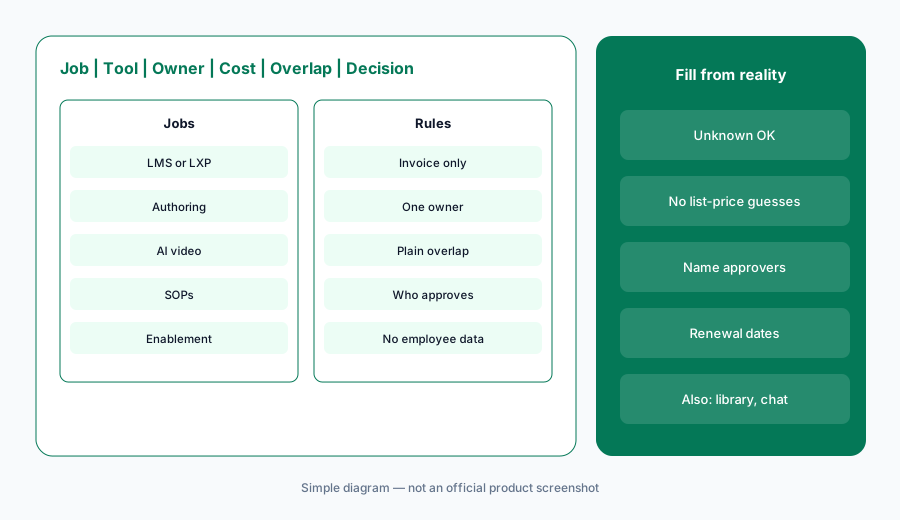
What it is: Start with seven rows and six columns, and leave cells blank until you have a source: an admin seat list, an invoice, or the person who uses the tool. The seven jobs: LMS or LXP (Docebo, 360Learning, Cornerstone, Absorb, Degreed, TalentLMS, Litmos, LearnUpon, Learn:Up, formerly WorkRamp), authoring tool (Articulate 360, Easygenerator, iSpring), AI video (Colossyan, Synthesia, HeyGen), SOPs (Trainual, Scribe, or a knowledge base such as Guru), enablement platform (Highspot, Seismic, Mindtickle), content library (Go1 or the library inside your LMS), and the chat assistant (ChatGPT, Claude, or Gemini seats used for outlines, quizzes, and reminders — see ChatGPT for learning ops and Gemini for learning ops).
Primary workflow:
Build Job | Tool | Owner | Cost/mo | Overlap | Decision blank for: LMS, authoring, AI video, SOPs, enablement, content library, chat assistant.
2. Owners and Cost/mo from invoices
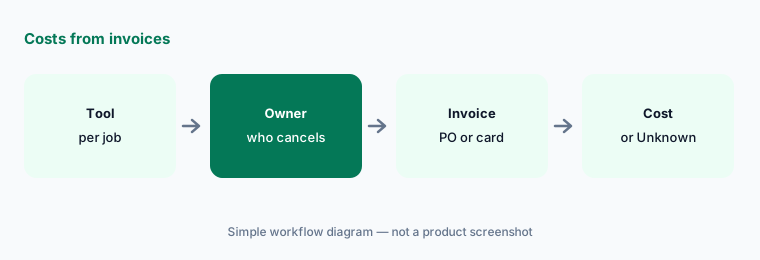
What it is: For each tool, write one owner — the person who can cancel it — and the monthly cost from the invoice, PO, or card statement. If you can’t find it, write "Unknown — check bill". Don’t fill costs from list prices. Learning tools price in units that don’t compare: active users, registered users, monthly or yearly active learners, author seats, AI credits, minutes of video, library licences, or a quote. Several of the vendors reviewed today publish no prices at all, and others publish a starting price that has little to do with a negotiated contract. Our dated reviews note what each vendor showed on 11 October 2026 — Docebo, 360Learning, Articulate, TalentLMS, Colossyan, Litmos, Go1 — but your bill is the only number that belongs in this column.
Costs from invoices only:
For each of the seven jobs, name the owner and Cost/mo from invoices only. If missing, write Unknown — check bill. Do not invent prices, learner counts, or credit balances.
3. Mark overlaps in plain language
What it is: For each job with two or more tools, write one sentence about what both do — for example, "The LMS course builder and the authoring tool both turn our policy PDFs into draft courses." Common learning-ops overlaps: AI course drafting in the LMS, the authoring tool, and a chat assistant; AI avatars and translation in both the authoring tool and the video tool; an AI tutor or assistant in the LMS answering the same questions as the chat assistant; a content library bought directly and again through the LMS marketplace; SOPs in an SOP tool and the same procedures as LMS courses; sales training in both the enablement platform and the LMS; and more than one MCP server letting a chat assistant reach your courses.
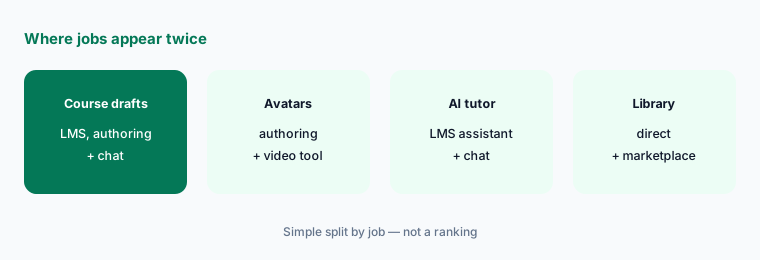
One sentence per overlap:
For every job with two or more tools, write one sentence describing what both tools do. Have each tool’s owner confirm the sentence before anyone proposes cutting a seat.
4. Add who approves and the data rules
What it is: Add two columns: Who approves and Data rules. Many learning tools can now act, not just draft — publish a course, assign it, archive old content in bulk, send reminders, record a skill level — and several let an outside AI assistant do some of this over MCP. For every tool, name the person who approves each action it can take, and write what data may go in: approved documents and anonymized requests, yes; employee names, performance notes, HR cases, assessment results tied to a person, or customer data in a general chat tool, no. September’s LMS changes show why this matters — see What’s new in Docebo (Sep 2026) for MCP tools reaching Power Users and What’s new in 360Learning (Sep 2026) for a new MCP server beta.
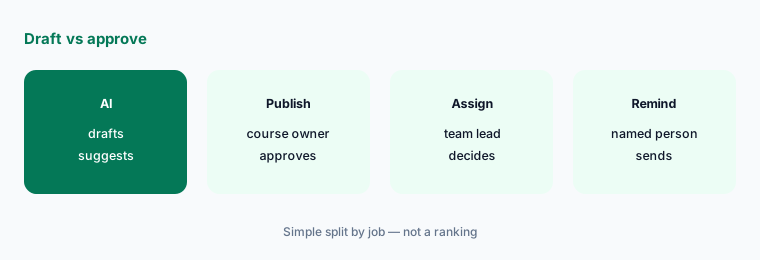
Who approves, what goes in:
For each tool, write who approves publishing, assigning, archiving, and reminders, and one line on what data may go in. Have the L&D lead sign off on the two columns.
5. Write one-sentence decisions
What it is: Start with the two rows that overlap most — course drafting and the chat assistant — and write a decision for each in one sentence: keep both with a clear split, consolidate on one, or pause one for 30 days. Name the person who owns the follow-up and the renewal date. If anyone built a custom GPT for training drafts, include it here: OpenAI retires custom GPTs on December 11, 2026, and our ChatGPT for learning ops guide covers moving that work into a project. A decision is not a cut; it is a statement of which tool owns which job.
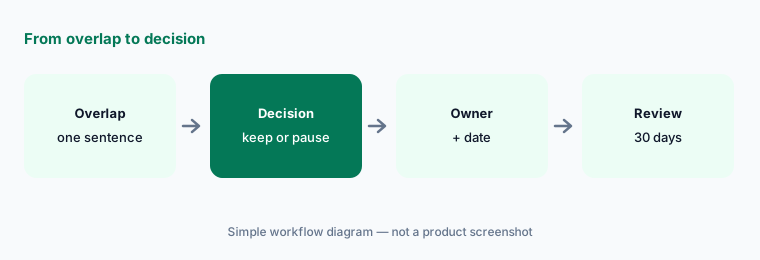
One sentence, one owner:
For the course drafting and chat assistant rows only, write a Decision in one sentence each (keep both, consolidate, or pause). Name who owns the follow-up date and note any renewal date.
6. Run a 30-day check
What it is: After 30 days, check each paused or consolidated tool with three questions: did anyone ask for it back, did any learning job stop getting done, and did approvals still happen where they should? Update the table and keep it next to your training calendar and renewal list. Revisit it after each big vendor release — the LMS, authoring, and enablement vendors in this table all shipped AI changes in 2026 that moved features from one job to another.
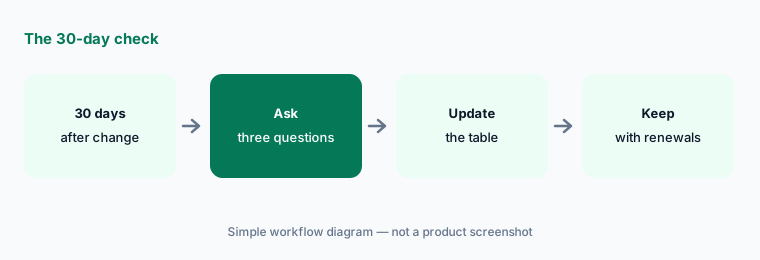
Check after 30 days:
Thirty days after a pause or consolidation, ask the owners three questions: did anyone ask for the tool back, did any learning job stop getting done, and did approvals still happen. Update the table.
Pricing context (October 2026)
This how-to is dated 11 October 2026 and is not a price sheet. Learning tools price by active or registered users, author seats, AI credits, video minutes, library licences, or quote, and many publish no prices at all. Our dated reviews record what each vendor listed when we checked in October 2026: Docebo, 360Learning, Articulate 360, Easygenerator, iSpring, Colossyan, Trainual, TalentLMS, Litmos, LearnUpon, Go1, Highspot, and Seismic. Fill Cost/mo from your invoices.
Optional structured help: $9 toolkit spreadsheet or $19 toolkit audit.
Uncertainty: Plan names, AI add-ons, credit packs, and bundles change often, and several learning vendors renamed products or changed owners in the last year (our dated reviews explain each one). Which features count as AI, which are beta, and which are switched on by default differs by vendor and contract. Always verify on the vendor’s live page and your bill before budgeting. This is product education, not legal, HR, or compliance advice.
When it’s useful (honest take)
Useful when L&D, enablement, or people ops pays for more than one AI surface and you suspect several tools draft the same courses or answer the same learner questions.
Useful when you need to show leadership or an auditor who approves every AI-drafted course, assignment, and reminder.
Less useful when you have one LMS, one authoring habit, and one chat seat with clear jobs. Soft $19/$9 only if overlaps are real.
Comparing several AI tools for the same job? The $9 AI toolkit spreadsheet puts each one you pay for on one page with cost, usage, and payback, so overlaps are easy to spot.
Want someone to do it for you? AI toolkit audit — $19
Related options (educational)
| Need | Better home | Why |
|---|---|---|
| Inventory seats by learning-ops job | This stack map | Jobs · tools · owners · overlaps · decision |
| People and knowledge inventories | Stack map for people ops · Stack map for knowledge ops | Same table pattern, neighbouring jobs |
| September LMS notes | Docebo · 360Learning | Dated changes |
| LMS platforms side by side | Docebo vs 360Learning · Absorb vs Cornerstone | Not a ranking |
| Small-business training and enablement | Trainual vs TalentLMS · Highspot vs Seismic | SOPs vs courses; one company, two products |
FAQ
What is a learning-ops stack map?
One table that lists each learning and enablement job (LMS or LXP, authoring tool, AI video, SOPs, enablement platform, content library, chat assistant), the tool that does it, its owner, its monthly cost from your invoices, overlaps with other tools, and a one-sentence decision.
Which jobs should we inventory first?
Course drafting and the chat assistant, then AI video. They overlap most often, because the LMS, the authoring tool, the video tool, and chat assistants can all draft the same course from the same documents.
Should we use list prices for Cost/mo?
No. Use invoices, POs, or card statements. Learning tools price in different units — active learners, author seats, credits, video minutes — and many are quote-only or bundled. Write Unknown — check bill when you can’t find it.
Why add who approves?
Because several tools can now publish, assign, archive, or send reminders, and some let an outside AI assistant act over MCP. A named person should approve each of those actions, and an AI-drafted course isn’t accurate or compliant until its owner has checked it.
When do the $9 / $19 toolkit offers help?
Only after your own table shows real overlap between learning tools. The $9 spreadsheet gives you the columns ready to fill; the $19 audit is a second look at a table you have already filled. Neither is needed if each job has one tool and one owner.
Optional next step (if seats overlap)
If L&D and enablement already pay for overlapping AI across the LMS, authoring, video, SOPs, enablement, the content library, and chat, map that before you buy another assistant. Map the overlap with the $19 AI toolkit audit or the $9 AI toolkit spreadsheet. Email Audit $19 or Toolkit spreadsheet $9.
Checkout is live via Stripe. After you pay, we email delivery (spreadsheet) or intake next steps (audit).