Tool · Learning ops · Colossyan · Oct 2026
Colossyan review (Oct 2026): AI avatar videos and interactive scenarios for training
Colossyan makes training videos presented by AI avatars, without cameras or a studio. You start from a document, slides, a URL, or a script; Colossyan’s agent, Cora, drafts a scene-by-scene plan that cites the source, and you approve each scene before the video is generated. Around that sit custom avatars of your own people, interactive video with quizzes and branching paths, translation into many languages, and Colossyan Learn for multi-lesson courses. This page is about using those drafts while the person who owns the procedure approves every script. Each section has a Try this.
What this Colossyan page covers
This page is for an L&D lead, trainer, or enablement manager who wants short training videos — onboarding, procedures, compliance refreshers, product walkthroughs — without filming, and needs them to be accurate, accessible in several languages, and trackable in an LMS. The question it answers: what Colossyan’s AI drafts, which plan carries which limits, and where a person has to approve the work.
Naming, checked on 11 October 2026: Cora is “the agentic engine inside Colossyan” that reads your source and plans the scenes for the AI Video Generator; Colossyan Learn builds structured courses where video is one element alongside text and assessments; custom avatars come as Instant Avatars (from a photo or short video) and Studio Avatars (Enterprise). Video length is metered in minutes on two avatar models, NEO and NEO2.
Ground rules: a video is harder to correct quietly than a page, so the procedure owner approves the script before anything is generated; an avatar of a real person needs that person’s explicit consent; AI-presented video should be labelled where your policies require it; and completion is not competence. Colossyan says it does not train AI models on customer content. Facts below come from Colossyan’s website; its case-study figures, review-site rankings, and cost-saving claims are not repeated here.
Major features (with how someone uses them)
Examples at a glance: each feature has a concrete example from a real job plus a short Try this you can run this week.
1. Document to video with Cora: approve the script first (primary)
What it is: Drop in a Word document, PDF, PowerPoint, Google Doc, Notion export, or SharePoint page and Cora “drafts a scene-by-scene plan with citations back to the source section.” Colossyan’s instruction is plain: “Approve every scene before render.” You can ask Cora to tailor a scene for an audience and apply your brand kit, and the AI Script Assistant helps edit the narration. Colossyan’s own page names the risk it is designed against: specifics getting paraphrased, so “Section 4.2 becomes ‘the policy’.”
Keep the first video short — about two minutes — and have the procedure owner read the full script against the source before you generate it. Use the citations: click each scene back to its section and check that numbers, form names, and the order of steps survived. Generated minutes count against your plan and aren’t refunded if you delete the video, so approval before rendering saves money as well as mistakes.
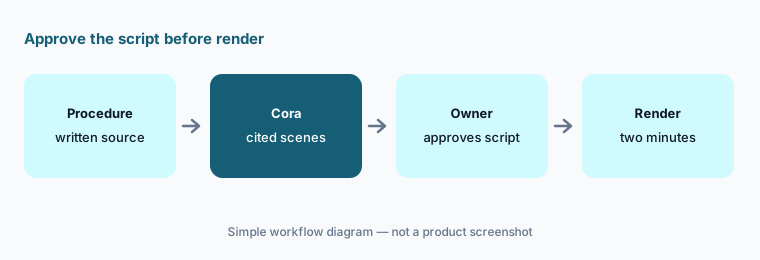
Primary workflow:
Turn one written procedure into a two-minute Colossyan video. Have the procedure owner approve the script before you render it.
2. AI avatars and custom avatars: the consent rules
What it is: Colossyan offers 300+ stock avatars and 700+ stock voices. Its ethics page says all avatars “are real people who have explicitly consented,” that you decide which users can access your custom avatar, and that Colossyan can’t be used to make avatars of politicians, public figures, “or any individuals who have not consented”; automated moderation flags content involving minors and public figures for human review. An Instant Avatar is made from a single photo or 20 seconds to 5 minutes of video; a Studio Avatar (Enterprise) is recorded professionally. Per Colossyan’s FAQ, anyone can be a custom avatar only with explicit consent, must be 18 or older, and the avatar stays inside your account.
Write your own rule before anyone records: whose likeness may be used, for which videos, who may edit scripts for that avatar, and what happens when the person leaves or withdraws consent. Keep the written consent with the avatar’s owner in your company, not just in the vendor’s system. Voice clones have limits too — Colossyan notes cloned audio may start to degrade after about 30 seconds or 500 characters.
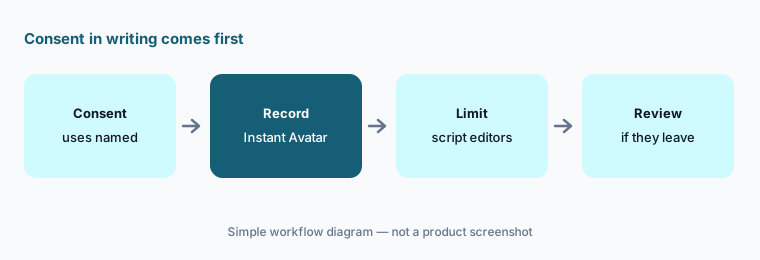
Consent in writing first:
Before anyone records a custom avatar, get their written consent naming the videos it may be used in. Keep that consent with the avatar’s owner in your company.
3. Interactive video: quizzes, buttons, and branching paths
What it is: Colossyan’s interactive video adds action buttons (open a URL or jump to a scene), in-video quizzes, scene navigation for choose-your-path learning and branching scenarios, and invisible buttons over screen recordings for click-through demos. Interactions are tracked through SCORM export and analytics, and SCORM bookmarking returns a learner to their last scene with their branch and answers kept. Cora can’t add quizzes or branching automatically yet — Colossyan lists that as roadmap — so you add interactions in the editor.
Start with one decision point that matters on the job — the moment people most often get wrong — and build two paths from it. Have the procedure owner walk both paths and confirm each leads to the right next step and the right explanation. A wrong branch teaches the wrong habit with full confidence.
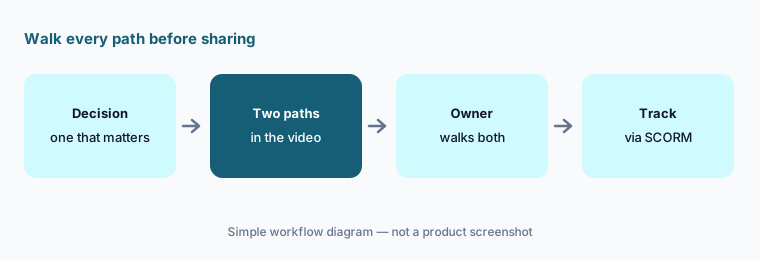
Walk both paths:
Add one branching question to a procedure video. Have the procedure owner walk both paths and confirm each leads to the right step.
4. Translation, voice cloning, and multilingual video
What it is: Colossyan’s translator automatically translates audio, voiceovers, subtitles, and on-screen text, with avatars lip-synced to the new language; its pages give the language count as 80+, 100+, or 120+ depending on the page. Voice cloning creates text-to-speech in 30+ languages from one recording. A multilingual video player that lets viewers pick a language is listed for Enterprise, and AI video dubbing was marked coming soon on 11 October 2026. Auto-translations are capped per month on Starter and Professional.
Every translated version is a new video nobody has checked. Have a fluent colleague who does the job watch it for terms of art, units, warnings, and on-screen labels — and check that interactive buttons and quiz answers still make sense in the new language. When the source changes, regenerate each language rather than patching one.
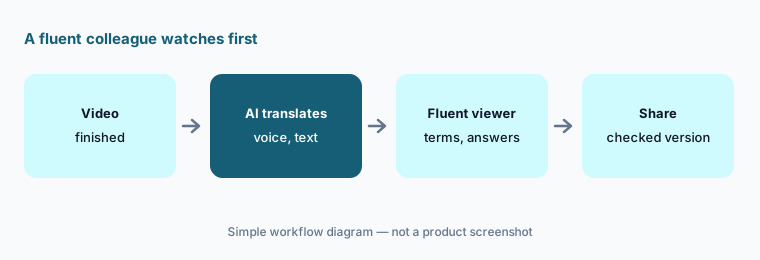
A fluent viewer first:
Translate one finished video into a second language. Have a fluent colleague check every on-screen term, warning, and quiz answer before you share it.
5. Colossyan Learn courses and SCORM export
What it is: Colossyan Learn turns a topic, brief, or document into a structured course outline with lessons and modules, each lesson with its own AI video, supporting text, and a knowledge check. Colossyan says Learn doesn’t replace your LMS: you export SCORM (Professional includes 5 SCORM exports a month; Enterprise unlimited, streaming or self-contained). On 11 October Colossyan’s pages said collaboration and approval workflows for Learn, and importing courses from other authoring tools, are on the roadmap.
Because Learn has no built-in approval flow yet, set one up yourself: name the reviewer for each lesson and don’t export until each has signed off. Then test the SCORM package in your own LMS with one learner — completion, quiz results, and bookmarking — before assigning it widely.
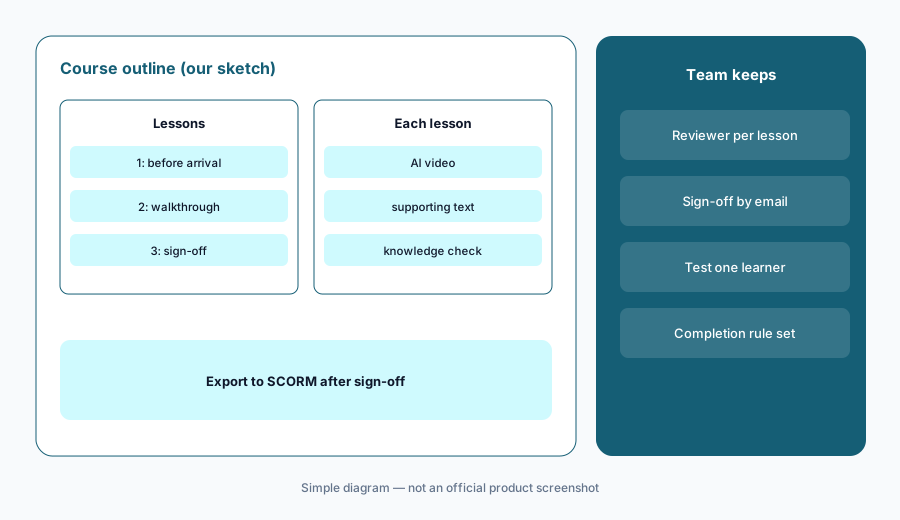
One learner in your LMS:
Build a three-lesson course in Colossyan Learn from one document. Export it to SCORM and test completion and bookmarking in your LMS with one learner.
6. Video minutes, drafts, and editors
What it is: Colossyan meters generated video minutes: videos with a NEO2 avatar use NEO2 minutes; NEO avatars and videos without an avatar use NEO minutes. Per its FAQ, only generated videos count, drafts don’t, unused minutes don’t roll over, deleting a video doesn’t return minutes, and annual plans receive the year’s minutes up front. Professional supports up to three editors with sharing and commenting; team permissions and analytics are Enterprise features.
Do your revising in the draft and the script, not in rendered video. Get the owner’s approval on the final script, then generate once. Track who generates what if several editors share one allowance, because minutes spent on rejected versions are gone.
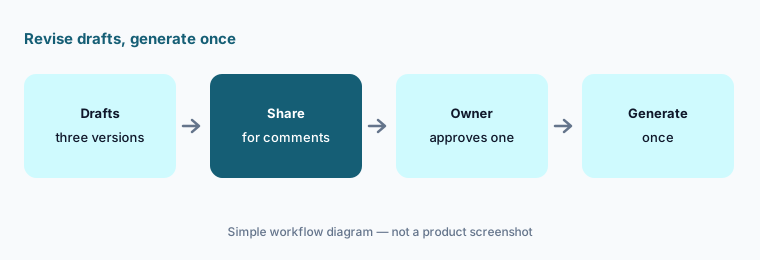
Generate once:
Draft three versions of one script before you generate any video. Generate only the version the owner approved, since generated minutes don’t come back.
Pricing context (October 2026)
Colossyan publishes its main plan prices (checked 11 Oct 2026, USD, on its pricing page). Starter: free — 20 NEO minutes a month, 15 custom avatars, 10 interactive videos and 15 auto-translations a month, unlimited course creation, with a watermark. Professional: $59 per month on an annual plan (marked 34% off monthly billing), plus $30 per month for each additional editor up to three — 30 NEO and 10 NEO2 minutes a month, MP4 downloads, watermark removal, 5 SCORM exports a month, AI image generation, 20 custom avatars, 15 interactive videos, and 20 auto-translations a month. Enterprise: custom — unlimited minutes, SCORM, and translations, SSO, EU or US data residency, conversational avatars, and a dedicated CSM.
Add-ons listed in Colossyan’s FAQ: 600 extra NEO2 minutes for $1,500 a year on a Professional yearly plan, and a professionally filmed Studio Avatar for $1,000 a year. Instant custom avatars are included in any active plan. The monthly-billing price for Professional wasn’t shown in the version of the page we read.
Uncertainty: Colossyan’s pages differ on several details: the number of languages (80+, 100+, or 120+), Studio Avatar turnaround (5 working days in one table, about 15 in the FAQ), Studio Avatar price ($1,000 a year in the pricing FAQ, “contact sales” on the avatar page), and SCORM 2004 for Learn courses (listed as roadmap on one page, supported for video on another). Cora can’t yet add quizzes or branching automatically, Learn has no built-in approval workflow, and AI dubbing was marked coming soon on 11 October 2026. Colossyan’s case-study figures and review-site claims are not repeated here.
When it’s useful (honest take)
Useful when you need short, frequently updated training videos — procedures, onboarding, product changes — in several languages, you can’t film easily, you want quizzes or branching inside the video and SCORM into your LMS, and the content owner will approve every script before it is generated.
Less useful when your training is mostly reference material people look up (an SOP tool is lighter), you need a full LMS (Colossyan exports to one), hands-on skills need a real demonstration, or nobody has time to review scripts and translations.
Paying for Colossyan and a few other AI tools? The $9 AI toolkit spreadsheet lists every AI subscription you have, what each one costs, and how fast it pays for itself, so you can see which ones are worth the money.
Want someone to do it for you? AI toolkit audit — $19
Related options (educational)
| Need | Better home | Why |
|---|---|---|
| AI avatar video from documents, with interactive scenarios | Colossyan (this page) | Cora, interactive video, Learn |
| AI avatar training videos at enterprise scale | Synthesia | Avatars, translation |
| AI avatar and marketing-style video | HeyGen | Avatars, translation |
| Expert-built courses with an AI video add-on | Easygenerator AI | EasyVideo, EasyCoach |
| PowerPoint-based authoring with AI avatars in Cloud AI | iSpring AI | Suite AI, Cloud AI |
| Course LMS with AI video in its course builder | TalentLMS AI | TalentCraft AI Video |
FAQ
What is Colossyan used for?
Colossyan makes training and enablement videos presented by AI avatars, from documents, slides, URLs, or scripts. It adds interactive elements such as quizzes, buttons, and branching paths, translates videos, builds multi-lesson courses in Colossyan Learn, and exports SCORM for an LMS.
How much does Colossyan cost in October 2026?
As published on 11 October 2026 (USD): Starter is free with limits; Professional is $59 per month on an annual plan plus $30 per month for each additional editor (up to three); Enterprise is custom. Add-ons include 600 NEO2 minutes for $1,500 a year and a Studio Avatar for $1,000 a year.
Can I make an AI avatar of a colleague?
Only with their explicit consent. Colossyan’s ethics page says no one can use a person’s likeness without permission and bans avatars of public figures or anyone who hasn’t consented; its FAQ requires the person to be 18 or older. Get written consent that names where the avatar will be used.
What is Cora in Colossyan?
Cora is the agent behind Colossyan’s AI Video Generator. It reads your document, drafts a scene-by-scene plan that cites the source section for each scene, and waits for your approval before the video is generated. It can’t add quizzes or branching automatically yet.
Does Colossyan use our videos to train AI?
Colossyan’s pricing FAQ says it does not train AI models on customer content, and that scripts, recordings, and generated videos stay private to your workspace; data processing terms are in a DPA available on Enterprise plans.
Optional next step (if seats overlap)
If you pay for an AI video tool, an authoring tool with its own video add-on, a translation service, and chat seats that all draft the same training scripts, that overlap is worth mapping. Map the overlap with the $19 AI toolkit audit or the $9 AI toolkit spreadsheet. Email Audit $19 or Toolkit spreadsheet $9.
Checkout is live via Stripe. After you pay, we email delivery (spreadsheet) or intake next steps (audit).