How-to · Training video · Colossyan · Oct 18, 2026
Turn a policy doc into a training video with Colossyan's Cora, and approve every scene before render
Colossyan's Cora reads a document and drafts a scene-by-scene video plan with citations back to the source, and Colossyan's own instruction is to approve every scene before render. Generated minutes don't come back if you delete a video. This page shows how to turn one policy into a short video with the owner approving each scene first.
Who this is for
L&D leads, trainers, and enablement managers who make short training videos on Colossyan. The job here is scene-by-scene approval before render. For generating quiz questions in iSpring Suite AI and having the author check every one — a different job — see iSpring AI quiz author check.
How to do it
This is a how-to, not a ranking of video tools. Per the Colossyan review, Cora drafts a plan with citations to source sections, custom avatars require the person's explicit consent and must be 18 or older, Cora can't yet add quizzes or branching automatically, and only generated videos use minutes — drafts don't. The ground rules: the procedure owner approves the script before anything is generated, an avatar of a real person needs their written consent, and AI-presented video is labelled where your policies require it.
1. Pick one doc and let Cora draft scenes
What it is: Give Cora one approved written procedure and a short target length, and let it draft cited scenes.
- Pick one current, approved procedure.
- Ask for a short video, about two minutes.
- Name the audience, such as new drivers.
- Apply your brand kit.
- Name the procedure owner who will approve.
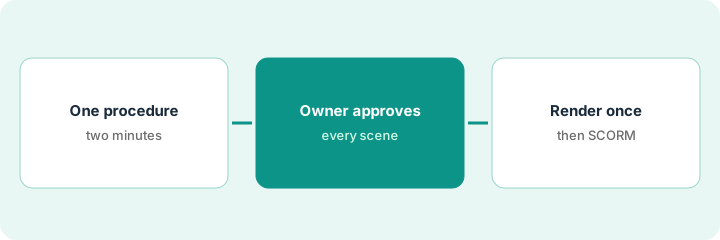
He gives Cora the four-page battery-charging procedure and asks for a two-minute video for new forklift drivers. The plan has four scenes, each citing its section.
Start with one procedure and a two-minute target.
2. Approve scene by scene, including avatar consent
What it is: The procedure owner reads every scene against its cited section, and anyone appearing as a custom avatar gives written consent first.
- Click each scene back to its source section.
- Check numbers, form names, and the order of steps survived.
- Fix any scene where a specific became vague.
- If a colleague will be the presenter, get written consent naming the videos it covers.
- Do revisions in the draft, not in rendered video.
The EHS manager finds that the scene on waiting for the charger lost the required eye-wash check and that scene three swapped two steps. Both are fixed in the draft. The presenter is a stock avatar, so no custom consent is needed.
Have the procedure owner approve every scene against its citation before you render.
3. Render once and export SCORM
What it is: Generate the approved version once, label it as AI-presented if your policy asks, export SCORM, and test it with one learner in your LMS.
- Render only the approved version.
- Label AI-presented video where your policies require it.
- Export SCORM.
- Have one learner take it in your LMS and check completion and bookmarking.
- When the procedure changes, regenerate rather than patch.
The video is generated once. A coordinator takes it in the LMS; completion works, and it goes out to new drivers.
Render only after approval, and test the SCORM export with one learner first.
Pricing context (October 2026)
This how-to isn't a price sheet. Per the Colossyan review and Colossyan's pricing page (checked Oct 18, 2026, USD), Starter is free with limits, Professional is $59 per month on an annual plan plus $30 per month for each additional editor, and Enterprise is custom. Listed add-ons include 600 extra NEO2 minutes for $1,500 a year and a Studio Avatar for $1,000 a year. Dated October 2026.
Checked Oct 18, 2026 on the vendor’s own pricing page: Colossyan’s pricing page lists Professional at $59 per month on an annual plan plus $30 per month per additional editor, 600 extra NEO2 minutes for $1,500 a year, and a Studio Avatar for $1,000 a year; Starter is free and Enterprise is custom.
Uncertainty: The only prices this site sells here are the optional $9 AI toolkit spreadsheet and $19 AI toolkit audit.
When this helps (honest take)
Useful when you need short, frequently updated procedure videos, can't film easily, and the owner will approve every script before render.
Not useful when your training is mostly reference material, hands-on skills need a real demonstration, or nobody has time to review scripts.
Related options (educational)
| Need | Where to look | Why |
|---|---|---|
| Colossyan features | Colossyan | Primary path |
| AI quiz questions an author checks | iSpring AI quiz author check | A different job |
| AI avatar video at enterprise scale | Synthesia | Another video tool |
| Course drafts with a reviewer pass | Absorb Create reviewer pass | Existing how-to |
| Learning ops stack map | Stack map: learning ops | Where Colossyan fits |
FAQ
Can I make an AI avatar of a colleague?
Only with their explicit consent. Per our review, Colossyan bans avatars of anyone who hasn't consented and requires the person to be 18 or older. Get written consent naming where it will be used.
Can Cora add quizzes automatically?
Not yet. Per our review, Cora can't add quizzes or branching automatically; you add interactions in the editor.
How much does Colossyan cost?
Starter is free; Professional is $59 per month on an annual plan plus $30 per month per additional editor; Enterprise is custom. See the pricing section.
Does Colossyan train AI on our videos?
Per our review, Colossyan’s pricing FAQ says it does not train AI models on customer content.
Optional next step
If you want a one-page toolkit map for the tools you already pay for, use the optional $9 AI toolkit spreadsheet. If you want a short review of seat waste and unused tools, use the optional $19 AI toolkit audit. Neither is required to follow this how-to.