Tool · Ops & automation · Scribe · Oct 2026
Scribe review (Oct 2026): process capture and SOP drafts for ops enablement
Scribe when the process lives in someone’s clicks and you need a draft SOP. A human edits before it is the procedure. Guru AI if the need is a verified answer card. GitBook AI if the canonical page is a docs site.
What this page covers
This page is for ops leads who keep explaining the same click-path in Slack. Scribe-style capture turns a recording of the screen into a step list. We did not fetch a price. The capture is a draft. It will include wrong clicks, personal data on screen, and steps that only work on one laptop. A human deletes those before the page is how the team works.
Major features (with how someone uses them)
Examples at a glance: each feature has a concrete ops example plus a short Try this.
1. Capture one path, then stop (primary)
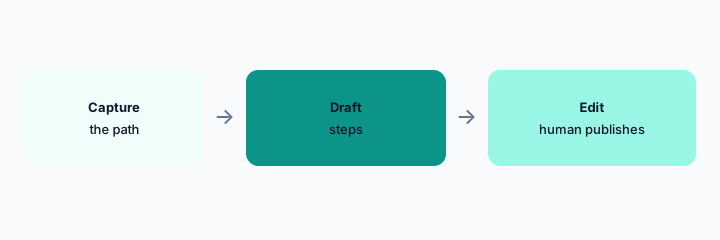
What it is: Record a single process you can finish in one sitting: create a vendor, rotate a non-production key, export a report. Do not record a production change. The draft steps should match the clicks. Extra steps the tool inferred get deleted.
Primary workflow:
Record one non-production process. Delete every step you did not mean to teach.
2. Redact the screen before anyone else sees it
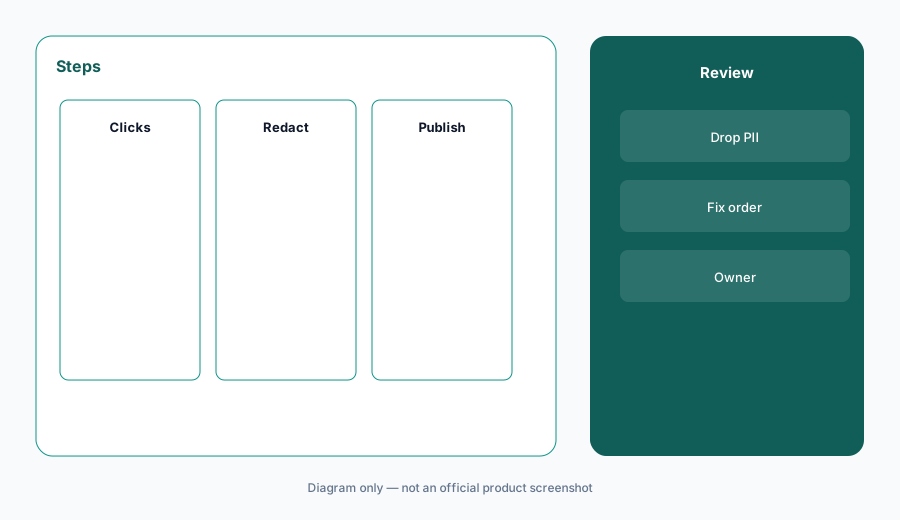
What it is: Captures show names, invoices, tokens, and customer rows. Redact before sharing the link. If the tool’s share setting defaults to public, change it. A process doc that leaks a customer is not enablement.
Redact check:
Open the newest capture. List anything that is a person, a secret, or a customer. Redact or delete.
3. The draft is not the canonical SOP until a human says so
What it is: Put the edited steps in the system that is already canonical: a Guru card, a GitBook page, or Notion. Leaving the only copy inside the capture tool means two sources of truth. Name an owner and a review date.
Canonical check:
Choose the canonical home before you share. Write the owner and the review month on the page.
4. Versus Guru, GitBook, and Loom
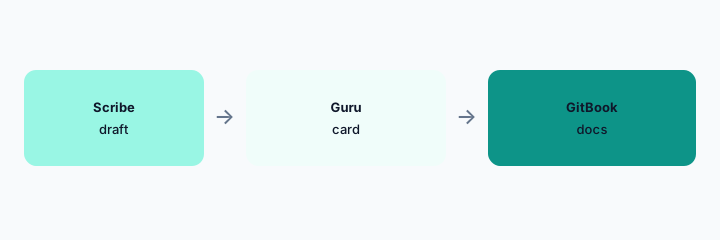
What it is: Scribe drafts the steps. Guru AI answers from a verified card. GitBook AI publishes the docs site. Loom AI is a talking video when a human should be seen. Do not keep the capture, the video, and the card all “live” with different steps. The knowledge stack map is where you write that down.
Home for the job:
For one process, name the single canonical URL. Other links become drafts.
Pricing context (October 2026)
We did not open this vendor’s public price table for this review. October 2026 is the date of the page, not a quote. Use the vendor’s live pricing page and your invoice.
If an assist is included or missing on your plan, record that from the admin screen.
Uncertainty: Names, limits, and which workspaces have the assist change. This page does not claim a dollar price or a general-availability date.
When it’s useful (honest take)
Useful when a repeated click-path is undocumented and a human redacts and edits before anyone treats it as the procedure. Less useful for judgment-heavy work that should not be a click script. Less useful if the capture tool becomes a second wiki.
Paying for Scribe and a few other AI tools? The $9 AI toolkit spreadsheet lists every AI subscription you have, what each one costs, and how fast it pays for itself, so you can see which ones are worth the money.
Want someone to do it for you? AI toolkit audit — $19
Related options (educational)
| Need | Better home | Why |
|---|---|---|
| Undocumented click-path | Scribe (this page) | Draft, redact, then move |
| Verified short answer | Guru AI | Card with an owner |
| Docs site | GitBook AI | Publish there if that is canonical |
| Someone should be on camera | Loom AI | Video, not a step list |
FAQ
Is a capture an SOP?
Not until a human edits, redacts, and puts it in the canonical home.
How much does Scribe cost?
We do not say. Check Scribe’s pricing and your invoice.
Can I record production?
Do not record a production change or a screen with secrets.
Where should the finished steps live?
In the wiki or docs site you already call canonical, with an owner.
Optional next step (if seats overlap)
If two AI seats would answer the same question, map the overlap with the $19 AI toolkit audit or the $9 AI toolkit spreadsheet. Email Audit $19 or Toolkit spreadsheet $9.
Checkout is live via Stripe. After you pay, we email delivery (spreadsheet) or intake next steps (audit).