Tool · Ops & automation · Guru · Oct 2026
Guru AI review (Oct 2026): verified knowledge cards for ops answers
Guru when the answer should come from a card someone verified, not from a general chat. GitBook AI if the canonical doc is a docs site. Notion AI if the wiki is Notion. The inventory is Stack map for knowledge ops.
What this page covers
This page is for ops leads who want answers in Slack or a browser to cite a card a named person verified. Guru’s model is cards with owners and verification, plus AI that should stay inside that knowledge. We did not fetch a price. If the cited card is stale or missing, the correct output is Unknown, not a fluent guess. This is not a second helpdesk and not a public docs site.

Major features (with how someone uses them)
Examples at a glance: each feature has a concrete ops example plus a short Try this.
1. An answer that cites a card (primary)
What it is: Ask an ops question you believe is documented: how to rotate a key, how to file a vendor, how PTO is requested. Require the card title. Open it. If the answer has no card, do not paste it into Slack as policy.
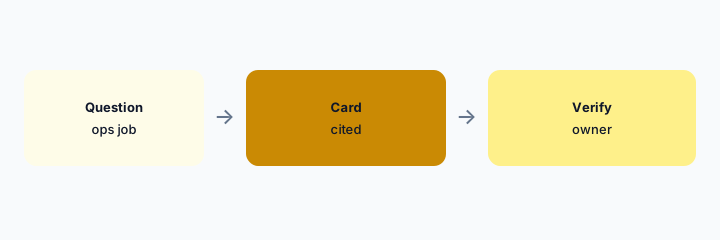
Primary workflow:
Ask one real question. Require a card link. If there is no card, write Unknown and assign an owner.
2. Verification is the product, not the prose
What it is: A card without an owner and a verification date is a draft. AI that sounds sure about a draft is worse than silence. Make the owner a person, not a team alias that nobody reads. Stale cards get re-verified or unpublished.
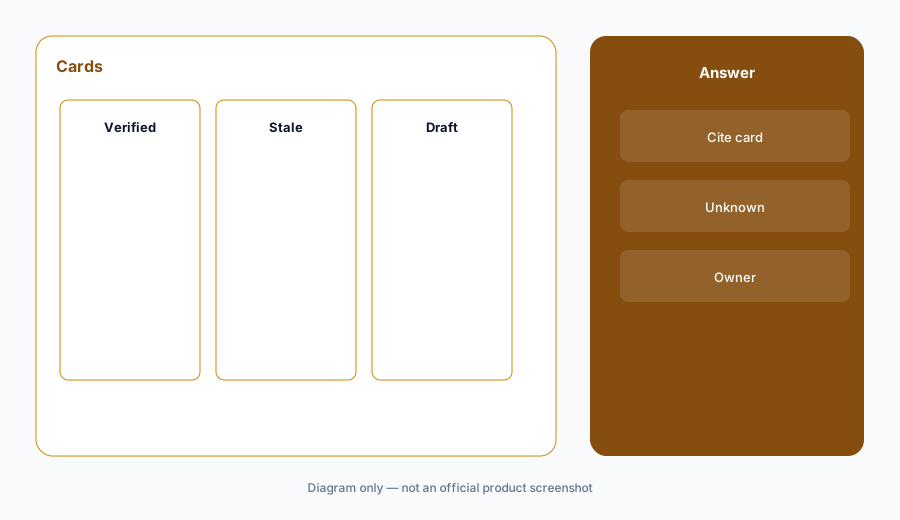
Verification check:
List cards the assistant used this week. Any without an owner gets unpublished or assigned today.
3. Internal cards are not customer replies
What it is: Guru is internal knowledge. A card that says “tell the customer we can refund 30 days” is a script a human may use, not a message the assistant sends. Customer send stays in the helpdesk (Front AI, Zendesk, or whichever desk you run). Do not connect an internal card bot to the customer channel.
Channel check:
Write where Guru answers are allowed to appear. Customer email is not on that list.
4. Versus GitBook, Notion, and Scribe
What it is: GitBook AI when customers or developers read a docs site. Notion AI when Notion is the wiki. Scribe when you need a click-by-click capture of a process that is not written yet. Guru when the unit of truth is a verified card. Two of these answering the same question is the knowledge stack map.
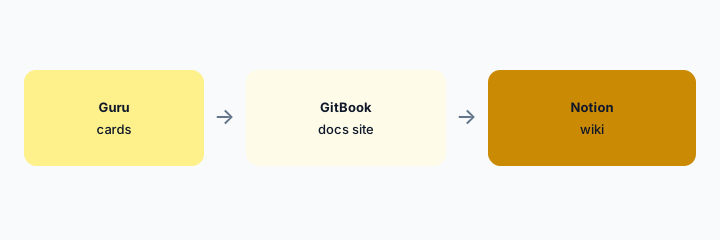
Home for the job:
Pick five questions. Assign each to Guru, GitBook, Notion, or “not written yet.”
Pricing context (October 2026)
We did not open this vendor’s public price table for this review. October 2026 is the date of the page, not a quote. Use the vendor’s live pricing page and your invoice.
If an assist is included or missing on your plan, record that from the admin screen.
Uncertainty: Names, limits, and which workspaces have the assist change. This page does not claim a dollar price or a general-availability date.
When it’s useful (honest take)
Useful when cards have owners and the assistant refuses to answer without a citation. Less useful when verification is theater and the bot answers anyway. Less useful if Notion or GitBook is already the canonical wiki and Guru would be a second copy.
Paying for Guru AI and a few other AI tools? The $9 AI toolkit spreadsheet lists every AI subscription you have, what each one costs, and how fast it pays for itself, so you can see which ones are worth the money.
Want someone to do it for you? AI toolkit audit — $19
Related options (educational)
| Need | Better home | Why |
|---|---|---|
| Verified internal cards | Guru (this page) | Cite the card or say Unknown |
| Public or developer docs | GitBook AI | Docs site, not a card |
| Wiki already in Notion | Notion AI | Do not copy the wiki |
| Process not written yet | Scribe | Capture the clicks first |
FAQ
What if there is no card?
The answer is Unknown. Assign an owner. Do not improvise policy.
How much does Guru cost?
We do not say. Check Guru’s pricing and your invoice.
Can it reply to customers?
No. Internal cards only. The helpdesk sends customer text.
How is this different from Notion AI?
Use Notion if Notion is the wiki. Use Guru if the unit of truth is a verified card.
Optional next step (if seats overlap)
If two AI seats would answer the same question, map the overlap with the $19 AI toolkit audit or the $9 AI toolkit spreadsheet. Email Audit $19 or Toolkit spreadsheet $9.
Checkout is live via Stripe. After you pay, we email delivery (spreadsheet) or intake next steps (audit).