AI assistant · Flagship deep-dive
Claude review (Oct 2026): how it works and when it’s useful
Claude is Anthropic’s AI assistant. This page is for ops leads, finance owners, and small teams who want to understand the features that exist — Projects, Artifacts, file analysis, and Claude Code — with concrete examples of how someone uses them, not a ranking grid.
Who this page helps
If you already pay for one or more AI chat seats and need a clear picture of what Claude actually does, start here. We walk through major features with public product visuals and simple workflow diagrams, then dated pricing and educational alternatives (ChatGPT, Gemini, Grok). If you are shopping for a “best AI 2026” star-based list, this is not that page.
What Claude is
Claude is built by Anthropic. Most buyers meet it on claude.ai (web, desktop, mobile): you chat, attach files, organize work in Projects, generate Artifacts (documents, code, charts, small apps), and — on paid plans — use Claude Code for coding work. Organizations use Team or Enterprise for shared billing, admin, and collaboration. There is also an API for builders; this review focuses on the product a typical ops/finance/small-team buyer touches.
Major features (with how someone uses them)
Examples at a glance: each feature below has a concrete ops/finance/small-team example plus a short Try this prompt you can paste into Claude.
1. Chat + Projects (knowledge & custom instructions)
What it is: Everyday Claude chat, plus Projects — a workspace where you group chats, upload documents into project knowledge, and optionally set custom instructions so Claude behaves the same way every time in that workspace. On Team plans, projects can be shared with teammates (as publicly documented by Anthropic).
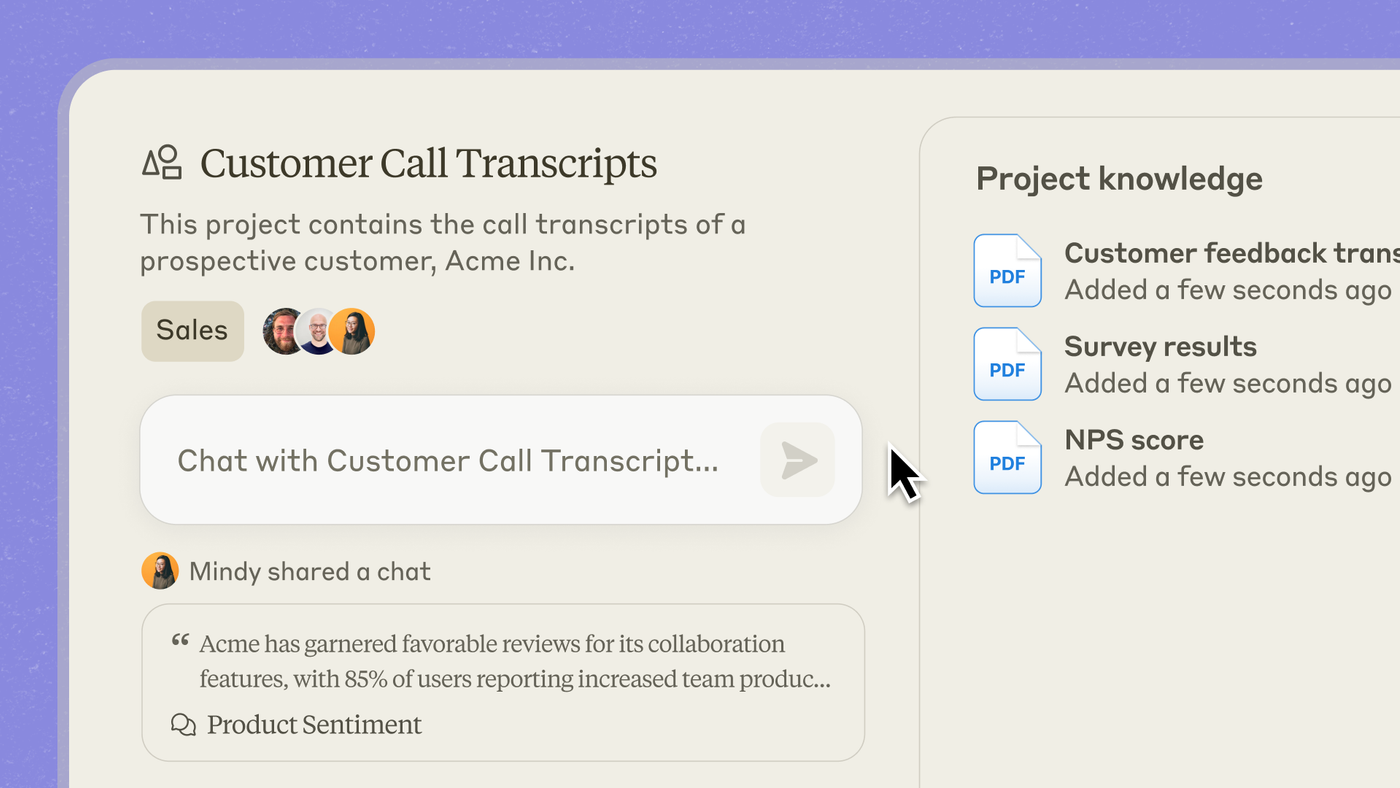
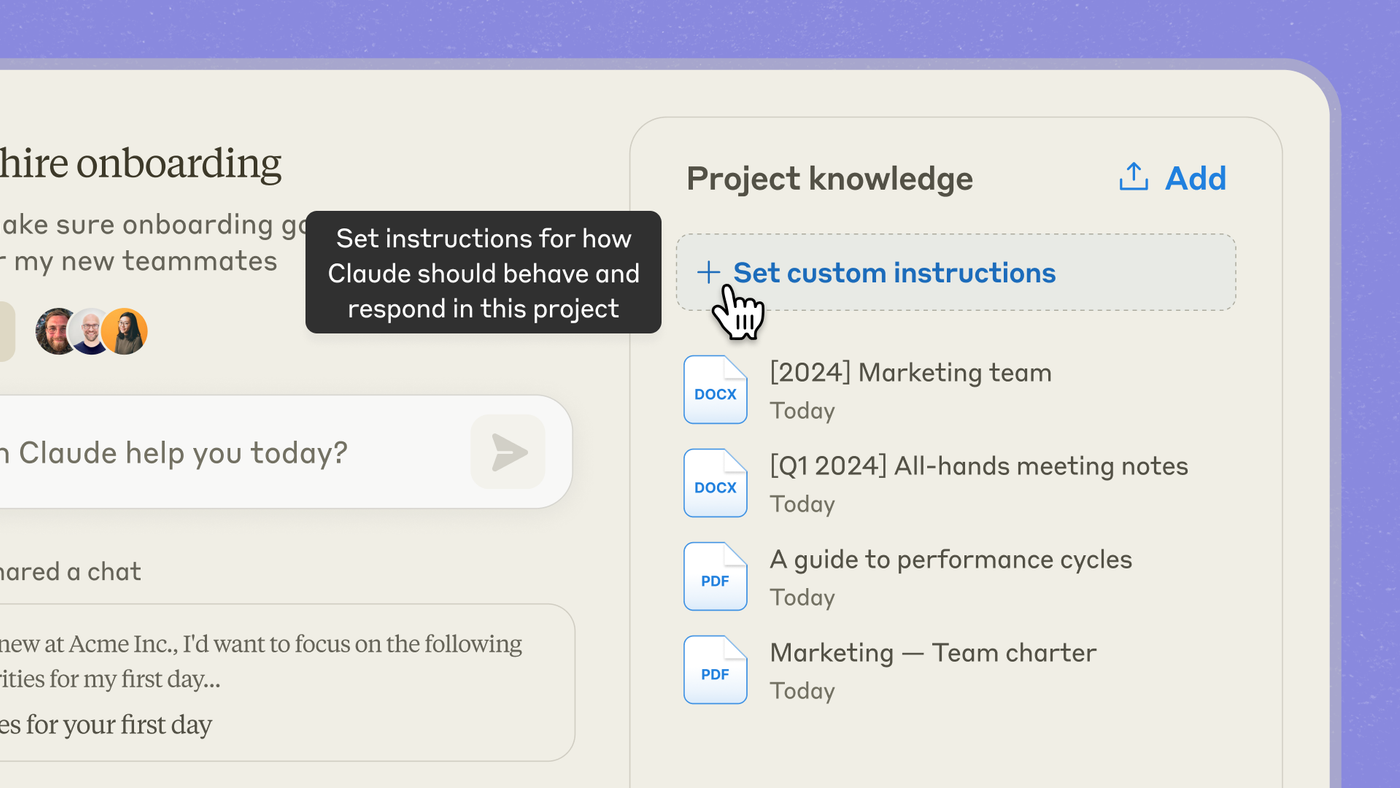
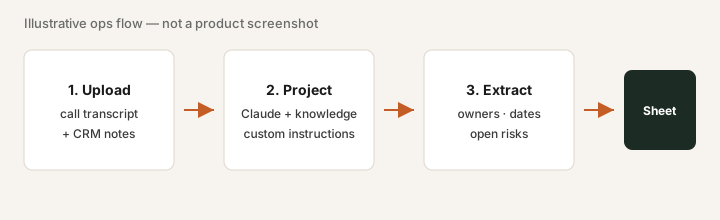
Paste into a new Claude Project (after uploading 2–3 real call PDFs or an NPS export):
Only use the files in this Project. Summarize top 5 product themes from the uploads, list open customer commitments with owner blanks, and flag anything that needs a follow-up this week.
2. Artifacts
What it is: When Claude generates a substantial piece of work — a document, code, diagram, or small interactive app — it can open in a dedicated Artifact pane beside the chat so you can preview, iterate, copy, or download without losing the conversation thread.
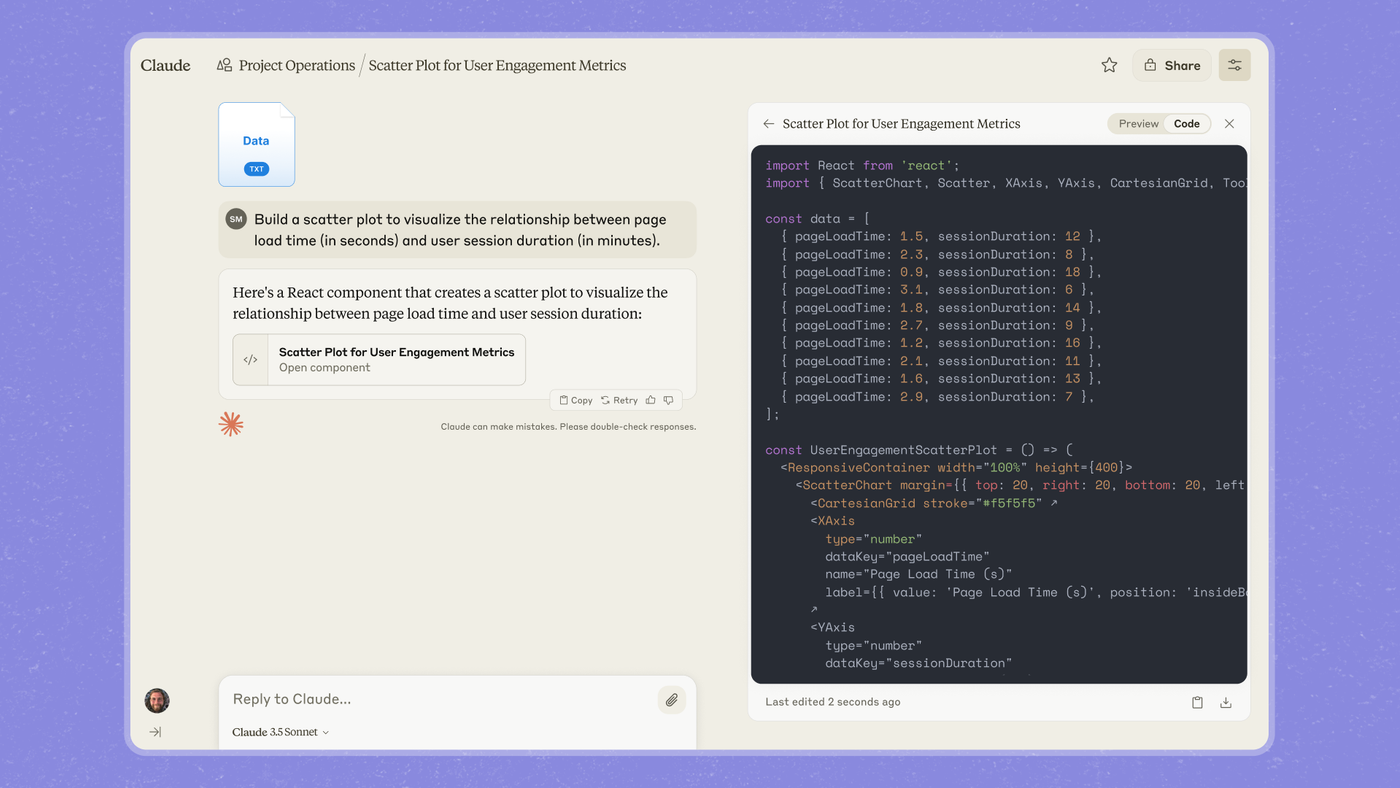
Paste after attaching a small metrics CSV (or paste a 10-row table):
Create an Artifact: scatter plot of page load time vs session duration from this data, plus a 3-bullet caption I can drop into a weekly ops memo.
3. Analysis & file upload
What it is: You attach PDFs, spreadsheets, text exports, and similar files to a chat or Project. Claude reads them in context and can summarize, compare, extract tables, or (with Artifacts / code execution where available) help you visualize results. Exact limits and file types depend on plan and change over time — check Anthropic’s current docs.
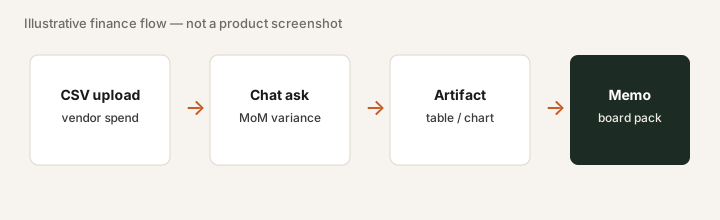
Mini-workflow for a finance owner:
- Upload last quarter’s vendor-spend CSV to a chat (or Project).
- Ask: month-over-month variance by vendor; highlight any vendor up more than 20%.
- Copy the table into your board-pack draft and spot-check two rows against the CSV.
4. Claude Code (and API, briefly)
What it is: Claude Code is Anthropic’s coding agent experience (included on paid Claude plans per public pricing FAQ). It works in a coding-oriented UI / terminal workflow so you can ask Claude to read and change project files, with repo and branch context. Separately, builders use the Anthropic API (token pricing) to embed Claude in their own apps — useful if you are shipping product, not required if you only need claude.ai seats.
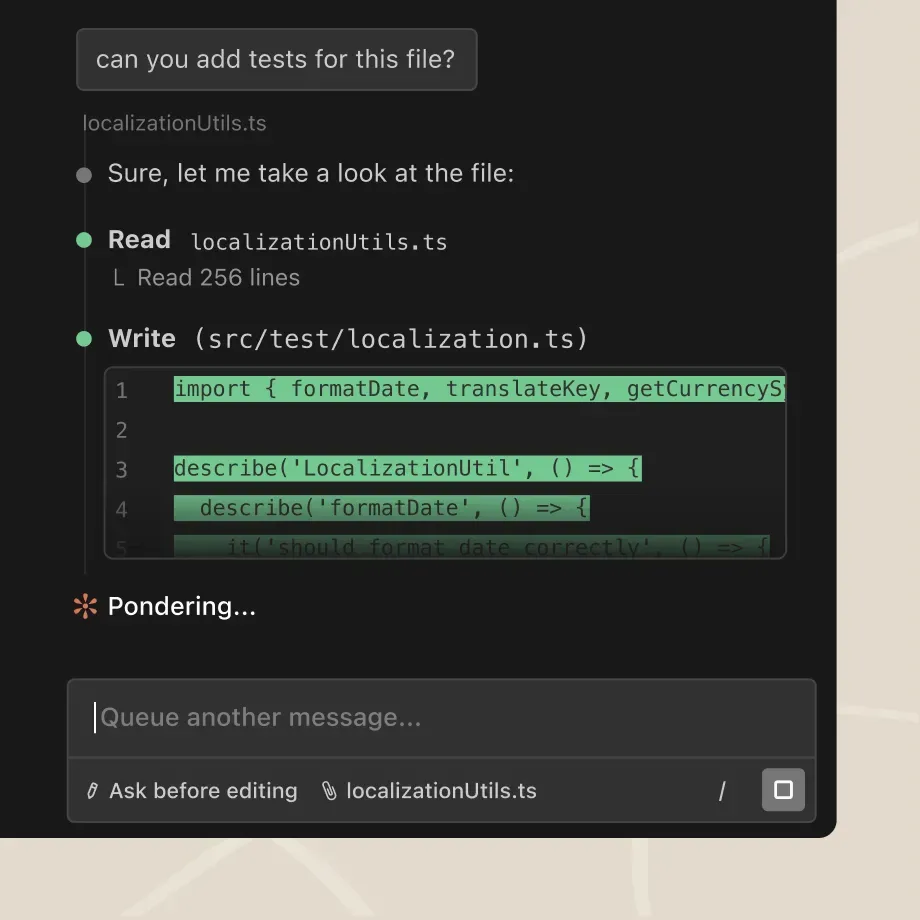
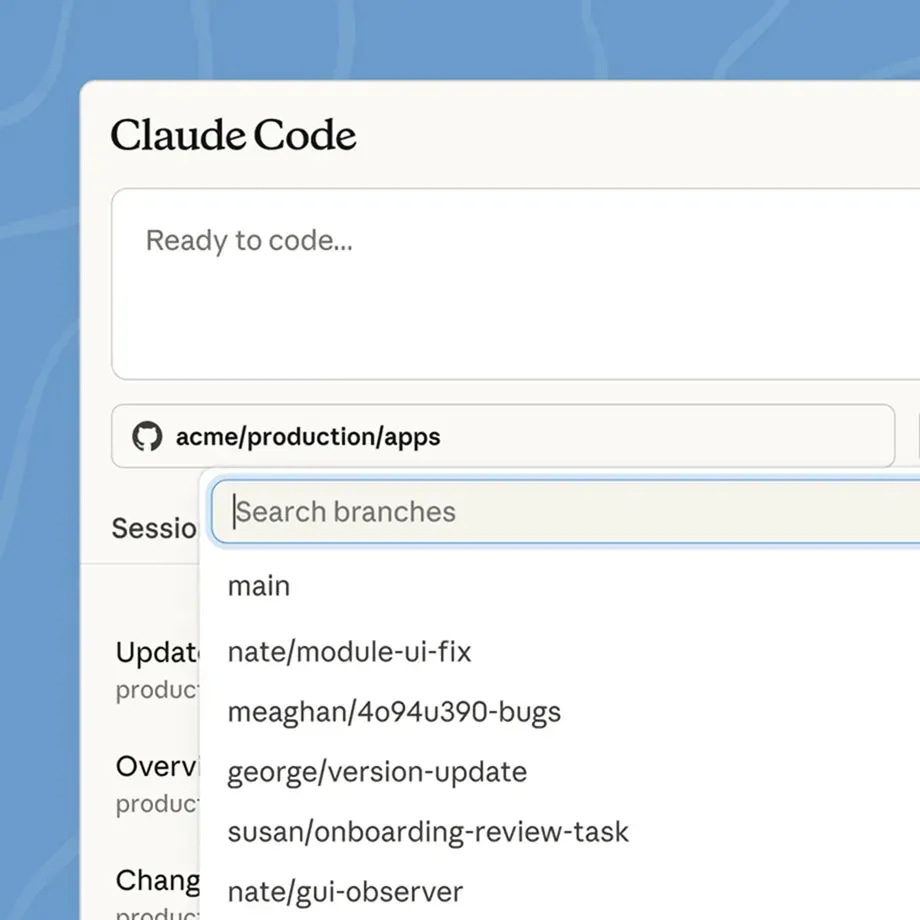
In Claude Code (paid plans), with your repo open:
Add unit tests for the localization helper only — do not change production code. Show which files you read/wrote, then summarize coverage gaps in 5 bullets.
Public pricing (October 2026)
Figures below are from Anthropic’s public pricing and help pages as of October 2026. Prices exclude tax; regional pricing varies. Always confirm on claude.com/pricing — Anthropic changes plans.
- Free: $0 — chat on web/desktop/mobile, Artifacts, limited usage; Projects capped (publicly listed as up to 5 on Free).
- Pro: about $20/month billed monthly, or about $17/month with annual billing ($200 up front). More usage, Projects, Claude Code, research, and related paid features per Anthropic’s plan cards.
- Max: from about $100/month (5× Pro usage tier); higher 20× tier also offered (publicly listed around $200/month). Built for heavy daily use.
- Team: minimum two seats. Standard about $25/member/month (or $20 annual); Premium about $125/member/month (or $100 annual) — per Anthropic Help Center (US list).
- Enterprise: publicly described as about $20/seat/month plus usage at API rates, billed annually, with advanced admin/security. Sales-assisted options exist.
- API: separate token pricing by model (see Anthropic docs). Not the same bill as a Pro seat.
Uncertainty flags: Usage limits are described in “multiples of Pro” rather than fixed message counts — treat capacity claims carefully. Feature bundles on Pro/Max (Design, Slides, Docs, Science, etc.) evolve; verify the live comparison table. Mobile store prices can differ from web.
When Claude is useful (honest take)
Claude tends to help when you have recurring document-heavy work, want a shared project knowledge base, or need Artifacts you can iterate beside chat — and when a general assistant already covers drafts you were about to buy a niche writing tool for. It tends not to help when seats sit idle, nobody uploads real files, or you buy Max “just in case” without a daily workload.
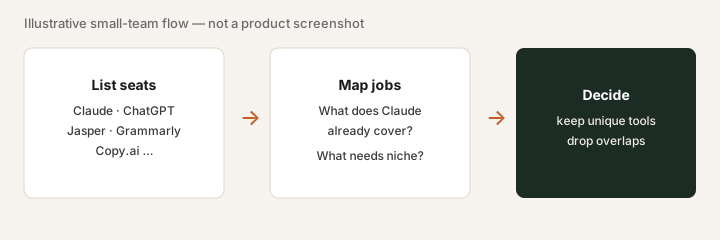
Secondary note only: if you already pay for Claude and three writing SaaS seats that only draft the same emails, a light overlap review is often enough — that is stack hygiene, not the point of this review.
Paying for Claude and a few other AI tools? The $9 AI toolkit spreadsheet lists every AI subscription you have, what each one costs, and how fast it pays for itself, so you can see which ones are worth the money.
Want someone to do it for you? AI toolkit audit — $19
Alternatives compared: ChatGPT, Gemini, and Grok
Use this as a practical comparison. Match each product to the jobs you actually run this month, where your files already live (Drive, Notion, local PDFs, Slack), how your team wants admin (shared seats vs personal Plus), and whether coding help is daily work. One primary assistant seat is usually enough until a clear uncovered job appears.
| Axis | Claude | ChatGPT | Gemini | Grok (xAI) |
|---|---|---|---|---|
| Typical consumer paid seat (Sep 2026) | Claude Pro ~$20/mo monthly (~$17/mo annual). Confirm on claude.com/pricing. | ChatGPT Plus ~$20/mo. Team/Business higher. Confirm on openai.com/chatgpt/pricing. | Gemini Advanced / Google One AI Premium ~$20/mo. Confirm on one.google.com. | Bundled: as of Oct 17, 2026, x.ai/pricing sells The X Subscription (Grok + Cursor + X Premium): Plus $8/mo, Premium $30/mo, Super $100/mo, Ultra $200/mo. SuperGrok is no longer sold to new buyers; existing subscribers can keep it. Verify checkout. |
| Ease of setup (small ops/finance team) | Sign up on claude.ai; Team seats for shared billing/admin when you outgrow personal Pro. | Fastest if the company already standardized on OpenAI; Workspace/Team admin is familiar to many IT buyers. | Easiest when everyone already has Google Workspace accounts — flip Gemini access instead of a new vendor. | Depends on path: grok.com / xAI account vs X Premium subscription. Less “ops team admin” packaging than Team/Workspace seats — confirm current org options. |
| Document / knowledge workflow | Projects with project knowledge + custom instructions; upload PDFs/CSVs; Artifacts beside chat. | Custom GPTs / project-style workspaces; strong plugin/app ecosystem; file uploads in chat. | Gemini in Workspace (Drive/Docs/Gmail context) when files already live in Google. | Chat-first on X and grok.com; connectors and product surface evolve on xAI’s side — do not assume Claude-style Projects parity. |
| Coding help | Claude Code on paid plans; strong for repo-aware edits and Artifacts with code. | Strong coding + tools ecosystem (Code Interpreter / advanced data analysis, IDEs, agents — check current Plus/Pro bundle). | Solid coding help in chat; deepest fit when code/docs sit next to Google Cloud or Workspace habits. | Grok helps with code in chat; xAI also ships builder-facing surfaces — treat feature depth as changing and verify live. |
| Best fit when… | You want shared project knowledge, Artifacts you iterate beside chat, and document-heavy ops/finance work. | The org already lives in OpenAI admin, Custom GPTs, or a broad tool ecosystem. | Source of truth is Google Drive/Docs/Gmail and you want assistant context without constant uploads. | You already pay for X Premium / want Grok’s chat style, or you are evaluating xAI’s X Subscription (which replaced SuperGrok) specifically. |
Soft reminder: list prices and plan names change. Confirm live vendor pricing and seat limits before you buy or renew.
Claude (reference). Treat Claude as the baseline on this page: Projects + Artifacts + file analysis for recurring document work, with Claude Code when coding is part of the seat. If you already pay for Claude, name the jobs it uniquely covers before adding a second assistant.
ChatGPT (OpenAI). The default many teams already have. Compare on Custom GPTs / team workspace features, coding tools, and whether your company already standardized on OpenAI admin. If everyone already has ChatGPT and Claude would be a second seat, name the job Claude uniquely owns (for example Projects knowledge + Artifacts for your finance CSVs) before doubling spend.
Gemini (Google). Often wins when documents already live in Google Workspace and you want Drive/Docs/Gmail context without constant uploads. If your source of truth is Notion or local PDFs instead, Claude Projects or ChatGPT workspaces may fit better — again, compare on where the files live.
Grok (xAI). Grok is xAI’s assistant, available via grok.com and X. Pricing is less of a simple “$20 Plus twin” story: since October 2026 Grok is sold as The X Subscription, bundled with Cursor and X Premium (Plus $8/mo, Premium $30/mo as of Oct 17, 2026, per x.ai/pricing), and SuperGrok is no longer sold to new buyers. Exact limits change. Grok Bot appears in X/xAI product context where relevant; feature sets change, so verify on the vendor site. Fit is strongest if you already live on X or are deliberately evaluating xAI, not as a drop-in Projects clone.
None of these four is “best” in the abstract. Pick the one whose features you will actually use this month, then revisit overlapping niche tools (see our writing & copy reviews).
Same job, two products: Claude vs ChatGPT for ops.
Same job, two products: Claude vs Perplexity for research.
Same job, two products: Claude vs Cursor for ops scripts.
FAQ
What is Claude?
Claude is an AI assistant from Anthropic. On claude.ai you chat, upload files, use Projects with shared knowledge, create Artifacts, and (on paid plans) use Claude Code. Teams use Team or Enterprise seats for shared admin and collaboration.
How much does Claude Pro cost in October 2026?
Public Anthropic pricing lists Claude Pro at about $20/month billed monthly, or about $17/month when billed annually ($200 up front). Max starts from about $100/month for higher usage. Confirm on claude.com/pricing — plans change.
When is Claude useful for a small ops or finance team?
When you repeatedly analyze documents, draft from your own knowledge base, or build small tables and charts from uploaded files — and a general chat already covers work you were about to buy a niche writing SaaS for. Less useful if nobody will upload real files or set project instructions.
Claude vs ChatGPT vs Gemini vs Grok — how should we compare them?
Compare on the jobs you actually run, where files live, coding needs, and team admin — not brand preference. Consumer seats for Claude Pro, ChatGPT Plus, and Gemini Advanced are often ~$20/mo; Grok is now sold as The X Subscription (Plus $8/mo, Premium $30/mo as of Oct 17, 2026), which replaced SuperGrok for new buyers. Confirm live vendor pricing. Many teams use one primary assistant seat and add a second only when a clear job remains uncovered.
Optional next step (if seats overlap)
If Claude is one of several AI seats and you want a written pass across the whole list, the optional $19 AI toolkit audit produces a short memo. Prefer an editable grid? The $9 AI toolkit spreadsheet is a one-time CSV. Soft offer only — this deep-dive stands alone.
Checkout is live via Stripe. After you pay, we email delivery (spreadsheet) or intake next steps (audit).