Automation · Ops & automation
Make review (Nov 2026): how visual scenarios work and when they’re useful
Make is a visual automation platform (make.com). This page is for ops leads, finance owners, and small teams who want to understand scenarios, credits, and routers — with concrete glue-work examples.
Who this page helps
If your week still includes copying rows from a CRM into a sheet, or chasing “did that invoice sync?”, start here. We walk through how Make scenarios work with simple workflow diagrams, dated pricing, and educational alternatives (Zapier, native syncs, n8n). This page explains the workflow rather than assigning a star-based ranking.
What Make is
Make (formerly Integromat) is a visual automation builder. You connect apps with modules inside a scenario: a trigger (new form row, CRM stage change) plus steps (map fields, filter, create a record, notify Slack). Plans meter usage in credits / operations. There is a Free learning tier and paid Core / Pro / Teams / Enterprise plans. This review focuses on what an ops or finance buyer touches — not every enterprise SSO option.
Major features (with how someone uses them)
Examples at a glance: each feature below has a concrete ops/finance example plus a short Try this mini-workflow.
1. Scenarios & modules
What it is: A scenario is a canvas of connected modules — each module is an app action (Watch records, Search rows, Create item, Send message). You map fields between steps visually instead of writing glue scripts.
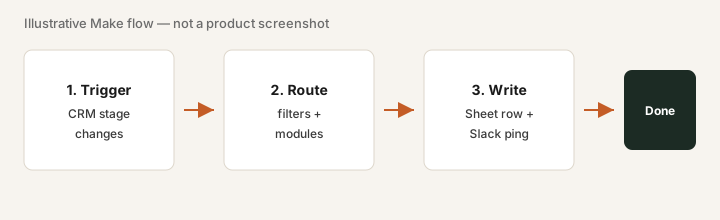
On Free or a trial, build one production-shaped scenario:
Trigger: new row in a Google Form or Sheet. Steps: (1) filter test submissions, (2) create or update a CRM contact, (3) send yourself a Slack DM with the mapped fields. Run it three times with real data, then check the execution history for errors.
2. Credits & operations
What it is: Make bills in credits (sometimes described as operations). Modules consume credits when they run; complex scenarios and high volume burn more. Sticker price alone is incomplete — finance should model cost per successful run for your real volume.
Before upgrading credits:
List every scenario you plan to run in production. For each: apps involved, runs per week, and what breaks if it fails. Multiply runs × modules roughly, then open make.com/pricing and see whether Free covers a month of learning or Core is required. Do not buy Pro “just in case.”
3. Routers & branching
What it is: Routers and filters split a scenario into paths (e.g. “enterprise deal” vs “self-serve,” or “error path” vs “happy path”). This is where Make often differs from simple linear zaps — you can branch without spinning up separate automations for every case.
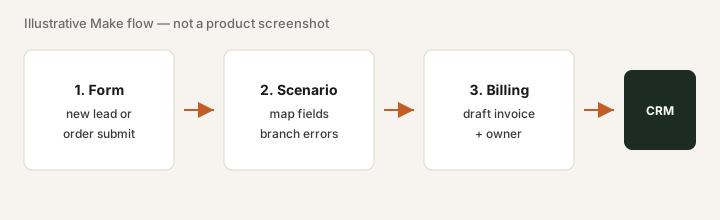
Add a router to your first scenario:
After the trigger, add a filter: if a “test” checkbox is true, stop. Else continue to the CRM write. Run one test row and one real row; confirm only the real row lands in the CRM.
4. Ownership & failure alerts
What it is: Scenarios fail — tokens expire, APIs change, fields rename. Make’s history and error emails only help if a named owner will fix them. Unowned automations are silent risk on the ops balance sheet.
Before any paid plan:
Write one sentence: “If this scenario fails Monday at 9am, [Name] gets the alert and fixes it within [X] hours.” If you cannot name the person, pause the build.
Public pricing (November 2026)
Figures below are as of Nov 1, 2026, from Make’s official Make vs Zapier comparison page. Prices exclude tax; regional and annual discounts vary. Always confirm on make.com/pricing — credit bundles change.
- Free: $0 — 1,000 credits a month; fine for learning and proof scenarios.
- Core: $9/month, starting at 10,000 credits a month (as of Nov 1, 2026, make.com). More credits cost more. Make’s pricing page has a pay-monthly / pay-annually switch and says annual billing is cheaper, but its plan cards did not load for us on Oct 17 or Nov 1, so Make doesn’t say on that page which billing period these figures are for — check the toggle before you budget.
- Pro / Teams / Enterprise: Pro $16/month and Teams $29/month, each starting at 10,000 credits a month (as of Nov 1, 2026), with higher credit volumes, priority execution, and collaboration/admin features. Enterprise is custom (sales-assisted).
- What changed: on Oct 8, 2026 Make’s pricing page listed higher prices for the same 10,000 credits; those older figures are no longer what Make shows.
Uncertainty flags: Credit consumption per module type is not always obvious from marketing pages. Compare cost per successful run for your scenarios. Mobile/store or partner pricing can differ from web list.
When Make is useful (honest take)
Make tends to help when you have recurring cross-app transfers, a named owner for broken runs, and native integrations do not already close the loop. It tends not to help when scenarios sit idle after a workshop, nobody watches failures, or volume would burn credits faster than a purpose-built connector.
Paying for Make and a few other AI tools? The $9 AI toolkit spreadsheet lists every AI subscription you have, what each one costs, and how fast it pays for itself, so you can see which ones are worth the money.
Want someone to do it for you? AI toolkit audit — $19
Alternatives compared: Zapier, native syncs, and n8n
Match each option to the jobs you actually run, connector maturity, and who will maintain failures.
| Axis | Make | Zapier | Native syncs | n8n |
|---|---|---|---|---|
| Typical entry cost (Sep 2026) | Free + Core from $9/mo for 10k credits (as of Nov 1, 2026; billing period not stated). Confirm make.com/pricing. | Free + paid task plans (often higher entry for production). Confirm zapier.com/pricing. | Often $0 extra if already in CRM/billing suite — but limited paths. | Self-host free-ish + cloud plans; ops cost is hosting + maintenance. |
| Best when… | Branching routers, visual scenarios, credit control matter. | Simple linear paths and polished connectors for your apps. | The two systems already offer an official sync that covers the job. | Technical team wants self-hosted control and can own infra. |
| Watch-outs | Credits scale with volume; unowned scenarios fail silently. | Task pricing can surprise at volume; still needs an owner. | Edge cases and multi-app glue often out of scope. | You inherit upgrades, auth, and uptime — not “set and forget.” |
See also our Zapier review and free automation glue calculator.
Same job, two products: n8n vs Make.
Rough months-to-payback from hours saved and what you pay: payback calculator (then keep the list on the $9 spreadsheet).
FAQ
What is Make?
Make (make.com) is a visual automation platform. You build scenarios that connect apps — CRM, sheets, Slack, billing — so data moves without weekly copy-paste. Plans use monthly credits; each module run consumes credits.
How much does Make Core cost in November 2026?
As of Nov 1, 2026, Make’s official comparison page lists Free at $0 (1,000 credits a month) and Core at $9/month starting at 10,000 credits a month (Pro $16, Teams $29), down from $12 / $21 / $38 on Oct 8. Make offers monthly or annual billing and says annual is cheaper; confirm which period applies. Confirm on make.com/pricing — plans change.
When is Make useful for a small ops team?
When the same transfer repeats weekly, a missed sync creates rework, and someone owns broken scenarios. Less useful when native syncs already close the loop or nobody will maintain failures.
Make vs Zapier — how should we compare them?
Compare scenario complexity, cost per successful run, connector maturity, and ownership — not brand. Zapier often wins for simple linear paths; Make for branching and credit control. Confirm live pricing.
Optional next step (if automations overlap)
If Make sits beside other automation or AI seats and you want a written pass across the list, the optional $19 AI toolkit audit produces a short memo. Prefer an editable grid? The $9 AI toolkit spreadsheet is a one-time CSV.
Checkout is live via Stripe. After you pay, we email delivery (spreadsheet) or intake next steps (audit).