Automation · Ops & automation
Zapier review (Oct 2026): task economics vs Make — when Zapier’s connectors win
Same job as Make (move data between apps without code). Finance/ops should compare cost per successful run and who owns failures — then pick Zapier when the connector you need is polished there and the zap stays simple; link the existing Make review for the credit/scenario path.
Who this page helps
Ops and finance owners comparing Zapier to Make for weekly handoffs (form → Slack → sheet). We focus on task math and connector fit — not a feature-count shootout.
What Zapier is
Zapier is a no-code automation platform: Zaps connect apps with triggers and actions. Billing is largely task-based (plus plan features like multi-step Zaps, shared folders on Team, etc.). Tables, Forms, and AI features exist on the broader platform; this review centers the ops glue job.

Major features (with how someone uses them)
1. Zaps & tasks
What it is: A Zap is an automated workflow. Tasks meter usage — multi-step Zaps consume more tasks per run than simple two-step Zaps. Finance should estimate monthly runs × steps before upgrading tiers.
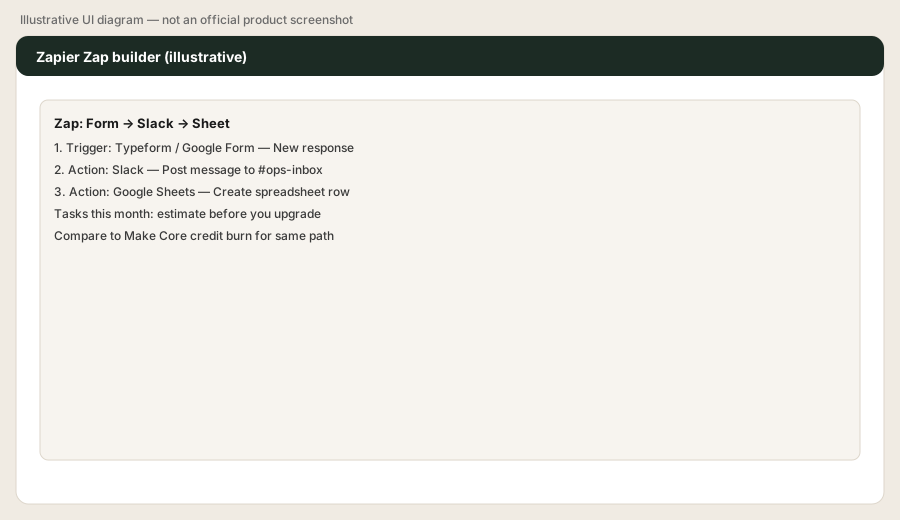
List one weekly handoff you still do by hand (e.g. form → Slack → sheet). In Zapier: build a 3-step Zap only. Then write one line:
Cost per successful run at our volume = ___ vs Make Core credits for the same path.
If you can’t fill that line, don’t upgrade the plan yet.
2. When Zapier’s connectors win
What it is: Zapier’s edge is often the maturity of a specific app connector (triggers/actions that already match your objects). If the app you need is polished in Zapier and awkward elsewhere, connector quality can beat a slightly cheaper credit math.
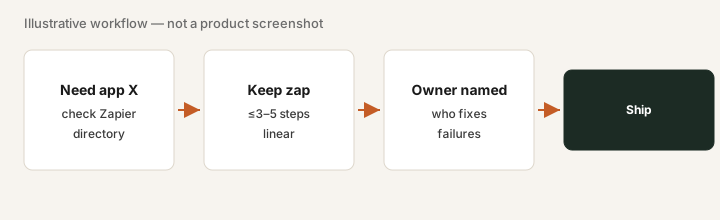
Before choosing a platform:
Name the one app connector we cannot live without. Check Zapier and Make for that app’s triggers/actions. Whichever has the cleaner match for our objects wins the pilot — even if the other sticker looks cheaper.
3. Task economics vs Make
What it is: Make bills in credits with visual scenarios; Zapier bills in tasks. Neither sticker is the truth — cost per successful run plus owner risk is. See our Make review for the credit/scenario path and free automation glue calculator.
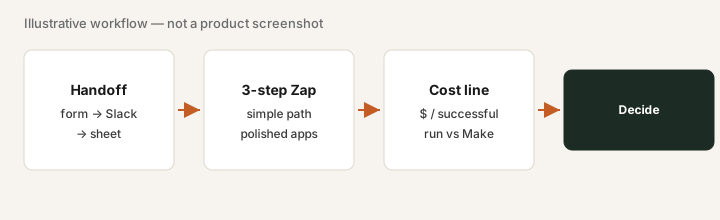
Using last month’s handoff volume:
Estimate Zapier tasks/month for our 3-step path. Estimate Make credits for the same path on Core. Pick the cheaper maintainable option; if estimates are guesses only, stay on Free/pilot another week.
4. Ownership & failures
What it is: Unowned Zaps are silent risk. Team plans add shared Zaps/folders/connections; still name a human who gets the failure alert.
For every production Zap:
Owner: ___. Failure alert goes to: ___. Rollback is: ___. If any blank, the Zap is not production yet.
Public pricing (October 2026)
From Zapier’s public pricing as of 31 October 2026 (cross-checked 31 Oct 2026). Confirm on zapier.com/pricing.
- Free: about 100 tasks/month; fine for learning simple Zaps.
- Professional: often starts about $19.99/mo billed annually (about $29.99 monthly) at lower task tiers (e.g. 750 tasks) — higher task tiers cost more.
- Team: often starts about $69/mo annual (about $103.50 monthly) with higher base tasks and shared workspace features (Team includes 25 users on the public pricing page, 31 Oct 2026).
- Enterprise: custom.
Uncertainty flags: Task tiers, pay-per-task overages, and AI add-ons change. Annual vs monthly deltas are large — model your task burn before you commit.
When Zapier is useful (honest take)
Useful when a polished connector + simple zap + named owner beats handoffs — and the task math clears vs contractor/VA time or vs Make for the same path. Not useful when native integrations already close the loop, or nobody will own failures.
Paying for Zapier and a few other AI tools? The $9 AI toolkit spreadsheet lists every AI subscription you have, what each one costs, and how fast it pays for itself, so you can see which ones are worth the money.
Want someone to do it for you? AI toolkit audit — $19
Alternatives compared: Make, native syncs, Sheets+LLM, contractor
| Axis | Zapier | Make | Native sync | Sheets + LLM |
|---|---|---|---|---|
| Billing unit | Tasks / plan tier | Credits / scenario complexity — Make review | Often included in SaaS | Seat time + error risk |
| Wins when… | Connector polished; zap stays simple | Branching/routers; tighter credit control | Vendor already syncs end-to-end | One-off analysis, not production glue |
| Watch-outs | Task burn on multi-step Zaps | Credit surprises; owner still required | Rigid objects; limited transforms | Not a reliable production runner |
| Cost signal (Sep 2026) | Pro from ~$20/mo annual; confirm live | Core often ~$10–11/mo entry; confirm live | $0 incremental if it fits | Hidden in AI seat + labor |
FAQ
Zapier or Make for a small ops team?
Compare cost per successful run and who owns failures. Pick Zapier when the connector is polished there and the zap stays simple; use Make when credit/scenario control fits better — see the Make review.
How does Zapier pricing work in October 2026?
Task-based plans: Free (~100 tasks), Professional from about $19.99/mo annual (higher monthly), Team from about $69/mo annual with shared features. Confirm zapier.com/pricing.
What is a Zapier task?
Roughly: each action step that runs in a Zap consumes tasks. Multi-step Zaps burn tasks faster — model volume before you upgrade.
When do Zapier’s connectors win?
When the app you need has a mature Zapier integration, the path stays linear/simple, and your owner can maintain it — even if Make credits look cheaper on paper.
Optional next step
If Zapier is one of several automation seats, the optional $19 audit or $9 sheet can map overlaps. Soft offer only. Also try free automation glue.
Checkout is live via Stripe. After you pay, we email delivery (spreadsheet) or intake next steps (audit).