AI assistant · Writing & copy · Ops cross-link
ChatGPT review (Sep 2026): Custom GPTs and Team seats — when they replace niche writing tools
If the company already pays for ChatGPT, the question is not “is ChatGPT good at writing?” — it’s which Custom GPTs / Team workflows already cover jobs you were about to buy a separate copy tool for (and which jobs still need a specialist).
Who this page helps
Ops leads, founders, and small marketing/ops teams who already see ChatGPT on the company card and are about to add Jasper, Copy.ai, or another draft-only seat. We show how Custom GPTs and Team/Business seats work, with concrete usage rather than a “best AI writer 2026” ranking.
What ChatGPT is
ChatGPT is OpenAI’s assistant product (web, desktop, mobile). Individuals use Free / Go / Plus / Pro; organizations use ChatGPT Business (formerly Team) or Enterprise for shared workspaces, admin, and seats. The features that matter for this page are Custom GPTs (reusable instructions + knowledge), shared Team/Business workflows, and everyday file/chat work that often overlaps with niche writing SaaS.

Major features (with how someone uses them)
Examples at a glance: each feature has a concrete ops/writing example plus a short Try this you can run in ChatGPT.
1. Custom GPTs (voice, instructions, knowledge)
What it is: A Custom GPT packages instructions, optional uploaded knowledge, and a chat interface so teammates reuse the same “writer” instead of re-explaining tone every time. On Business plans, GPTs can be shared in the workspace.
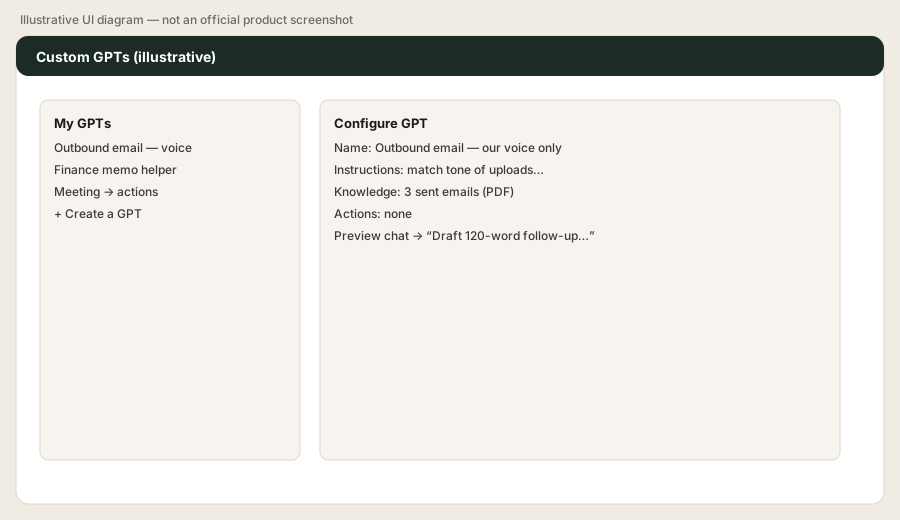
In a Team workspace (or your Plus account), create a Custom GPT named “Outbound email — our voice only.” Upload 3 real sent emails you like. Instructions:
Only match tone/length of the uploads; never invent pricing; ask one clarifying question if the offer is unclear.
Then prompt:
Draft a 120-word follow-up for a prospect who went quiet after a demo last Tuesday.
2. Team / Business seats (shared admin)
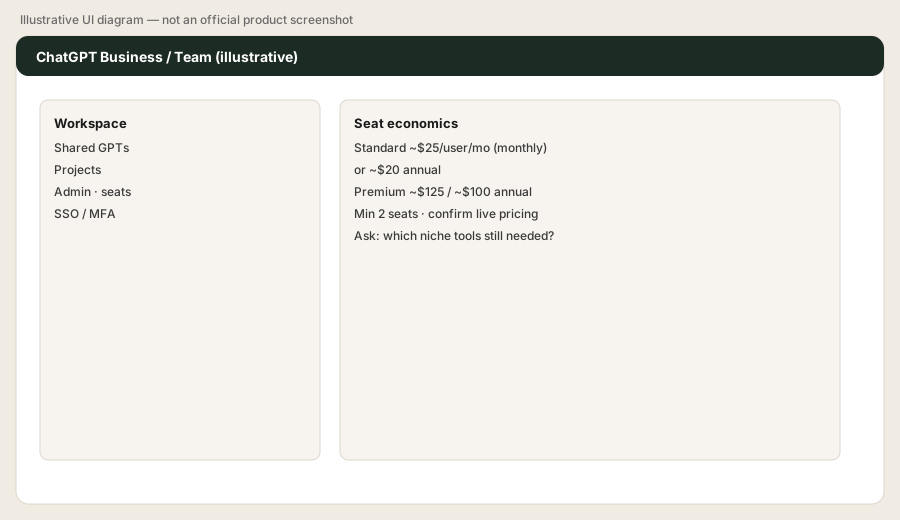
What it is: ChatGPT Business (Team renamed) is a shared workspace with centralized billing, seat types (Standard / Premium on public pricing), SSO/MFA options, and shared GPTs/projects. Minimum two paid seats on public Business signup. Confirm live names and limits on OpenAI’s pricing pages — they change.
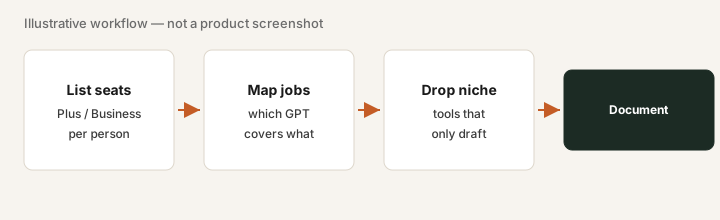
Paste into a shared Business chat (or note it for finance):
List every AI writing seat we pay for (ChatGPT + niche tools). For each, name one weekly job it uniquely owns that a Custom GPT with our uploads cannot do. Anything with a blank unique job is a renewal question — pause that seat until you can name the job.
3. Projects & file work
What it is: Projects / workspace-style contexts and file uploads let you keep briefs, brand notes, and CSVs with the chat instead of pasting into a blank thread. Exact labels and limits depend on plan — check OpenAI’s current product docs.
Upload a short FAQ or help-center export, then paste:
Using only this upload, draft three FAQ updates in our existing tone. Flag any answer that needs a human because the source is unclear. Do not invent policy.
4. When Custom GPTs replace niche writing tools (and when they don’t)
What it is: The decision frame for this review. Niche tools can still win on brand governance at scale, SEO workflows, or campaign systems — see our Jasper, Copy.ai, and Grammarly pages. ChatGPT wins the “already on the bill + Custom GPT covers the draft” case.
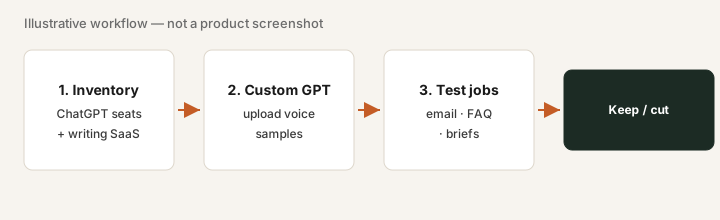
Pick one paid niche writing seat. Rebuild its top weekly job as a Custom GPT this afternoon. Then ask:
Compare this Custom GPT output to last week’s niche-tool draft for the same brief. List what the niche tool still uniquely owns (brand kit, SEO score, workflow queue, etc.). If the list is empty, we do not renew that seat.
Public pricing (September 2026)
Figures below are from OpenAI’s public ChatGPT / Business pricing and help pages as of September 2026. Prices exclude tax; regional pricing varies. Always confirm on openai.com/chatgpt/pricing and Business help articles — plan names and bundles change.
- Free / Go: limited individual use; Go is a lower paid individual tier when offered — confirm live.
- Plus: commonly about $20/month for one person (public consumer paid seat). Confirm checkout.
- Pro: higher individual tier when listed — confirm live price and limits.
- Business (formerly Team): minimum two paid seats. Public list often shows Standard about $25/user/month monthly or $20 annual; Premium about $125 monthly or $100 annual. Confirm on OpenAI Business pricing.
- Enterprise: sales-assisted / custom.
Uncertainty flags: Team→Business rename and Standard/Premium seat mixes are recent; feature bundles (Codex, connectors, usage caps) move. Mobile store prices can differ. Do not budget from a blog post — use the live pricing page.
When ChatGPT is useful (honest take)
ChatGPT tends to help when the company already pays for seats, you can encode voice in a Custom GPT, and niche writing tools mostly draft the same emails/FAQs. It tends not to replace a specialist when you need governed brand campaigns at volume, SEO structure scoring, or style-guide enforcement across dozens of writers (see those reviews).
Secondary note only: if ChatGPT Business and three writing SaaS seats all draft the same outbound email, a light overlap review is stack hygiene — not the point of this page.
Paying for ChatGPT and a few other AI tools? The $9 AI toolkit spreadsheet lists every AI subscription you have, what each one costs, and how fast it pays for itself, so you can see which ones are worth the money.
Want someone to do it for you? AI toolkit audit — $19
Alternatives compared: Claude, Jasper, Copy.ai, Grammarly
Use this as a decision aid for writing-adjacent jobs. Match the product to the job you run weekly, not brand preference.
| Axis | ChatGPT | Claude | Jasper | Copy.ai |
|---|---|---|---|---|
| Typical paid seat (Sep 2026) | Plus ~$20/mo; Business Standard ~$20–25/user/mo. Confirm openai.com. | Pro ~$20/mo; Team from ~$20–25/member. Confirm claude.com/pricing. | Higher GTM/marketing tiers — confirm jasper.ai pricing. | Chat vs Growth tiers — Growth often much higher; confirm copy.ai. |
| Reusable voice / knowledge | Custom GPTs + shared Business workspace. | Projects + Artifacts; see Claude deep-dive. | Brand voice / campaign systems aimed at marketing orgs. | GTM workflows / workflow copy for teams that live in Copy.ai. |
| Best fit when… | ChatGPT is already on the bill and a Custom GPT covers the draft job. | Document-heavy Projects + Artifacts are the daily loop. | Brand-governed campaign volume beats a general GPT. | Real GTM workflow volume — not occasional drafts. |
| Less useful when… | SEO scoring or cross-seat style enforcement is the primary job. | The organization already standardized on OpenAI admin and there is no distinct Claude job. | Drafts are occasional and ChatGPT or Claude already covers them. | There is no weekly GTM writing owner — see Copy.ai review. |
Also compare Grammarly when the job is style-guide enforcement across many writers, not generation. Cross-link ops: if ChatGPT is one of several AI seats with the same job, see ops & automation.
Same job, two products: Claude vs ChatGPT for ops.
Same job, two products: ChatGPT vs Gemini for ops.
FAQ
Should we buy Jasper if we already have ChatGPT Business?
Only if Jasper uniquely owns a weekly brand/campaign job your Custom GPTs cannot. If both only draft the same emails, use ChatGPT and hold the niche seat until a unique job appears.
How much is ChatGPT Business in September 2026?
Public list often shows Standard about $25/user/month monthly or $20 annual, Premium about $125 / $100, minimum two seats. Confirm on OpenAI’s Business pricing — names and rates change.
Custom GPT or Project — which first?
Start with a Custom GPT when the job is reusable voice + instructions. Use Project/file context when the knowledge set is large and chat-specific. Many teams use both.
ChatGPT vs Claude for ops writing?
Pick based on where your files and admin already live. See the Claude deep-dive for Projects/Artifacts; use this page when ChatGPT is already paid for.
Optional next step (if seats overlap)
If ChatGPT is one of several writing AI seats and you want a written pass across the whole list, the optional $19 AI toolkit audit produces a short memo. Prefer an editable grid? The $9 AI toolkit spreadsheet is a one-time CSV. Soft offer only — this deep-dive stands alone.
Checkout is live via Stripe. After you pay, we email delivery (spreadsheet) or intake next steps (audit).