Compare guide · Ops · Nov 2026
ChatGPT vs Gemini for ops (Nov 2026): Team chat vs Workspace-native writing/research
Educational side-by-side for ops leads — where files live drives the choice between ChatGPT Team chat and Gemini inside Google Workspace. Not a brand ranking. Run the same brief in both; ship the draft that needs less editing.
How to compare fairly (ops rule)
Ops leads usually do not need a winner badge. They need less editing on weekly writing — status notes, Docs updates, and light research — and a clear answer to where the source files already live. This page walks ChatGPT Team/Business vs Gemini (especially Workspace-native) with the same brief, then plain-language notes on fit. Full product context: ChatGPT, Gemini. Role patterns: ChatGPT for ops, Gemini for ops. For Claude vs ChatGPT on memo/sheet/meeting jobs, see Claude vs ChatGPT for ops.
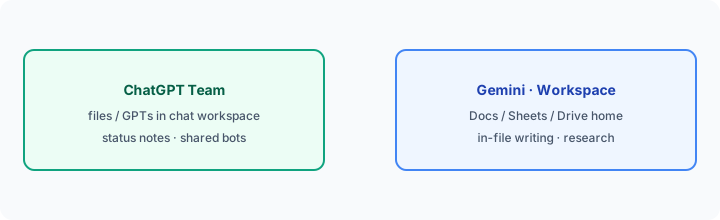
Examples at a glance: each job has a concrete ops example, a simple diagram, and a short Try this you can paste into both products.
Rule first: where files live drives the choice
What the rule is: If standing SOPs, status pastes, and shared bots live in a ChatGPT Team/Business workspace, lean ChatGPT for leadership notes. If the weekly truth is already in Google Docs, Sheets, and Drive, lean Gemini (and Workspace-side assists) so drafts stay next to the files. Buying both for the identical status paste is usually overlap.
Inventory before you renew:
List where our last 10 ops status notes were drafted (ChatGPT / Gemini / Docs comment / other). Circle the home that already holds the files. Put the next 30 days of leadership notes only there unless edit quality fails.
Job 1: Leadership note (same brief in both)
What the job is: Turn a messy project update into a short leadership note a founder can skim — six bullets with owners — without inventing names or dates you did not provide.
Where ChatGPT often helps: Shared Custom GPT with bullets-first / owner+date instructions; Team chat as the weekly habit. See ChatGPT for ops and Custom GPTs.
Where Gemini often helps: When the messy update already sits in a Doc or Drive export and you want the draft beside Workspace apps. See Gemini for ops.
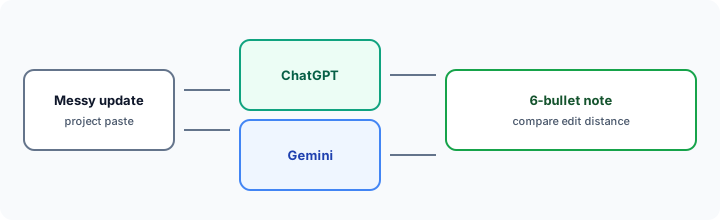
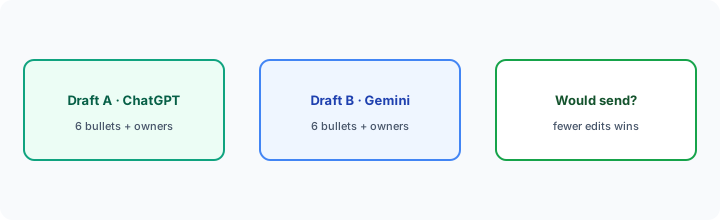
Same brief in both:
Turn this messy project update into a 6-bullet leadership note with owners. Compare edit distance to something you’d actually send.
Paste the same update into ChatGPT and Gemini. Keep owners only if named; use Unknown otherwise.
Job 2: In-Docs / Sheets writing
What the job is: Draft or rewrite inside the file of record — a Doc status section or a Sheets narrative — without copy-pasting the whole workbook into a separate chat.
Where Gemini often helps: Workspace-native assists next to Docs/Sheets when Google is already SoR (Google Sheets + Gemini, Gemini for ops).
Where ChatGPT often helps: When the team prefers a dedicated chat draft then pastes back — or a Custom GPT that always returns the same column headers. Less ideal if every edit must stay inside the Doc comment thread.
In the tool that sits next to your file home:
Rewrite the What changed section into 5 bullets with owners. Do not invent metrics. Keep every number that already appears in this Doc/Sheet.
Job 3: Light Workspace research (cited vs internal)
What the job is: Answer “what did we decide / what’s public about X” with enough citation to trust — either from Drive context or from public web notes — without inventing a policy.
Where Gemini often helps: When the answer is in Drive/Gmail/Docs context the Workspace seat can see, or for public Workspace changelog-style research ops cares about.
Where ChatGPT often helps: When the brief is a pasted packet plus standing GPT instructions (“cite only this paste; Unknown if missing”).
Same packet in both (or Drive context in Gemini only):
From only this paste (or Drive folder), list decisions, open questions, and owners. Do not invent owners. Mark Unknown when missing.
Pricing (checked November 6, 2026)
Figures below are US list prices from public OpenAI and Google pages, checked Nov 6, 2026. Prices exclude tax; regional prices vary. Always confirm live: openai.com/business/pricing and workspace.google.com/pricing.
- ChatGPT Business (formerly Team): Standard seats are $25/user/month billed monthly or $20 billed annually; Premium seats (5x usage, no five-hour limit) are $125 monthly or $100 annually; minimum two seats (any mix of Standard and Premium). Matched OpenAI Help FAQ and openai.com/business/pricing on Nov 6, 2026. Plus individual is often about $20/month.
- Gemini via Google Workspace: Gemini is bundled in Workspace business plans. On a 1-year commitment (US): Business Starter $7, Business Standard $14, Business Plus $22 per user per month. Starter lists Gemini in Gmail plus the Gemini chat app; Standard adds Gemini in Docs, Sheets, Meet, and more — which is what Workspace-native ops writing needs. New customers may see an introductory discount on the first months. Personal Google AI Pro is $19.99/month ($199.99/year); Ultra is $99.99/month.
Uncertainty: Business Starter does not list Gemini in Docs or Sheets. Plan names, usage caps, and Workspace intro pricing change — do not budget from a blog post.
When each often fits (plain language)
| Situation | Often lean ChatGPT | Often lean Gemini |
|---|---|---|
| Shared status bot / Custom GPT | Team/Business GPTs already encode the SOP | Works in chat — prefer if team lives in Workspace files |
| Draft must stay in Docs/Sheets | Paste-back path | In-product writing next to Drive |
| Files already in Drive | Upload/paste into chat | Workspace-native context |
| Leadership note from Slack paste | Strong when Ops GPT exists | Strong when Doc is the weekly home |
Many teams stick with one primary seat aligned to where files live, then add a second only when a weekly job still needs heavy editing. That decision should come from your same-brief Try this, not from a brand preference.
Related options (educational)
- Claude vs ChatGPT for ops — memo / sheet cleanup / meeting→actions across those two seats.
- Claude for ops — when Projects + Artifacts are already the weekly loop.
- Microsoft 365 Copilot — when the draft must stay inside Word/Excel/Outlook.
- Perplexity — when the job is cited public research, not internal status drafting.
When this compare is useful (honest take)
Useful when you already pay for ChatGPT, Gemini (or Workspace with Gemini), or both, and weekly time goes into leadership notes or Docs/Sheets writing — and you want a fair same-brief check before renewing or adding a seat.
Less useful when the bottleneck is Microsoft files (try Copilot), Notion-as-wiki extracts (see Notion AI for ops), or automation glue rather than drafting (Zapier / Make / n8n). This page will not name a universal winner; it helps you match where your files live to a product.
Still choosing between ChatGPT and Gemini? The $19 AI toolkit audit gives you a written plan for which tools to keep using and which to drop across your whole AI stack, including this pair.
Prefer to do it yourself? Spreadsheet — $9
FAQ
Should ops pick ChatGPT or Gemini?
Let where files live drive it. Team chat + shared GPTs → ChatGPT. Docs/Sheets/Drive as SoR → Gemini. Run the same-brief Try this before you buy a second seat.
How do I compare them fairly?
Same messy project update → 6-bullet leadership note with owners in both → compare edit distance to something you would actually send.
How is this different from Claude vs ChatGPT for ops?
That page compares three chat jobs across Claude and ChatGPT. This page is ChatGPT Team vs Gemini/Workspace — file home as the decision rule.
What do they cost in November 2026?
ChatGPT Business Standard is $25/user/mo monthly or $20 annually (Premium $125 or $100; min two seats). Gemini comes with Workspace: Starter $7, Standard $14, Plus $22 per user/mo on a 1-year commitment (US). Confirm on vendor pricing pages — plans change.
Optional next step (if seats overlap)
If ChatGPT and Gemini seats overlap with other writing/ops tools and the real problem is stack sprawl, optional help: $19 AI toolkit audit or $9 AI toolkit spreadsheet — only if overlapping seats are the pain.
Checkout is live via Stripe. After you pay, we email delivery (spreadsheet) or intake next steps (audit).