Feature how-to · ChatGPT
ChatGPT Custom GPTs how-to (Sep 2026): ops SOPs and intake bots without building an app
Feature how-to linked from the ChatGPT deep-dive — turn a repeatable ops intake or SOP into a Custom GPT (instructions + files) so the team stops re-explaining the process in blank chats. Soft CTA only if multiple writing seats overlap.
What Custom GPTs are
A Custom GPT packages instructions, optional uploaded knowledge, and a chat interface so people reuse the same “ops bot” instead of re-pasting the SOP. On Business/Team plans, GPTs can be shared in the workspace. Full product context: ChatGPT review.
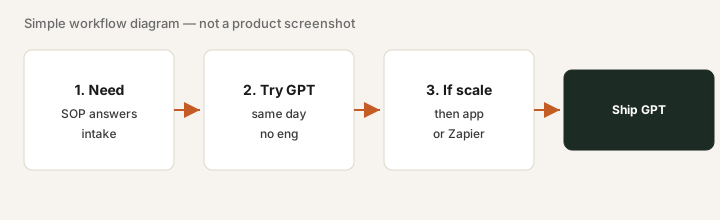
When a GPT beats a blank chat (or building an app)
Build a Custom GPT when the job is repeatable intake or SOP Q&A and you can ship today without eng. Stay in blank chat for one-offs. Build a real app (or Zapier/Make) when you need permissions, audit logs, or writeback to systems of record.
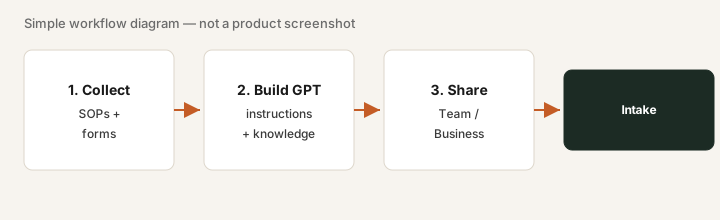
Build an ops intake / SOP GPT
1. Create & instruct
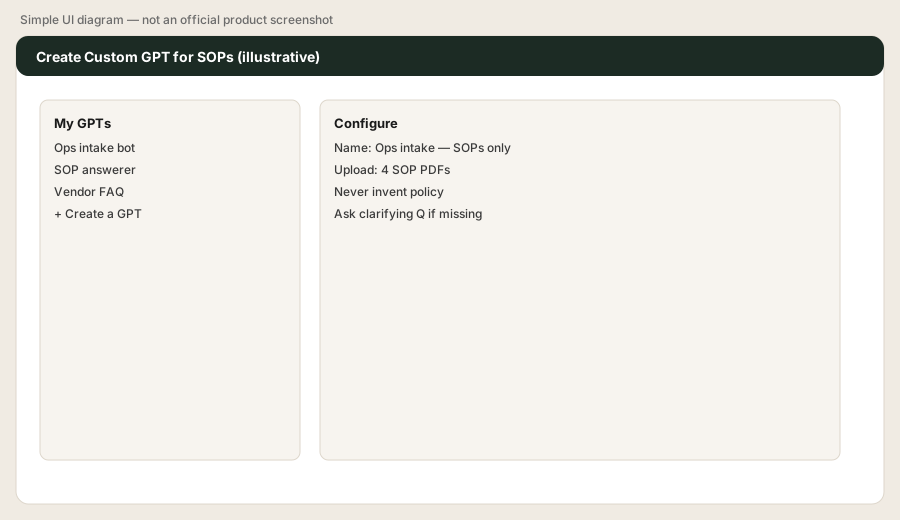
What to do: Create a GPT named for the job. Instructions should forbid inventing policy and force clarifying questions when fields are blank.
Create GPT Vendor intake. Upload your vendor questionnaire PDF. Instructions:
Ask only the questionnaire fields still blank; never approve a vendor; output a filled table.
Run it on a fake vendor email and paste the table into your tracker.
2. Upload knowledge (SOPs / forms)
What to do: Attach the questionnaire, SOP PDF, and any allowed-answer lists. Instruct the GPT to use only those files.
Using only your knowledge files, list every required questionnaire field. If my paste is missing a field, ask for it before filling the table. Never invent a tax ID or bank detail.
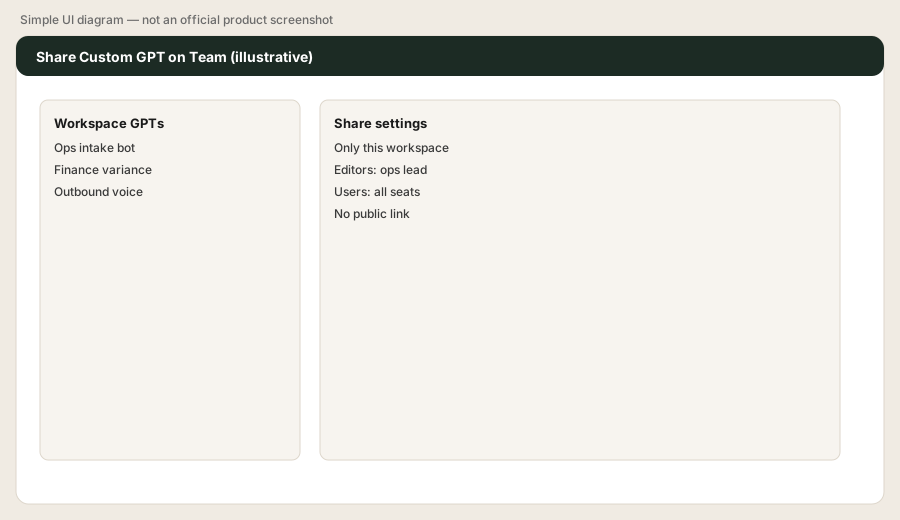
3. Share with the team (not the public internet)
What to do: On Team/Business, share only inside the workspace. Prefer named editors; avoid public GPT Store links for internal SOPs.
Draft a 3-line Slack announcement for the Vendor intake GPT: who can use it, what it will never do (approve vendors), and where to paste the output table.
4. Run intake → paste into tracker
What to do: Paste the vendor email or form reply, get the table, paste into Sheet/Notion, assign a human owner. The GPT does not approve.
Here is a fake vendor email: [paste]. Return a markdown table of questionnaire fields vs answers. Mark blanks as Missing. Add a final row: Human owner = blank.
Pricing context (September 2026)
Custom GPTs are available on Plus and higher; Business/Team helps with shared workspace GPTs. Public consumer Plus is often about $20/month; Business Standard often about $25/user/month monthly (min seats apply). Confirm openai.com/chatgpt/pricing. Full dated notes on the ChatGPT review.
Uncertainty: Plan names and sharing rules change — verify live.
Paying for ChatGPT Custom GPTs and a few other AI tools? The $9 AI toolkit spreadsheet lists every AI subscription you have, what each one costs, and how fast it pays for itself, so you can see which ones are worth the money.
Want someone to do it for you? AI toolkit audit — $19
Optional next step (if writing seats overlap)
If this Custom GPT would replace a niche writing seat — or you already pay for several tools doing the same intake drafts — optional help: $19 AI toolkit audit or $9 AI toolkit spreadsheet.
Checkout is live via Stripe. After you pay, we email delivery (spreadsheet) or intake next steps (audit).
FAQ
What is a Custom GPT?
A reusable ChatGPT with fixed instructions and optional knowledge files — useful for ops SOPs and intake without building an app.
Can it replace a small intake app?
For lightweight questionnaire flows, often yes. Add Zapier/Make or an app when you need permissions, audit logs, or system writebacks.
Do we need Team/Business?
Plus can build GPTs; Team/Business is better for shared workspace use. Confirm sharing on OpenAI’s help pages.