Feature how-to · Claude
Claude Artifacts how-to (Oct 2026): ops and finance memos, tables, and charts beside chat
Feature how-to linked from the Claude deep-dive: what Artifacts are, when to open one for a memo/chart instead of drowning in chat paste, step-by-step for ops/finance files.
What Artifacts are
When Claude generates a substantial piece of work — a document, table, chart, code, or small interactive preview — it can open in a dedicated Artifact pane beside the chat. You keep iterating in the thread while the Artifact stays editable/previewable. Full product context: Claude review.
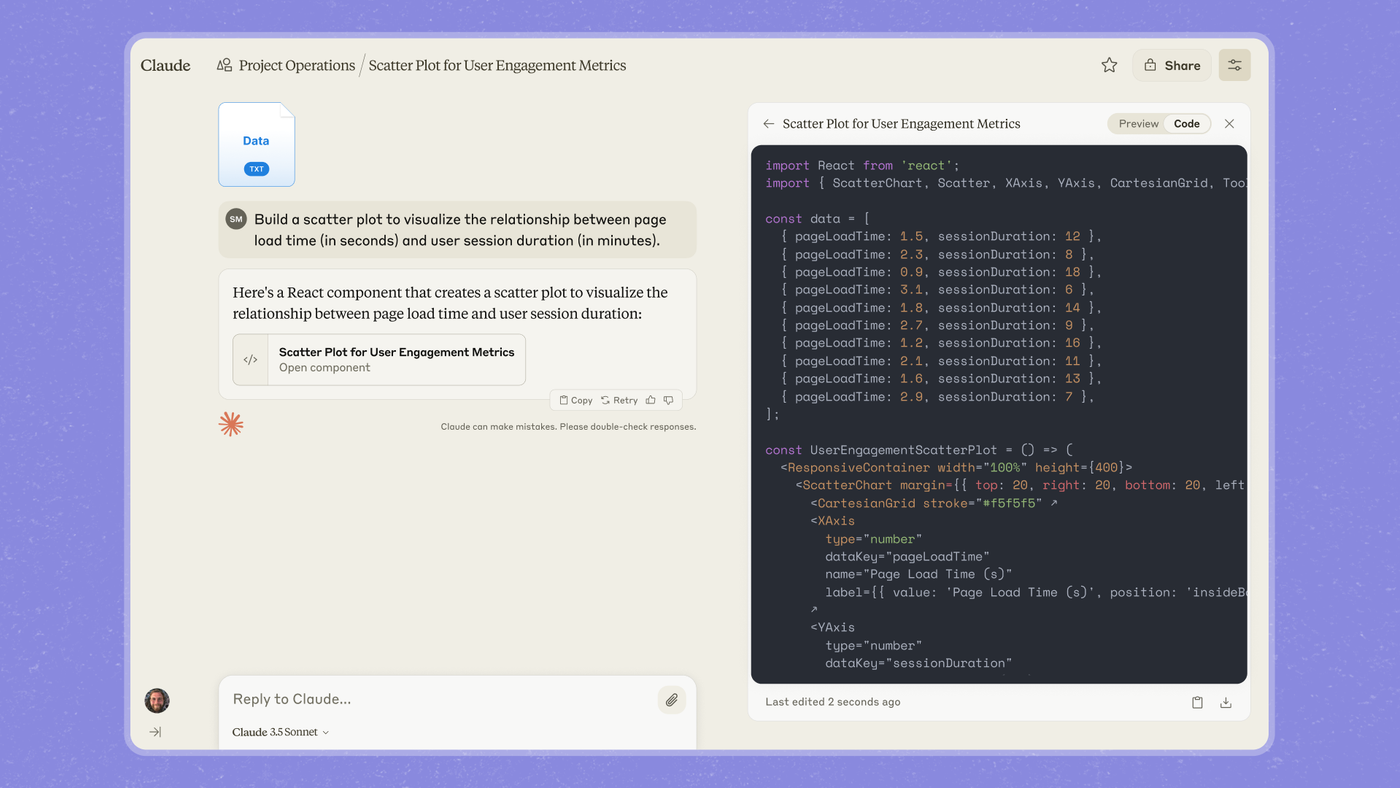
When to open an Artifact (vs drowning in chat paste)
Open an Artifact when the deliverable is something you will refine and reuse: a vendor table, MoM chart, or one-page memo block. Stay in plain chat for short answers, clarifications, or one-line checks. If you are pasting the same table back into chat five times, you wanted an Artifact.
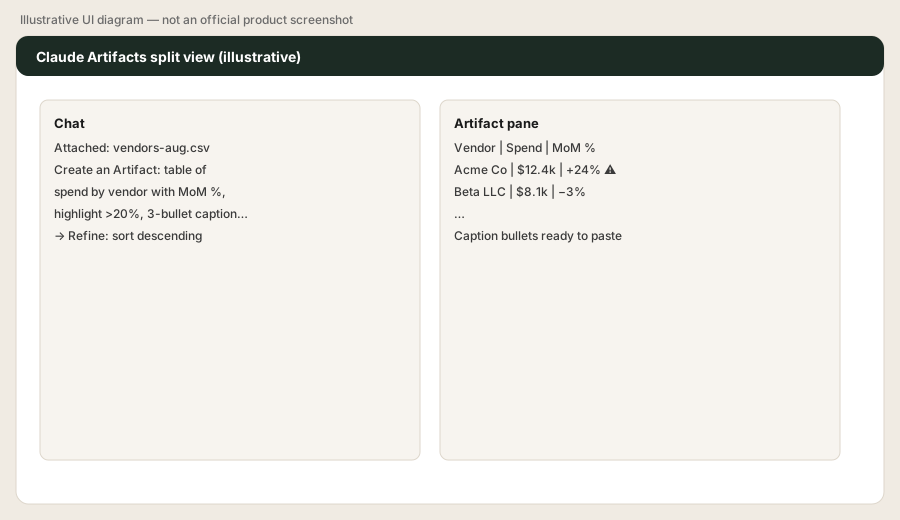
Step-by-step: ops/finance memo from a CSV
1. Upload the file
What to do: Attach last month’s expense or vendor-spend CSV (or paste a small table). Prefer a Project if you will reuse the same files weekly — see Claude for ops.
vendors-aug.csv into chat before asking for anything — so the Artifact is grounded in real rows.
Before any prompt:
Confirm you can see my uploaded CSV. List the column headers you will use. If a MoM column is missing, say what you need from me before building the Artifact.
2. Ask for an Artifact (table + caption)
What to do: Explicitly ask Claude to create an Artifact so the table/chart opens in the pane instead of a wall of markdown in chat.
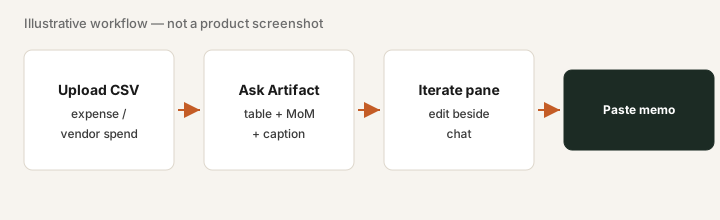
Attach last month’s expense or vendor CSV. Prompt:
Create an Artifact: a clean table of spend by vendor with MoM % change, highlight any vendor up >20%, and a 3-bullet caption I can paste into a weekly finance memo. Keep the Artifact editable so I can iterate.
3. Iterate in the pane
What to do: Refine with short follow-ups (“sort by MoM descending,” “drop vendors under $500”) without rebuilding from scratch in a new chat.
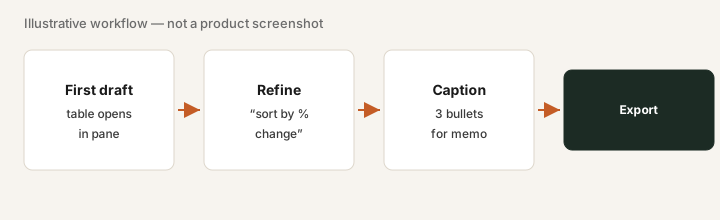
With the Artifact open:
Update the Artifact only: sort vendors by MoM % descending, keep the >20% highlight, and tighten the caption to 3 bullets under 20 words each.
4. Paste into the memo (and spot-check)
What to do: Copy the table/caption into your weekly memo or board pack. Spot-check two rows against the CSV — Artifacts are accelerators, not a substitute for finance review.
Closing check:
Give me two row indices I should spot-check against the CSV, and tell me which MoM figures are most sensitive to missing prior-month data.
Charts & captions for ops memos
Same pattern for charts: ask for an Artifact chart plus a caption you can drop under a weekly ops metric. Keep the ask narrow (one chart, one caption) so iteration stays fast. For broader Claude features (Projects, Claude Code), return to the deep-dive.
After attaching a small metrics CSV:
Create an Artifact: bar chart of tickets closed by week for the last 8 weeks, plus a 3-bullet caption for the ops standup memo. Flag any week that looks like incomplete data.
Pricing context (October 2026)
Artifacts ship with Claude on Free (limited) and paid plans. Public Anthropic pricing lists Pro about $20/month monthly (~$17 annual), Max from about $100/month, Team from about $25/member/month monthly. Confirm on claude.com/pricing. This how-to does not replace the dated pricing section on the Claude review.
Uncertainty: Usage limits and which plan unlocks heavier Artifact/code execution features change — verify live.
Paying for Claude Artifacts and a few other AI tools? The $9 AI toolkit spreadsheet lists every AI subscription you have, what each one costs, and how fast it pays for itself, so you can see which ones are worth the money.
Want someone to do it for you? AI toolkit audit — $19
FAQ
What is a Claude Artifact?
When Claude generates a substantial document, table, chart, or small app, it can open in a dedicated Artifact pane beside chat so you can preview and iterate without losing the thread.
When should I use an Artifact instead of chat paste?
When you need a memo table, chart, or document you will refine and paste elsewhere. Stay in plain chat for short answers.
Do I need a paid Claude plan for Artifacts?
Artifacts are available on Free with limits; paid plans increase usage and related features. Confirm on claude.com/pricing.
How does this relate to the Claude deep-dive?
This is a feature how-to. The full product review is at /reviews/claude.html.