AI assistant · Writing & copy
Grok review (Sep 2026): when real-time / X-adjacent context helps ops writeups
When an ops status note needs current public chatter or fast web-ish context, Grok’s real-time / X-adjacent angle can help — and when Claude Projects or ChatGPT Custom GPTs still win for stable internal docs. Educational features and usage, with honest limits. Honest limits on admin and team packaging.
Who this page helps
Ops leads and founders who already have Claude or ChatGPT and wonder whether Grok’s real-time / X-adjacent context is worth another seat for status notes — or whether it only duplicates draft work.
What Grok is
Grok is xAI’s assistant (grok.com, apps, and Grok inside X). Public positioning emphasizes real-time web and X search, image/video generation on paid tiers, and connectors. Team/Enterprise admin exists on higher plans but is thinner than ChatGPT Business or Claude Team for many small-company buyers — confirm live.
Major features (with how someone uses them)
1. Real-time / X-adjacent context
What it is: Grok can pull recent public web and X-adjacent context into answers. Useful for “what are people saying today?” — not for private ledgers.
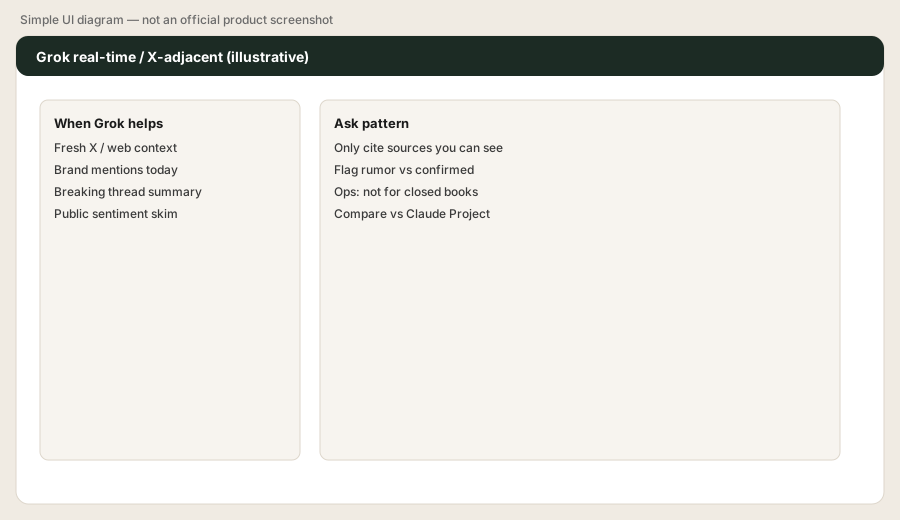
Paste into Grok (replace the bracketed topic with a real vendor event):
Summarize the last 48 hours of public discussion about [vendor outage / pricing change] into 5 bullets for an ops status note. Separate confirmed facts vs rumors. List 3 links to verify before we Slack the company.
2. Ops writeup pattern (skim → verify → note)
What it is: Treat Grok as a skim layer. Humans still verify links and tone before anything goes company-wide.
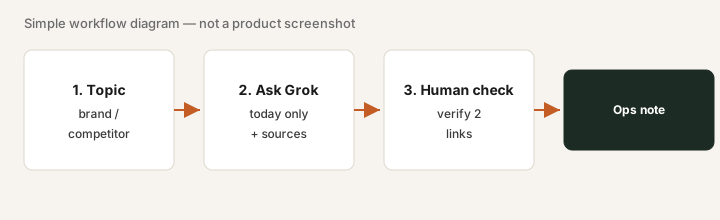
After the skim:
Rewrite the 5 bullets as a Slack-ready status (no hype). Mark each bullet Confirmed / Unverified. Add a one-line “what we are doing next” with an owner blank.
3. Vs Claude Projects / ChatGPT Custom GPTs
What it is: If the job is recurring internal files + instructions, use Claude Projects or Custom GPTs. Grok wins when freshness of public context is the job.
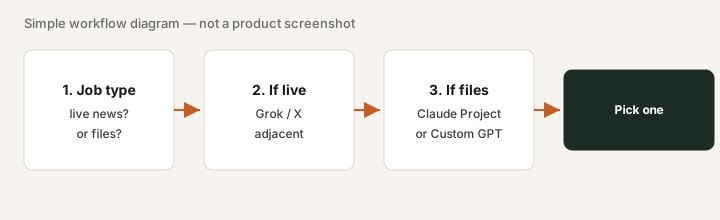
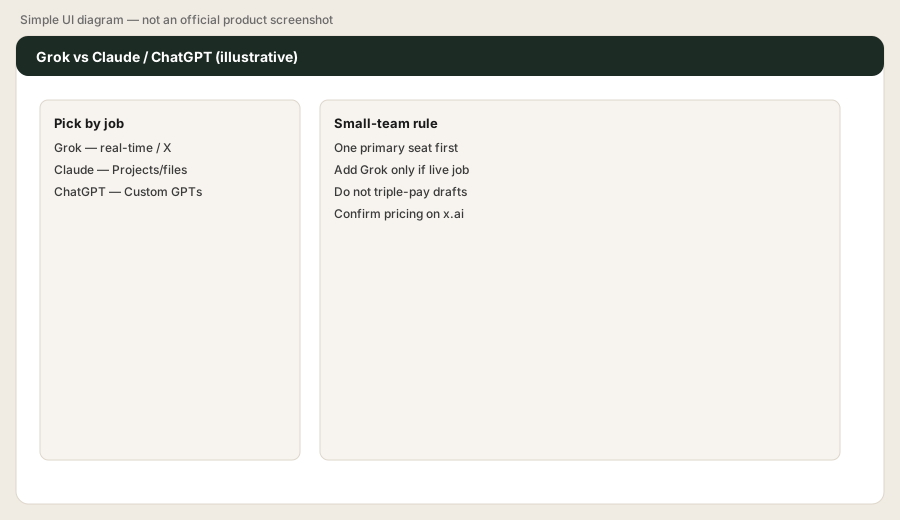
List our last 10 AI-assisted ops notes. Mark each Live-public-context vs Internal-files. If Internal-files is 8+, keep Claude/ChatGPT as primary and only add Grok if a recurring Live-public job appears.
4. Limits for small-team admin
What it is: Grok, Cursor and X Premium now share one subscription and one usage pool. Team admin/SSO is on the Teams and Enterprise plans — confirm before you assume ChatGPT-Business-like shared workspaces.
Before we buy an X Subscription plan: name the weekly ops note that needs public/X context, the human who verifies links, and whether we already pay for X Premium. If we cannot name the note and the verifier, we wait.
Public pricing (as of Oct 17, 2026)
From the official x.ai/pricing page, as of Oct 17, 2026. Grok is now sold as The X Subscription, one plan covering Grok, Grok Bot, Cursor and X Premium with a shared usage pool:
- Free: $0 — limited Grok chat and agent requests.
- Plus: $8/month — Grok Chat, Voice, Imagine and Build, Grok API access, Cursor, plus X Premium checkmark features.
- Premium: $30/month — 4x Plus usage, latest Grok models, Grok Bot, image and video generation.
- Super: $100/month — 15x Plus usage, priority model access at peak times.
- Ultra: $200/month — 50x Plus usage.
- Teams: from $30/user/month (per-seat Premium, Super or Ultra); Enterprise is custom.
SuperGrok is no longer sold to new buyers: SuperGrok, SuperGrok Plus/Heavy and the standalone X Premium tiers are no longer on x.ai/pricing. xAI says The X Subscription replaces them for new customers; existing SuperGrok subscribers can keep their current plan and price or switch (x.ai/news/x-subscription). Prices exclude tax; third-party models in Cursor are billed separately. Budget from live checkout.
When Grok is useful (honest take)
Grok tends to help when ops needs a fast public/X skim for a status note and someone will verify links. It tends not to replace Claude Projects or ChatGPT Custom GPTs for recurring private SOPs, close checklists, or board packs.
Paying for Grok and a few other AI tools? The $9 AI toolkit spreadsheet lists every AI subscription you have, what each one costs, and how fast it pays for itself, so you can see which ones are worth the money.
Want someone to do it for you? AI toolkit audit — $19
Alternatives compared
| Axis | Grok | Claude | ChatGPT |
|---|---|---|---|
| Strength | Real-time / X-adjacent skim | Projects + Artifacts for internal files | Custom GPTs + Team admin |
| Typical paid seat | X Subscription Premium $30/mo (Plus $8/mo) | Pro ~$20/mo | Plus ~$20/mo; Business higher |
| Best fit when… | Status notes need fresh public context | Recurring docs live in Projects | Reusable GPTs already own voice |
| Less useful when… | Job is closed books / private SOPs | You only need public news skims | Nobody maintains GPTs |
Also see Gemini when Google Workspace is the home for files.
FAQ
What is Grok?
Grok is xAI’s AI assistant with an emphasis on real-time web and X-adjacent context. Available on grok.com and via X.
How much does Grok cost in October 2026?
As of Oct 17, 2026, x.ai/pricing lists The X Subscription: Free $0, Plus $8/month, Premium $30/month, Super $100/month, Ultra $200/month. SuperGrok is no longer sold to new customers; existing subscribers can keep it.
When does Grok help ops writeups?
When you need a verified skim of public discussion for a status note — not as the store of private finance or SOPs.
Grok vs Claude vs ChatGPT?
Match the job: live public context → Grok; recurring internal files → Claude Projects or ChatGPT Custom GPTs.
Optional next step (if seats overlap)
If Grok would be a third AI seat drafting the same internal notes, optional help: $19 AI toolkit audit or $9 AI toolkit spreadsheet.
Checkout is live via Stripe. After you pay, we email delivery (spreadsheet) or intake next steps (audit).
{STRIPE}