Tool · Learning ops · TalentLMS · Oct 2026
TalentLMS AI review (Oct 2026): AI course creation and training for small teams
TalentLMS is a learning management system built for small and growing businesses — onboarding, compliance, and customer or partner training without a dedicated L&D team. Its AI centers on TalentCraft, an AI course creator that drafts course pages, flashcards, images, and (since 28 September 2026) videos and avatar videos from a prompt. Around it sit AI document extraction, AI test creation, AI translation, an AI Coach for learners, the Learning Playground for practice, and AI Skills. This page is about using those drafts while a subject expert decides what learners see. Each section has a Try this.
What this TalentLMS page covers
This page is for an owner, HR generalist, or one-person training team at a company of a few dozen to a few hundred people that needs real courses — with tests, learning paths, and completion records — but has no instructional designer. The question it answers: which parts of building and running training TalentLMS’s AI now drafts, which plan includes which AI feature, and where a person still has to check the work.
Naming, checked on 11 October 2026: TalentLMS (made by Epignosis) calls its AI course creator TalentCraft; its AI LMS page also lists AI document extraction, AI translations, AI assessments, AI Skills, the Learning Playground (Role Play, Learn Anything, Practice Mode, and Simulation Mode), and the learner-facing AI Coach. On 28 September 2026 TalentLMS added AI Video and AI Avatar Video Generation inside TalentCraft and Learning Paths Automations.
Ground rules: an AI-built course is not accurate until a subject expert has read every claim in it; completion is not competence; a self-assessment is a starting point, not a record of what someone can do; and AI-generated video of a presenter should be labelled as AI where your policies require it. Facts below come from TalentLMS’s website and its 28 September 2026 release; TalentLMS’s customer counts, case-study results, and survey figures are not repeated here.
Major features (with how someone uses them)
Examples at a glance: each feature has a concrete example from a real job plus a short Try this you can run this week.
1. TalentCraft: a short course from one topic (primary)
What it is: TalentCraft starts from a prompt and drafts complete course pages and sections, explanations, lists, step-by-step processes, tabs, charts, labelled graphics, and flashcards, then lets you refine — fix grammar, make longer or shorter, change tone, translate into 15 languages, or create questions from a section. It also generates images and videos, and since 28 September 2026 AI Video (a training video with voiceover from a text prompt) and AI Avatar Video (a presenter-style video from a prompt or script). TalentLMS’s FAQ says “TalentCraft suggests content, but you make all the final decisions,” and that TalentCraft courses stay inside TalentLMS rather than exporting.
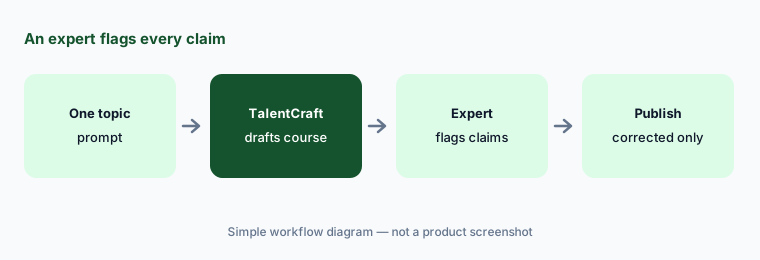
A course drafted from a topic rather than your own document is built from what is generally true, which is where confident errors come from — a regulation from the wrong state, a feature your product doesn’t have. Ask a subject expert to read the draft and flag every claim before learners see it. If you draft from your own material instead, see feature 2.
Primary workflow:
Build one short course with TalentLMS’s AI from a single topic. Have a subject expert flag every claim before learners see it.
2. AI document extraction: a course unit from your own PDF
What it is: AI document extraction, per TalentLMS’s AI LMS page, turns “your existing PDFs into entire course units (with flashcards, images, questions — you name it!).” It starts from your content rather than a blank prompt, which keeps the draft closer to your policies and procedures. AI content assistance (summaries, refinements, and AI-assisted writing across TalentLMS) is listed on every paid plan.
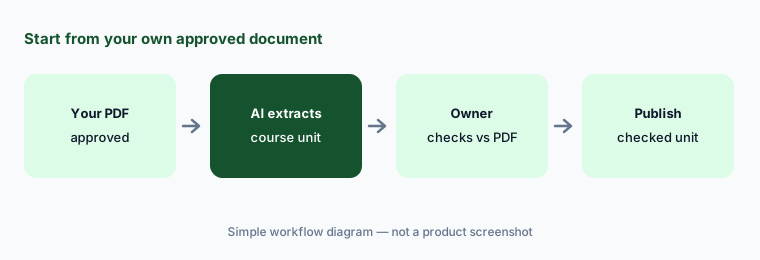
Use your own approved document whenever one exists. The draft will be closer to the truth, but extraction still reorders, shortens, and adds interactive bits that can change the meaning of a step. Have the document’s owner read the unit against the PDF and check that nothing in the flashcards or questions goes beyond what the document says.
Start from your own document:
Turn one approved policy PDF into a course unit with AI. Have the policy owner check every flashcard and question against the PDF.
3. AI test creation and questions inside videos
What it is: AI test creation lets the AI “generate tests from content units or prompt,” and TalentCraft can create questions from any content section. Questions in videos (Beta) embeds AI-generated quiz questions at key moments of a video. On the pricing page, AI test creation is listed from the Grow plan up; it is not included in Core.
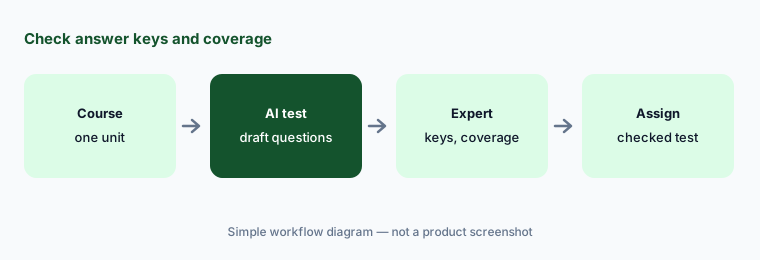
Check the answer key before anything else; an AI question with a wrong “correct” answer teaches the mistake to everyone who takes it. Then check coverage — a test that only asks about the first half of the course is easy to write and tells you little. Keep the pass mark modest until the questions have been through one round of real learners.
Keys and coverage:
Generate a test from one course with AI. Have the subject expert check every answer key and add questions for any unit the test skips.
4. AI course translation and captions
What it is: TalentLMS lists AI course translation that “clones and translates entire courses in over 40 languages” (Pro and Enterprise), translation inside TalentCraft (15 languages), and AI video captions and AI thumbnails on every paid plan. Its AI LMS page says translation works on individual words, full courses, or captions, “in a tone that matches your brand voice.”
A cloned course in another language is a new course that nobody has read yet. Have a fluent colleague — ideally one who does the job — read it for terms of art, units, and anything legal, and keep the original and the translation in step when either changes. Captions need the same check for product names and people’s names.
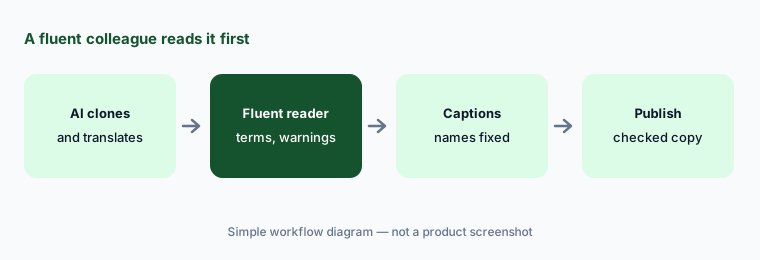
A fluent reader first:
Clone one course into a second language with AI. Have a fluent colleague who does the job read every warning and term before you assign it.
5. AI Coach and the Learning Playground: help and practice for learners
What it is: The AI Coach gives learners real-time guidance inside a course: summaries of key points, explanations when they are stuck, and practice questions on what they’ve covered (Pro and Enterprise). The Learning Playground is a separate practice space with four tools: Role Play (type or speak with an AI partner in a chosen scenario), Learn Anything (an instant mini-course on any topic), Practice Mode (adaptive questions with a mastery indicator), and Simulation Mode (branching workplace decisions). TalentLMS says nothing in the Playground is graded or counts toward completion; it is available on Core, Grow, Pro, and Enterprise, marked as a promotion on Core and Grow that “may move to a higher plan in the future.”
Learn Anything builds a mini-course on any topic, which means it can teach something that contradicts your own training. Tell learners which wins when they disagree (your course), and have a trainer try the Playground on your top three topics before it is switched on. Role Play is good rehearsal; don’t turn what people say in a private practice space into a performance record.
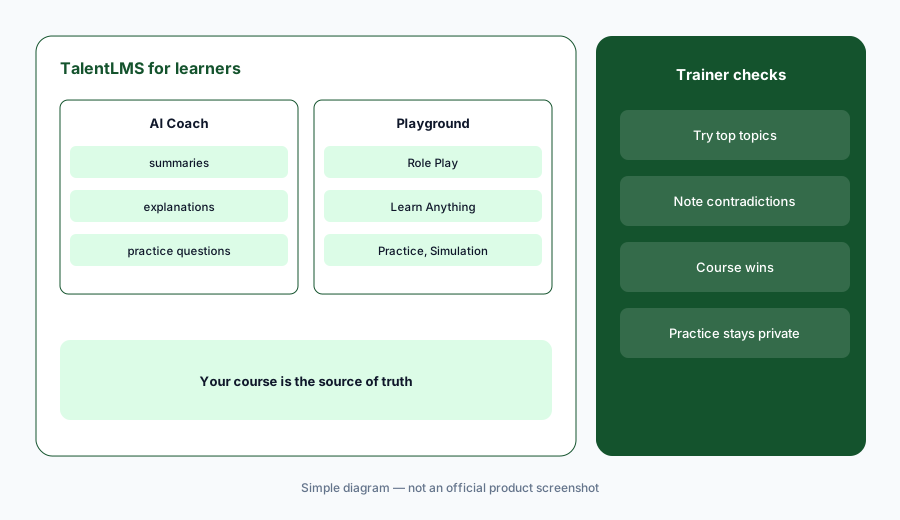
Try it on your topics first:
Have a trainer try Learn Anything and Role Play on your three most important topics. Note anything that contradicts your own courses before learners get access.
6. AI Skills: skill descriptions, assessments, and course matching
What it is: TalentLMS Skills (Pro and Enterprise) sets up a skill “with one click using AI that creates descriptions, assessments, and course recommendations automatically,” or from 100+ ready-made skills. When you create a skill, AI generates an assessment that employees take to check their proficiency level; AI matches relevant courses to the skill; and admins can search a Talent Pool by job title to see who has related skills. Learners get a Job Pathfinder for target roles and can recommend skills for colleagues, which admins approve.
Read the AI-written skill description and assessment with a manager who does that work — they decide what “good” looks like in your company, not a generic list. Treat assessment results and peer recommendations as signals for a conversation; using a Talent Pool search for internal hiring is an HR decision that needs a person and a fair process.
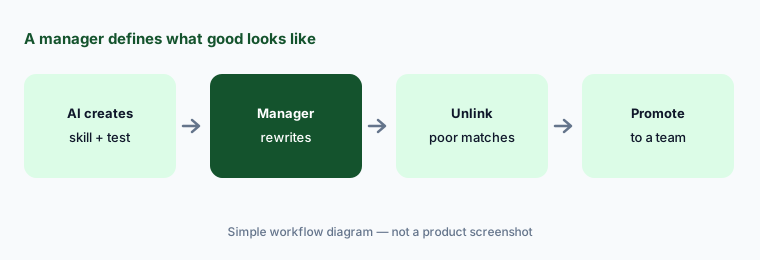
A manager defines good:
Create one skill with AI. Have a manager who does that work rewrite its description and assessment before employees see it.
Pricing context (October 2026)
TalentLMS publishes its prices (as of Oct 17, 2026, USD, monthly and yearly toggle checked, on its pricing page). Free: up to 5 users and 10 courses, with a chance to try generative AI. Core: $119 per month billed yearly ($149 billed monthly) for 1–40 users. Grow: $229 per month billed yearly ($299 monthly) for 1–70 users. Pro: $449 per month billed yearly ($579 monthly) for 1–100 users, plus $6 per additional user. Enterprise: by quote, starting at 1,000 users (a flexible option starts at 500). Prices rise by user band, and users are counted as unique people who log in each month.
AI by plan, as listed on the pricing page: Core — TalentCraft with 5,000 one-time AI credits, AI content assistance, AI images and videos, thumbnails, and captions, and the Learning Playground (promotion). Grow — adds TalentCraft premium (10,000 credits a month) and AI test creation. Pro — adds AI course translation, AI Coach, and Skills, with 15,000 credits a month (25,000 on ProFlex). Enterprise — 80,000 credits a month. TalentLMS doesn’t publish how many credits each AI action uses.
Uncertainty: TalentLMS’s pages disagree on where TalentCraft starts: the TalentCraft FAQ says it is on Pro and Enterprise (plus the 14-day trial), while the pricing page lists TalentCraft credits on Core and Grow — confirm with sales. TalentLMS doesn’t publish how many credits a course, image, or video uses, so heavy AI video use may run out of credits sooner than text. The Learning Playground may move to a higher plan, and Questions in videos is in beta. AI Video and AI Avatar Video arrived on 28 September 2026. TalentLMS’s customer and survey figures are not repeated here.
When it’s useful (honest take)
Useful when you’re a small or growing team with no instructional designer, you need real courses with tests, learning paths, and records, a published price matters, and you have subject experts who will read AI drafts before they go out.
Less useful when you mostly need SOPs and role checklists (an SOP tool is lighter), you need deep enterprise skills and talent planning, or nobody will review AI courses. A completed course with a passed test shows someone finished it, not that they can do the job.
Paying for TalentLMS AI and a few other AI tools? The $9 AI toolkit spreadsheet lists every AI subscription you have, what each one costs, and how fast it pays for itself, so you can see which ones are worth the money.
Want someone to do it for you? AI toolkit audit — $19
Related options (educational)
| Need | Better home | Why |
|---|---|---|
| Course LMS with AI authoring and published prices | TalentLMS AI (this page) | TalentCraft, AI Coach, Skills |
| SOPs, roles, and onboarding for a small business | Trainual AI | AI SOP drafts, roles |
| LMS for several audiences with AI course drafts | Absorb LMS AI | Aura agents, quote-only |
| Courses written by internal experts, with a team price | 360Learning AI | Collaborative authoring |
| AI avatar training videos | Synthesia | Video, not an LMS |
| Step-by-step guides captured from real clicks | Scribe AI | Screens, not courses |
FAQ
What is TalentCraft?
TalentCraft is TalentLMS’s AI course creator. From a prompt it drafts course pages, explanations, processes, flashcards, images, and questions, and since 28 September 2026 it can generate training videos with voiceover and presenter-style AI avatar videos. You edit everything before you publish.
How much does TalentLMS cost in October 2026?
As published on Oct 17, 2026 (USD): Free for up to 5 users; Core $119 per month billed yearly for 1–40 users; Grow $229 per month billed yearly for 1–70 users; Pro $449 per month billed yearly for 1–100 users plus $6 per additional user; Enterprise by quote from 1,000 users. Monthly billing costs more; see the pricing page.
Which TalentLMS plan has AI test creation and AI Coach?
Per the pricing page, AI test creation starts on Grow, and AI course translation, AI Coach, and Skills start on Pro. Core includes TalentCraft with 5,000 one-time credits, AI content assistance, and AI images, videos, and captions.
Can learners practice with AI in TalentLMS?
Yes. The Learning Playground offers Role Play, Learn Anything, Practice Mode, and Simulation Mode, and TalentLMS says nothing in it is graded or counts toward completion. The AI Coach also gives summaries, explanations, and practice questions inside courses on Pro and Enterprise.
Does TalentLMS train AI models on our content?
TalentLMS’s AI LMS page says your content remains private and is not used to train other models. Ask for the details in writing if your policies require it.
Optional next step (if seats overlap)
If you pay for an LMS, an AI video tool, a separate quiz builder, and chat seats that all draft the same onboarding course, that overlap is worth a look. Map the overlap with the $19 AI toolkit audit or the $9 AI toolkit spreadsheet. Email Audit $19 or Toolkit spreadsheet $9.
Checkout is live via Stripe. After you pay, we email delivery (spreadsheet) or intake next steps (audit).