Tool · Learning ops · 360Learning · Oct 2026
360Learning AI review (Oct 2026): AI Companion, AI course builder, and collaborative learning
360Learning is a learning platform built around collaborative learning: subject-matter experts write and update courses, learners comment and ask for what’s missing, and L&D runs the program. Its AI has grown into an AI Companion that searches course content, answers questions about training data, recommends a next course, and — in Action Mode — makes bulk changes to your catalog. Alongside it sit an AI course builder, inline AI editing, AI skill tagging, and since 21 September 2026 an MCP server in beta. This page is about letting that AI do the busywork while course owners and experts still decide what changes. Each section has a Try this.
What this 360Learning page covers
This page is for an L&D manager or learning operations lead whose catalog is mostly written by people outside L&D — engineers, sales leads, operations managers — and who spends too much time tagging, sharing, archiving, and pulling completion numbers. The question it answers: which of those jobs 360Learning’s AI can take on, what it shows you before it acts, and where an expert or course owner still has to say yes.
360Learning’s AI page (read 11 October 2026) says its AI runs on Microsoft Azure OpenAI, that it never reuses prompts or AI content and keeps a 30-day data retention policy, and that customer data is never used to train public AI models. Its release notes, updated 8 October 2026, show the AI Companion gaining a mode at a time through 2025 and 2026, and the 16–21 September release (v143) adding the Companion inside courses and the new MCP server.
Ground rules: an AI-built course isn’t ready until the expert who owns the topic has read it; bulk changes to the catalog get a named owner’s confirmation, even though the platform can revert them; completion data answers “who finished,” not “who can do the job”; and learner records stay inside 360Learning rather than pasted into general chat tools. Facts below come from 360Learning’s website, blog, and release notes as read on 11 October 2026; customer statistics are not repeated here.

Major features (with how someone uses them)
Examples at a glance: each feature has a concrete example from a real job plus a short Try this you can run this week.
1. AI Companion Action Mode: catalog cleanup with confirmation (primary)
What it is: In Action Mode, admins tell the AI Companion what they want in plain language and it finds the content, proposes a list of actions, and carries them out. 360Learning’s examples include sharing onboarding courses with a new group, tagging compliance courses, replacing an author, listing courses not edited in the last three months, and archiving courses that haven’t been edited or attempted in six months. The 3 June 2026 release notes describe bulk updates to authors, co-authors, tags, owner group, archive status, catalog sharing, and collaborative learning “across up to 500 courses at once, with a confirmation step and instant revert.” 360Learning says every AI change is visible on the platform as it happens, and that archiving or deleting asks for explicit confirmation.
Revert is a safety net, not a review. Ask for the list first, export or screenshot it, and send each course’s list to its owner before you archive: a course nobody opened in six months may be the one annual procedure people need once a year. Keep a short log of what Action Mode changed and who confirmed it, so the next admin knows why a course disappeared.
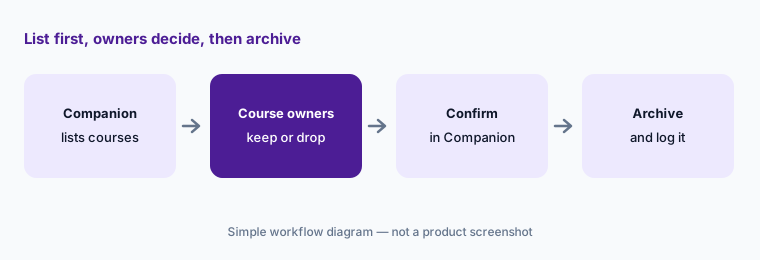
Primary workflow:
Ask the AI Companion in Action Mode to list courses nobody has edited or attempted in six months. Have each course owner confirm before you archive anything.
2. AI course builder and inline AI editing: drafts for experts
What it is: 360Learning’s AI course builder combines documents and prompts in one flow: you work with the AI on an outline, refine it, add documents, and only then click Generate course to create the activities (revamped December 2025, single entry point from April 2026). Since 22 April 2026, inline AI editing lets authors generate cheat sheets or rework text — tone, examples, simpler language, grammar, length. AI-generated quizzes follow the communication style set in your group’s Company culture settings (3 June 2026), learners see a disclaimer in courses that include AI-generated content (1 April 2026), and a contributor role (December 2025) lets experts create and edit only their own courses.
The builder is most useful when the expert drives it from their own material and stays the named author. Ask them to check the outline before generating — it’s much cheaper to fix structure than forty activities — and to read every generated question against the source. The disclaimer tells learners AI was involved; it doesn’t tell them a person checked it, so say so in the course description when one has.
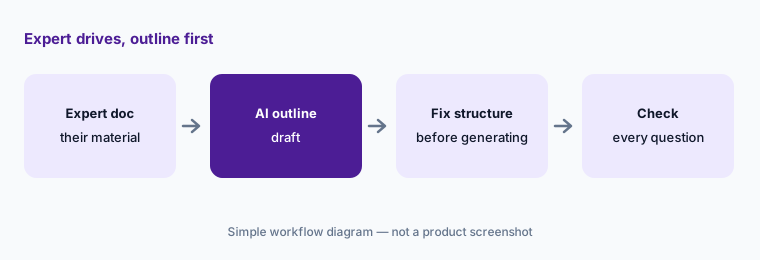
Outline before generating:
Have one subject expert build a course with the AI course builder from their own document. Ask them to fix the outline before generating and check every question after.
3. Insights Mode: training data questions in plain language
What it is: Insights Mode (smart data chat, rolled out from February 2026) lets any role except learners ask the Companion about statistics on paths and courses — completion rates, attempts, unique users, time spent — filtered by group, session, or custom fields, with links to definitions when a question is ambiguous. Later releases added a specific learner’s stats on a path or course (15 July), lists of learners by completion status such as late or not started (5 August), and formatted tables (14 October). Since 10 August, group admins, coaches, editors, managers, and instructors only see custom-field values for learners they have visibility on.
Use it for the quick question, then confirm anything that leaves the team against the path statistics page or a custom report, and write down the filters. Asking for one named learner’s results is convenient and also sensitive: decide who should do that and why, and keep those answers out of group chats.
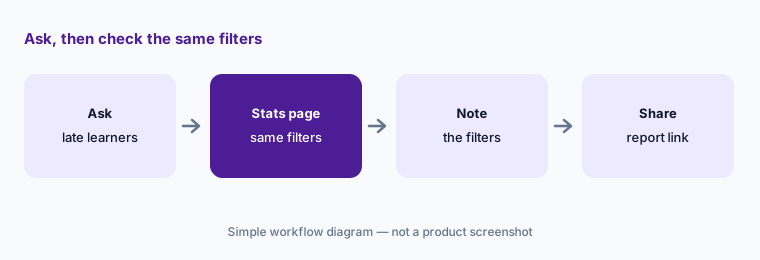
Same filters, two places:
Ask Insights Mode which groups have learners late on one path. Check the answer on the path statistics page with the same filters before you share it.
4. Search, Coach, and the Companion in a course: help for learners
What it is: For learners, the Companion has three faces. Search Mode (rolled out from September 2025) answers questions about the content of courses and paths, always quotes the source course, and only uses content the user can see. Coach Mode (20 July 2026) recommends one next course or path based on assigned training, upskilling plan, and job profile — 360Learning says it puts an approaching compliance deadline first. Since 16 September 2026 learners can open the Companion from inside a course; the release notes say it does not use the course being played to answer, has a daily message limit, and is activated on demand.
Search answers are only as current as the courses behind them. Pick a handful of questions people really ask, check that each answer quotes the right, current course, and fix or archive the course when it doesn’t. For Coach Mode, ask a few managers whether the recommendation for their people makes sense before you announce it.
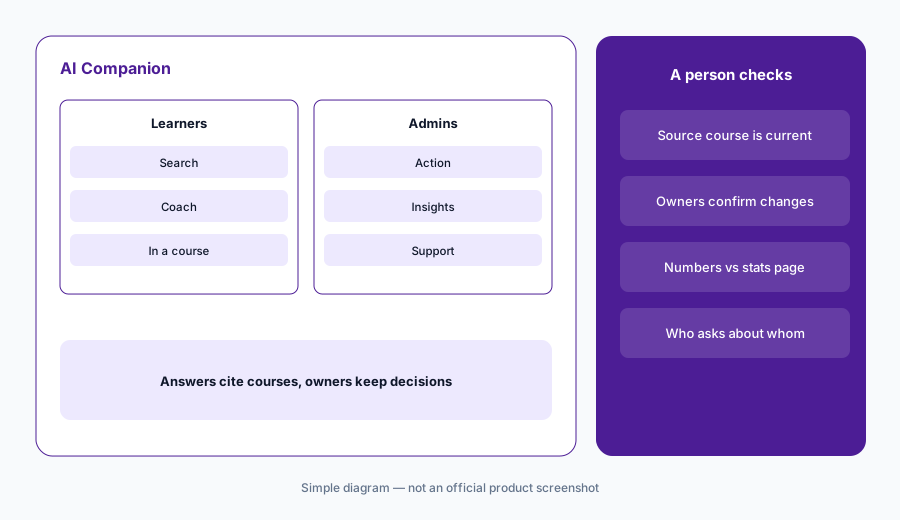
Check the source course:
Ask Search Mode five questions new hires really ask. Check that each answer quotes the current course, and fix or archive any course it shouldn’t have used.
5. AI skill tagging and content gaps: tags someone would defend
What it is: 360Learning’s Skills solution can tag courses and paths with skills automatically; since 20 July 2026 platform admins can switch automatic AI skill tagging on or off in settings, and it is off by default. A content gap dashboard (29 June 2026) shows which skills lack content, and the 14–19 October release notes add a way to close a gap from that dashboard by creating an AI-generated course pre-filled with the skill and suggested expert co-authors, chosen from people’s skill profiles. Learners’ recommended trainings in the skill panel are ordered by their skill gap (5 August).
Skill tags drive recommendations and gap reports, so a wrong tag sends people to the wrong course. Before turning automatic tagging on everywhere, have course owners review the tags on a sample of courses they know well. Treat the gap dashboard as a list of questions for the business — “do we need content for this skill?” — not as a production order for AI courses.
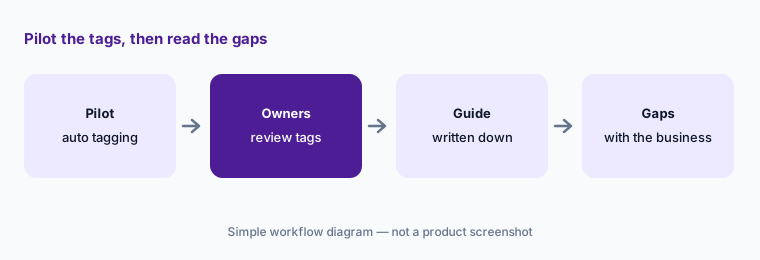
Review a sample first:
Have three course owners review the AI skill tags on ten courses they know well. Remove any tag they wouldn’t defend before you trust the content gap dashboard.
6. 360Learning MCP server (beta): your catalog in Claude and ChatGPT
What it is: The 360Learning MCP server (21 September 2026) connects 360Learning to AI assistants through the Model Context Protocol so people can search the courses, paths, and activities they have access to without switching tools. It is in beta and available on demand through your Customer Success Partner or Solutions Engineer. The release notes list Claude (web, desktop, and Claude Code), ChatGPT, and Dust as supported, and the 14–19 October release adds Microsoft Copilot and Snowflake and support for the new multi-factor authentication. 360Learning’s AI page describes uses such as a sales rep asking an assistant to surface training on a competitor.
Because answers are tied to each person’s access, test with a pilot group whose catalog you know, and check that every course an assistant suggests is one that person can actually open. Remember that what people type into Claude or ChatGPT sits under those tools’ policies, so keep the same data rules you already have for them. For drafting with your own sanitized notes, see Claude Projects.
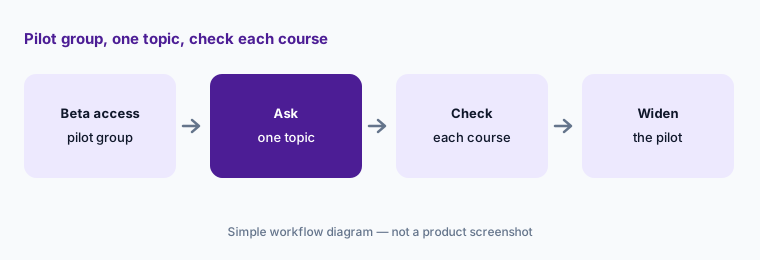
Pilot group first:
Request MCP beta access for a small pilot group. Ask Claude or ChatGPT for training on one topic and check that every course it suggests is current and visible to that person.
Pricing context (October 2026)
360Learning publishes a price for its Team plan (read 11 Oct 2026): $8 per active user per month, regardless of role (learner, author, or admin), for up to 100 users, billed monthly with no long-term commitment or setup fees and a 30-day free trial. 360Learning counts a user as active from account creation until the account is deleted or deactivated. Add-on solutions, activated on request, cost $2 per user per month each. After cancellation, data is kept for 120 days and then deleted.
Business and Enterprise plans are custom-priced, usually on annual contracts, with registered-user, monthly-active-user, or mixed models and no minimum user count. 360Learning says all plans include its AI-powered LMS; it doesn’t list which AI Companion modes or the MCP beta come with each plan, and several features are activated on demand.
Uncertainty: Which AI Companion modes, skills features, and the MCP beta are included in the Team plan versus Business or Enterprise isn’t published, and several features are switched on by request or rolled out progressively. Some items cited here — closing content gaps with AI courses, Copilot and Snowflake for MCP — are in the release notes for 14–19 October 2026 and may not be in your platform yet. The release notes use “Available on” dates that can shift. 360Learning’s customer statistics are not repeated here; read them as vendor claims.
When it’s useful (honest take)
Useful when much of your training is written by experts across the business, the catalog has grown faster than L&D can maintain it, and you want an AI that does catalog chores, answers data questions, and helps experts draft — with a published per-user price for teams under 100 people.
Less useful when L&D writes almost everything and wants heavily designed interactions (a dedicated authoring tool may fit better), nobody owns courses after they’re published, or you need detailed AI roleplay practice. Completion data shows who finished, not who can do the work.
Paying for 360Learning AI and a few other AI tools? The $9 AI toolkit spreadsheet lists every AI subscription you have, what each one costs, and how fast it pays for itself, so you can see which ones are worth the money.
Want someone to do it for you? AI toolkit audit — $19
Related options (educational)
| Need | Better home | Why |
|---|---|---|
| Expert-written courses with an AI Companion that cleans up the catalog | 360Learning AI (this page) | Action, Insights, Search, Coach |
| Enterprise LMS with AI roleplay, agents, and MCP | Docebo AI | Creator, roleplay, AI assistant |
| Designed courses you can publish to any LMS | Articulate 360 AI | Rise, Storyline, Frontline |
| Verified answers from a company knowledge base | Guru AI | Cards with named owners |
| Step-by-step SOP guides from screen captures | Scribe AI | Guides, not courses |
| Performance and growth plans outside the LMS | Lattice AI | Reviews, goals, growth |
Related comparisons
FAQ
What AI features does 360Learning have in October 2026?
360Learning’s AI includes an AI course builder and inline AI editing, AI quizzes that follow your Company culture settings, the AI Companion (Search, Insights, Action, Coach, and Support modes, now also inside courses), automatic AI skill tagging and a content gap dashboard, and an MCP server in beta.
How much does 360Learning cost?
The Team plan is $8 per active user per month for up to 100 users, with add-ons at $2 per user per month each (checked 11 October 2026). Business and Enterprise plans are custom-priced, usually annual.
Can the AI Companion archive or change courses without asking?
360Learning says Action Mode shows its changes as they happen, can revert them, and asks for explicit confirmation before archiving or deleting. Have course owners agree to the list before you confirm.
Does the AI Companion in a course answer from that course?
No. The 16 September 2026 release notes say it does not use the course being played; it searches the Knowledge Base and the courses and paths the user can access, has a daily message limit, and is activated on demand.
Which AI assistants work with the 360Learning MCP server?
At launch on 21 September 2026: Claude (web, desktop, and Claude Code), ChatGPT, and Dust, with Microsoft Copilot and Snowflake listed for the 14–19 October release. The MCP server is in beta and available on demand.
Optional next step (if seats overlap)
If you pay for an LMS, a separate authoring tool, and chat seats that all help experts draft the same training, that overlap is worth a look. Map the overlap with the $19 AI toolkit audit or the $9 AI toolkit spreadsheet. Email Audit $19 or Toolkit spreadsheet $9.
Checkout is live via Stripe. After you pay, we email delivery (spreadsheet) or intake next steps (audit).