Compare · Learning ops · Small business · Oct 2026
Trainual vs TalentLMS (Oct 2026): AI training tools for small businesses
Trainual and TalentLMS both promise small businesses that new hires will learn the job faster, and both now use AI to draft the material. They hold it in different shapes. Trainual is a playbook: SOPs, processes, and policies, organized by role, that people read and sign off. TalentLMS is a learning management system: courses with tests, learning paths, and completion records. This page compares them by job, AI drafting, testing, roles and paths, help for learners, and published prices — not as a ranking — with a Try this for each.
What this comparison covers
This page is for an owner, operations manager, or HR generalist at a business of a few dozen to a few hundred people who wants new hires trained without hiring an instructional designer, and has Trainual and TalentLMS on the shortlist. The question it answers: is the knowledge your people need better held as SOPs they look up, or as courses they complete — and what each tool’s AI drafts for you either way.
The short version: Trainual is built around writing down how work gets done and assigning it by role; Trainual AI drafts SOPs and quizzes, suggests roles and responsibilities, and its AI assistant answers questions with links to the source. TalentLMS is built around courses; TalentCraft drafts course pages, flashcards, images, and videos, AI document extraction turns a PDF into a unit, AI test creation drafts tests, and the AI Coach and Learning Playground help learners practice. Many small businesses need some of both.
Facts were read on each vendor’s website on 11 October 2026, the same day as our Trainual AI and TalentLMS AI reviews. Ground rules for either: the person who does the job corrects every AI draft before it is assigned; a passed quiz shows someone read the material, not that they can do the work; and vendor statistics on either site are vendor claims, not repeated here.
| Question | Trainual | TalentLMS |
|---|---|---|
| What it sells | A training and operations playbook: SOPs, processes, and policies assigned by role, with Operations and Performance suites alongside | A course LMS for small and growing teams: courses, tests, learning paths, and completion records |
| Where AI starts | Writing things down: Trainual AI drafts SOPs, processes, and policies from a description or your files | Building courses: TalentCraft drafts course pages, flashcards, images, and videos from a prompt |
| AI drafting from your files | Rewrite, summarize, or expand existing docs; connectors to Google Drive, OneDrive, SharePoint, Notion, Confluence, and Dropbox (July 2026) | AI document extraction turns your PDFs into course units with flashcards and questions |
| Testing | AI drafts quiz questions from selected content; testing, due dates, and tracking on every plan; e-signatures on Pro and Premium | AI test creation from Grow up; AI questions inside videos (beta) |
| Roles and paths | AI-suggested roles and responsibilities; role-based training assigned to whoever holds the role; HR and payroll alerts | Learning paths with automations (28 Sep 2026); AI Skills with assessments and course matching on Pro and Enterprise |
| Help for learners | AI assistant in a sidebar, answering with links to the sources | AI Coach inside courses (Pro and Enterprise); Learning Playground for practice |
| Published pricing | No plan prices (book a demo); a $1,000 one-time implementation fee is public | Free plan; Core $119, Grow $229, Pro $449 per month billed yearly; Enterprise by quote (as of Oct 17, 2026) |
Major features (with how someone uses them)
Examples at a glance: each feature has a concrete example from a real job plus a short Try this you can run this week.
1. The job: an SOP playbook or a course LMS (primary)
What it is: The biggest difference is the shape of what new hires get. Trainual holds step-by-step processes, policies, and role responsibilities that people read, look up again on the job, and acknowledge — with due dates, tests, and e-signatures around them. Trainual’s own stated sweet spot is businesses of roughly 25 to 1,000 people, and it has grown an Operations suite (meetings, goals, KPIs, May 2026) and a Performance suite (29 September 2026). TalentLMS holds courses: units, tests, learning paths, and completion records, for employees and also for customers or partners. Trainual answers “how do we do this here?”; TalentLMS answers “has everyone completed this training?”
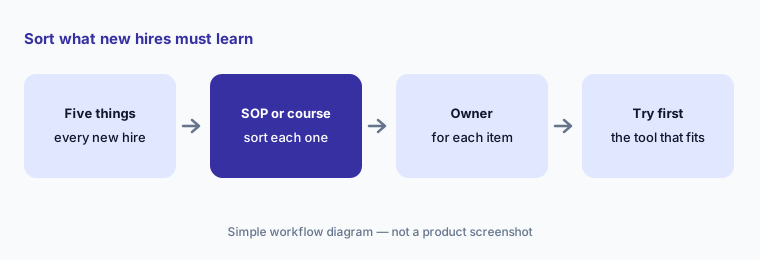
Write down the five things every new hire must learn and sort each one. Things people need to look up while they work — how to open the store, how to issue a refund, who approves a discount — sit naturally as SOPs. Things people need to learn once and prove — safety rules, a product exam, a compliance course — sit naturally as courses. If almost everything lands in one column, that tells you which tool to look at first.
Primary workflow:
List the five things every new hire must learn. Note which tool would hold each as an SOP or a course.
2. AI drafting: SOPs from a description vs courses from a prompt or PDF
What it is: Trainual AI turns a description, files, notes, or a decision from a meeting into a step-by-step document you can edit; it can rewrite, summarize, or expand what you have, and use company context such as your brand voice. Unlimited AI-assisted documentation is listed on every Trainual plan. TalentLMS drafts in two ways: TalentCraft builds course pages, flashcards, images, and (since 28 September 2026) AI videos and avatar videos from a prompt, and AI document extraction turns your existing PDFs into course units with flashcards and questions. TalentLMS’s FAQ says TalentCraft suggests content and you make the final decisions.
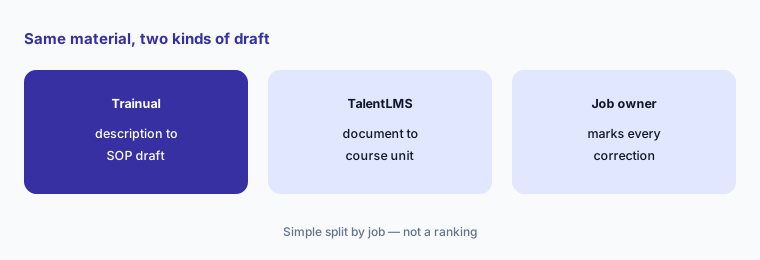
Give both the same real material. Ask Trainual for an SOP from your description of the process, and ask TalentLMS for a course unit from the same written document. Have the person who does the job mark every correction in each. You are not looking for a winner; you are learning how much checking each draft costs you every month.
Same material, both drafts:
Draft the same process in both: an SOP in Trainual from a description, a course unit in TalentLMS from the written version. Have the person who does the job mark every correction.
3. Testing: AI quizzes on every plan vs AI tests from Grow
What it is: Trainual can “turn any training into a quick knowledge check”: the AI drafts quiz questions from the content you select. Testing, due dates, and tracking are listed on every Trainual plan, with completion nudges and 300 e-signatures a year on Pro and unlimited e-signatures on Premium. TalentLMS lists AI test creation — tests from content units or a prompt — from the Grow plan up, not on Core; TalentCraft can also create questions from a section, and Questions in videos (beta) places AI questions inside a video.
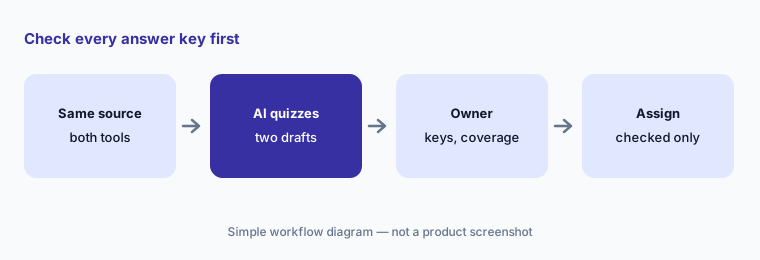
In either tool, check the answer key first — an AI question with a wrong “correct” answer teaches the mistake to everyone. Then check coverage: a quiz that only asks about the first part of the material is easy to write and tells you little. If proof of reading matters (a policy acknowledgment), Trainual’s e-signatures are the relevant feature; if a formal test and a completion record matter, look at TalentLMS’s plan for AI tests.
Keys before anything else:
Generate a quiz from the same material in both tools. Have the process owner check every answer key before either one is assigned.
4. Roles and responsibilities vs learning paths and skills
What it is: Trainual can generate roles, responsibilities, and reporting structures with AI, suggesting responsibilities “based on hundreds of similar job titles”; role-specific training is assigned automatically to whoever holds the role, and HR or payroll alerts offer one-click approval when someone joins, moves, or leaves. TalentLMS organizes progress as learning paths (with Learning Paths Automations added on 28 September 2026) and, on Pro and Enterprise, AI Skills: AI writes a skill description and assessment and matches courses, and a Talent Pool can be searched by job title.
Map one real role in each. In Trainual, have the manager prune the AI-suggested responsibilities before anything is assigned. In TalentLMS, have the manager read the AI-written skill and assessment before employees see them. Then ask who keeps each one current when the role changes — that person’s time is the real cost.
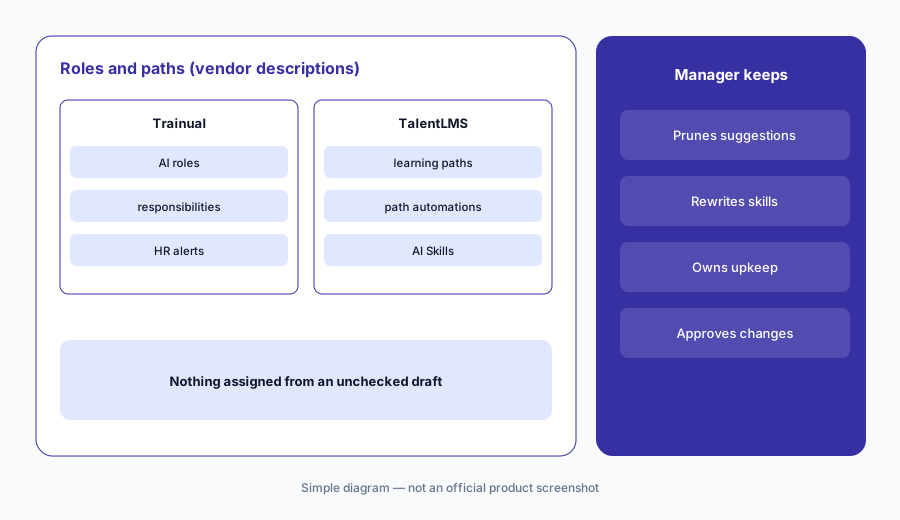
One role in each:
Map one real role in Trainual and the matching learning path in TalentLMS. Have the manager prune the AI suggestions in both and say who would keep each current.
5. Help for learners: an AI assistant with sources vs AI Coach and practice
What it is: Trainual’s AI assistant (launched 16 September 2025) sits in a sidebar, asks clarifying questions, links to the sources behind each answer, and searches people as well as content; from July 2026 connectors let it pull from files each person can already access. TalentLMS’s AI Coach (Pro and Enterprise) gives summaries, explanations, and practice questions inside a course, and the Learning Playground offers Role Play, Learn Anything, Practice Mode, and Simulation Mode; TalentLMS says nothing in the Playground counts toward completion.
Ask both the same three questions a new hire really asked last month. Open every source Trainual links and check it says what the answer says; read every TalentLMS answer against your own course. Learn Anything can build a mini-course on any topic, so decide in advance that your own material wins when the two disagree.
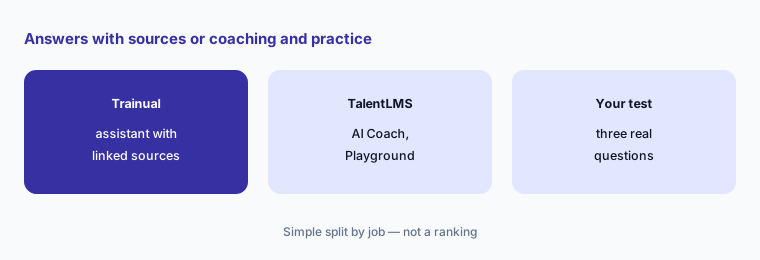
Same three questions:
Ask both tools the same three questions a new hire really asked. Open every source and note any answer that doesn’t match your own policy.
6. Prices: a demo quote vs a published price list
What it is: Trainual publishes no plan prices: its pricing page lists Core, Pro, Premium, and Enterprise training plans plus separate Operations and Performance suites, and says pricing varies with team size and features — book a demo. The one public figure is a $1,000 one-time implementation fee for guided setup. The MCP server, API, and webhooks are on Premium and Enterprise. TalentLMS publishes prices: a Free plan (5 users, 10 courses); Core $119 per month billed yearly; Grow $229; Pro $449 plus $6 per additional user; Enterprise by quote. TalentLMS uses AI credits by plan and doesn’t publish how many credits each AI action uses.
Price the same team in both. Use TalentLMS’s pricing page for your user band and the plan that carries the AI features you want; get a written Trainual quote naming the plan, the basis (per person or team size), and whether the implementation fee and Operations suite apply. Put the two side by side with the AI limits noted, since neither total is the whole story until those are known.
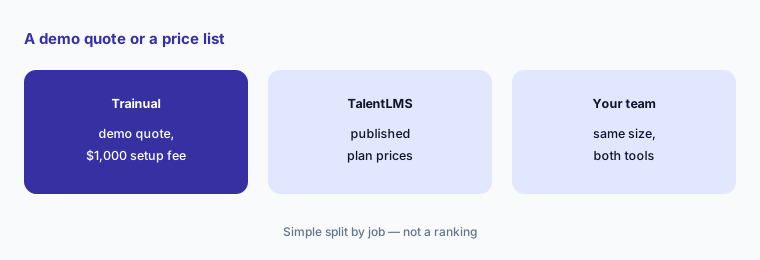
Price the same team:
Price the same team in both: TalentLMS from its pricing page, Trainual from a written quote. Note the implementation fee and AI limits in each.
Pricing context (October 2026)
Trainual publishes no plan prices (checked 11 Oct 2026). Its pricing page lists Core, Pro, Premium, and Enterprise training plans and separate Operations and Performance suites, and asks you to book a demo; the only public figure is a $1,000 one-time implementation fee for guided setup. AI-assisted documentation and AI knowledge search are listed on every plan; the MCP server, API, and webhooks on Premium and Enterprise.
TalentLMS publishes its prices (as of Oct 17, 2026, USD, monthly and yearly toggle checked, on its pricing page): Free for up to 5 users and 10 courses; Core $119 per month billed yearly ($149 monthly) for 1–40 users; Grow $229 ($299 monthly) for 1–70 users; Pro $449 ($579 monthly) for 1–100 users plus $6 per additional user; Enterprise by quote from 1,000 users. AI test creation starts on Grow; AI Coach, AI course translation, and Skills start on Pro.
Uncertainty: Trainual publishes no plan prices, so a like-for-like total isn’t possible until you have a quote, and its site doesn’t say which AI features, if any, use limits. TalentLMS’s TalentCraft FAQ and pricing page disagree on which plans include TalentCraft, and it doesn’t publish how many AI credits each action uses. Some Trainual AI features draw on its newer Operations suite (May 2026), and TalentLMS’s Learning Playground may move to a higher plan. Vendor statistics on both sites are not repeated here.
When it’s useful (honest take)
Trainual is useful when most of what new hires need is “how we do things here” — procedures, policies, and who owns what — that people look up on the job, and you want role-based assignment and acknowledgments, with the person who does each job correcting AI drafts.
TalentLMS is useful when you need real courses with tests, learning paths, and completion records — for employees, customers, or partners — and a published price matters, with subject experts reading every AI-built course.
Less useful when (either one) nobody will own the content after launch, you need enterprise-scale skills and talent planning, or anyone expects an AI draft, quiz, or answer to be right without a named person checking it.
Still choosing between Trainual and TalentLMS? The $19 AI toolkit audit gives you a written plan for which tools to keep using and which to drop across your whole AI stack, including this pair.
Prefer to do it yourself? Spreadsheet — $9
Related options (educational)
| Need | Better home | Why |
|---|---|---|
| SOPs, roles, and onboarding for a small business | Trainual AI | AI SOP drafts, AI assistant |
| Course LMS with AI authoring and published prices | TalentLMS AI | TalentCraft, AI tests, AI Coach |
| Courses written by your own experts | Easygenerator AI | EasyAI, review flow |
| Step-by-step guides captured from real clicks | Scribe AI | Screens, not courses |
| Verified answers from company knowledge | Guru AI | Knowledge, not training |
| AI avatar training videos | Colossyan | Video and scenarios |
FAQ
Is Trainual or TalentLMS better for a small business?
Neither in general, and this page is not a ranking. Trainual suits businesses whose training is mostly procedures and policies people look up by role; TalentLMS suits businesses that need courses with tests, learning paths, and completion records. List the five things every new hire must learn to see which shape fits.
How much do Trainual and TalentLMS cost in October 2026?
Trainual publishes no plan prices (book a demo); its $1,000 one-time implementation fee is public. TalentLMS publishes prices: Free for up to 5 users; Core $119, Grow $229, and Pro $449 per month billed yearly; Enterprise by quote (TalentLMS prices as of Oct 17, 2026; Trainual checked 11 October 2026).
Which one writes training with AI?
Both. Trainual AI drafts SOPs, processes, policies, and quizzes from a description or your files. TalentLMS’s TalentCraft drafts course pages, flashcards, images, and videos from a prompt, and AI document extraction turns PDFs into course units. In both, the person who does the job should correct the draft.
Do both have AI quizzes?
Yes. Trainual’s AI drafts quiz questions from selected content, and testing is listed on every plan. TalentLMS lists AI test creation from the Grow plan up. Check every answer key in either before assigning a quiz.
Can I use both?
Some teams do — procedures in Trainual, formal courses in TalentLMS — but that is two subscriptions and two places to keep current. Decide which tool owns each piece of knowledge so the same procedure isn’t maintained twice.
Optional next step (if seats overlap)
If you pay for an SOP tool, an LMS, an AI video tool, and chat seats that all draft the same onboarding material, that overlap is worth mapping. Map the overlap with the $19 AI toolkit audit or the $9 AI toolkit spreadsheet. Email Audit $19 or Toolkit spreadsheet $9.
Checkout is live via Stripe. After you pay, we email delivery (spreadsheet) or intake next steps (audit).