Tool · Learning ops · Easygenerator · Oct 2026
Easygenerator AI review (Oct 2026): AI course authoring for subject-matter experts
Easygenerator is a course authoring tool built for “employee-generated learning”: instead of a small L&D team writing every course, the people who know the work — engineers, sales leads, nurses, pilots — build short courses themselves, and L&D sets the standards and reviews. Its AI, EasyAI, is included in every plan; it drafts a course from an expert’s documents and notes, suggests interactive blocks, writes quizzes, and since August 2026 works as an EasyAI agent in the editor sidebar. Paid add-ons cover translation, video, and AI roleplay. This page is about letting experts use those drafts while L&D decides what learners see. Each section has a Try this.
What this Easygenerator page covers
This page is for an L&D lead or learning operations manager at a mid-sized or large company who can’t write every course centrally and wants subject experts to build their own — without losing control of accuracy, tone, or what reaches learners. The question it answers: what Easygenerator’s AI drafts for a non-designer, which pieces are in the base plans and which are add-ons, and where L&D still has to review.
Naming, checked on 11 October 2026: Easygenerator calls its AI EasyAI and says it is “built into every plan — from Pro to Enterprise. No add-ons. No forced upgrades.” Its pricing matrix lists the AI pieces as Course Builder, AI Editor, image generation, and Ask AI. The EasyAI agent launched in August 2026. Three paid add-ons sit beside it: EasyTranslate (75 languages from one master course), EasyVideo (AI avatar and narrated training video), and EasyCoach (AI roleplay practice, marked new).
Ground rules: a course drafted from an expert’s notes reflects what the expert wrote down and what the AI filled in — L&D reviews it with the expert before learners see it; completion is not competence; and an AI presenter that looks or sounds like a real colleague needs that colleague’s agreement. Easygenerator says EasyAI is powered by OpenAI under an enterprise licence and that your data is not used to train AI models. Facts below come from Easygenerator’s website and product updates; its customer counts, time-saving figures, and case-study results are not repeated here.
Major features (with how someone uses them)
Examples at a glance: each feature has a concrete example from a real job plus a short Try this you can run this week.
1. EasyAI: an expert’s notes to a first draft (primary)
What it is: EasyAI turns documents, ideas, and expertise into a course draft: you upload documents “with context about learners and goals” and get a first draft “structured for learning.” You can prompt it for particular content blocks — flip cards, hot spots, and more — and it gives feedback on grammar, tone, and readability, with highlighted passages improved on request. Easygenerator positions this for “people who aren’t learning designers,” which is exactly why the review step matters.
The expert’s own notes are the best starting point, because the draft then reflects how your company actually does the work. But AI fills gaps with general knowledge and smooths specific wording into generic phrasing. Sit with the expert for the review: they check every fact and step, L&D checks structure, objectives, and whether the interactions test anything real.
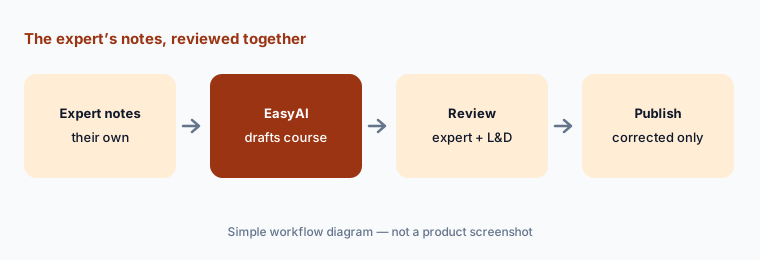
Primary workflow:
Have one subject expert build a course with EasyAI from their own notes. Review it with them before it goes to learners.
2. The EasyAI agent and your course guidelines
What it is: The EasyAI agent (launched August 2026) “lives in your editor sidebar.” You describe what you need — a full course structure, a new page, or changes to a block — and refine through conversation; Easygenerator says it “acts across your whole course in one instruction and shows you the plan before making any changes.” Your course guidelines “are applied to every action automatically,” so what experts create reflects your tone and learning standards before they publish.
The guidelines are where L&D’s control lives, so write them before experts start: audience, tone, maximum length, how many questions, banned phrases, and what every course must end with. Then read the agent’s plan before accepting it — an instruction that “acts across your whole course” can change pages you didn’t mean to touch.
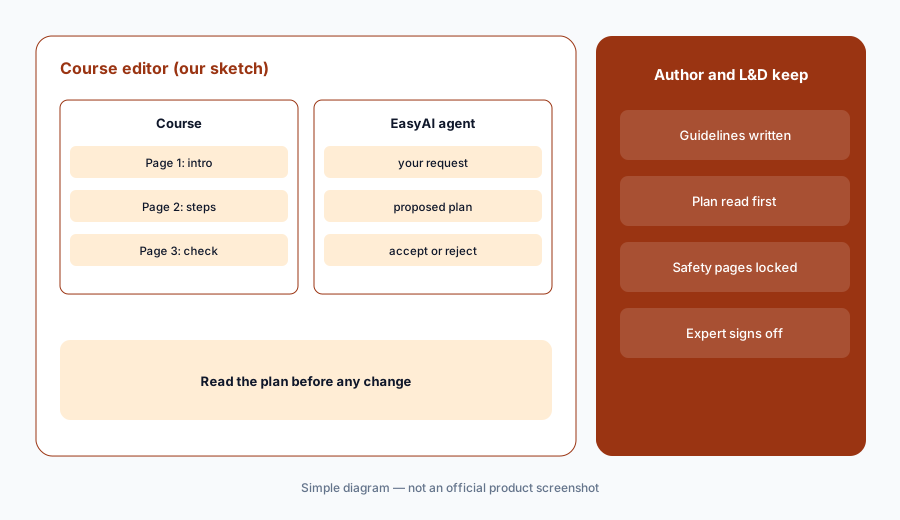
Guidelines first, then the plan:
Write your course guidelines into Easygenerator before experts start. Ask the EasyAI agent to rework one page and read its plan before you accept it.
3. AI quizzes and knowledge checks
What it is: Easygenerator’s FAQ says EasyAI “can create quizzes and knowledge checks based on your course content.” In September 2026 questions became content blocks, so a check can sit right next to the material it tests. The pricing matrix lists question types and assessments, skill-based interactivity, and question analytics across plans.
Have the expert confirm every correct answer — an AI question with a wrong key teaches the mistake. Then remove any question about something the course doesn’t actually teach, and make sure the most important step in the procedure has a question of its own. Question analytics later will show which questions everyone misses; that is often a sign the course, not the learner, needs fixing.
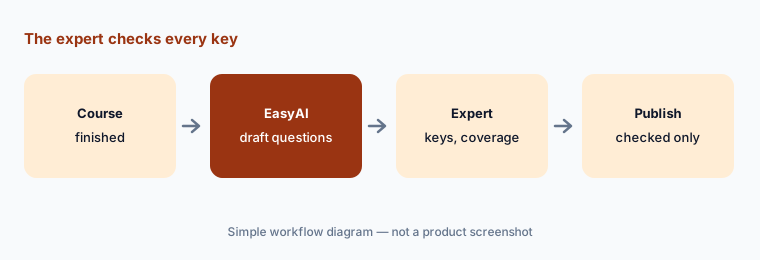
The expert checks the keys:
Ask EasyAI for a knowledge check on one course. Have the expert confirm every correct answer and remove any question the course doesn’t teach.
4. Co-authoring, comments, and reviewers
What it is: On the Team plan Easygenerator lists co-authoring and unlimited reviewers, plus results tracking and learner analytics; the pricing matrix shows comments and reviewers, and author role management that is basic on Pro and full on Team and Enterprise. Pro is a single-author plan. In August 2026 Easygenerator added SCIM 2.0 so accounts are created, updated, and deactivated from your identity provider.
Decide the review route before the first expert publishes: who must comment (L&D, the expert’s manager, legal for anything regulated), and what “done” means. A simple rule works — nothing goes out until every comment is resolved and L&D has looked at it. If you only have the Pro plan, there is one author and no built-in reviewers, so review has to happen outside the tool.
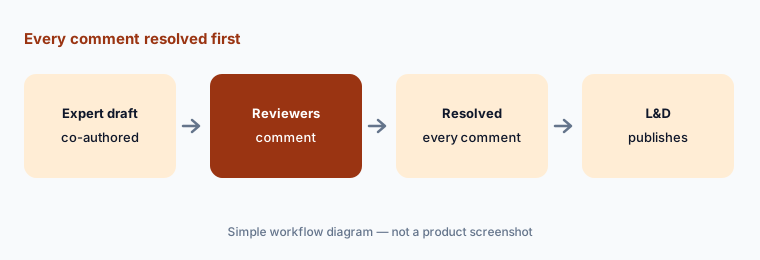
Two reviewers, then publish:
Invite one reviewer from L&D and one from the expert’s team to comment on a draft. Publish only after every comment is resolved.
5. EasyTranslate (add-on): one master course in 75 languages
What it is: EasyTranslate is a paid add-on that manages every language “from one master course,” with unlimited translation into 75 languages and “no per-word, per-project, or AI-credit costs.” You set approved terms in a glossary, invite regional colleagues as co-authors to review in context, and export one multilingual SCORM or xAPI package; Easygenerator says “L&D approves the final course.” Easygenerator doesn’t publish the add-on’s price.
Build the glossary before you translate — product names, job titles, safety terms, and anything that must never be translated. Then have a regional colleague who does the job read one translated course in context; a warning that comes out softer in another language is the kind of error a glossary won’t catch.
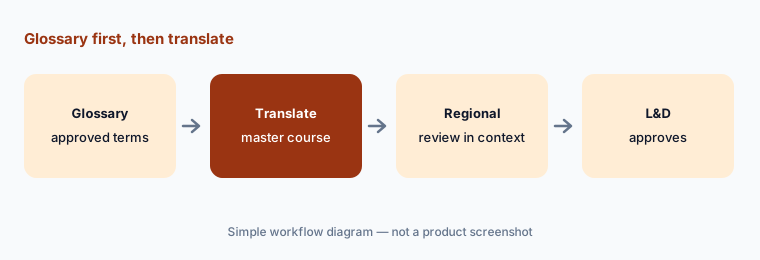
Glossary first:
Set up a glossary of ten product terms before translating. Have a regional colleague review one translated course in context before L&D approves it.
6. EasyVideo and EasyCoach (add-ons): AI video and roleplay
What it is: EasyVideo turns an existing PowerPoint into a training video, adds AI avatars or voice narration, records screen or camera, edits scene by scene, and translates into 70+ languages; in October 2026 it added creating your own AI presenter and one multilingual player embed. EasyCoach builds an AI roleplay from your documents and a description of a good outcome; learners practice by voice or text in 70+ languages and get feedback against the standard you set, and organizations choose how much of each session managers see. Neither add-on has a published price.
For video, have the slide owner approve the narration script before anything is shared — a video is harder to correct quietly than a page. If someone becomes an AI presenter, get their agreement in writing and decide what happens to it when they leave. For roleplay, treat feedback as coaching input and agree up front whether practice sessions are private.
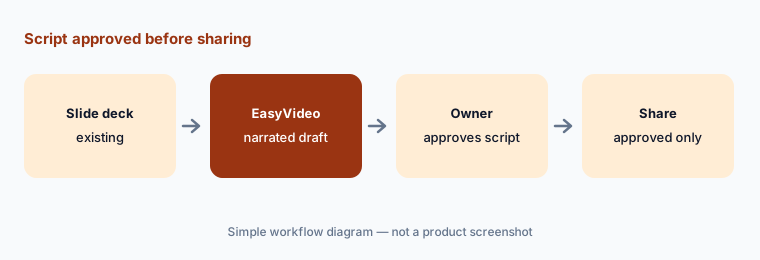
Script approval before sharing:
Turn one existing slide deck into an EasyVideo. Have the slide owner approve the narration script before anyone shares it.
Pricing context (October 2026)
Easygenerator publishes its plan prices (checked 11 Oct 2026, USD, on its pricing page). Pro: $125 per month, shown as $1,499 billed annually — 1 author, 10 courses, 100 learners, templates, interactive elements, SCORM export, and shareable links. Team: $625 per month, shown as $7,495 billed annually — starts from 5 authors, unlimited courses and learners, co-authoring and unlimited reviewers, results tracking, one branding setup, and onboarding. Enterprise: custom pricing, with unlimited authors, LMS integrations, custom branding, and a dedicated success manager. Pricing is per author, not per learner; taxes may apply; there is no setup fee and a 14-day free trial.
EasyAI is included in every plan. The add-ons — EasyTranslate, EasyVideo, and EasyCoach — have no published prices; ask for them in the quote, along with any discount for education or non-profit organizations. See Easygenerator’s product updates for what changed recently.
Uncertainty: Add-on prices for EasyTranslate, EasyVideo, and EasyCoach are not public, so the total for translation, video, or roleplay is unknown until you get a quote. The pricing page shows Pro and Team as monthly figures billed annually and doesn’t show a month-to-month option. The EasyAI agent (August 2026) and EasyVideo’s own-presenter feature (October 2026) are new, so expect changes. Easygenerator describes EasyAI as both powered by OpenAI and specific to e-learning; ask what that means for your data agreement. Easygenerator’s customer, time-saving, and case-study figures are not repeated here.
When it’s useful (honest take)
Useful when you want subject experts across the business to write short courses themselves, L&D can set guidelines and review, and you need SCORM or xAPI output for an existing LMS — with published plan prices and AI included in every plan.
Less useful when you need a full LMS with learning paths and records (Easygenerator is an authoring tool that publishes to one), one designer builds everything in PowerPoint (a slide-based tool may fit), or nobody will review expert-built courses before they go out.
Paying for Easygenerator AI and a few other AI tools? The $9 AI toolkit spreadsheet lists every AI subscription you have, what each one costs, and how fast it pays for itself, so you can see which ones are worth the money.
Want someone to do it for you? AI toolkit audit — $19
Related options (educational)
| Need | Better home | Why |
|---|---|---|
| Expert-built courses with AI and a review flow | Easygenerator AI (this page) | EasyAI, agent, reviewers |
| PowerPoint-based authoring with AI quizzes | iSpring AI | Suite AI, Cloud AI |
| Designer-led authoring suite with AI | Articulate 360 AI | Rise, Storyline |
| Collaborative authoring inside an LMS | 360Learning AI | LMS plus authoring |
| Course LMS with AI authoring for small teams | TalentLMS AI | TalentCraft, AI tests |
| AI avatar training videos | Colossyan | Video, scenarios |
FAQ
What is EasyAI in Easygenerator?
EasyAI is Easygenerator’s built-in AI. It drafts a course from your documents and goals, suggests interactive blocks, writes quizzes and knowledge checks, and improves grammar, tone, and readability. Since August 2026 the EasyAI agent works in the editor sidebar and shows a plan before it changes anything.
How much does Easygenerator cost in October 2026?
As published on 11 October 2026 (USD): Pro $1,499 billed annually (shown as $125 per month) for 1 author; Team $7,495 billed annually (shown as $625 per month) starting from 5 authors; Enterprise custom. EasyAI is in every plan; the EasyTranslate, EasyVideo, and EasyCoach add-ons have no published prices.
Is EasyAI an extra cost?
No. Easygenerator says EasyAI is built into every plan from Pro to Enterprise with no add-ons. Translation (EasyTranslate), AI video (EasyVideo), and AI roleplay (EasyCoach) are separate paid add-ons.
Does Easygenerator train AI on our content?
Easygenerator says EasyAI is powered by OpenAI under an enterprise licence with a GDPR data processing agreement, and that your data is not used to train any AI models. Ask for it in writing if your policies require it.
Can Easygenerator courses run in our LMS?
Yes. Easygenerator lists SCORM export on every plan, plus xAPI, dynamic SCORM, and native integrations; LMS integrations are listed on Enterprise. EasyTranslate can export one multilingual SCORM or xAPI package.
Optional next step (if seats overlap)
If you pay for an authoring tool, an AI video tool, a translation service, and chat seats that all draft the same expert courses, that overlap is worth a look. Map the overlap with the $19 AI toolkit audit or the $9 AI toolkit spreadsheet. Email Audit $19 or Toolkit spreadsheet $9.
Checkout is live via Stripe. After you pay, we email delivery (spreadsheet) or intake next steps (audit).