Tool · Learning ops · iSpring · Oct 2026
iSpring AI review (Oct 2026): AI help in iSpring Suite and iSpring Learn
iSpring makes course authoring tools that work inside PowerPoint (iSpring Suite), in the browser (iSpring Cloud AI), and an LMS for corporate training. Two names changed in October 2025: iSpring Learn is now iSpring LMS, and the top Suite plan, Suite Max, is now iSpring Suite AI. The products continue, with AI that drafts quiz questions, whole course drafts, course text and images, narration, and translations. This page is about using those drafts while the course author checks every question and answer. Each section has a Try this.
What this iSpring page covers
This page is for an instructional designer, trainer, or small L&D team that already builds training in PowerPoint — or runs iSpring’s LMS — and wants to know what iSpring’s AI now drafts, which plan carries it, and where a person still has to check. The question it answers: which parts of building and translating a course iSpring’s AI can start for you, and which checks stay with the author.
Naming, checked on 11 October 2026. On 22 October 2025 iSpring announced that “iSpring Learn has become iSpring LMS”; accounts, logins, links, and integrations were unchanged, and the LMS now lives at ispring.com. On 29 October 2025 “iSpring Suite Max has evolved into iSpring Suite AI,” adding an AI Course Creation Helper, an AI Translator, and an AI Image Generator alongside the existing AI Assistant and Text-to-Speech. iSpring Cloud AI is the browser-based course builder. We kept the older “iSpring Learn” name in this page’s title because buyers still search for it.
Ground rules: iSpring’s own AI features disclaimer says AI output, including quizzes, “may contain inaccuracies, biases, or errors. Always verify outputs before use,” and that you should never submit confidential information or personal data to AI features, because inputs go to third-party AI providers (OpenAI, AssemblyAI, and Google Cloud). An AI quiz is not right until its author has checked every answer key. iSpring’s customer counts, speed claims, and testimonials are not repeated here.
Major features (with how someone uses them)
Examples at a glance: each feature has a concrete example from a real job plus a short Try this you can run this week.
1. AI quiz questions from an existing course (primary)
What it is: iSpring Suite’s built-in AI Assistant generates course text, images, and quiz questions, and in iSpring Cloud AI you can “turn any chapter into a polished quiz in seconds” using seven question templates, with time limits, shuffling, and feedback for each question. iSpring’s disclaimer lists quizzes among the AI outputs that may contain errors, and its 2025 roadmap named AI tools for “dynamic quizzes and complex interactions” as next.
Start from a course that already exists and has been approved, so the AI is asking about real content. Then check each question against the slide or page it came from: is the marked answer actually right, could a second option also be right, and does the feedback explain the course’s answer rather than a general one? Keep only questions that test something a learner needs on the job.
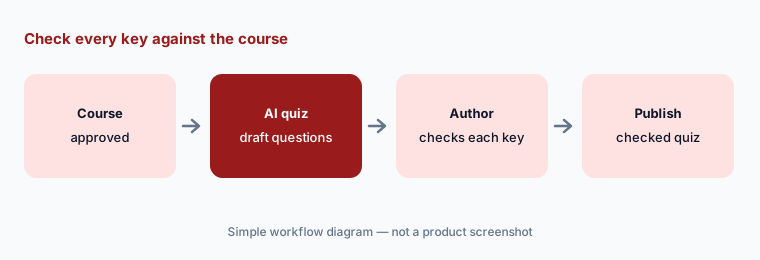
Primary workflow:
Generate a quiz from one existing iSpring course with AI. Check every answer key against the course content.
2. AI Course Creator: a draft from your documents
What it is: iSpring’s monthly “What’s new” describes an AI Course Creator in iSpring Suite AI (12 May 2026): upload documents or audio, or describe the course in a prompt, set the audience and goals, and get a structure, lesson text, interactions, and quizzes to review, refine, and export to SCORM or xAPI. On 30 July 2026 iSpring added generating complete slide-based courses from source materials — a course brief, outline, and first draft. iSpring LMS has its own AI Course Creator for scrollable courses.
Feed it one approved document and a clear audience. The draft will add structure and connecting text, and that connecting text is where the course can start saying more than the source. Have the document’s owner mark every slide that goes beyond the document, and delete or source each one before anything is exported.
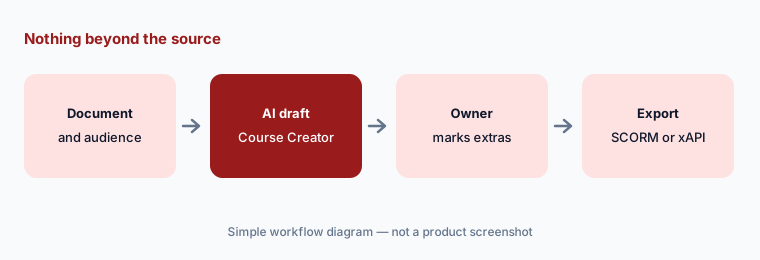
Nothing beyond the source:
Give the AI Course Creator one approved document and your audience. Have the document owner mark every slide that says more than the source.
3. AI text and images inside PowerPoint
What it is: In iSpring Suite, the AI writes and refines course text in your workflow (14 August 2026): generate text from scratch, rewrite in a different tone, expand key ideas, summarize long passages, or turn content into lists. The AI image generator (December 2025) creates images from a description, in different styles and variations. iSpring LMS added AI image generation in Pages in October 2025, and iSpring Cloud AI generates workplace scenes from a description.
Shortening is where meaning slips: a summary can drop the one condition that matters (“only after the power is isolated”). Have the course owner compare shortened text with the original for every required step. For images, check that a generated scene doesn’t show unsafe practice or equipment you don’t use, and keep generated people generic rather than resembling real colleagues.
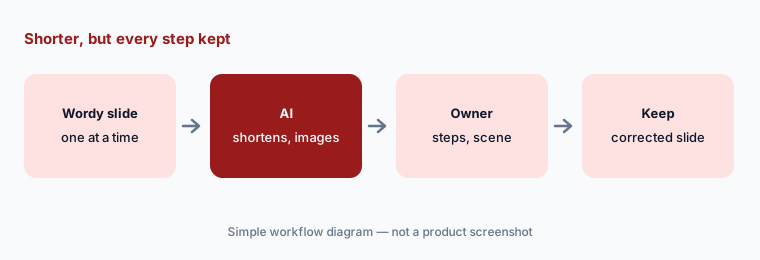
Shorter but complete:
Ask the AI to shorten one wordy slide and generate one scene image. Have the course owner check that the shorter text keeps every required step.
4. AI narration and translation
What it is: iSpring Suite AI’s Text-to-Speech now uses voices from ElevenLabs (2 June 2026, Suite AI plan), and scrollable courses in iSpring Cloud can have AI narration per page or block, with transcripts in the player. AI translation covers full courses and individual elements such as tests and interactions across iSpring tools (November 2025), into 70+ languages; in August 2026 iSpring Cloud added 27 more AI languages and regional variants such as Canadian English and Simplified or Traditional Chinese. iSpring’s web review app lets reviewers comment and “validate translations directly in context.”
A translated course is a new course nobody has read yet. Have a fluent colleague who does the job read it in the review app — terms of art, units, warnings, and the quiz answers. Listen to AI narration end to end once, too; product names and acronyms are where synthetic voices most often stumble.
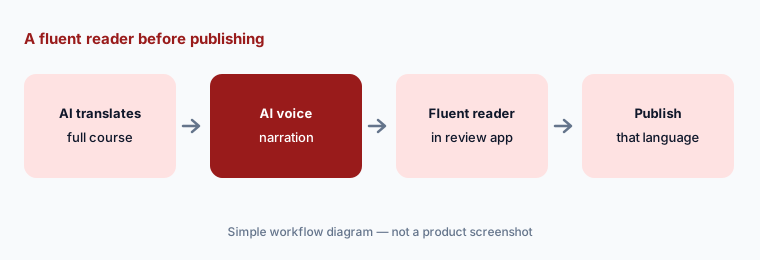
A fluent reader in the review app:
Translate one short course with AI. Have a fluent colleague check every term, warning, and quiz answer in the review app before you publish that language.
5. iSpring Cloud AI: browser authoring, AI avatars, and expert review
What it is: iSpring Cloud AI builds scrollable courses in the browser from your materials or a brief: outline, content, visuals, and questions, then SCORM or xAPI export or a shareable link. Its update panel lists AI video avatars as the latest update (September 2026; 45+ avatars and backgrounds), an AI image editor up next for October 2026, and AI role-plays for December 2026. Subject experts and stakeholders can review, comment, and be assigned tasks on the content.
Use the review features as the gate: invite the subject expert, and don’t export until every comment is resolved. Treat the roadmap items as roadmap — role-plays were listed for December 2026 on 11 October. If you use an AI avatar as a presenter, label the video as AI-presented where your policies ask for it.
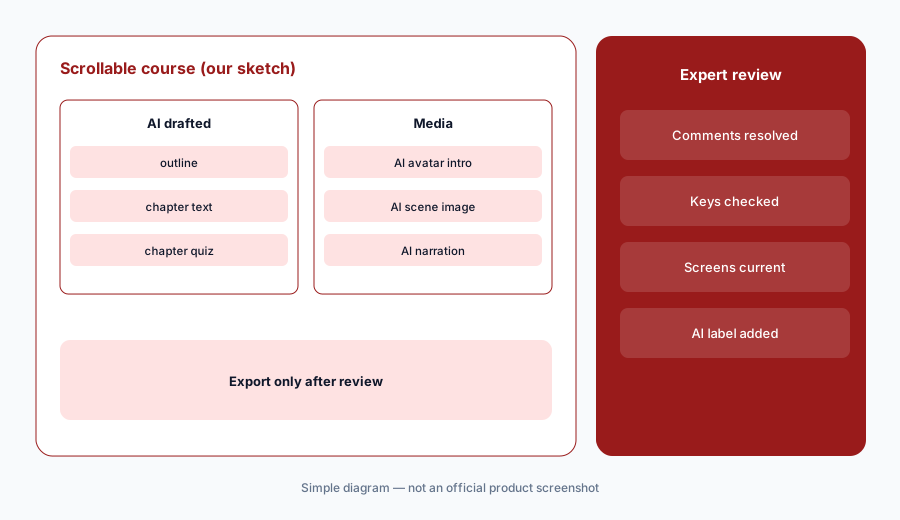
Resolve every comment first:
Build one scrollable course in iSpring Cloud AI and invite the subject expert to comment. Resolve every comment before you export it.
6. iSpring LMS (formerly iSpring Learn): AI course creation and an AI help assistant
What it is: iSpring LMS — the product called iSpring Learn until October 2025 — runs onboarding, compliance, assessment, and development, with automatic enrollment, re-enrollment when certificates expire, and on-the-job training checklists. Its AI features: an AI Course Creator (upload files and describe the topic; AI builds the structure, a draft, and knowledge checks), AI image generation in Pages, AI translation into 70+ languages, and a built-in AI assistant that gives instant tech support, step-by-step guidance, and links to help docs. LMS plans include the iSpring Suite AI authoring tool.
The help assistant explains how to configure the LMS; it doesn’t know your compliance rules. Before changing live settings — enrollment rules, re-enrollment dates, notifications — open the help link it gives and follow the documented steps, and try the change on a test group first.
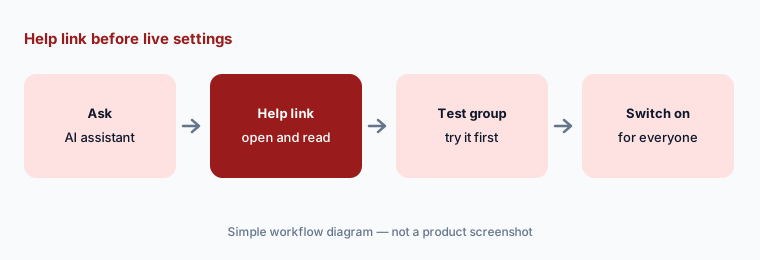
Help link before live settings:
Ask the iSpring LMS AI assistant how to set up one recurring compliance course. Open the help link it gives and try the steps on a test group before changing live settings.
Pricing context (October 2026)
iSpring publishes its authoring prices (checked 11 Oct 2026, USD, on its pricing page): iSpring Suite $970 per author per year; iSpring Suite AI $1,290 per author per year; iSpring Cloud AI $720 per author per year. Educator and non-profit pricing is by quote. On 11 October the homepage also showed a time-limited team offer for three or more new Suite AI licences, through 23 October. iSpring Suite has a 14-day free trial.
iSpring LMS (formerly iSpring Learn) publishes per-active-user prices on its pricing page: Business at 100 users is $6.91 per user per month ($8,286 a year), at 300 users $4.46 ($16,050 a year), and at 500 users $3.97 ($23,790 a year); Enterprise is by demo. A user counts as active if they log in at least once in a month. All LMS plans list the iSpring Suite AI authoring tool, and there is a 30-day free trial.
Uncertainty: The pricing page we read doesn’t list, plan by plan, which AI features are in iSpring Suite versus iSpring Suite AI; iSpring’s updates tie the ElevenLabs voices to the Suite AI plan, so confirm the rest before buying the cheaper plan. Older names (iSpring Learn, Suite Max) still appear in some places. Cloud AI’s image editor (October 2026) and role-plays (December 2026) were roadmap items on 11 October. AI features send inputs to third-party providers whose retention is typically up to 30 days, per iSpring. iSpring’s customer counts, speed claims, and testimonials are not repeated here.
When it’s useful (honest take)
Useful when your team already builds training in PowerPoint and wants AI to draft quizzes, course structure, narration, and translations without learning a new tool — or you want an LMS with authoring included — at published per-author or per-user prices, with authors checking every AI draft.
Less useful when subject experts across the business will author with no designer involved (an expert-first tool may suit), you need heavy custom interactions beyond slides and scrollable pages, or no one will check AI quizzes and translations before learners see them.
Paying for iSpring AI and a few other AI tools? The $9 AI toolkit spreadsheet lists every AI subscription you have, what each one costs, and how fast it pays for itself, so you can see which ones are worth the money.
Want someone to do it for you? AI toolkit audit — $19
Related options (educational)
| Need | Better home | Why |
|---|---|---|
| PowerPoint-based authoring with AI quizzes and translation | iSpring AI (this page) | Suite AI, Cloud AI, LMS |
| Expert-built courses with an AI agent and reviewers | Easygenerator AI | EasyAI, guidelines |
| Designer-led authoring suite with AI | Articulate 360 AI | Rise, Storyline |
| Course LMS with AI authoring for small teams | TalentLMS AI | TalentCraft, AI tests |
| LMS for several audiences with AI course drafts | Absorb LMS AI | Aura agents, quote-only |
| AI avatar training videos and scenarios | Colossyan | Video-first |
FAQ
Is iSpring Learn still available?
Yes, under a new name. On 22 October 2025 iSpring said iSpring Learn had become iSpring LMS; accounts, logins, links, and integrations stayed the same. The LMS is now at ispring.com.
What happened to iSpring Suite Max?
On 29 October 2025 iSpring Suite Max became iSpring Suite AI, adding an AI Course Creation Helper, AI Translator, and AI Image Generator to the existing AI Assistant and Text-to-Speech. Since then iSpring has added an AI Course Creator, AI text help, and ElevenLabs voices.
How much does iSpring cost in October 2026?
As published on 11 October 2026 (USD): iSpring Suite $970, iSpring Suite AI $1,290, and iSpring Cloud AI $720 per author per year. iSpring LMS is priced per active user per month — for example $6.91 at 100 users ($8,286 a year) — with Enterprise by demo.
Can iSpring’s AI write quiz questions?
Yes. iSpring Suite’s AI Assistant generates quiz questions, the AI Course Creator includes tests in its drafts, and iSpring Cloud AI turns a chapter into a quiz. iSpring’s own disclaimer says AI quizzes may contain errors, so check every answer key against the course.
What happens to data I put into iSpring’s AI?
iSpring’s AI features disclaimer says inputs and outputs may be processed by third-party providers (OpenAI, AssemblyAI, Google Cloud), with retention typically up to 30 days, and tells users never to submit confidential information or personal data.
Optional next step (if seats overlap)
If you pay for an authoring suite, a separate AI voice tool, a translation service, and chat seats that all draft the same course, that overlap is worth a look. Map the overlap with the $19 AI toolkit audit or the $9 AI toolkit spreadsheet. Email Audit $19 or Toolkit spreadsheet $9.
Checkout is live via Stripe. After you pay, we email delivery (spreadsheet) or intake next steps (audit).