Tool · Learning ops · Docebo · Oct 2026
Docebo AI review (Oct 2026): AI Creator, roleplay, agents, and MCP for enterprise learning teams
Docebo is an enterprise learning platform used to train employees, customers, and partners from one system. Its AI now reaches well past search: Creator turns a document or prompt into a lesson with knowledge checks, AI roleplay lets people practice conversations against your own rubric, the AI assistant answers learners and admins (and acts as a tutor inside courses), the Docebo MCP server brings learning into Claude, ChatGPT, Copilot, and Gemini, and Docebo Agents and Docebo Knowledge arrived in beta on 28 September 2026. This page is about using those drafts and agents while the person who owns the policy or process still approves what learners see. Each section has a Try this.
What this Docebo page covers
This page is for an L&D or learning operations lead — or the customer-education manager who runs an academy — at a company with a few hundred or more learners. The question it answers: which parts of building, running, and measuring training Docebo’s AI drafts or does for you, where it asks for a person, and what still needs a named owner before anyone is trained on it.
Docebo’s product pages (read 11 October 2026) group the AI into Creator for content, Docebo Roleplay for practice, an AI assistant for learners and admins, an MCP server, a Companion browser extension, and “AgentHub” and “Enterprise Knowledge” for agents and company-wide search. Docebo’s help-center product updates, last updated 5 October 2026, are the better record of what has actually shipped: the Harmony brand was retired on 31 August in favor of a customizable AI assistant, MCP tools for Power Users arrived on 28 September, and Docebo Agents and Docebo Knowledge are labeled beta.
Ground rules: an AI-drafted lesson isn’t accurate or compliant until the policy or process owner has read it; completion is not competence; roleplay feedback is coaching input, not a verdict on someone’s job; and no agent assigns mandatory training, sends reminders, or changes enrollments without a named admin who approved that job. Facts below come from Docebo’s website and help center as read on 11 October 2026; Docebo’s customer statistics are not repeated here.
Major features (with how someone uses them)
Examples at a glance: each feature has a concrete example from a real job plus a short Try this you can run this week.
1. Creator: AI lessons from a document (primary)
What it is: Creator is Docebo’s built-in authoring tool. Per Docebo’s content-creation page, you open a blank page or drop in a document or prompt, and Creator generates a structured lesson with screens, images, and knowledge checks (multiple choice, true/false, fill-in-the-blank) drawn from your source. You then edit in a drag-and-drop canvas and can add AI voiceover, an avatar video from a script, games, flashcards, accordions, and hotspots, translate the lesson in one click, and publish in Docebo or export a SCORM package (added 15 June 2026). Recent updates add real-time comments for reviewers and AI-generated captions for Creator videos — Docebo says to review and edit captions before publishing (28 September 2026) — plus assessment settings such as attempt limits and showing correct answers (21 July).
The draft is fast; the risk is a confident lesson that paraphrases a policy slightly wrong. Make the policy owner a reviewer on the lesson and ask them to check every knowledge-check answer against the current document, not against the draft. Keep the source file version in the lesson notes so the next update starts from the right copy. If the lesson will be translated, have a regional reviewer read the translated version too.
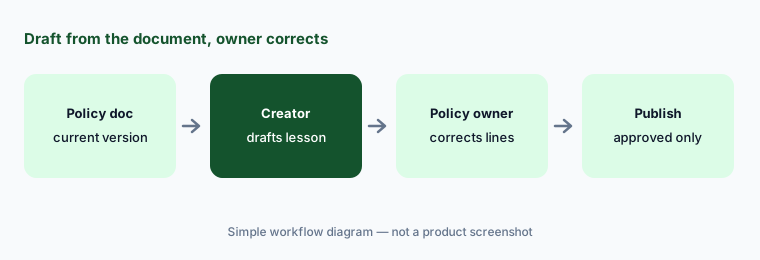
Primary workflow:
Upload one policy document to Docebo Creator and let it draft a lesson with a knowledge check. Have the policy owner correct every line before you publish it.
2. AI roleplay: practice with your rubric and a human reviewer
What it is: AI roleplay (renamed from AI virtual coaching on 22 June 2026, and sold as the Docebo Roleplay add-on) lets learners practice a conversation by voice or chat with an AI character — Docebo also added a video interaction mode earlier in 2026 — and get feedback afterwards. Scenarios can start from templates (sales pitches, objection handling, cold calls) or be fully custom. The help center lists custom rubrics so feedback follows your own criteria (22 June), AI-suggested criteria to start from (29 June), multilingual scenarios (22 June), and since 21 July a human review layer: authors assign reviewers, learners submit an attempt, and reviewers see the AI-generated evaluation in their own workspace.
Write the rubric with the manager who coaches the skill, in their words, before learners try it. Then use the human review step for the first few weeks: read the AI feedback next to the recording and note where it disagrees with how your best people actually handle the call. Tell learners plainly how the results are used — practice that might show up in a performance review isn’t practice anymore.
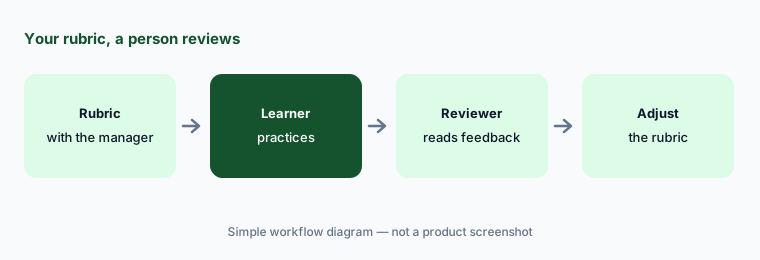
Review the first attempts:
Build one AI roleplay scenario with a rubric written by the coaching manager. Have that manager review the first ten submitted attempts and the AI feedback together.
3. AI assistant: tutor, search, and plain-language reports
What it is: Docebo’s AI assistant (called Harmony until 31 August 2026; you can now give it your own name, communication style, and custom instructions) does three jobs. For learners it is semantic search and recommendations, plus an AI tutor inside courses and learning plans that explains and summarizes material — Docebo says it works with SCORM and xAPI packages built in Articulate Rise and Storyline. For admins and Power Users it answers “how do I…” questions about the platform. And it answers plain-language questions about learning data — enrollments, completions, time spent — which Docebo calls Conversational insights. A Search analytics dashboard (13 July 2026) shows what learners search for and where content is missing.
Plain-language reporting is handy for a quick answer; it isn’t the record for an audit. When a number goes to leadership or a regulator, check it against the standard report and write down which filters you used. For the tutor, pick one course and read a sample of learner questions each month — they show you which screens are unclear.
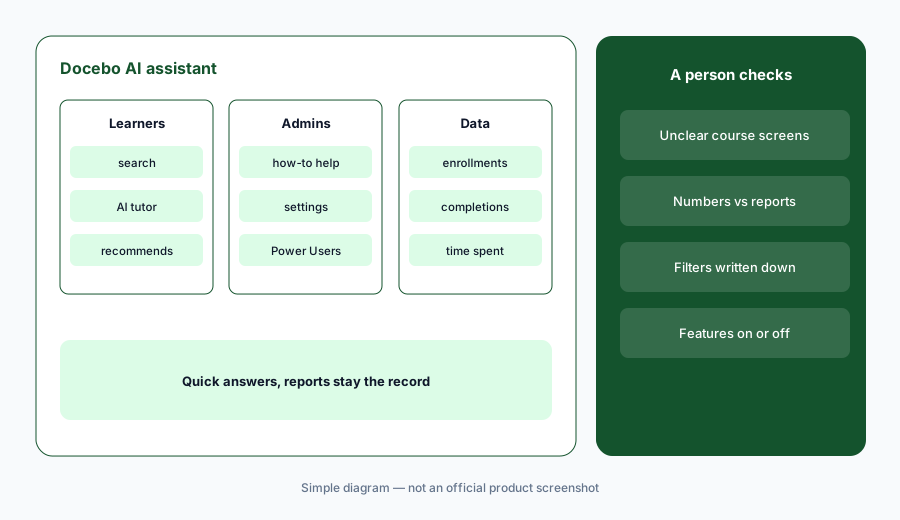
Check one number:
Ask the AI assistant how many people on one team are overdue on a required course. Compare its answer with the standard report before you send it anywhere.
4. Docebo MCP server: learning inside Claude, ChatGPT, Copilot, and Gemini
What it is: The Docebo MCP server (beta since 23 March 2026) connects Docebo to AI assistants through the Model Context Protocol. Docebo’s FAQ lists ChatGPT Enterprise/Team, Microsoft Copilot via Copilot Studio, Claude Enterprise/Team, and Gemini Enterprise. Learners can check enrollments, deadlines, and certifications, search training, and — in assistants that support MCP Apps — open a course inside the conversation (28 September). A Superadmin sets it up once from the AI control panel, can create several servers with different tool sets alongside a built-in Learner server (21 July; beta configurations had to be redone), and users sign in with OAuth. Since 28 September, Power Users can manage courses, learning plans, and enrollments through MCP “within each Power User’s existing platform permissions”; Insights and Content Marketplace tools stay Superadmin-only.
Start with the built-in Learner server and read-only questions people can check in Docebo. Admin tools that enroll or unenroll people are write access to training records: give them to a small named group, log what they ask for, and keep bulk enrollment changes in Docebo’s own interface until you’ve seen how the assistant interprets requests. For drafting with your own sanitized notes, see Claude Projects.
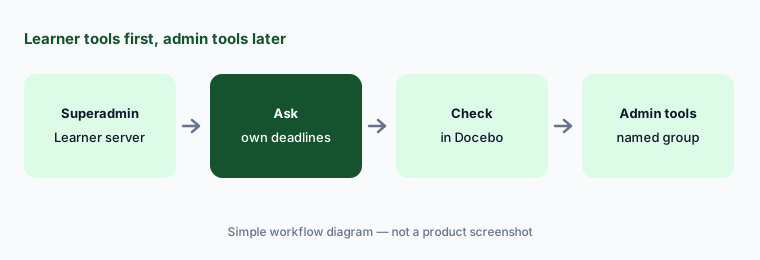
Learner tools first:
Connect the built-in Learner MCP server to one AI assistant. Ask it for your own upcoming deadlines and check the answer against your Docebo profile.
5. Docebo Agents and Knowledge (beta): workflows with an owner
What it is: Docebo’s help center introduced Docebo Agents (beta) on 28 September 2026 — “task-oriented AI assistants that execute defined workflows and automated actions,” either pre-built for common learning workflows or custom — and Docebo Knowledge (beta), which connects external systems so the assistant, tutor, and agents can draw on information beyond courses. The marketing pages call these AgentHub and Enterprise Knowledge: agents described in plain language, run on a schedule, and drawing on sources such as Google Drive and SharePoint; example jobs include turning a document into an assessment, building a 30-60-90 day plan for a new hire, and emailing people about overdue compliance training. Docebo says agent actions are permission-aware and logged, and that it never trains a model on customer data. Its Enterprise Knowledge page still says full availability is planned for Fall 2026.
Treat an agent like a new coordinator on probation. Give it one job, a named owner, and a test group, and read what it produced before it reaches anyone. Anything that contacts employees about mandatory training, or changes who is enrolled, should go through that owner’s approval until you have weeks of clean runs — and check which actions your beta build can take on its own.
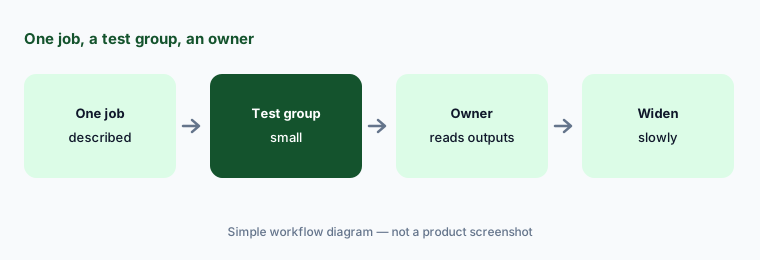
One job, one owner:
Enable one pre-built Docebo agent for a single workflow and a test group. Have its owner read every output for two weeks before it reaches anyone else.
6. Companion and the AI control panel: in-the-flow help you can switch off
What it is: Docebo Companion (available since 27 April 2026) is a browser extension for Chromium-based browsers. Admins set up Learning Spaces tied to specific URLs — a Salesforce opportunity page, an HR policy page, a support ticket view — and Companion surfaces the matching training, guides, and AI search when someone lands there. Docebo says Companion is included at no additional cost with all Docebo Learn plans, is managed through standard browser management tools, and does not track general browsing. AI features in Companion, and across the platform, are switched on or off per feature in Docebo’s AI control panel.
Pick one page where people make the same mistake every week, put three short items in its Learning Space, and ask the team lead whether it helped before you add more. Use the AI control panel deliberately: decide which AI features are on for which audiences, write that decision down, and revisit it when Docebo ships a new one.
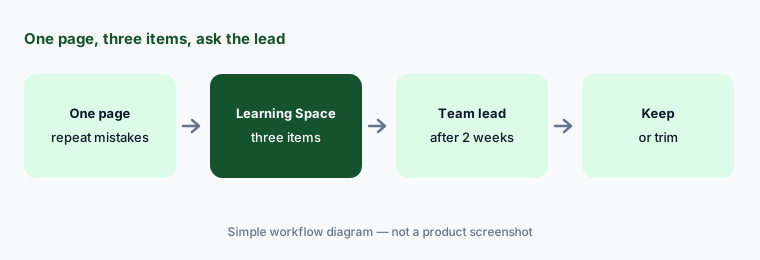
One page first:
Set up one Companion Learning Space on the web page where your team makes the most repeat mistakes. Ask the team lead after two weeks whether it helped.
Pricing context (October 2026)
Docebo’s pricing page (read 11 Oct 2026) shows custom pricing in two tiers, Elevate and Enterprise. Enterprise adds advanced analytics, up to six included integrations (Elevate lists up to four), extended enterprise for up to ten domains, API access at 100 calls a minute, two sandbox environments, and named support staff. AI rows and the Docebo Roleplay add-on are listed as “usage-based AI credits.” Docebo says pricing scales with your user model — monthly active users, yearly active users, or registered active users — and that it’s best suited to organizations training at least 250 learners.
Companion is included with Docebo Learn plans per Docebo’s FAQ. Docebo doesn’t publish what AI credits cost or how many come with each tier, so ask for Creator translation and avatar video, AI roleplay, the MCP server, and Agents by name in the quote, along with how credit use is counted.
Uncertainty: Docebo publishes no prices, so AI credit costs and allowances are unknown until you get a quote. Agents and Knowledge are beta in the help center while the marketing pages describe them as products, and the MCP page’s FAQ still says the beta “focuses on learner tools” although admin and Power User tools shipped in July and September — check what your platform has switched on. Creator’s page gives both 46 and 45 as the number of translation languages. Docebo’s own statistics are not repeated here; read them as vendor claims.
When it’s useful (honest take)
Useful when you train a large or mixed audience (employees, customers, partners) from one platform, you have policy and process owners who will review AI drafts in their area, and you want authoring, practice, delivery, and reporting in one system — with AI that can reach learners in the assistants they already use.
Less useful when you have a few dozen learners and a handful of courses (a lighter LMS or a published-price plan may do), nobody owns course content after launch, or you hope AI will decide who needs which mandatory training. Completion records show who finished a course, not who can do the job.
Paying for Docebo AI and a few other AI tools? The $9 AI toolkit spreadsheet lists every AI subscription you have, what each one costs, and how fast it pays for itself, so you can see which ones are worth the money.
Want someone to do it for you? AI toolkit audit — $19
Related options (educational)
| Need | Better home | Why |
|---|---|---|
| Enterprise LMS with AI authoring, roleplay, agents, and MCP | Docebo AI (this page) | Creator, roleplay, AI assistant |
| Courses written by internal experts, with a published team price | 360Learning AI | Collaborative authoring, AI Companion |
| Deeply custom courses you can publish to any LMS | Articulate 360 AI | Rise, Storyline, SCORM |
| Avatar training video on its own | Synthesia or HeyGen | Video-first tools |
| Step-by-step guidance inside business apps | Whatfix AI or WalkMe AI | Digital adoption, not courses |
| Verified answers from a company knowledge base | Guru AI | Cards with named owners |
FAQ
What AI features does Docebo have in October 2026?
Docebo’s AI covers Creator (lessons, knowledge checks, voiceover, avatar video, and translation from a document or prompt), AI roleplay with custom rubrics and human review, an AI assistant with an in-course tutor and plain-language reporting, an MCP server for Claude, ChatGPT, Copilot, and Gemini, Docebo Agents and Docebo Knowledge in beta, and the Companion browser extension.
How much does Docebo cost?
Docebo publishes no prices (checked 11 October 2026). Its pricing page lists Elevate and Enterprise tiers with custom pricing based on active-user models, and AI features use usage-based AI credits, so ask for the credit cost and allowance in your quote.
Can Docebo’s AI publish a course on its own?
Creator drafts lessons for an author to edit and publish, and Docebo says AI captions should be reviewed before publishing. Make the policy or process owner a reviewer and publish only after they’ve checked every screen and question.
Which AI assistants work with the Docebo MCP server?
Docebo’s FAQ lists ChatGPT Enterprise/Team, Microsoft Copilot via Copilot Studio, Claude Enterprise/Team, and Gemini Enterprise. A Superadmin sets it up, users sign in with OAuth, and Power User actions stay within their existing permissions.
What happened to Harmony?
Docebo retired the Harmony brand on 31 August 2026. The same AI assistant remains, and admins can now set its name, communication style, and custom instructions; AI tutor settings moved to a new Agents tab.
Optional next step (if seats overlap)
If you pay for an LMS, a separate authoring tool, an AI video tool, and chat seats that all draft the same training content, that overlap is worth a look. Map the overlap with the $19 AI toolkit audit or the $9 AI toolkit spreadsheet. Email Audit $19 or Toolkit spreadsheet $9.
Checkout is live via Stripe. After you pay, we email delivery (spreadsheet) or intake next steps (audit).