Tool · Learning ops · Articulate · Oct 2026
Articulate 360 AI review (Oct 2026): AI course drafts, Nova avatars and translation, and Frontline kits
Articulate makes Rise and Storyline, the authoring tools many instructional designers build courses in. In September 2026 it reorganized around two products: Articulate 360 AI for L&D teams, and Frontline for everyone else who has to train people. Across both, the AI Assistant drafts courses and quizzes from a prompt or document, an AI agent called Nova produces AI avatar videos, training kits, and translations on credits, and Articulate MCP connects Claude, ChatGPT, and Copilot. This page is about using those drafts while the person who owns the process still decides what’s true. Each section has a Try this.
What this Articulate page covers
This page is for an instructional designer or small L&D team that builds courses in Rise or Storyline, and for the operations, sales-enablement, or support lead who has been asked to “make some training” without being a designer. The question it answers: what Articulate’s AI drafts, what Nova’s credits pay for, what Frontline adds for non-designers, and where a subject expert still has to check the result before people learn from it.
Articulate’s What’s New page (October 2026 release, dated 7 October) and its Q3 2026 update post (9 October) list the changes: an AI-first dashboard, new formats (Training Deck, Guide, Scenario, Interactive Video, Quick Reference), AI Avatars, image editing, brand settings, updating content with AI, anonymous surveys with AI-summarized results, Connected Packages that push updates to the live version in your LMS, an analytics dashboard that includes AI Tutor usage, multi-format translation, Thinkific publishing, and MCP plus Google Drive and OneDrive imports. Articulate says it requires zero data retention from its AI subprocessors.
Ground rules: an AI draft of a procedure is a guess until the person who does that job has checked each step; an AI avatar says exactly what the approved script says and nothing more; translated courses get a reviewer who speaks the language; and an updated course in the LMS is still a change people are trained on, so it gets the same sign-off as the first version. Facts below come from Articulate’s website and blog as read on 11 October 2026; customer statistics are not repeated here.
Major features (with how someone uses them)
Examples at a glance: each feature has a concrete example from a real job plus a short Try this you can run this week.
1. AI Assistant: a course draft from an SOP (primary)
What it is: AI Assistant is built into Rise and Storyline. Per Articulate’s AI Assistant page, it turns a prompt or source document into an outline, a lesson, or a full course draft, generates images and AI voiceover, rewrites text for tone, style, grammar, and readability, and builds quizzes and knowledge checks from your course content — you can set a focus topic or difficulty level. Articulate frames it as AI that speeds creation “without taking over,” and says it requires zero data retention with its AI subprocessors and never uses your content to train its AI.
An SOP is a good first source because there is a person who can say “that’s not how we do it.” Give the draft to them with one instruction: mark every step that differs from what happens on the floor today. Then fix the course and, if the SOP itself was out of date, get the SOP fixed too — otherwise the next draft repeats the mistake. Check generated quiz answers against the source, not the draft.
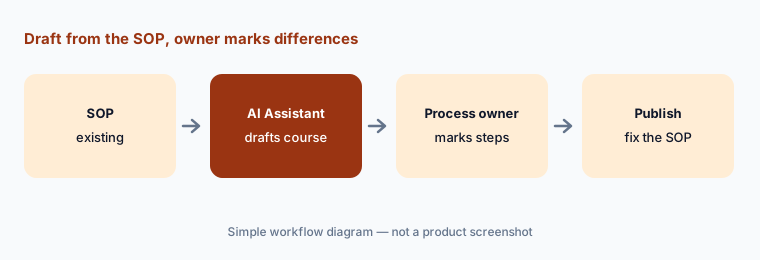
Primary workflow:
Turn one existing SOP into a Rise course draft with AI Assistant. Have the process owner mark every step that doesn’t match how the work is done today.
2. Update content with AI and Connected Packages: change once, check, push
What it is: Articulate’s Q3 post describes updating training at scale with AI: describe a change once and apply it across existing content, “with the option to review and undo before it’s final” — Articulate’s own example is annual compliance updates. Connected Packages then push course updates straight to the live version in your LMS in a few clicks, instead of republishing and re-uploading a full package. Frontline’s pricing lists AI updates for a whole kit, one format, or specific sections.
Bulk updates are where a small wording change quietly lands in the wrong place. Before you accept, read every proposed change in context, and ask the policy owner to approve the batch. Because Connected Packages change what learners see in the LMS right away, agree who signs off on updates — and whether a material change means people should retake the course.
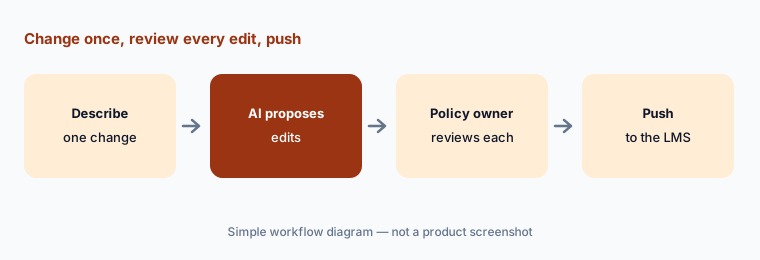
Review every edit:
Describe one real policy change and let Articulate’s AI propose the edits across your courses. Have the policy owner review every edit before you accept or push anything.
3. Nova AI Avatars: presenter video from an approved script
What it is: AI Avatars, powered by Nova and paid for with credits, turn a script into a presenter-led video without a camera or studio. Articulate says you change the script to update the video instead of re-filming, and pairs avatars with avatar-matched voices from a new voice library. In Articulate 360 AI, avatar video is one of the advanced workflows bought with credits; Frontline plans include a credit pool. Articulate’s rough guide is that 100,000 credits cover around 20 minutes of AI avatar video along with kits and translation.
An avatar delivering a procedure sounds authoritative, so the script is the thing to review. Have the process owner approve the exact script, keep it with the video, and re-approve it when the script changes. Short videos are cheaper on credits and easier to keep current; a two-minute clip per task usually beats one long talk.
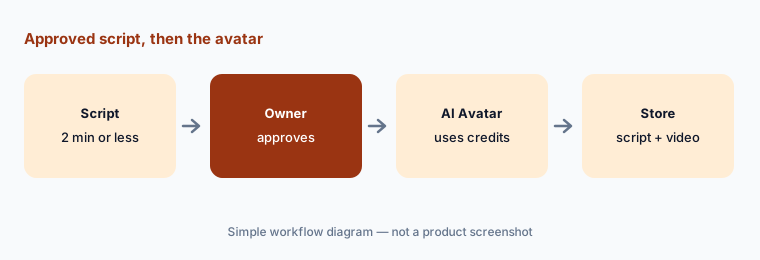
Approve the script:
Write a script of two minutes or less for one task and have the process owner approve it. Only then generate the AI avatar video, and keep the approved script with it.
4. Multi-format translation and validation: a reviewer per language
What it is: Nova’s multi-format translation translates text (and, where available, text-to-speech) across courses and the new formats into 80+ languages, keeping formatting, on credits. In Articulate 360 AI, localization adds in-context validation — validators review translations inside the course “whether they’re on your subscription or not,” and edits come back in real time — and lets you manage several language versions as a single course package, including regional variants and right-to-left languages. Articulate’s guide puts a short course into three languages within the same 100,000-credit example as above.
Machine translation of safety or legal content needs a fluent reviewer who knows the work, not just the language. Name one validator per language before you translate, give them the glossary of terms your teams actually use, and don’t publish a language version until they’ve finished. Track which version each language is on when the source course changes.
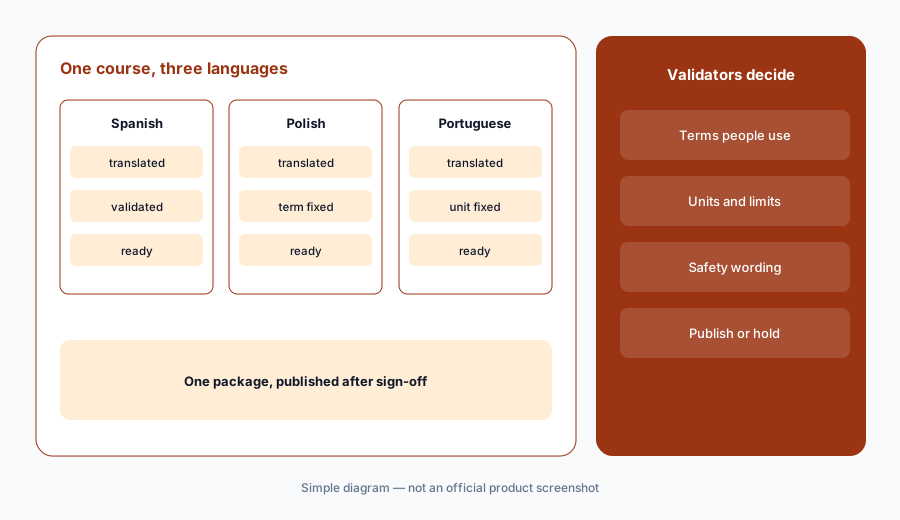
Name validators first:
Pick one course and name a fluent validator for each target language before you translate it. Publish no language version until its validator has reviewed it in context.
5. Frontline kits and new formats: training for non-designers
What it is: Frontline is Articulate’s new product for teams outside L&D. You upload documents, decks, or videos and describe your goal; Nova recommends formats and generates a training kit — content, knowledge checks, and media with tracking set up. Formats include Training Deck (for live sessions), Guide (step-by-step instructions you can update in a click), Scenario (practice with dialogue, choices, and feedback from one prompt), Interactive Video (chapters, checkpoints, and summaries), and the Frontline-only Quick Reference (three short lessons). Frontline shares trackable links in Slack, Teams, email, or text, and includes surveys, analytics, and an AI tutor.
Frontline makes it easy for a sales or support lead to ship training without L&D — which is the point and the risk. Agree a light standard with L&D (brand settings, who reviews, when a kit is retired), and have the subject expert check the kit’s knowledge checks before the link goes out. A Guide is often the right format for “how do I do this task”; save the course for things people need to understand.
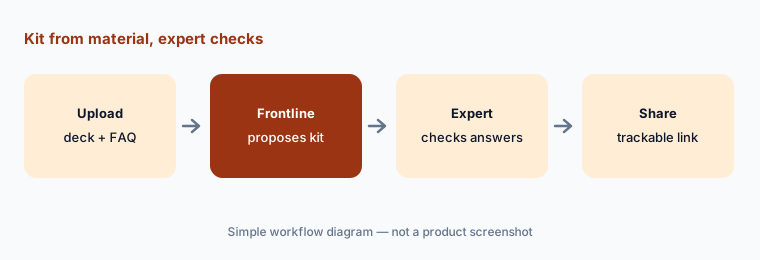
Expert checks the kit:
Give Frontline one launch deck and let it propose a kit. Have the subject expert correct every knowledge check and scenario answer before the link is shared.
6. Articulate MCP and Drive/OneDrive: start from what exists
What it is: Articulate now connects to Claude, ChatGPT, and Copilot via MCP, and imports files from Google Drive and OneDrive. Its integrations page says you can use MCP to check which courses already exist before building something new, generate a course outline from an existing AI conversation, and bring in content from other tools connected to your assistant; Drive and OneDrive files can be used as sources for Nova-generated training while staying where they are. Articulate adds a caution worth repeating: content you share with Claude or ChatGPT falls under their policies, not Articulate’s.
The most useful first question is the boring one: “do we already have a course on this?” Ask it before every new build. When you generate an outline from a chat, check where that chat’s facts came from — an assistant’s memory of your process isn’t a source. Keep confidential material in the tools your company has approved for it. For drafting with your own sanitized notes, see Claude Projects.
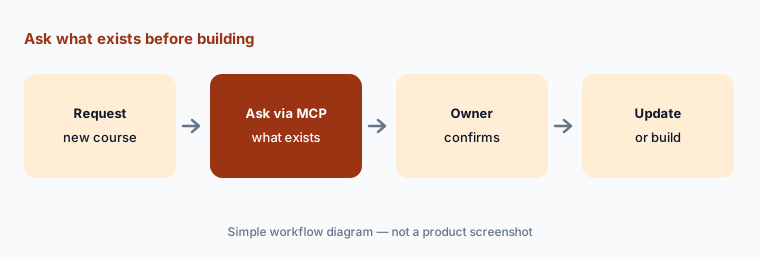
Ask what exists first:
Before your next new course, connect Articulate MCP to Claude, ChatGPT, or Copilot and ask whether a course on the topic already exists. Update that one if it does.
Pricing context (October 2026)
Articulate’s pricing page (read 11 Oct 2026) lists Articulate 360 AI at $1,749 per seat per year (Teams) or $1,449 per seat per year (Personal). Translation and validation in 80+ languages and AI avatar videos are advanced workflows that use credits, purchased separately. Frontline starts from $500 per year with unlimited seats and 100,000 credits. Hybrid (both products on one contract with centralized admin) is custom-priced. Extra credits are listed at $250 per 50,000, in 25,000-credit increments.
Articulate says credits are returned for a failed generation, last until the end of the subscription term, don’t roll over, and aren’t shared between Articulate 360 AI and Frontline balances. Its rough guide: 100,000 credits cover around 5 kits, 20 minutes of AI avatar video, and translating a short course into three languages. Reach, Articulate’s LMS, is included with Teams for 300 active learners a year; Reach 360 Pro starts at $3,600 a year for 1,200 active learners. Both products have a 14-day free trial.
Uncertainty: Credit use “varies by subscription and feature,” so the real cost of avatars and translation depends on your content; the 100,000-credit guide is Articulate’s estimate. The October 2026 release and the September reorganization are new, and Articulate’s support articles (which would confirm details such as MCP setup and what Update with AI covers in Storyline) couldn’t be read for this page. Articulate’s data statements differ slightly by page — “never uses your content to train our AI” on the AI Assistant page versus “without your permission” on the Nova page — so ask which applies to your plan. Customer statistics are not repeated here.
When it’s useful (honest take)
Useful when you build courses in Rise or Storyline and want AI drafts, quizzes, updates, and translation in the tools you already know; or when teams outside L&D need to produce trackable training quickly and you can agree who reviews it.
Less useful when you need a full LMS with enrollments, compliance workflows, and HR integrations (Reach covers simpler distribution; an LMS may still be needed), your content is mostly avatar video (a video-first tool may cost less), or no subject expert will check AI drafts before they ship.
Paying for Articulate 360 AI and a few other AI tools? The $9 AI toolkit spreadsheet lists every AI subscription you have, what each one costs, and how fast it pays for itself, so you can see which ones are worth the money.
Want someone to do it for you? AI toolkit audit — $19
Related options (educational)
| Need | Better home | Why |
|---|---|---|
| Course drafts, updates, avatars, and translation in Rise and Storyline | Articulate 360 AI (this page) | AI Assistant, Nova, Frontline |
| Enterprise LMS with built-in authoring, roleplay, and agents | Docebo AI | Creator, roleplay, MCP |
| LMS where internal experts write the courses | 360Learning AI | AI course builder, AI Companion |
| Avatar training video as the main format | Synthesia or HeyGen | Video-first tools |
| Step-by-step guides captured from the screen | Scribe AI | Guides, not courses |
| Quick explainer video edits | Descript | Edit by transcript |
FAQ
What AI features does Articulate 360 have in October 2026?
Articulate 360 AI includes AI Assistant (course drafts, images, voiceover, writing help, and quizzes) in Rise and Storyline, updating content with AI, and credit-based Nova workflows: AI Avatars, training kits, and multi-format translation with in-context validation. Frontline adds kits and new formats for non-L&D teams, and both connect to Claude, ChatGPT, and Copilot via MCP.
How much does Articulate 360 AI cost?
Articulate lists $1,749 per seat per year (Teams) or $1,449 (Personal) for Articulate 360 AI, Frontline from $500 per year with unlimited seats and 100,000 credits, and extra credits at $250 per 50,000 on its pricing page (checked 11 October 2026).
What are Articulate credits used for?
Credits pay for Nova’s advanced workflows — AI Avatars, training kits, and multi-format translation. Articulate says included features don’t use credits, failed generations are refunded, and unused credits expire at the end of the term.
What is the difference between Articulate 360 AI and Frontline?
Articulate 360 AI is for L&D teams and includes Rise and Storyline on a per-seat price. Frontline is a guided product for other teams, priced as a credit bundle with unlimited seats, and generates kits in formats such as Guides, Scenarios, and Quick References.
Does Articulate use my content to train AI?
Articulate’s AI Assistant page says it requires zero data retention with its AI subprocessors and never uses your content to train its AI; the Nova page says content never trains its foundation models without your permission. Content you send through Claude or ChatGPT falls under those tools’ policies.
Optional next step (if seats overlap)
If you pay for authoring seats, an AI video tool, a translation service, and chat seats that all draft the same training, that overlap is worth a look. Map the overlap with the $19 AI toolkit audit or the $9 AI toolkit spreadsheet. Email Audit $19 or Toolkit spreadsheet $9.
Checkout is live via Stripe. After you pay, we email delivery (spreadsheet) or intake next steps (audit).