Tool · Sales & marketing · AI video · Oct 2026
HeyGen review (Oct 2026): AI video for GTM and ops explainers
HeyGen-class video for GTM/ops explainers — vs Synthesia / Loom for job fit. Draft scenes, CTA, and what must stay human-filmed.
What HeyGen covers here
This page is for GTM and ops leads who need short explainers — not for inventing an ad agency. We discuss HeyGen-class avatar video for scenes + CTA when the job is a 60-second product or process explainer. Public packaging commonly includes Free, Creator, Pro (credit tiers), Business, and Enterprise — verify names and credit rates on heygen.com/pricing. We do not invent Avatar model SKUs beyond public help/pricing language (e.g. Avatar III / IV / V credit rates on HeyGen help). Cross-link Synthesia for SOP enablement, Loom AI for human async status, and Descript for editing human footage.
Major features (with how someone uses them)
Examples at a glance: each feature has a concrete GTM/ops example plus a short Try this.
1. 60-second explainer outline (primary)
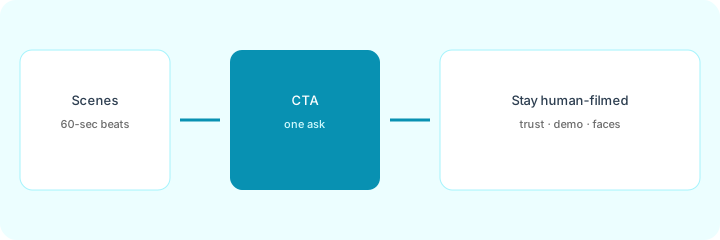
What it is: Draft a 60-second explainer outline: scenes, CTA, and what must stay human-filmed. Credits and avatar models are expensive to burn on vague briefs — lock the outline first.
Primary SoT workflow:
Draft a 60-second explainer outline: scenes, CTA, and what must stay human-filmed.
2. Scenes and one CTA
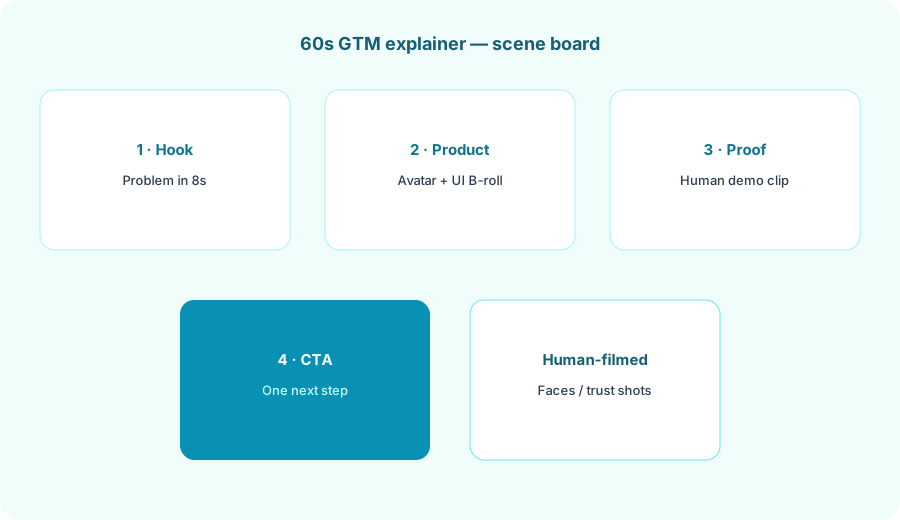
What it is: Keep one ask. Avatar scenes can carry hook and product narration; the CTA should name a real next step (doc link, form, calendar) — not invent a conversion metric.
CTA honesty:
Write one CTA sentence for your explainer. If it invents a metric or a page you do not own, rewrite it to a real link or blank.
3. What must stay human-filmed
What it is: Trust shots, live product UI with real data (sanitized), and any face the audience already knows. Spending avatar credits on those scenes often fails the job — mark them before generate.
Human gate:
From your scene list: tag each Avatar-OK or Must-stay-human. Cap Must-stay-human at two scenes for a 60s cut. Name who films those.
4. Vs Synthesia / Loom / Descript
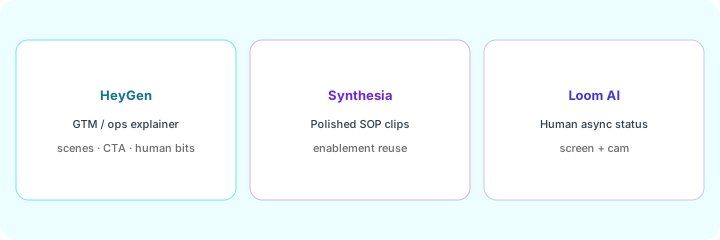
What it is: HeyGen for GTM/ops explainer scenes + CTA; Synthesia for reusable SOP enablement checklists; Loom AI for human async status; Descript for editing footage you already shot. We do not ship a KEEP/CUT scorecard.
Home-for-the-job:
List 6 video jobs this quarter. Assign each to HeyGen, Synthesia, Loom AI, or Descript — one sentence why. Do not invent a tool you do not use.
Pricing context (October 2026)
From heygen.com/pricing and HeyGen help on credits (Oct 2026 check; confirm live):
- Free: $0 — limited videos/month (public cards cite a small free allotment with short caps).
- Creator: about $29/month (about $24 billed annually) — credit allotment for solo creators (public FAQ cites ~600 credits/mo style packaging).
- Pro: from about $49/month — higher credits and export quality; public cards note credit tiers that scale upward.
- Business: about $149/month plus about $20/seat add-ons on public FAQ — team collaboration packaging.
- Enterprise: custom.
Uncertainty: HeyGen is credit-based; Avatar III / IV / V and translation modes consume credits at different rates (see HeyGen help). Legacy “unlimited” plans may differ. Never budget from this page alone — verify live pricing, credit math, and your admin.
When HeyGen is useful (honest take)
Useful when you need short GTM/ops explainers with clear scenes and one CTA, and you will mark human-filmed trust shots before spending credits. Less useful when a Loom status clip is enough, when the job is a reusable SOP checklist (try Synthesia), or when you hoped AI alone would invent a product story you have not written.
Paying for HeyGen and a few other AI tools? The $9 AI toolkit spreadsheet lists every AI subscription you have, what each one costs, and how fast it pays for itself, so you can see which ones are worth the money.
Want someone to do it for you? AI toolkit audit — $19
Related options (educational)
| Need | Better home | Why |
|---|---|---|
| GTM / ops explainer + CTA | HeyGen (this page) | Scenes, CTA, human-filmed trust bits |
| Polished SOP enablement | Synthesia | Checklist cues and reusable internal clips |
| Fast human async status | Loom AI | Screen + cam without avatar studio |
| Edit existing human footage | Descript | Transcript-first edit |
FAQ
What is HeyGen for GTM/ops?
AI avatar video for short explainers — scenes, CTA, and human-filmed gates. Not consulting advice.
How much does it cost?
Confirm on heygen.com/pricing — Oct 2026 public cards cite Free / Creator / Pro / Business / Enterprise with credits. This page does not invent exact credit math beyond public packaging.
HeyGen vs Synthesia / Loom?
Explainers + CTA (this page), SOP enablement (Synthesia), human status (Loom AI).
What stays human-filmed?
Trust shots, live demos, and known faces. Mark Must-stay-human before you spend credits.
Optional next step (if seats overlap)
If HeyGen would sit beside Synthesia, Loom, and Descript seats on the same GTM/ops video jobs, optional help mapping overlap: $19 AI toolkit audit or $9 AI toolkit spreadsheet. Email Audit $19 or Toolkit spreadsheet $9.
Checkout is live via Stripe. After you pay, we email delivery (spreadsheet) or intake next steps (audit).