How-to · Stack trim · Oct 4, 2026
Three checks before you add another AI seat to the card
New AI seats are easy to add and slow to notice. These three checks take less time than a trial signup.
Who this is for
Founders, ops leads, and finance partners who approve SaaS. If you are the only user and the seat is personal, still run check 1 — it keeps you honest.
How to do it
Run the checks before the seat hits the card. If you cannot name the job, you are buying a logo.

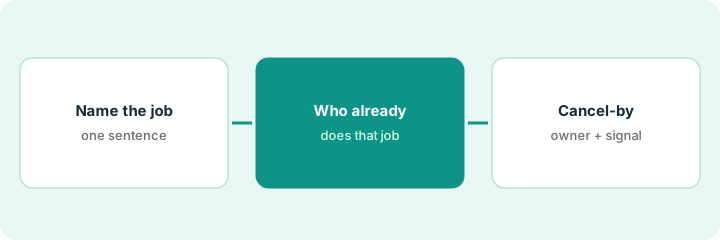
1. Check 1 — Name the weekly job in one sentence
What it is: Not “AI for productivity.” A job sounds like: “Turn Monday pipeline standup into owners and dates,” or “Draft close variance notes from the Sheets export.”
If you cannot name the job, you are buying a logo.
The request says “AI for productivity.” It goes back until it says “Turn Monday pipeline standup into owners and dates.”
Write the sentence on the purchase request. If it takes more than one sentence, split into two jobs — you may need two different tools, or none.
2. Check 2 — Who already gets paid to do that job
What it is: Look at the tools you already pay for and the humans who already do the work. Overlap examples we already review: two notetakers on the same call job; ChatGPT and Claude for the same memo job; Zapier and Make for the same handoff.
Use the AI stack trim playbook table shape: Job → tools → owner → overlap note.
The job sentence is “standup notes.” A search of last month’s card hits Fireflies and Otter. The new notetaker trial pauses.
Search last month’s card statement for one keyword from your job sentence. List every hit. If two tools draft the same weekly artifact, pause the new purchase.
3. Check 3 — Owner, success signal, cancel-by
What it is: Before the seat hits the card:
- Owner: a named person who will open it weekly.
- Success signal: one observable thing in 14 days (for example “standup notes land in Asana with owners”).
- Cancel-by: a calendar date before renewal, with who clicks cancel if the signal fails.
Owner: the ops lead. Signal: standup notes land in Asana with owners within 14 days. Cancel-by is on the shared calendar the day the seat is bought.
Put cancel-by on the shared calendar the same day you buy. Trials without a cancel-by become quiet renewals.
Pricing context (October 2026)
This page does not price the seat you are about to add. Use the invoice or the vendor’s public page, and the matching review if we have one. Dated October 2026.
Uncertainty: Trials convert quietly when nobody owns a cancel-by date. Do not invent a list price to fill the purchase request. Optional site offers, only if you want a grid or a memo: $9 spreadsheet and $19 audit.
When this helps (honest take)
Useful when someone else is asking you to “just add” a seat.
Not useful when you are replacing a tool you already decided to leave — then the job is a migration, not a third seat.
Related options (educational)
| Need | Where to look | Why |
|---|---|---|
| Same job, several tools | Stack trim playbook | Job → tools → owner → overlap note |
| Seats you never open | Find unused AI seats | Receipts and last-opened, not a new logo |
| A quick number | Seat-waste calculator | Free, your numbers, nothing stored |
| Same memo in two chat tools | ChatGPT and Claude | Pause a third seat for that memo job |
| Same handoff in two automations | Zapier and Make | One primary per handoff |
Related: Stack trim playbook · seat-waste calculator · Find unused AI seats · Cancel the second notetaker.
FAQ
What counts as a job sentence?
One weekly outcome, such as standup notes with owners, not “AI for productivity.”
What if two tools already draft the same artifact?
Pause the new purchase. Map the overlap before you add a seat.
What belongs on the calendar the day you buy?
A cancel-by date, plus who clicks cancel if the 14-day signal fails.
Does this page set a price for the new seat?
No. Use the invoice or the vendor page. This October 2026 how-to does not invent list prices.
Optional next step
Free reviews stay free. Neither offer is required to use this page. If two seats already cover the same job, optional help: $9 AI toolkit spreadsheet (seats, spend, owner, cancel-by, overlap) or $19 AI toolkit audit when you want a written memo.