How-to · Stack trim · Oct 4, 2026
Three steps to see which AI tools you already pay for and never open
Unused seats rarely announce themselves. Receipts do.
Who this is for
Finance partners and ops leads who approve cards. Individual makers can run the same pass on personal seats before renewals.
How to do it
Use invoice dollars. Do not paste a marketing list price you did not pay.

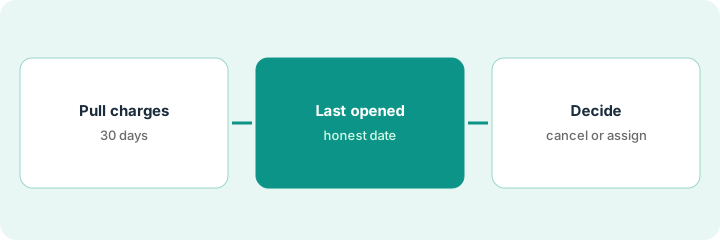
1. Step 1 — Pull 30 days of AI-ish charges
What it is: Export card and SaaS receipts. Keep anything that looks like chat, notetakers, SEO writers, automation platforms, design AI, or “Copilot / Companion / Brain” add-ons. Use invoice dollars — do not paste a marketing list price you did not pay.
The same notetaker appears on the ops card and the founder’s card. Those lines merge into one row before anyone debates canceling.
Sort by vendor name. Merge lines that are the same product on two cards.
2. Step 2 — Mark last opened (honestly)
What it is: For each row ask the named user (or yourself): opened in the last 7 days? Last 30? Never after onboarding?
“We might need it” without a last-opened date is still unused.
A design add-on has no weekly job and was not opened in 30 days. That row is a cancel candidate, even if someone says they might need it later.
Add columns: last opened, owner, weekly job (one sentence or blank). Blank job + not opened in 30 days is a cancel candidate.
3. Step 3 — Cancel, assign, or time-box
What it is: Three allowed outcomes — pick one per row:
- Cancel with a date and who clicks it.
- Assign a real weekly job and an owner; put a 14-day check on the calendar.
- Time-box a trial you forgot to end.
Do not invent a fourth outcome called “keep for optionality” without an owner.
Two unused seats go through the free seat-waste calculator. The fuller grid — cancel-by and overlap — can live in the $9 spreadsheet if you want those columns.
Run two unused seats through the free seat-waste calculator, then save the fuller grid in the $9 AI toolkit spreadsheet if you want columns for cancel-by and overlap.
Pricing context (October 2026)
Spend on this page means the invoice amount, not a list price from a review. Dated October 2026. If you cannot see the charge, leave the cell blank.
Uncertainty: Annual plans, bundled Copilot or Companion add-ons, and seats split across two cards are easy to miss. The free seat-waste calculator uses numbers you type. It does not look up vendor prices. Optional: $9 spreadsheet and $19 audit.
When this helps (honest take)
Useful when the AI line items on the card grew faster than anyone’s memory of who uses them.
Not useful when you already have a clean SaaS inventory with owners — then jump to overlap, not discovery. The stack trim playbook is the overlap pass.
Related options (educational)
| Need | Where to look | Why |
|---|---|---|
| You do not know what you pay for | This how-to | Receipts and last-opened |
| You know the seats; jobs overlap | Stack trim playbook | Map job → tools → owner |
| A quick unused-seat figure | Seat-waste calculator | Free, your numbers |
| About to add yet another seat | Three checks before an AI seat | Name the job before you buy |
Related: Stack trim playbook · seat-waste calculator · Three checks before another seat.
FAQ
How far back should the receipt pull go?
Thirty days is enough to see what you are paying now.
What if someone says we might need the seat later?
Without a last-opened date and a weekly job, it is still unused.
What are the allowed outcomes?
Cancel, assign a real weekly job, or time-box a forgotten trial. Not “keep for optionality” with no owner.
Does the seat-waste calculator store our numbers?
No. It runs in the browser. See the tool page.
Optional next step
$9 AI toolkit spreadsheet if you want columns for cancel-by and overlap. $19 AI toolkit audit when the list is already a mess and you want a written memo. The calculator stays free.