Tool · Learning ops · Absorb LMS · Oct 2026
Absorb LMS AI review (Oct 2026): AI course creation, admin help, and learner search
Absorb LMS is a learning management system used by mid-sized and large companies to train employees, customers, partners, and franchisees, and to sell courses. Since May 2026 its AI has a name: Absorb Aura, a set of AI agents — Aura Create drafts courses from your documents, Aura Admin Assist answers admin and reporting questions, and learner agents answer questions from assigned training in the LMS, Microsoft Teams, and Chrome. Underneath sit the Absorb Create authoring tool, intelligent search, and Absorb Skills. This page is about using those drafts and answers while the person who owns each course still decides what learners see. Each section has a Try this.
What this Absorb LMS page covers
This page is for a training manager, LMS admin, or customer-education lead at a company with a few hundred to tens of thousands of learners — often training several audiences (employees, customers, partners) from one system. The question it answers: which parts of building courses, answering learners, and running reports Absorb’s AI now drafts or does, where it waits for a person, and what is still announced rather than shipped.
Naming, checked on 11 October 2026: Absorb Software launched Absorb Aura on 19 May 2026 (after a beta that began in February) as “a coordinated system of specialized AI agents”: a Learner Agent, a Discovery Agent, a Q&A Agent with sourced answers, Aura Admin Assist, and Aura Create. Older names still appear on Absorb’s AI features page — Create AI inside Absorb Create, Intelligent Assist for admins, intelligent recommendations and ranking. Absorb’s website address also moved: absorblms.com now redirects to absorbai.com.
Ground rules: an AI-drafted course isn’t accurate until the person who owns the process has read every lesson; completion is not competence; an answer with a citation still needs someone to check the citation says what the answer says; and nothing is assigned to learners on the strength of a draft. Facts below come from Absorb’s website and its 19 May 2026 launch announcement; Absorb’s speed claims and beta statistics are not repeated as our findings.
Major features (with how someone uses them)
Examples at a glance: each feature has a concrete example from a real job plus a short Try this you can run this week.
1. Aura Create: a course from one document (primary)
What it is: Aura Create is Absorb’s conversational course authoring. Per the Aura page, you upload a document, paste a prompt, or connect SharePoint or OneDrive; Aura Create drafts an outline and builds the content from what you gave it, and you refine it in chat before launch. The launch announcement lists more sources — Confluence, Google Drive, Box, and Dropbox. Absorb’s home page describes the compliance case: when a policy changes, Aura Create turns the updated document into a draft course with outline, content, and assessments, “ready for your review.” Absorb’s own speed claims (“10x faster,” “under an hour”) are vendor claims.
“Ready for your review” is the important part. A draft built from your own document can still reorder steps, drop a caveat, or fill a gap with something plausible. Give the draft to the person who owns that process and ask them to check each lesson against how the work is done today — not against the source file, which may already be out of date.
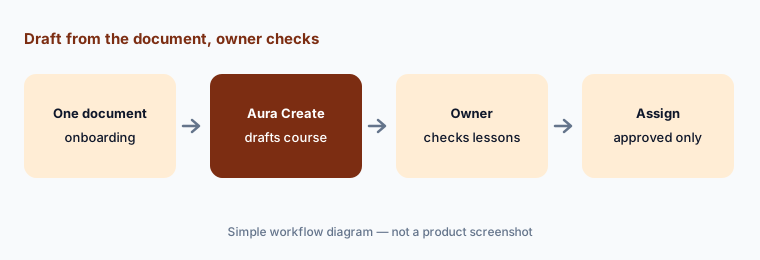
Primary workflow:
Ask Absorb’s AI to build a short course from one onboarding document. Have the onboarding owner check each lesson before you assign it.
2. Absorb Create: AI quizzes, voiceover, and a reviewer step
What it is: Absorb Create is the browser-based authoring tool where AI drafts get finished. Absorb lists Create AI (courses from a short description or outline), AI-generated quizzes you can edit, AI voiceover (35 languages per Absorb), PowerPoint conversion, screen recording, branching scenarios, themes, and accessibility features. For teams, it has roles, tasks, commenting, a reviewer feature, and approval workflows. Courses publish to Absorb LMS in one click or export as SCORM, xAPI, or HTML5. Absorb’s AI FAQ says Create AI can be turned off.
Use the review features you already have. Make the subject expert a reviewer, require their approval before publishing, and keep the comment thread as the record of what changed and who agreed. AI voiceover is fast to redo, so fix the script first; listen to the final narration once for names and product terms it mispronounces.
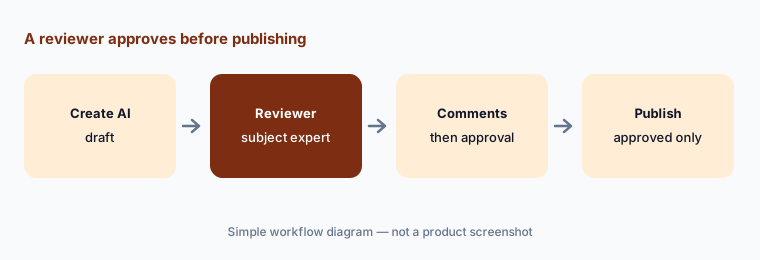
Approval before publishing:
Turn on a reviewer step in Absorb Create for one AI-drafted course. Require the subject expert’s approval before it’s published.
3. Aura Admin Assist and Intelligent Assist: reports in plain language
What it is: Aura Admin Assist is the admin agent: per Absorb, it generates reports from plain-language questions, helps resolve completion gaps, gives enrollment and certification insights without building filters, and answers setup and configuration questions “with sources you can verify.” Absorb’s examples include “Who finished the Q3 compliance training?” and “Which clinicians are overdue on certification?” The older Intelligent Assist takes a request such as “Show me all users who didn’t pass Security Compliance training” and opens a pre-populated report; Absorb says Intelligent Assist is built into the LMS and can’t be turned off.
A quick answer is not the audit record. When a number goes to a regulator, a customer, or leadership, run the standard report with the same filters and keep that. And before anyone gets a reminder built from an AI list, check the list — people who changed roles or left last week are where these answers go wrong.
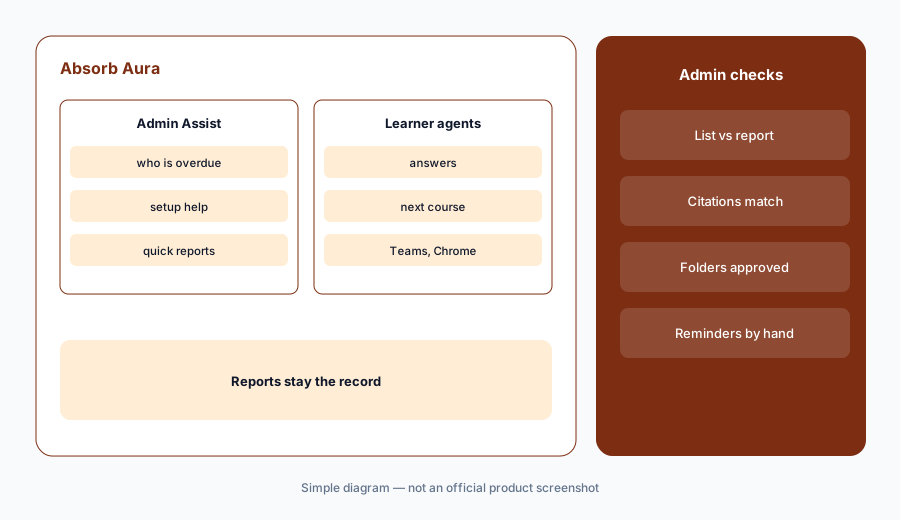
Check the list first:
Ask Aura Admin Assist who is overdue on one required course. Check its list against the standard report before anyone gets a reminder.
4. Aura for learners: answers from training and policies, plus search
What it is: For learners, Aura answers questions from their assigned courses — in the Absorb learner experience, in Microsoft Teams, and through an Aura Chrome extension — and recommends what to take next. Absorb says admins can connect SharePoint, OneDrive, or Google Drive so Aura can answer policy questions “with a citation to the source,” and that admins control what’s connected and who can see it. Absorb also says Aura’s agents learn from your content rather than the open internet and that each customer’s data is kept separate. Search uses intelligent ranking based on past learner behavior, with a Search Analytics report showing what people look for.
Connect one approved folder first, not the whole drive — an answer “grounded in your documents” is only as current as the oldest document it can find. Ask the questions new hires really ask, have the policy owner check both the answer and the citation, and use the search report to find topics people want that no course covers.
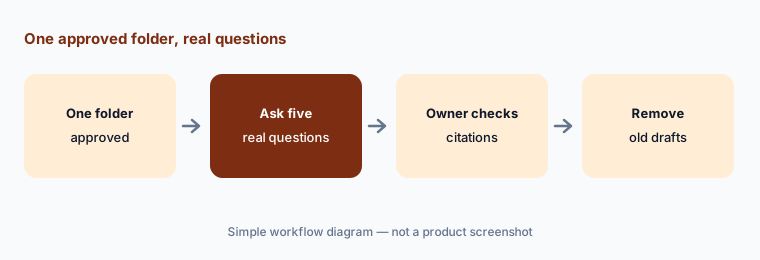
Answers and citations:
Connect one approved policy folder. Ask Aura five questions new hires ask and have the policy owner check each answer and its citation.
5. Absorb Skills: skills frameworks and automatic tagging
What it is: Absorb Skills adds a market-informed job roles and skills framework you can use as-is or customize, skills auto-tagging that identifies relevant skills for any course you upload, learner self-assessment, AI-driven course recommendations based on skill gaps, and skills reporting through Absorb’s Analyze BI tools. It is designed to work with Absorb’s Amplify Max content library, your own courses, or third-party content.
Automatic tags decide what gets recommended to whom, so a wrong tag sends the wrong course to the wrong people at scale. Sample the tags on your own courses before you turn on skill-based recommendations, and give each course owner the right to remove tags they wouldn’t defend. Self-assessments are a starting point, not a record of what someone can do.
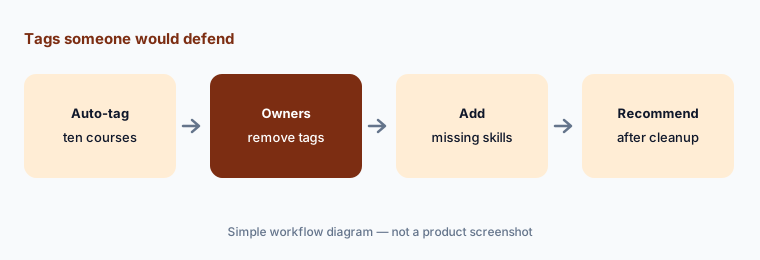
Tags someone would defend:
Let Absorb Skills auto-tag ten of your own courses. Have each course owner remove any skill tag they wouldn’t defend.
6. Coming soon and controls: Aura Rehearse, MCP, and AI on or off
What it is: Two Aura features were marked coming soon on Absorb’s Aura page on 11 October 2026: Aura Rehearse, AI roleplay in scenarios built from your own training content with feedback afterwards, and an MCP connector so people can ask Absorb questions from ChatGPT, Claude, or Copilot — where, Absorb says, you choose which capabilities are exposed to which teams and can revoke access. The launch announcement describes an Absorb MCP server as “in development.” On controls, Absorb’s AI FAQ says some AI features can be turned off (Create AI) and some can’t (Intelligent Assist).
Plan for these rather than buying on them. Keep a short list of which Aura features are on, for which audiences, and who approved each; when Rehearse or the MCP connector arrives, decide them the same way. Roleplay feedback should be coaching input for a learner and their manager, not a verdict that lands in a review.
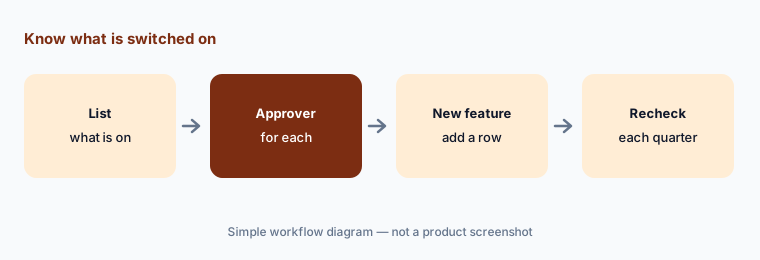
Who switched it on:
Write down which Aura features are on for which audiences and who approved each. Recheck the list when Rehearse or the MCP connector arrives.
Pricing context (October 2026)
Absorb publishes no prices (checked 11 Oct 2026). Its pricing page is a quote form that starts by asking how many learners you have, in bands from 1–50 up to 25,000+, and the site offers a free trial and a demo. Absorb doesn’t say on its public pages which Aura agents, Absorb Create, Absorb Skills, or the Amplify content libraries are included in a base subscription and which are add-ons.
Ask for each piece by name in the quote — Aura Create, Aura Admin Assist, learner agents in Teams and Chrome, Absorb Create seats, Absorb Skills, Amplify Max, and eCommerce if you sell courses — along with how learners are counted for each audience.
Uncertainty: Absorb publishes no prices or packaging, so what is included is unknown until you get a quote. Aura Rehearse and the MCP connector were marked coming soon on 11 October 2026. Absorb’s pages use both older names (Create AI, Intelligent Assist) and Aura names (Aura Create, Aura Admin Assist), and don’t say whether they are the same features renamed or separate ones. absorblms.com now redirects to absorbai.com. Absorb’s speed claims and beta results are vendor claims, not repeated here.
When it’s useful (honest take)
Useful when you train several audiences — employees, customers, partners, franchisees — from one LMS, your policies and processes change often enough that redrafting courses is a real cost, and you have process owners who will review AI drafts before they are assigned.
Less useful when you have a few dozen learners and a handful of courses, nobody owns course content after launch, or you need deep skills and talent planning across HR (a talent suite covers more). Completion records show who finished a course, not who can do the job.
Paying for Absorb LMS AI and a few other AI tools? The $9 AI toolkit spreadsheet lists every AI subscription you have, what each one costs, and how fast it pays for itself, so you can see which ones are worth the money.
Want someone to do it for you? AI toolkit audit — $19
Related options (educational)
| Need | Better home | Why |
|---|---|---|
| LMS with AI course drafts, admin help, and learner answers | Absorb LMS AI (this page) | Aura agents, Absorb Create |
| Skills, learning, and talent on one enterprise platform | Cornerstone AI | Skills inference, readiness agents |
| Enterprise LMS with AI roleplay, agents, and MCP | Docebo AI | Creator, roleplay, AI assistant |
| Courses written by internal experts, with a published team price | 360Learning AI | Collaborative authoring |
| Step-by-step guides captured from real clicks | Scribe AI | SOPs, not courses |
| Verified answers from a company knowledge base | Guru AI | Cards with named owners |
FAQ
What is Absorb Aura?
Absorb Aura is the set of AI agents Absorb Software launched on 19 May 2026: learner agents that answer from assigned training in the LMS, Microsoft Teams, and Chrome; a Q&A agent with sourced answers; Aura Admin Assist for reports and admin questions; and Aura Create for course drafts from your documents.
How much does Absorb LMS cost?
Absorb publishes no prices (checked 11 October 2026). Its pricing page is a quote form that asks for your number of learners, so ask which AI agents and tools are included in the quote.
Can Absorb’s AI publish a course by itself?
Aura Create and Create AI produce drafts for you to review and refine; Absorb Create has reviewer and approval workflows. Have the process owner check each lesson and approve before the course is published or assigned.
Does Absorb LMS connect to ChatGPT, Claude, or Copilot?
Not yet, as of 11 October 2026: Absorb’s Aura page lists an MCP connector for ChatGPT, Claude, and Copilot as coming soon, and its launch announcement says an Absorb MCP server is in development. Aura already works in Microsoft Teams and through a Chrome extension.
Can we turn Absorb’s AI features off?
Some of them. Absorb’s AI FAQ says Create AI can be turned off, while certain features built into the LMS, such as Intelligent Assist, cannot. Admins also control which document sources Aura can read and who can see them.
Optional next step (if seats overlap)
If you pay for an LMS, a separate authoring tool, an AI video tool, and chat seats that all draft the same onboarding content, that overlap is worth a look. Map the overlap with the $19 AI toolkit audit or the $9 AI toolkit spreadsheet. Email Audit $19 or Toolkit spreadsheet $9.
Checkout is live via Stripe. After you pay, we email delivery (spreadsheet) or intake next steps (audit).