Cornerstone AI review (Oct 2026): AI for skills, learning, and content in an enterprise talent platform
Cornerstone is an enterprise learning and talent platform — LMS, learning experience, performance, succession, and internal mobility in one system. In 2026 it renamed the AI-first version of that platform Cornerstone Workforce AI (you will still see the older Cornerstone Galaxy name on many pages). The AI work that matters for a learning team is: skills inference that guesses what a role or person needs, AI development plans and recommendations, AI help with content, a Course Assistant and practice agent inside training, and readiness agents that act on skills data. This page is about using that while HR and the people who know each job keep the final say. Each section has a Try this.
This page is for an HR, talent, or L&D operations lead at a large organization — usually thousands of employees, often in a regulated industry — who already runs Cornerstone or has it on a shortlist. The question it answers: which parts of skills, learning, and content work Cornerstone’s AI now drafts or does, where a person still decides, and what you have to buy to get each piece.
A naming note first. Cornerstone’s 20 May 2026 article introduces Cornerstone Workforce AI as “an agentic evolution” of the platform, built on the Cornerstone People Graph and Cornerstone Skills Engine, with a set of readiness agents. Its March 2026 release notes and its AI product page still say Cornerstone Galaxy and Galaxy AI. We treat Galaxy as the earlier name for the same platform and use Workforce AI where Cornerstone does today.
Ground rules: a skill the AI infers is a guess until HR and the person’s manager agree with it; completion is not competence; an AI-drafted question or summary isn’t accurate until the content owner checks it; and no agent assigns learning, nudges people about compliance, or changes a development plan without a named approver. Facts below come from Cornerstone’s website as read on 11 October 2026; Cornerstone’s customer and usage statistics are not repeated here.
A simple mark we drew for this page. Where we couldn’t get a clean product screenshot, we used simple diagrams of the workflow instead.
Major features (with how someone uses them)
Examples at a glance: each feature has a concrete example from a real job plus a short Try this you can run this week.
1. Skills inference: what the AI thinks a role needs (primary)
What it is: Cornerstone’s platform page describes “real-time skills inference connected to global labor market data,” and its 2026 article calls the People Graph and Skills Engine “an inference layer.” In practice that means the AI proposes which skills belong to a job and which skills a person probably has, from job data, learning history, and work signals. A pre-built skills library comes with the learning and talent products; Skills Architect is an add-on (and a readiness agent) that “builds and maintains a customer-specific job and skills architecture” — your own skills language, kept governed across roles and systems. Cornerstone’s own skills article puts it plainly: skills are “inferences you make based on evidence,” not facts you record.
That framing is the right one to hold the AI to. An inferred skill list drives recommendations, development plans, and internal matching downstream, so a wrong skill multiplies. Start with one role HR knows well, sit down with a manager who supervises it, and decide which inferred skills stay, which go, and which are missing. Keep that decision with HR; the AI suggests, it doesn’t own the job architecture.
Concrete example (HR business partner checking one role)
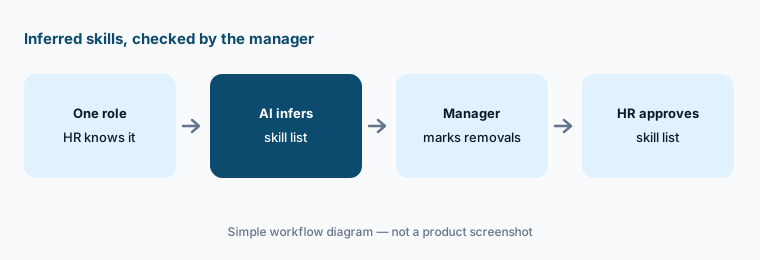
An HR business partner pulls the skills the platform infers for the field service technician role. The list has fourteen skills. The service manager crosses out three that belong to the dispatcher role, flags “customer negotiation” as wrong for this job, and adds a safety certification the AI missed. HR updates the role in the skills architecture and notes who approved it.
Simple workflow: one role, the AI’s inferred skills, the manager marks what to remove, HR approves the list.
Try this
Primary workflow:
Pick one job role. Compare the skills Cornerstone’s AI infers for it with the role description and mark every skill the manager would remove.
2. AI development plans, goals, and recommendations
What it is: On the learner side, Cornerstone’s AI recommends content, roles, mentors, and career paths from what it knows about a person’s skills and goals. The March 2026 release added My Learning (assigned compliance work, goals, recommended content, and history in one view, with AI explanations of why each item is recommended) and Development Plans that turn a goal into steps linked to skills. The 2026 Workforce AI article adds AI-Generated Development Plans and a Goals Assistant that drafts role-aligned SMART goals, and readiness agents such as Proactive Coaching and Dynamic Goals.
A generated plan is a starting point for a conversation between an employee and their manager, not a decision about someone’s career. Read the “why this is recommended” explanation; if it rests on a skill nobody agreed to, fix the skill first (feature 1). Keep performance notes and HR cases out of any free-text prompt.
Concrete example (people manager in a development conversation)
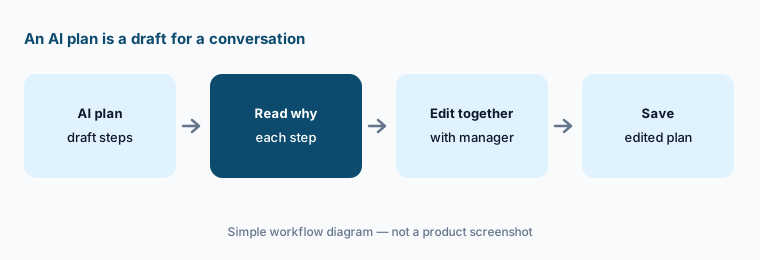
A customer-support team lead and one of her agents open an AI-generated plan toward a senior agent role. It lists six steps. They drop a course on a tool the team retired, keep the escalation-handling path, and add a month of shadowing that the AI couldn’t know about. The manager saves the edited plan; the original draft isn’t what gets tracked.
Simple workflow: AI draft plan, read the reasons, edit together, save the edited plan.
Try this
Edit before it counts:
Generate one development plan with a volunteer employee and their manager. Have the manager strike any step that doesn’t connect to the real job before the plan is saved.
3. Content: AI knowledge checks, curation, and catalog health
What it is: Cornerstone’s packaging page says content vectorization is included with relevant packages and lets your own content be used by an AI assistant, experience, or agent to “provide summaries, answer questions, and generate knowledge checks.” Content Studio is described as an AI-powered discovery, curation, creation, and insights tool over Cornerstone’s content subscriptions (200+ providers; Google Cloud training joined the Gold and Platinum tiers on 5 October 2026) and your own courses, with a Cornerstone Create authoring tool. The 2026 article also lists Learning Catalog Health assistants that look for gaps and outdated content.
AI-written questions are where small errors hide: an answer key that paraphrases a policy slightly wrong is worse than no question. Have the person who owns the policy remove any question the course doesn’t actually teach. For catalog health, let the AI flag; let the course owner retire.
Concrete example (compliance training lead)
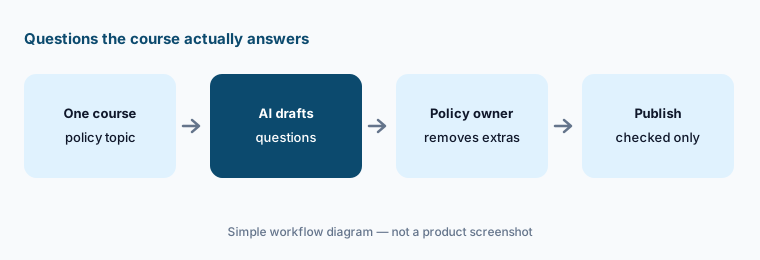
A compliance training lead lets the AI generate eight knowledge-check questions for the anti-bribery course. The legal owner removes two that test a gift limit the course never states and rewrites one whose “correct” answer is out of date. Only the five checked questions go into the course.
Simple workflow: one course, AI drafts questions, the policy owner removes what the course doesn’t teach, publish the rest.
Try this
Questions the course answers:
Pick one internal policy course. Let Cornerstone’s AI generate knowledge-check questions from it and have the policy owner remove any question the course doesn’t answer.
4. Course Assistant and Adaptive Learning: help and practice inside training
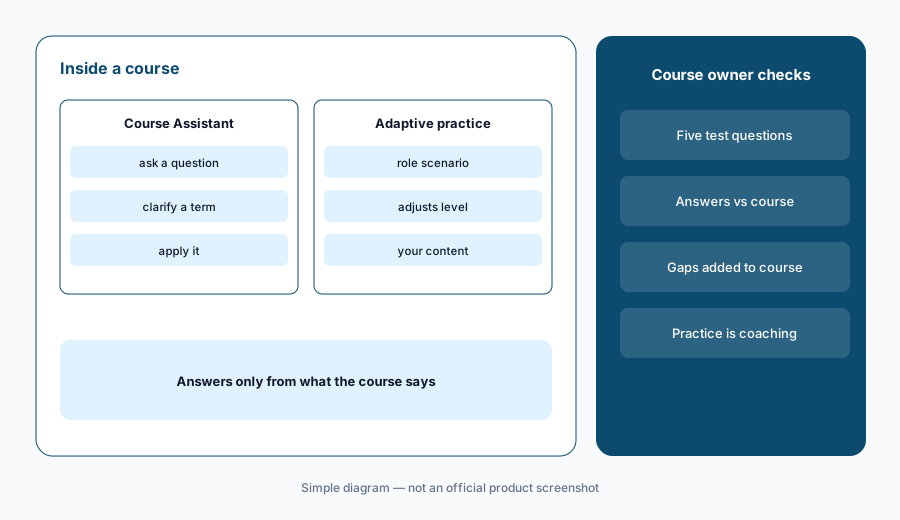
What it is: The March 2026 release describes a generative-AI Course Assistant inside Cornerstone’s course player, where learners ask questions, clarify meaning, and apply what they’re learning without leaving the course, and an Adaptive Learning Agent that builds role- and skill-specific practice from your own content, adjusting to each person’s progress. Cornerstone also sells Immerse AI Companion for VR and desktop role-play. Its examples include an employee asking about the remote work policy and a rep rehearsing a discovery call.
A course assistant is only as good as the course it reads, and the risk is a confident answer to a question the course doesn’t cover. Before you switch it on for a required course, test it the way a new hire would and have the course owner read the answers. Treat practice results as coaching input for the learner and their manager, not as proof someone is ready.
Concrete example (onboarding program owner)
Before turning the Course Assistant on for the new-hire security course, the onboarding owner asks it five real questions from last quarter’s new hires. Four answers match the course. The fifth — whether personal phones can be used for two-factor codes — gets a confident yes the policy doesn’t support. The security team adds a clear line to the course before the assistant goes live.
Simple diagram of the Course Assistant and practice agent and what the course owner still checks. Simple diagram — not an official product screenshot; the layout is ours, not Cornerstone’s.
Try this
Five new-hire questions:
Open one required course with the Course Assistant on. Ask it five questions a new hire would ask and have the course owner check each answer against the course.
5. Readiness agents and MCP: Workforce Insights, Embark Navigator, and more
What it is: Cornerstone’s readiness agents page lists two groups: insights and operations (Skills Architect, Future of Work, Workforce Value, Workforce Insights for plain-language workforce questions, and Embedded Work for Teams, Slack, Salesforce, and ServiceNow) and skills development (Dynamic Goals, Internal Mobility, Embark Navigator for onboarding and role readiness, and Proactive Coaching), plus custom agents built with Cornerstone’s engineers. Cornerstone says the agents work through MCP and A2A, and it also offers Cornerstone for Microsoft Copilot and for Salesforce Agentforce. Readiness agents are bought one by one and require the Intelligence+ package.
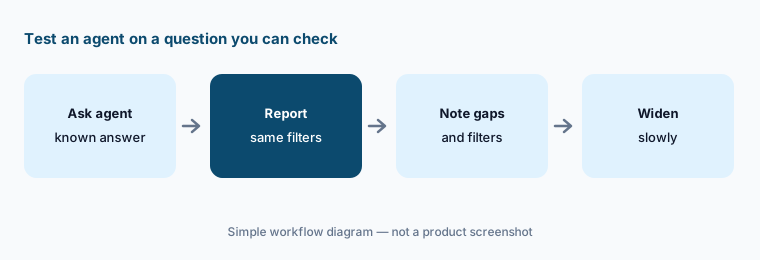
Test a question-answering agent on something you can already check. Workforce Insights may be fast, but when an answer goes to leadership — a skills gap, a retention risk — it should match a standard report and say which filters were used. Agents that recommend people for roles touch fairness and employment decisions; keep HR in that loop by design.
Concrete example (HR analytics lead)
An HR analytics lead asks Workforce Insights how many people in two regional sales teams have completed the new pricing certification. It answers 58. Her standard completion report says 61, because three people transferred in last week and the agent used the old team list. She sends the report’s figure and notes the gap for Cornerstone support.
Simple workflow: a checkable question, compare with the report, note the filters, then widen use.
Try this
A question you can check:
Ask Workforce Insights one plain-language question you can already answer from a standard report. Compare the two before anyone uses the agent for a decision.
6. Admin dashboard, automatic assignment, and governance
What it is: The Galaxy Admin Dashboard (March 2026) gathers users, jobs, programs, and the compliance risks that need attention this week, with recommended actions and nudges; Reporting Assistants answer reporting questions in plain language. Cornerstone’s 2026 article also says that “if a critical skill gap emerges, learning pathways can be assigned automatically.” On governance, Cornerstone lists AI principles including “graduated autonomy and human accountability,” is ISO/IEC 42001 certified, and says Galaxy AI is not trained on customer data (models are pre-trained on public data; your data is used only inside your environment).
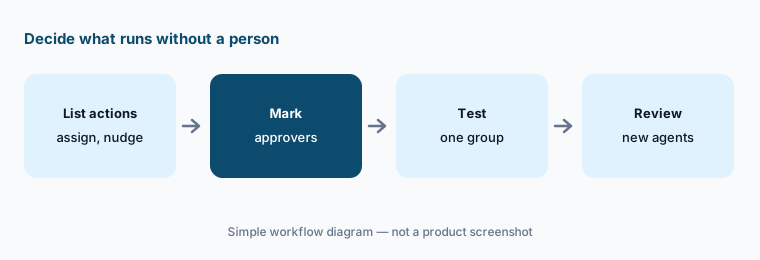
Automatic assignment is the setting to decide on deliberately. Write down which actions the platform may take on its own — recommend, assign an optional path, assign mandatory training, send a compliance nudge — and which need an approver, and test that in a small group first. Revisit the list each time Cornerstone ships a new agent.
Concrete example (learning operations manager)
A learning operations manager lists five actions: recommend content, assign an optional path, assign mandatory training, send a reminder, and flag a compliance risk to a manager. She allows the first and last automatically, requires her approval for the optional path and reminders, and keeps mandatory assignment with compliance. She tests the settings with one department for a month.
Simple workflow: list the actions, mark the approvers, test in one group, review when new agents arrive.
Try this
Decide what runs on its own:
List the learning actions Cornerstone could take on its own — assign a path, send a nudge, flag a compliance risk. Mark which need a named approver and test that in one small group.
Pricing context (October 2026)
Cornerstone publishes no prices (checked 11 Oct 2026); pricing is quote-only. Its packages page lists Learn+ (learning, a curated content subscription, Role Readiness Academies, and AI experiences and assistants for learning), Elevate+ (adds performance, talent marketplace, and talent AI), and Intelligence+ (workforce intelligence, People Graph, Skills Architect, open headless access), plus HCM+ and Extended Enterprise+ for external audiences. Cornerstone says Learn+, Elevate+, and HCM+ are licensed per employee per year, while Intelligence+ and readiness agents use tiered bands by total employee count.
AI experiences and assistants and content vectorization are “included within relevant packages”; readiness agents are purchased individually and require Intelligence+; custom agents are scoped with Cornerstone’s engineers. Cornerstone describes its AI as “priced around outcomes, not consumption.” Its LMS FAQ says cost differs by organization and offers an estimate after a demo. Ask for each agent you want by name in the quote.
Uncertainty: Cornerstone publishes no prices, so you won’t know what an agent or package costs until you get a quote. The naming is mid-change: Galaxy and Galaxy AI pages and the March 2026 release notes sit alongside Workforce AI pages. The Course Assistant and Adaptive Learning are described as shipped in the March release but listed among “coming features” for 2026 in the May article — confirm what your tenant has. We read Cornerstone’s public website only; detailed release notes sit behind customer login. Cornerstone’s statistics are not repeated here.
When it’s useful (honest take)
Useful when you’re a large or regulated organization that wants learning, compliance, performance, and internal mobility on one skills foundation, you have HR people who will own the job and skills architecture, and you want AI agents that reach employees in Teams, Slack, Salesforce, or Copilot.
Less useful when you have a few hundred learners and mostly need courses delivered and tracked (a lighter LMS will do), nobody will review inferred skills before they drive recommendations, or you hope AI will decide who is ready for a role. Completion records show who finished training, not who can do the job.
Paying for Cornerstone AI and a few other AI tools? The $9 AI toolkit spreadsheet lists every AI subscription you have, what each one costs, and how fast it pays for itself, so you can see which ones are worth the money.
Is Cornerstone Galaxy the same as Cornerstone Workforce AI?
Cornerstone introduced Cornerstone Workforce AI in 2026 as the agentic evolution of its platform. Older pages and the March 2026 release notes still use Cornerstone Galaxy and Galaxy AI; read them as the earlier name for the same platform and check which modules your contract covers.
How much does Cornerstone cost?
Cornerstone publishes no prices (checked 11 October 2026). Its packages page says Learn+, Elevate+, and HCM+ are licensed per employee per year, Intelligence+ and readiness agents use tiered bands by employee count, and readiness agents are bought individually and require Intelligence+.
Can Cornerstone’s AI infer skills for our jobs?
Yes. Cornerstone describes real-time skills inference from its Skills Engine and People Graph, and Skills Architect builds your own job and skills architecture. Treat inferred skills as suggestions: have HR and the managers who know each role keep or remove them.
Does Cornerstone train its AI on our data?
Cornerstone’s Galaxy AI FAQ says its models are not trained on customer data; they are pre-trained on public data, and your data is used only within your environment. Cornerstone also says it is ISO/IEC 42001 certified.
Can Cornerstone agents work in Teams, Slack, or Copilot?
Cornerstone says its readiness agents work through MCP and A2A in tools such as Teams, Slack, Salesforce, and ServiceNow, and it offers Cornerstone for Microsoft Copilot and Cornerstone for Agentforce. Check which agents and connectors your package includes.
Affiliate disclosure: Some outbound product links may be affiliate links.
We may earn a commission if you subscribe. Prices and features change — always verify on the vendor site.
Full policy: disclosure.