Tool · Learning ops · Trainual · Oct 2026
Trainual AI review (Oct 2026): AI for SOPs, onboarding, and role-based training
Trainual is a training and operations platform for small and growing businesses — the place an owner or operations lead writes down how work gets done, assigns it by role, and checks who has finished it. Trainual AI now drafts SOPs, processes, and policies from a description or your existing files, writes quizzes, suggests roles and responsibilities, and answers questions with links to the source through the AI assistant. This page is about using those drafts while the person who actually does each job decides what goes in the manual. Each section has a Try this.
What this Trainual page covers
This page is for an owner, operations manager, or office manager at a business of roughly 25 to 1,000 people — Trainual’s own stated sweet spot — often a field service, healthcare, legal, or multi-location team where how-to knowledge lives in a few people’s heads. The question it answers: which parts of writing SOPs, onboarding, and role-based training Trainual’s AI now drafts, where a person has to step in, and which plan carries which AI piece.
Naming, checked on 11 October 2026: Trainual calls its AI Trainual AI, split on its site into “AI answers & insights” and “AI creation & upkeep.” The AI assistant arrived in September 2025; connectors, an API, and an MCP server for custom AI agents followed in July 2026. Trainual has also grown beyond training: an Operations suite (meetings, goals, KPI tracking) since May 2026 and a Performance suite since 29 September 2026. This page covers the training side.
Ground rules: an AI-drafted SOP describes how the AI thinks the work is done, not how your team does it, until the person who does the job has corrected it; a passed quiz shows someone read the SOP, not that they can do the work; and nothing is assigned on the strength of a draft. Facts below come from Trainual’s website and product updates; Trainual’s customer counts and time-saving figures are not repeated here.
Major features (with how someone uses them)
Examples at a glance: each feature has a concrete example from a real job plus a short Try this you can run this week.
1. AI-drafted SOPs and processes (primary)
What it is: Trainual’s AI creation turns a description, files, notes, or a decision from a meeting into a step-by-step document you can edit. Its pricing FAQ puts it simply: “Need to write a process or policy? Just describe what you need, and AI will generate a clear, step-by-step draft you can instantly edit and publish.” The AI page adds that it can rewrite, summarize, or expand what you already have, and pull in company context such as your brand voice and values. Unlimited AI-assisted documentation is listed on every plan, alongside 500+ templates, flowcharts, and a built-in screen recorder.
The draft is most useful for the SOP nobody has written down, and that is also where it is most likely to be wrong — the AI fills gaps with what is typical, not with what your team does. Give the draft to the person who does the job, ask them to correct every step, and add the one thing only they know (which supplier, which form, which exception). Publish their version, not the AI’s.
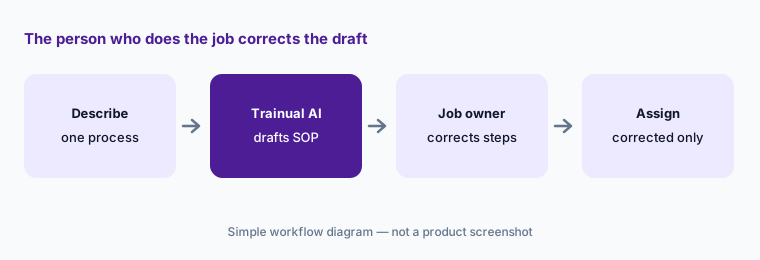
Primary workflow:
Ask Trainual’s AI to draft one SOP you’ve never written down. Have the person who does that job correct it before you assign it.
2. AI tests and quizzes, plus due dates and e-signatures
What it is: Trainual can “turn any training into a quick knowledge check”: the AI drafts quiz questions from the content you select. Around that sit the tracking pieces Trainual lists on its plans — due dates, testing, tracking and reporting on every plan; required watch options for video, completion nudges, and 300 e-signatures a year on Pro; unlimited e-signatures on Premium. Reports export as CSV or PDF for audits or leadership updates.
An AI quiz tends to test what is easy to ask — definitions and names — rather than the decision that matters on the job. Read each question with the SOP owner, cut the trivia, and add one question about the step people actually get wrong. Keep e-signatures for policies where you need proof someone read them; a signature is not training.
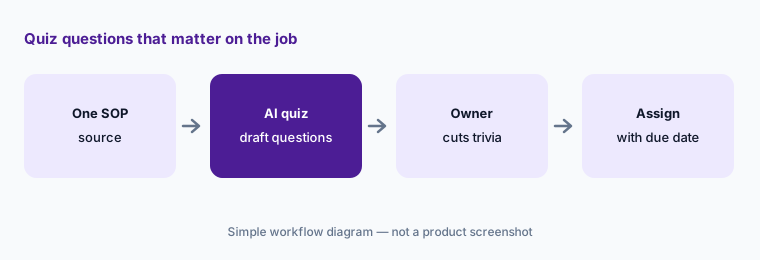
Questions that matter on the job:
Generate a quiz from one SOP. Have the SOP owner cut any question that tests trivia and add one about the step people get wrong.
3. AI roles and responsibilities: who owns what
What it is: Trainual says it can “generate roles, responsibilities, and reporting structures with AI.” Its Roles & Responsibilities page describes auto-populated responsibility suggestions “based on hundreds of similar job titles,” role-specific training assigned automatically to whoever holds the role, and alerts from your HR or payroll system with one-click approval when someone joins, moves, or leaves. The Delegation Planner and an accountability chart are on Pro and above.
Suggestions drawn from similar job titles are a starting list, not your org chart. A “dispatcher” at a ten-person shop does things no generic dispatcher list includes. Have each manager prune and add, then check that the training attached to the role matches the responsibilities you kept — automatic assignment will faithfully send the wrong SOPs if the role is wrong.
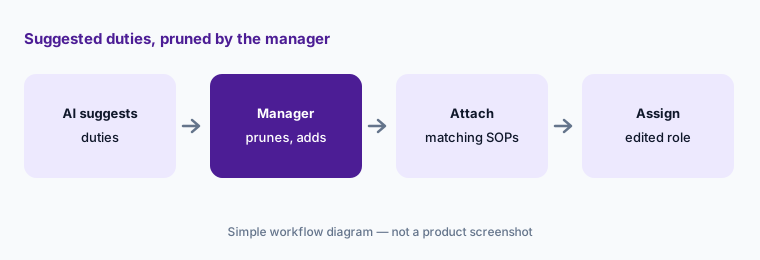
Prune the suggestions:
Let Trainual suggest responsibilities for one role. Have that role’s manager remove anything the person doesn’t actually own and add what’s missing.
4. The AI assistant: answers with linked sources
What it is: Trainual’s AI assistant (launched 16 September 2025) lives in a sidebar on every page. Per Trainual, it holds a conversation, asks clarifying questions, links to the sources behind each answer, keeps a search history, and searches people as well as content — someone’s manager, responsibilities, and training progress. Trainual’s AI page shows it answering questions such as “Who on my team hasn’t completed their training?” and, with the Operations suite, “What were the action items from our last team meeting?” AI-powered knowledge search is listed on every plan.
The links are the point: an answer is only as good as the SOP it quotes. Test the assistant with the questions new hires really ask in their first two weeks, open each linked source, and fix the SOP where the answer was vague or wrong. Questions about people’s progress are useful for managers; keep anything about performance or HR matters out of casual chat.
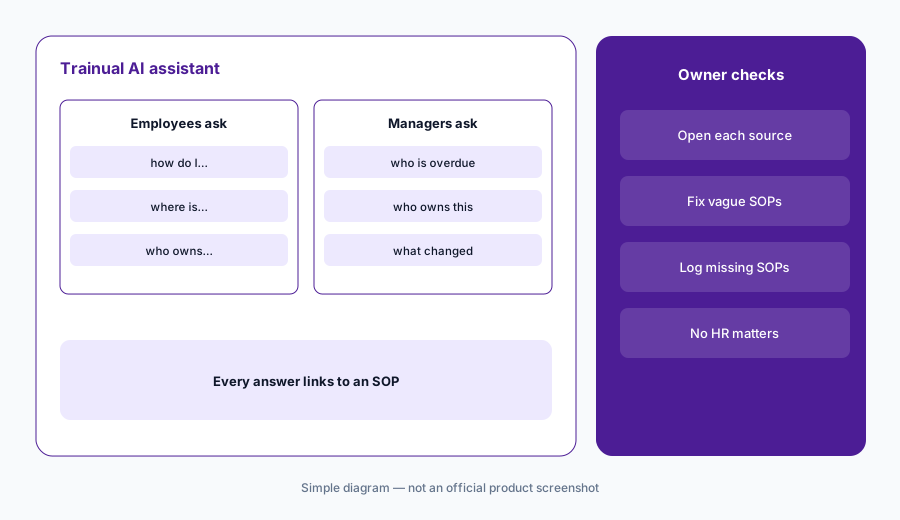
Real new-hire questions:
Ask the AI assistant ten questions new hires asked last month. Open every linked source and fix the SOP wherever the answer was vague or wrong.
5. Keeping SOPs current: verification reminders, gaps, and nudges
What it is: Trainual lists content verification reminders on every plan and content quality feedback on Pro. Its AI creation page says Trainual AI notices “a question that keeps coming up” or a decision made in a meeting and “tells you exactly what needs to be documented,” and flags patterns such as “a quiz nobody can pass.” The Spring 2026 update added nudge suggestions: Trainual finds training that is overdue or untouched and offers a pre-drafted, personalized message you can tweak or send as-is.
Give every SOP a named owner and a review date, and let the reminders go to that person. When the AI flags a gap, it is a prompt to ask the person who does the job — not a reason to let the AI write the missing SOP alone (feature 1 still applies). Read a suggested nudge before it goes out; someone on leave or in their second day doesn’t need a reminder.
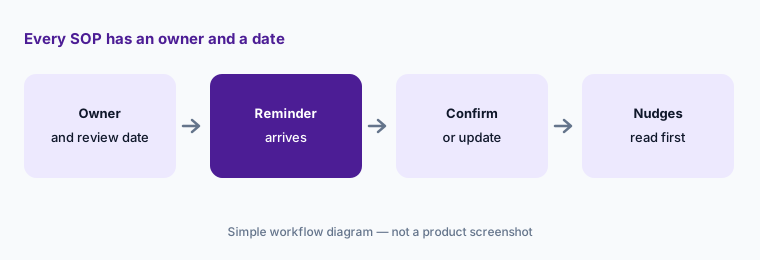
An owner for every SOP:
Pick your ten most-used SOPs. Give each a named owner and a verification reminder, and have each owner confirm or update theirs this month.
6. Connectors, API, and the MCP server
What it is: Trainual’s 14 July 2026 update added connectors for Google Drive, OneDrive, SharePoint, Notion, Confluence, and Dropbox: an admin turns them on, each person connects their own account, and “the AI assistant only pulls from files they can already access.” The same update added an API and webhooks and an MCP server so your own AI agents can use Trainual’s processes, policies, and roles as context — both on the Premium and Enterprise plans. HRIS and payroll sync (Gusto, BambooHR, and others), SSO, Slack, and Zapier are listed too.
Bring old documents in as raw material, not as finished SOPs — a three-year-old Google Doc becomes a current-looking Trainual page very quickly. For the MCP server, start with a read-only question (“what is our refund process?”) and decide who may build agents on it before anything that writes back or messages staff.
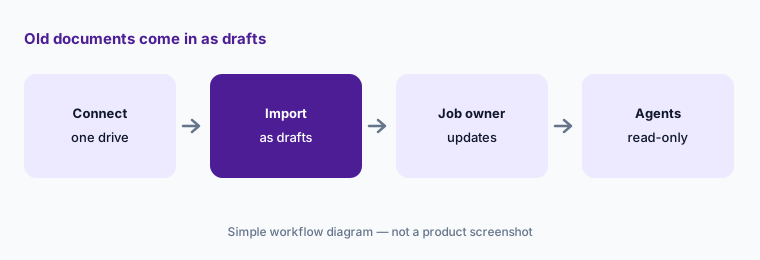
Old docs are drafts:
Connect one drive and import five old process documents. Mark each as a draft until the person who does that job has updated it.
Pricing context (October 2026)
Trainual publishes no plan prices (checked 11 Oct 2026). Its pricing page lists four training plans — Core, Pro, Premium, and Enterprise — plus separate Operations and Performance suites, and says “pricing and plans vary depending on the size of your team and the features you need — book a demo.” The one public figure is a one-time implementation fee of $1,000 for its guided setup (an implementation specialist over your first four to six weeks).
AI-assisted documentation and AI knowledge search are on every plan; the MCP server, API, and webhooks are on Premium and Enterprise. Ask the quote to name the plan, the per-person or per-team basis, whether the Operations suite is needed for the meeting-based AI features, and whether the implementation fee applies.
Uncertainty: Trainual publishes no plan prices, so cost is unknown until you book a demo. Its site doesn’t say which AI features, if any, use limits or credits. Several AI features shown on the AI page draw on meetings and goals, which belong to the newer Operations suite (May 2026), and the Performance suite launched on 29 September 2026 — confirm which suite your quote covers. The AI assistant’s promised ability to assign training and send nudges by request was described as a future plan in 2025. Trainual’s customer and time-saving figures are not repeated here.
When it’s useful (honest take)
Useful when you run a business of a few dozen to a few hundred people, the know-how lives in a few people’s heads, you want SOPs, roles, and onboarding in one place, and the people who do each job will spend time correcting AI drafts.
Less useful when you need a full course LMS for customers or partners, SCORM-heavy compliance libraries, or deep skills management (a course LMS or talent suite covers more), or nobody will own SOPs after the first push. Finishing an SOP is not the same as being able to do the job.
Paying for Trainual AI and a few other AI tools? The $9 AI toolkit spreadsheet lists every AI subscription you have, what each one costs, and how fast it pays for itself, so you can see which ones are worth the money.
Want someone to do it for you? AI toolkit audit — $19
Related options (educational)
| Need | Better home | Why |
|---|---|---|
| SOPs, roles, and onboarding for a small business | Trainual AI (this page) | AI SOP drafts, roles, assistant |
| Course LMS with AI authoring and published prices | TalentLMS AI | TalentCraft, AI Coach |
| Step-by-step guides captured from real clicks | Scribe AI | Screens, not courses |
| Verified answers from a company knowledge base | Guru AI | Cards with named owners |
| A wiki your team already writes in | Notion AI | Docs and Q&A |
| HR onboarding paperwork and payroll | Gusto AI | HR system, not training |
FAQ
Does Trainual have AI?
Yes. Trainual AI drafts SOPs, processes, and policies from a description or your files, generates quizzes, suggests roles and responsibilities, and answers questions through the AI assistant with links to the source. An MCP server for custom AI agents is on the Premium and Enterprise plans.
How much does Trainual cost?
Trainual publishes no plan prices (checked 11 October 2026). Its pricing page lists Core, Pro, Premium, and Enterprise and asks you to book a demo; the one public figure is a one-time $1,000 implementation fee.
Can Trainual’s AI write our SOPs for us?
It drafts them — from a description, a file, or meeting notes — and you edit before you publish. Have the person who does each job correct the draft, because the AI fills gaps with what is typical rather than what your team does.
Where does the AI assistant get its answers?
From the content and people information in your Trainual account, with links to the sources behind each answer. If you turn on connectors, it can also find files in Google Drive, OneDrive, SharePoint, Notion, Confluence, or Dropbox that the person asking can already access.
Can AI agents like Claude or ChatGPT use Trainual?
Trainual offers an MCP server so custom AI agents can use your processes, policies, and roles as context, on the Premium and Enterprise plans (added July 2026). Start with read-only questions and decide who may build agents on it.
Optional next step (if seats overlap)
If you pay for a training tool, a wiki, a screen-capture tool, and chat seats that all hold a slightly different version of the same SOPs, that overlap is worth a look. Map the overlap with the $19 AI toolkit audit or the $9 AI toolkit spreadsheet. Email Audit $19 or Toolkit spreadsheet $9.
Checkout is live via Stripe. After you pay, we email delivery (spreadsheet) or intake next steps (audit).