How-to · Ops AI · ChatGPT Custom GPTs · Oct 8, 2026
Build a Custom GPT that only answers from your pasted SOP
“SOP bot” here does not mean a chatbot that makes up policy. It means a Custom GPT that answers from the SOP you loaded, says Unknown when the document is silent, and leaves sending and publishing to a person.
Who this is for
Ops and support leads on ChatGPT Business (formerly called Team) who already have a written SOP — intake, refunds, vendor onboarding, status notes — and keep explaining it again in blank chats. If the SOP does not exist yet, write or capture it first with Stop rewriting the SOP. Capture the clicks once. If Claude Projects already hold the same loop for your team, pick one home tool rather than two bots for one job.
How to do it
This page is a how-to. It is not a ranking of chat tools. The ChatGPT Custom GPTs review covers what a GPT is and how to create and share one; this page is the test that comes before you trust it — three real tickets and an always-human list. Plan detail also lives on ChatGPT for ops.

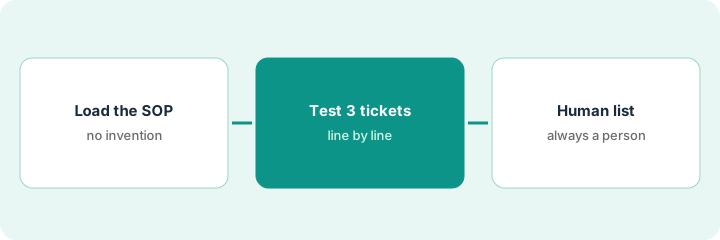
1. Step 1 — Load the SOP and forbid invention
What it is: Create a Custom GPT whose instructions and knowledge point only at the current SOP. Its job is to answer from that document — not to write new policy.
- Upload or paste the SOP the team already works from (wiki export, PDF, or plain text).
- Instructions: answer only from the knowledge file; name the step you are quoting; say Unknown when the SOP does not cover it; never make up owners, deadlines, or approval steps.
- Name the GPT for its job (“Vendor intake SOP”), not a vague “Ops helper.”
- Share it only with the people who already run that SOP — not the whole company by default.
The vendor-intake SOP has twelve numbered steps and three “stop and escalate” points. The GPT instructions repeat those three points and forbid adding a fourth. Asked “Can we skip the tax ID?”, the GPT must quote the SOP or say Unknown — not suggest a workaround.
Create the GPT and upload one SOP file. Make sure the instructions include: If the SOP does not say, answer Unknown and name the section you checked. Ask “What is step 4?” and confirm the answer matches the file before anyone else uses it.
2. Step 2 — Test it with three real tickets
What it is: Run three real requests (with names and customer details removed) through the GPT before you trust it in daily work.
- Pick one routine ticket, one edge case, and one that should hit an escalation point.
- Compare each answer with the SOP line by line. Delete or fix anything the SOP does not say.
- If the SOP itself is wrong, fix it in the wiki first, then upload it again. Do not patch policy only inside the GPT.
- Note which request types need a person every time — refunds, legal, security, and anything that commits the company to a customer.
Three cleaned tickets: a standard access request, a contractor-versus-employee question, and a refund. The GPT answers the first correctly, says Unknown on a missing response time in the second, and sends the third to the always-human list. The lead shares the GPT only after all three pass.
Paste three cleaned tickets, one at a time. For each answer, highlight any sentence you cannot find in the SOP. If you find more than one, tighten the instructions and run all three again before you share the GPT.
3. Step 3 — Keep an always-human list
What it is: Publish a short always-human list next to the GPT. The GPT drafts; a person owns sending, policy changes, and exceptions.
- List the request types that are never sent without a person (legal, money movement, security, HR-sensitive).
- Name a reviewer for the first two weeks of use.
- Upload the SOP again whenever the wiki version changes. A stale knowledge file is worse than no bot.
Keep the full SOP in the GPT’s knowledge file, not in Memory. Memory is for standing preferences like “bullets first,” not raw policy — see ChatGPT Memory.
Week one: every GPT answer used in a customer reply is pasted into a draft the lead edits. Two made-up response times get caught. Week two: internal how-to answers can go out after a spot-check; customer replies still go through a person.
Write five always-human request types in the GPT’s description or a pinned wiki card. Share the GPT with one teammate for seven days, read five of their chats, and only then widen access.
Pricing context (October 2026)
This how-to is not a price sheet. Plan detail for ChatGPT Custom GPTs and ChatGPT for ops lives on those reviews. Recheck each vendor’s site before you budget. Dated October 2026.
Checked Oct 8, 2026 on the vendor’s own pricing page: openai.com/business/pricing lists ChatGPT Business for teams of 2–200 with two seat types that can be mixed: Standard at $20 per user per month billed annually ($25 billed monthly) and Premium at $100 billed annually ($125 billed monthly). Business lists GPT analytics and management, shared projects, and an admin console; Enterprise is quoted by sales. On the individual side, chatgpt.com/pricing lists Plus at $20 a month with Projects, scheduled tasks, and custom GPTs.
Uncertainty: Plan names, seat types, usage limits, and sharing controls change. If an invoice and a review disagree, trust the invoice. Do not paste a marketing list price you did not pay. The only prices this site sells here are the optional $9 AI toolkit spreadsheet and $19 AI toolkit audit.
When this helps (honest take)
Useful when the SOP is written and owned, ChatGPT Business is already paid for, and a person reviews exceptions and anything sent to customers.
Not useful when the SOP lives only in someone’s head, you want the bot to decide policy, or the identical loop already runs in a Claude Project and you would be paying twice for one job. Fix the source document first — or pick one home tool.
Related options (educational)
| Need | Where to look | Why |
|---|---|---|
| Create, load knowledge, share | ChatGPT Custom GPTs | Feature walkthrough |
| Ops status, SOP, and intake patterns | ChatGPT for ops | Role guide for ChatGPT Business teams |
| Same loop in Claude | Claude Projects · Set up one Claude Project for a recurring ops loop | Only if Claude is already the home tool |
| Write the SOP before the bot | Stop rewriting the SOP. Capture the clicks once | Get a source document worth loading |
Related reviews: ChatGPT Custom GPTs · ChatGPT for ops · Claude vs ChatGPT for ops. Related how-tos: Three checks before you add another AI seat · Stop rewriting the SOP. Capture the clicks once. Free: seat-waste calculator.
FAQ
Can the GPT add a step that is not in the SOP?
Only if you let it. Forbid invention in the instructions, test with real tickets, and delete anything made up. When the process really changed, fix the wiki SOP and upload it again.
Should Memory hold the full SOP?
No. Keep the SOP in the GPT’s knowledge file with a named owner. Memory is for standing preferences, not raw policy or personal data. See ChatGPT Memory.
Does the plan matter for this how-to?
Sharing a GPT inside a company workspace is the point of this page, so it assumes ChatGPT Business or Enterprise. Check your plan’s sharing controls before you roll out.
Where do dated prices live?
On the ChatGPT Custom GPTs review and OpenAI’s pricing pages. This October 2026 how-to only repeats prices we checked on the vendor’s own pricing page on Oct 8, 2026.
Optional next step
Free reviews stay free. Neither offer is required to use this page. If two writing or chat seats already cover the same SOP or intake job, optional help: $9 AI toolkit spreadsheet (seats, spend, owner, cancel-by, overlap) or $19 AI toolkit audit when you want a written memo.