What’s new · Learning ops · 360Learning · Sep 2026
What’s new in 360Learning (Sep 2026): MCP server beta, AI Companion in courses, and classroom check-in
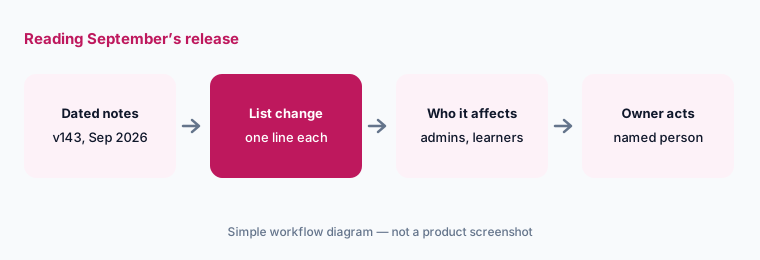
360Learning ships a platform release every three weeks, and its September 2026 release — v143, “September 16-21, 2026” — carries seven dated items. For a learning ops lead, five need a decision: whether to request the MCP server beta and for whom, whether to switch on the AI Companion inside courses, which paths should go quiet, how classroom check-in works on the day, and which integration owners have work to do. This page is not a review — for that, see our 360Learning AI review. Every item comes from 360Learning’s release notes, read on 11 October 2026.
What this page covers
This page is for a learning ops lead, platform admin, or group admin who runs 360Learning and wants September’s changes without reading the whole release article — especially anything that changes where the AI Companion answers, which AI assistants can reach your content, and what learners and trainers do on the day of a classroom session.
We list only entries dated September 2026 in 360Learning’s Web Release Notes 2026 (it read “Updated October 08, 2026” when we opened it). 360Learning says the platform updates every three weeks on Wednesdays at 12 PM CET and that some features reach users the following Monday — which is why v143 items carry two dates, 16 and 21 September. Several items are activated on demand through your Customer Success Partner, so “released” doesn’t always mean “on in your platform.” The October release (v144) is outside this page except for one FAQ answer.
The learning-ops guardrails stay the same: AI answers and suggests; course owners decide what learners are taught, a named person approves every connection that lets an outside AI assistant reach your content, and no employee personal data goes into a general chat tool to test it. An AI answer is not part of the course until its owner says so.
Major features (with how someone uses them)
Examples at a glance: each feature has a concrete example from a real job plus a short Try this you can run this week.
1. Five changes a learning ops lead should act on (primary)
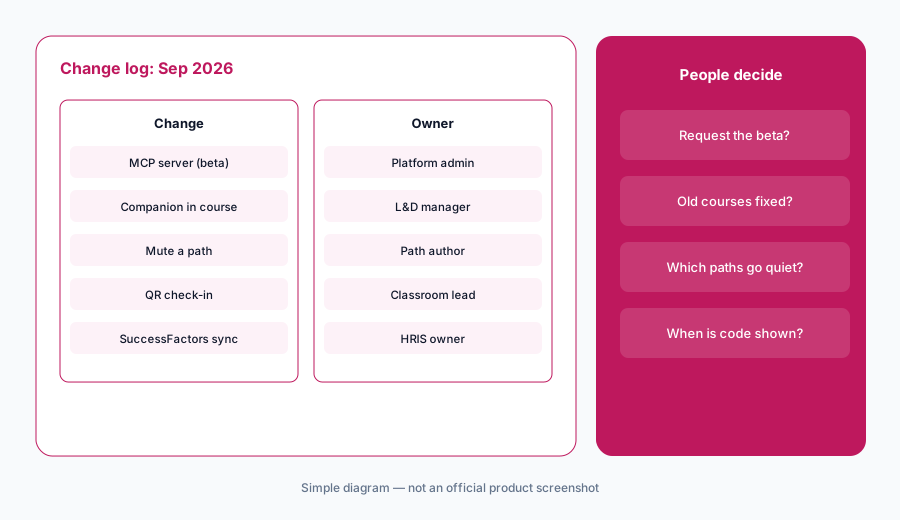
What it is: From the September release, these five need a decision, not just awareness: (1) a new 360Learning MCP server, in beta and available on demand, that lets a connected AI assistant search the courses, paths, and activities a user already has access to (21 September — 360Learning release notes, 21 Sep); (2) the AI Companion in a course, opened from the course player, which answers from the knowledge base and the courses and paths the user can access rather than the course being played, and is activated on demand (16 September — 360Learning release notes, 16 Sep); (3) group admins and path authors can mute notifications for a specific path — email, in-app, Slack, Teams, and push (21 September — 360Learning release notes, 21 Sep); (4) learners can check in to classroom sessions with a QR code instead of typing the access code (21 September — 360Learning release notes, 21 Sep); and (5) the SAP SuccessFactors LMS connector can sync historical path session stats as a one-time action, while Edflex stats now sync in near real time (16 September — 360Learning release notes, 16 Sep).
Primary workflow:
From 360Learning’s Sep 2026 release notes, list 5 changes a learning ops lead should act on — cite sources.
2. The 360Learning MCP server, in beta (21 Sep)
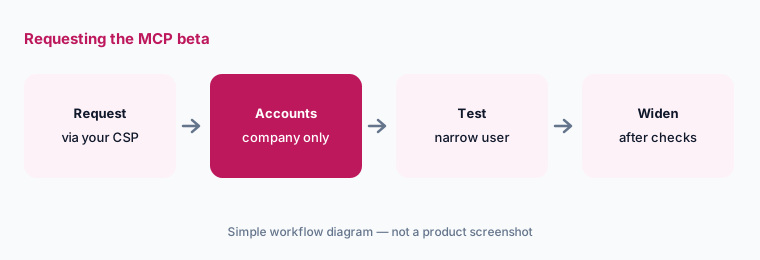
What it is: MCP, the Model Context Protocol, is an open standard for connecting AI assistants to outside tools and data. 360Learning’s new MCP server lets someone ask their AI assistant to search the courses, paths, and activities they have access to in 360Learning without switching windows. The release note says it is in beta and available on demand — you request access through your Customer Success Partner or Solutions Engineer — and that Claude (web, desktop, and Claude Code), ChatGPT, and Dust are supported today, with more clients coming (360Learning release notes, 21 Sep). It searches; the September note describes no tools for changing content.
Before you request it, decide which assistant accounts are allowed: a company workspace with admin controls, not personal accounts. Results follow each user’s existing access, so a learner sees what they could already see — worth confirming with a test user who has narrow access before anyone with broad access tries it.
Test with narrow access first:
Request the 360Learning MCP beta for a small group on a company assistant workspace. Test it first as a user with narrow access and check every result against what that user sees in the platform.
3. AI Companion inside the course player (16 Sep)
What it is: Learners can now open the AI Companion from the course player and ask questions without leaving the course. The detail that matters: 360Learning says the Companion does not use the content of the course being played to answer. It searches the 360Learning knowledge base and the courses and paths the user has access to, the same way it does from the search bar, with a daily message limit. It is activated on demand through your Customer Success Partner (360Learning release notes, 16 Sep).
That means a learner on a compliance course may get an answer drawn from a different course they can access — useful for “where can I learn more,” risky if two courses disagree. Before switching it on, find the topics where you have more than one course with different rules, and retire or fix the old one.
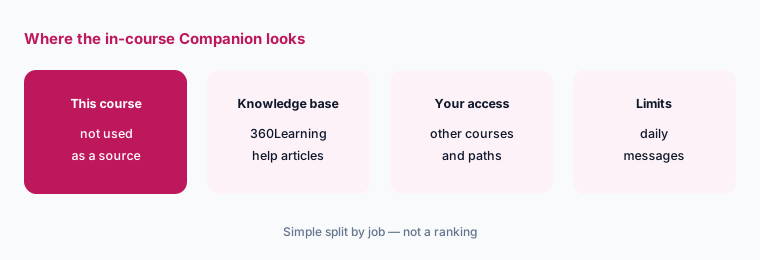
Find conflicting courses first:
Before activating the in-course Companion, ask it three questions a learner would ask in one mandatory course. Have the course owner check each answer and retire any older course it drew from.
4. Muting path notifications and QR check-in (21 Sep)
What it is: Two practical changes on 21 September. Group admins and path authors can mute notifications for one path from its settings, covering email, in-app, Slack, Teams, and push. And learners can check in to a classroom session by scanning a QR code instead of typing the access code; 360Learning generates the code next to the access code when the session is created, and admins, trainers, and instructors can share it (360Learning release notes, 21 Sep).
Muting is a good fit for paths still being built or tested; it is a poor fit for mandatory training with a deadline, where a silent path means learners miss the due date. Write down who may mute which paths. For QR check-in, decide who displays the code and when — a code shared in a calendar invite lets people check in from anywhere.
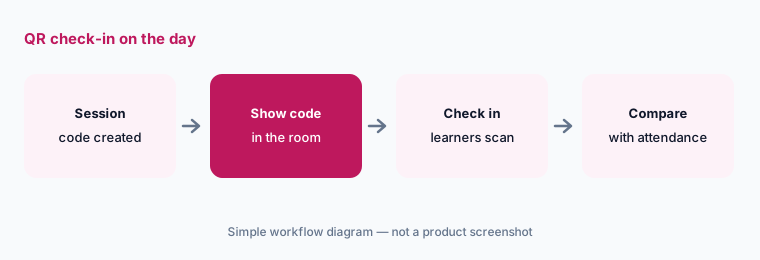
Mute and check-in rules:
Write two rules this week: which paths may be muted and by whom (never a mandatory path near its deadline), and who shows the classroom QR code and when. Have the learning ops lead approve both.
5. Integrations: Edflex and SAP SuccessFactors (16 Sep)
What it is: Two integration updates are dated 16 September. Edflex: learners’ progress and completion on Edflex courses now update in near real time instead of waiting for the daily sync, automatically for existing and new connectors. SAP SuccessFactors: admins using the LMS connector can sync historical path session stats — sessions that closed or ended before the connector was first deployed — as a one-time action from the connector settings (360Learning release notes, 16 Sep).
A one-time historical sync changes the numbers in another system that other people report from. Before running it, tell the HRIS and people-analytics owners which date range will arrive and check one past session by hand afterward. Faster Edflex syncs mean dashboards move during the day; tell managers so they don’t read a morning figure as final.
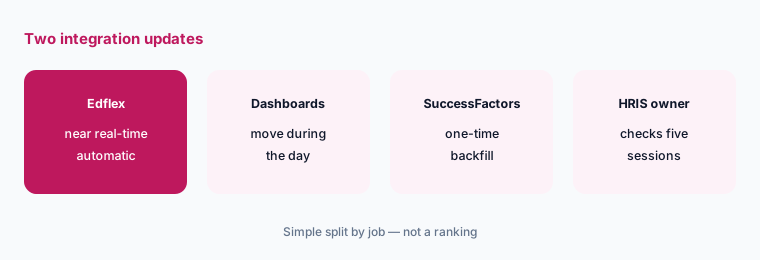
Backfill with a check:
Before the one-time SuccessFactors historical sync, pick five closed path sessions and write down their learner counts. Run the sync in a test instance first and have the HRIS owner compare all five.
6. Smaller September changes and who approves each one
What it is: Also dated 16 September under “Other core product updates”: managers can filter their team’s results by the last two or three years, and the dashboard remembers each manager’s last choice; Free Trial accounts can no longer set up a custom platform URL; the comment box at the bottom of a course forum is reachable without scrolling; reactions now show at the top of the forum while editing a course; and each question type has its own icon in the course sidebar (360Learning release notes, 16 Sep). Owners: MCP beta → the platform admin; in-course Companion → the L&D manager, with course owners checking answers; muting → path authors, within written rules; QR check-in → the classroom coordinator; Edflex and SuccessFactors → the integration owner.
The remembered time range is a small change with a reporting side effect: two managers looking at “their numbers” may be looking at different windows. Ask managers to state the range when they quote a figure, and remember that a completion figure shows who finished, not who can do the job.
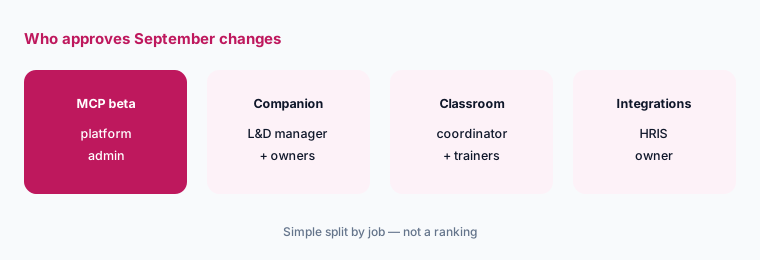
One owner per change:
For the five September themes above, write one named owner and one October review date. Have the learning ops lead approve the list before anyone requests a beta or activates the in-course Companion.
Pricing context (October 2026)
September’s items don’t mention price changes. 360Learning’s pricing page (as listed 11 October 2026) shows the Team plan at $8 per user per month for up to 100 users; its Team plan page says $8 per active user per month regardless of role, billed monthly with no annual commitment, a 30-day free trial, and add-on solutions, activated by request, at $2 per user per month per solution. Business and Enterprise are custom, generally on annual contracts.
The release note doesn’t say whether the MCP beta or the in-course Companion affect pricing; both are activated on demand, so ask your Customer Success Partner. For our dated review of 360Learning’s AI and plans, see 360Learning AI.
Uncertainty: We read 360Learning’s Web Release Notes 2026 (updated 8 October 2026) and its pricing and Team plan pages on 11 October 2026. Dates are “Available on” dates as 360Learning lists them; on-demand features may not be active in your platform. The MCP server is labelled beta, and supported clients may change. The same article also lists releases from September 2025, which are not covered here. This is product education, not advice on your training records or HR systems.
When it’s useful (honest take)
Useful when you run 360Learning and want September’s dated changes with an owner and an action for each.
Useful when you are deciding whether to request the MCP beta or switch on the in-course AI Companion and want to know what each one actually searches.
Less useful when you want a full product review — read 360Learning AI — or you don’t use classroom sessions, the AI Companion, or the SuccessFactors and Edflex connectors.
Paying for 360Learning and a few other AI tools? The $9 AI toolkit spreadsheet lists every AI subscription you have, what each one costs, and how fast it pays for itself, so you can see which ones are worth the money.
Want someone to do it for you? AI toolkit audit — $19
Related options (educational)
| Need | Better home | Why |
|---|---|---|
| Full review of 360Learning’s AI features | 360Learning AI | Not a changelog |
| Two LMS platforms side by side | Docebo vs 360Learning · Docebo AI | Who authors, AI, MCP, pricing |
| Another LMS’s September notes | What’s new in Docebo (Sep 2026) | Same format |
| Inventory learning-ops AI seats | Stack map for learning ops | Jobs, tools, overlaps |
| Drafting in Workspace instead | Gemini for learning ops · ChatGPT for learning ops | Outlines, quizzes, reminders |
FAQ
What did 360Learning change in September 2026?
Per its Web Release Notes, release v143 (September 16–21, 2026) added a new 360Learning MCP server in beta, the AI Companion in a course, muting notifications per path, QR-code check-in for classroom sessions, near real-time Edflex stats, a one-time historical stats sync for SAP SuccessFactors, and smaller updates such as a two- or three-year manager filter.
Does the in-course AI Companion answer from the course I’m taking?
No. 360Learning says it does not use the content of the course being played; it searches the knowledge base and the courses and paths you have access to, with a daily message limit. It is activated on demand.
Which AI assistants work with the 360Learning MCP server?
The 21 September note lists Claude (web, desktop, and Claude Code), ChatGPT, and Dust, with more coming. It is in beta and available on demand through your Customer Success Partner or Solutions Engineer. The October release (v144, dated October 14–19) announces Microsoft Copilot and Snowflake support — outside this page’s September scope.
What else is coming in October?
Outside this page: release v144 (dated October 14–19, 2026) announces email notifications limited to business hours, Activity prompting in beta, multi-factor authentication for password-based logins, path stats that lock once a learner finishes, and waitlists per classroom session, among others. Check the release notes for what actually shipped.
Did 360Learning change prices in September 2026?
The items we read don’t mention price changes. As of 11 October 2026, the Team plan is listed at $8 per active user per month for up to 100 users (billed monthly, 30-day free trial), add-ons at $2 per user per month per solution, and Business and Enterprise are custom.
Optional next step (if seats overlap)
If learning ops pays for an LMS with its own AI Companion, a chat assistant that now reaches the same courses over MCP, and an authoring tool’s AI, fix that overlap before adding another seat. Map the overlap with the $19 AI toolkit audit or the $9 AI toolkit spreadsheet. Email Audit $19 or Toolkit spreadsheet $9.
Checkout is live via Stripe. After you pay, we email delivery (spreadsheet) or intake next steps (audit).