Tool · Learning ops · LearnUpon · Oct 2026
LearnUpon AI review (Oct 2026): AI for customer, partner, and employee training
LearnUpon is a learning management system built for training more than one audience from one place — employees, customers, partners, and association members — each in its own portal. Since July 2026 LearnUpon calls it an Agentic Learning Platform: AI drafts courses (Create+) and assessments, answers learners (Ask Lia), tags content to skills, and connects reporting data to ChatGPT, Claude, or Gemini through an MCP server. This page is about using that AI while each portal’s owner stays responsible for what learners see. Each section has a Try this.
What this LearnUpon page covers
This page is for a training manager, customer education lead, or partner enablement manager who runs — or is choosing — an LMS that serves several audiences, and wants to know what LearnUpon’s AI does and where a person still has to check. The question it answers: which training jobs LearnUpon’s AI can start for you, and who signs off on each one.
Naming, checked on 11 October 2026. On 14 July 2026 LearnUpon announced its Agentic Learning Platform: an intelligence layer called LearnUpon IQ over three hubs — a Content Hub (Create+ and an Agentic Editor), a Profile Hub (skills and capability gaps from your HR and CRM systems), and a Delivery Hub (the Ask Lia assistant and a Journey Agent). Create+ launched on 26 March 2026 and is built on Courseau, an AI authoring tool LearnUpon bought in November 2025. We found no rename, shutdown, or change of ownership; LearnUpon is still led by its co-founder and CEO, Brendan Noud.
Ground rules: LearnUpon’s own phrase is “human-leading-the-loop.” Its AI drafts, tags, recommends, and reports; it doesn’t decide what a partner or customer must know. The owner of each portal approves every AI-drafted course and question before it is assigned, and a passed assessment shows someone answered the questions, not that they can do the work. LearnUpon’s customer results and usage numbers are not repeated here.
Major features (with how someone uses them)
Examples at a glance: each feature has a concrete example from a real job plus a short Try this you can run this week.
1. AI-drafted assessment questions for a partner course (primary)
What it is: LearnUpon lists AI-Powered Assessments on all three of its products and says the platform can “auto-generate assessments” and “save hours on exam creation.” LearnUpon’s public pages don’t detail how the questions are generated, so treat them as a draft to edit like any other exam in LearnUpon; certification and re-certification are available on every plan.
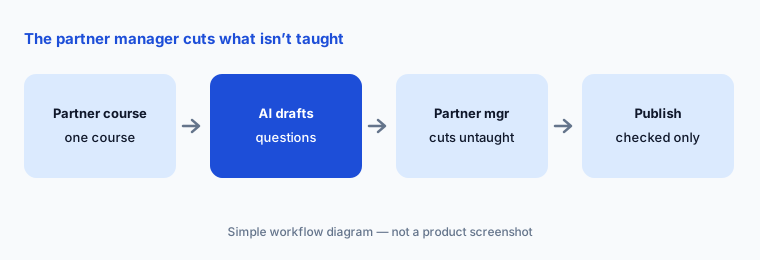
Why it matters: a partner course often grows from a sales deck or a product sheet, and AI questions tend to test whatever the source mentions — including details the course itself never teaches. A partner who fails a question on something nobody showed them loses trust in the whole program. The person who owns the partner relationship knows what partners actually need to know; have them cut every question that goes beyond the course before it counts toward a certificate.
Primary workflow:
Let LearnUpon’s AI draft assessment questions for one partner course. Have the partner manager remove any question the course doesn’t teach.
2. Create+: course drafts from your own material
What it is: Create+ turns videos, PDFs, PowerPoint files, and web links — plus the learner preferences you set — into a first course draft in minutes, then lets you refine it in an agentic editor by asking for changes, with real-time comments for reviewers. It translates into more than 120 languages and adds AI narration. LearnUpon says Create+ is included in LearnUpon, and customers can request a 14-day trial. Scenario-based role plays are listed as coming soon.
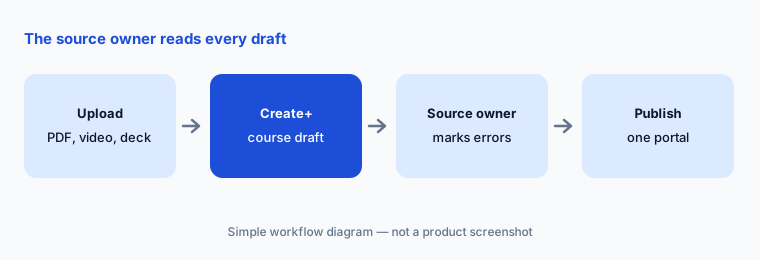
Why it matters: a draft that reads well can still carry a claim your source doesn’t make, or drop a step that matters. Have the person who owns the source material mark every sentence they wouldn’t sign off, and check translations with a native speaker before a market sees them — a fluent translation of a wrong statement is still wrong.
Source owner reads first:
Upload one product sheet or recording to Create+. Have the product owner mark every sentence in the draft that the source doesn’t support before you publish it.
3. Portals for customers, partners, and employees
What it is: Portals are separate learning environments for each audience — LearnUpon compares them to running several LMSs from one place — each with its own branding, users, features, and content, and optional white-label URLs. Courses can be copied, shared, or licensed between portals, and a change in a top portal can update the copies. LearnUpon Anywhere embeds courses inside your own product for customer education.
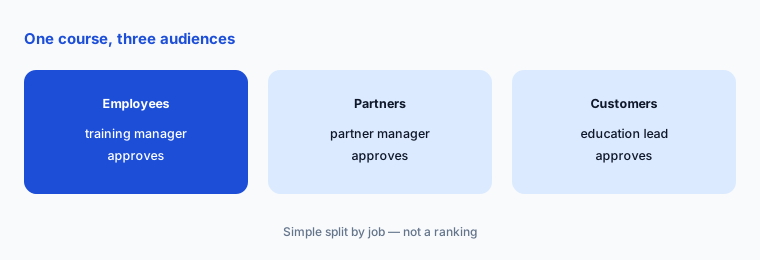
Why it matters: one AI-drafted course copied into three portals is three audiences who may need different details — what an employee may see about pricing or roadmaps is not what a partner or customer should see. Name an owner for each portal, and have that owner check any course that arrives from another portal before it is published to their audience.
One owner per portal:
Copy one AI-drafted course into a second portal. Have that portal’s owner remove anything that audience shouldn’t see before it is published.
4. Ask Lia and recommendations for learners
What it is: Ask Lia is LearnUpon’s AI assistant for learners: they ask in everyday language and Lia points them to what to learn next. A Recommender suggests courses based on learner interests and peer trends. Ask Lia is listed on all three products.
Why it matters: learners treat an assistant’s answer as the official route. Before you switch it on for a partner or customer portal, ask it the questions those learners really ask and check that each answer points to a current, approved course in that portal — not an internal one, and not one you retired last quarter.
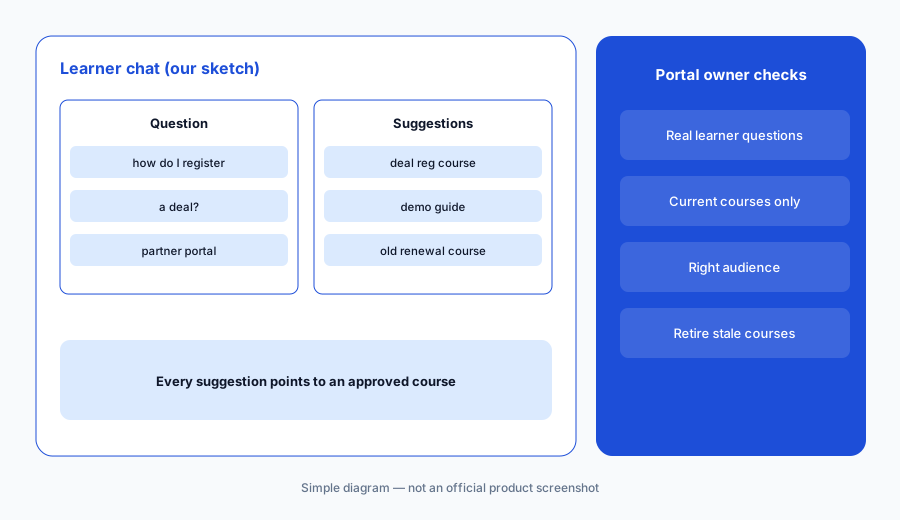
Test with real questions:
Ask Lia three questions your learners really asked last month. Have the portal owner check that every suggested course is current and meant for that audience.
5. Skill Tagging, Skills, and Learning Journeys
What it is: Skill Tagging maps content to the skills in your framework automatically. Skills (on the employee product) holds a skills library with proficiency levels, assigned on course completion or by manager validation. Learning Journeys are branching “if/then” programs that can enroll people from HR or CRM data. The Journey Agent, which builds journeys from a prompt, is labelled beta on LearnUpon’s platform page and “coming soon” on the Learning Journeys and Skills pages.
Why it matters: a wrong skill tag sends the wrong course to the wrong people, and a skill “earned” by finishing a course says nothing about whether someone can do the job. Have the person who owns your skills framework correct each tag before it drives any assignment, and keep manager validation for skills that matter.
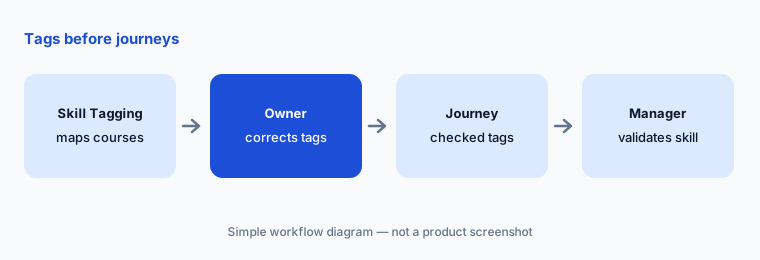
Tags before journeys:
Let Skill Tagging map ten courses to your skills framework. Have the framework owner correct every tag before any Learning Journey uses them.
6. Reporting in ChatGPT, Claude, or Gemini through the MCP Server
What it is: The LearnUpon MCP Server connects LearnUpon to ChatGPT, Claude, Gemini, or any MCP-capable tool. Today it is a Reporting and Analytics server: you ask for learning data in plain language and get it back in your AI workspace, “providing their org allows them to connect to MCP servers.” A Reporting Agent answers data questions inside LearnUpon. System Actions — creating users and building and enrolling groups from your AI tool — are marked “coming soon.”
Why it matters: this moves learner records — names, completions, exam results — into an outside AI tool. Get IT’s approval first, use a business workspace whose data terms you have read, and check the first answers against LearnUpon’s built-in reports. A chat answer that miscounts overdue certifications can send a reminder to the wrong partner.
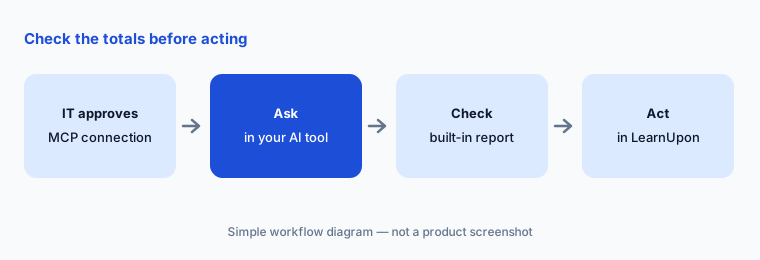
Check the totals:
With IT’s approval, connect the MCP Server for one admin. Ask for overdue certifications by group and check the totals against LearnUpon’s built-in report before anyone is contacted.
Pricing context (October 2026)
LearnUpon doesn’t publish prices (checked 11 Oct 2026 on its pricing page). It sells three products, each with “Book a Demo”: LearnUpon for Employees from 100 users, LearnUpon for Customer Education from 300 users (with an Enterprise plan adding white labelling, eCommerce, and group branding), and LearnUpon for Associations from 150 users. Every plan includes an implementation consultant, customer success, and 24/7 support.
The plan table lists Create+, Ask Lia, AI-Powered Assessments, Learning Journeys, and the reporting MCP on all three products; Skills, HR system integrations, and “LearnUpon Content by Go1” on the employee product only; HubSpot and Salesforce integrations and eCommerce on the customer and association products; and LearnUpon Anywhere on the customer product. LearnUpon says it isn’t a fit below 100 users, for on-premise needs, or for processing health data under HIPAA. Ask for a written quote that names the product, user count, and any limits on AI features.
Uncertainty: LearnUpon publishes no prices, and its pricing page doesn’t say whether AI features (Create+, assessments, Ask Lia, the MCP Server) carry usage limits. The Journey Agent is labelled beta on one page and “coming soon” on others; System Actions and Create+ scenario role plays are coming soon. We found no AI-specific statement on how learner data is used with AI models on the security or platform pages — ask for it in writing. Organisation counts differ between pages, and LearnUpon’s customer results are not repeated here.
When it’s useful (honest take)
Useful when you train two or more audiences — employees, customers, partners, or members — and want them in separate portals on one LMS, with AI drafting courses and assessments and a named owner approving what each audience sees.
Less useful when you have fewer than 100 learners, need an on-premise system or HIPAA processing, mainly need sales enablement rather than courses, or need a published price before talking to sales.
Paying for LearnUpon AI and a few other AI tools? The $9 AI toolkit spreadsheet lists every AI subscription you have, what each one costs, and how fast it pays for itself, so you can see which ones are worth the money.
Want someone to do it for you? AI toolkit audit — $19
Related options (educational)
| Need | Better home | Why |
|---|---|---|
| Customer, partner, and employee portals on one LMS | LearnUpon AI (this page) | Create+, Ask Lia, portals |
| Off-the-shelf course library with AI curation | Go1 AI | Playlists, 300+ providers |
| Compliance-heavy enterprise LMS with libraries | Litmos AI | Published plan floors |
| Enterprise LMS with AI agents and MCP | Docebo AI | Creator, roleplay, agents |
| Small-team LMS with published prices | TalentLMS AI | TalentCraft, AI tests |
| Courses written by subject experts | Easygenerator AI | EasyAI, review flow |
FAQ
What is LearnUpon’s AI called?
LearnUpon calls its product an Agentic Learning Platform (launched 14 July 2026): LearnUpon IQ plus Content, Profile, and Delivery Hubs. The AI features include Create+ for course authoring, AI-Powered Assessments, the Ask Lia learner assistant, Skill Tagging, a Recommender, and an MCP Server for reporting.
How much does LearnUpon cost in October 2026?
LearnUpon doesn’t publish prices. Its pricing page (checked 11 October 2026) lists LearnUpon for Employees from 100 users, Customer Education from 300 users, and Associations from 150 users, each by demo and quote.
Is Create+ an add-on?
LearnUpon says Create+ is included in LearnUpon, and its plan table shows Create+ on all three products. Customers can request a 14-day Create+ trial. Ask whether any AI usage limits apply to your plan.
Can LearnUpon connect to ChatGPT or Claude?
Yes. The LearnUpon MCP Server connects ChatGPT, Claude, Gemini, or another MCP-capable tool to LearnUpon reporting data, if your organisation allows MCP connections. Actions such as creating users and enrolling groups are listed as coming soon.
Who should approve what LearnUpon’s AI produces?
The owner of each portal — the partner manager, customer education lead, or training manager — should approve AI-drafted courses and assessment questions before they are assigned, and the owner of your skills framework should check skill tags. A passed assessment is not proof that someone can do the job.
Optional next step (if seats overlap)
If you pay for an LMS with built-in AI authoring, a separate authoring tool, a content library, and chat seats that all draft the same courses, that overlap is worth mapping. Map the overlap with the $19 AI toolkit audit or the $9 AI toolkit spreadsheet. Email Audit $19 or Toolkit spreadsheet $9.
Checkout is live via Stripe. After you pay, we email delivery (spreadsheet) or intake next steps (audit).