Tool · Learning ops · Go1 · Oct 2026
Go1 AI review (Oct 2026): AI curation for an off-the-shelf training library
Go1 sells one subscription to a large off-the-shelf training library — courses from more than 300 providers in 120+ languages, by its own count — that you use in Go1’s platform or inside the LMS you already have. Go1 AI helps you find and organize that content: AI search and chat, AI-assisted playlists, and alerts when a course is retiring. Morgan by Go1 delivers assigned training in Slack and Microsoft Teams. This page is about using that AI while L&D stays the owner of what employees are asked to complete. Each section has a Try this.
What this Go1 page covers
This page is for an L&D manager, HR generalist, or compliance training owner who buys ready-made courses rather than writing them, and wants to know what Go1’s AI does when you choose and assign that content — and where a person still has to check. The question it answers: which curation jobs Go1’s AI can start for you, and who approves the result.
Naming, checked on 11 October 2026. Go1 (founded 2015) is a content library plus a learning platform called Go1 Learn. Its AI features sit under Go1 AI — AI-Enhanced Search, AI Chat, AI-assisted playlist curation, and notifications about retiring content — plus Morgan by Go1, an agent in Slack and Teams, Intelligent Translations, and Immersive Simulations. We found no rename or shutdown. Go1’s AI page says it uses Microsoft Azure’s AI services, “configured to not further share your data,” and that its human content experts still curate alongside the AI.
Ground rules: an off-the-shelf course was written for everyone, not for your policy. Go1’s AI can find and group courses fast; it can’t know whether a harassment course matches your reporting procedure or your state’s rules. L&D or the policy owner previews every item before it is assigned, and finishing a library course is a record of completion, not proof of competence. Go1’s customer results and engagement percentages are not repeated here.
Major features (with how someone uses them)
Examples at a glance: each feature has a concrete example from a real job plus a short Try this you can run this week.
1. AI-assisted playlists on one compliance topic (primary)
What it is: Go1 AI can “instantly create custom Playlists from scratch with AI assistance” or help you organize courses into private playlists. Go1’s curation page describes an AI playlist builder that “suggests and organizes courses,” and the library also offers 100+ pre-curated playlists. Admins can also feature compliance programs or priority topics on each learner’s homepage, or assign them.
Why it matters: a playlist titled “Data privacy” can mix a GDPR course, a US state-law course, and a generic security video, and each may describe rules or reporting steps that differ from yours. Preview every item end to end — not just the title and summary — and drop anything that contradicts your policy. The policy owner, not the AI, decides what makes the cut.
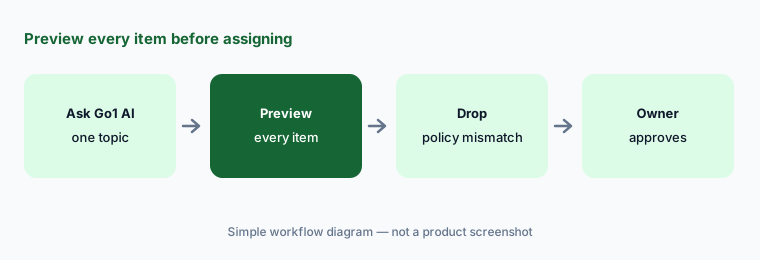
Primary workflow:
Ask Go1’s AI for a playlist on one compliance topic. Preview every item and drop anything that doesn’t match your policy.
2. AI-Enhanced Search and AI Chat across the library
What it is: AI-Enhanced Search analyzes “your requirements, not just your search terms,” and AI Chat lets you describe a need and get recommendations across the whole library. Before choosing, you can preview a course’s learning outcomes, summary, and the topics and skills it covers, compare courses side by side, and filter by language, provider, topic, category, or level.
Why it matters: the closest-sounding course is not always the right one. Write your requirement down first — audience, length, region, and the three things people must be able to do afterwards — then compare each suggestion’s learning outcomes against that list rather than its title. Keep a note of why you picked it; the next person to review the program will ask.
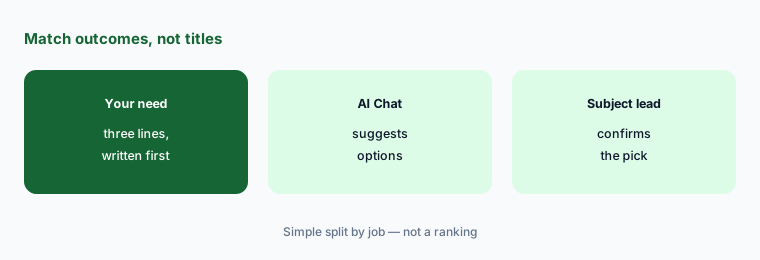
Requirement first:
Write one training requirement in three lines, then ask Go1’s AI Chat for options. Compare each suggestion’s learning outcomes with your three lines before picking one.
3. Retiring-content alerts and suggested replacements
What it is: Library content changes as providers update or withdraw courses. Go1 AI sends “personalized notifications around retiring content,” lets you “preview suggested alternatives, and plug in a suitable replacement.” Go1 also says it shares a monthly report of new and retiring content.
Why it matters: a one-click swap inside an assigned compliance program can change what hundreds of people are certified on. Preview the suggested replacement in full, check it still covers what the old course covered, and have the program owner approve the swap. Keep the old completion records: the people who finished the retired course still finished it.
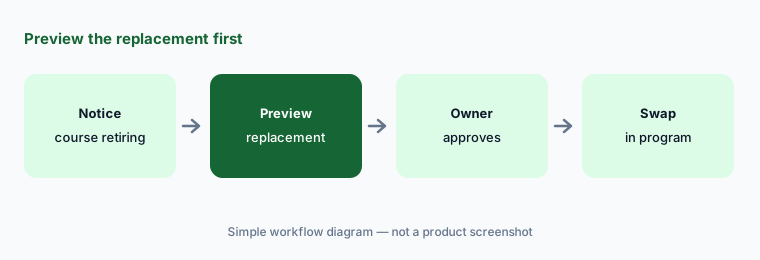
Preview before the swap:
When Go1 flags a retiring course in an assigned program, preview the suggested replacement end to end. Have the program owner approve before anything is swapped.
4. Go1 inside your LMS, and what learners can see
What it is: You can use Go1 content in Go1 Learn or inside your existing LMS or HR system — Go1 lists more than 70 integrations (75+ on some pages), including LearnUpon, Docebo, 360Learning, Absorb, Litmos, Workday, and SAP. LearnUpon lists “LearnUpon Content by Go1” on its employee plan. Content restrictions let admins decide which topics and providers learners can see, and each learner gets a personalized homepage with AI-powered recommendations and an “Assigned to you” section ordered by due date.
Why it matters: AI recommendations draw from whatever the library allows. If a topic or provider shouldn’t reach your staff — a course that conflicts with your policy, or content for another country — restrict it before learners start browsing, then log in as a test learner and look at what they actually see.
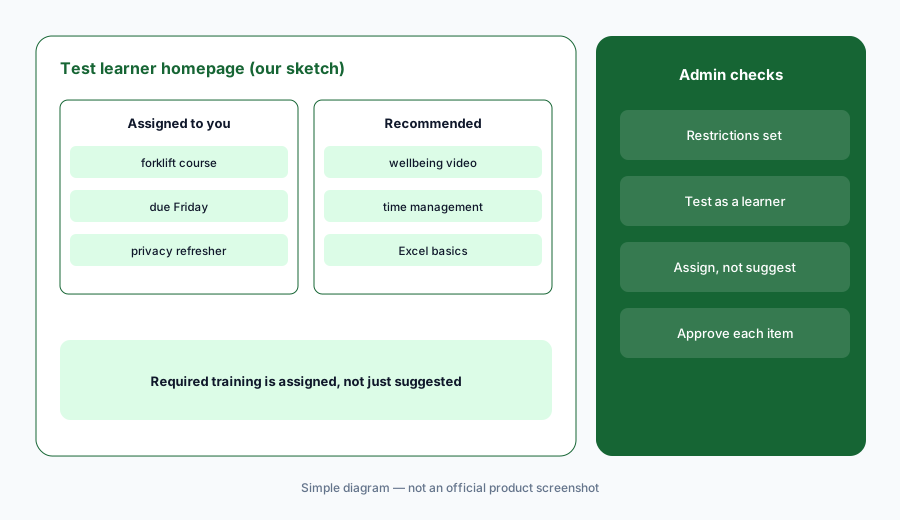
Look as a learner:
Set content restrictions for one group, then log in as a test learner in that group. Check that every recommended course is one you would approve.
5. Morgan by Go1 in Slack and Microsoft Teams
What it is: Morgan by Go1 is an agent that delivers training in Slack and Microsoft Teams. It runs on the programs and assignments your L&D team already set up in Go1 Learn, sends each employee a weekly digest of what’s overdue, coming up, and newly assigned, and lets people describe what they need in their own words to get course suggestions. An IT or workspace admin installs it once; Go1 says Morgan only accesses each employee’s own learning data in Go1 Learn.
Why it matters: a digest that is wrong about a due date, or a suggestion that sends someone to an unapproved course, now arrives in the tool people read all day. Pilot it with one team, compare each digest with the assignments in Go1 Learn, and ask the pilot group what Morgan suggested when they asked it for help.
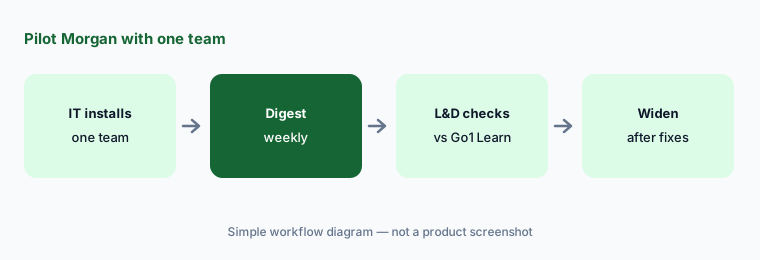
Pilot with one team:
Have IT install Morgan for one pilot team. Compare the first weekly digest with the assignments in Go1 Learn before rolling it out further.
6. Intelligent Translations and Immersive Simulations
What it is: Intelligent Translations covers a selection of eligible courses in 27 supported languages: titles, descriptions, learning outcomes, and — depending on the course — dubbed audio, subtitles, and lip sync; Go1 says translations are checked before publication, and text inside images or video isn’t translated. Immersive Simulations are short conversations with AI avatars on topics such as harassment, discrimination, code of conduct, and cybersecurity, tailored to policies you upload; admins set the criteria, and learners get feedback. Some topics are for US audiences only.
Why it matters: a simulation tuned to your policy is only as good as the policy text and criteria you give it, and its result is practice feedback, not an HR finding about a person. Have the policy owner set and test the pass mark before launch, upload only the approved policy (no case details or employee names), and use results to choose follow-up training — not to judge individuals.
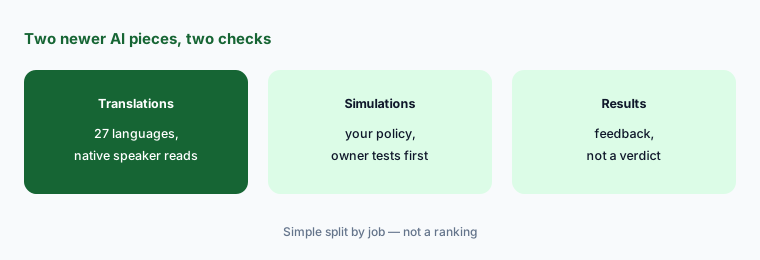
Test the pass mark:
Before launching one Immersive Simulation, have the policy owner run it as a test learner several times and confirm the pass mark matches your policy.
Pricing context (October 2026)
Go1’s plans page (checked 11 Oct 2026) lists three plans. Premium Essentials and Premium Pro are priced through sales (“Speak with an expert”): both include unlimited access to 80,000+ courses from 300+ providers, AI-powered discovery and curation tools, reporting, and integrations; Premium Pro adds premium providers (Coursera, Pluralsight, Skillsoft, Blinkist) and full curation services, while Premium Essentials includes 6 hours of curation services a year. A dedicated customer success manager is for “qualifying investment levels.”
Essentials Select is for small teams: choose 10, 25, or 50 courses and swap them any time, with up to 100 seats included. Go1’s small-business page shows a per-user, per-year price for each (USD, for teams of 100), but the figures load in the browser and weren’t readable in our text-only check on 11 October 2026 — so we don’t quote them. Read them on that page or ask Go1; it suggests the small-team plans for organisations under 250 employees. A personalized free trial typically lasts 7 days.
Uncertainty: We couldn’t read Go1’s Essentials Select prices without a browser, and the enterprise plans are quote-only. Go1 AI is described as rolling out to customers via account managers, so availability may vary by account. Go1’s own pages give different provider and integration counts (300+ vs 250+ providers; 70+ vs 75+ integrations). Immersive Simulations topics vary by region, and Go1 doesn’t publish what each AI feature costs or whether it is metered. Go1’s customer results and engagement figures are not repeated here.
When it’s useful (honest take)
Useful when you buy ready-made compliance and skills courses rather than writing them, want them inside the LMS you already run or in Go1 Learn, and have someone in L&D or HR who will preview every AI-suggested playlist and replacement before it is assigned.
Less useful when most of your training is about your own products and procedures, you need an authoring tool, nobody has time to preview library content against policy, or you need a published enterprise price.
Paying for Go1 AI and a few other AI tools? The $9 AI toolkit spreadsheet lists every AI subscription you have, what each one costs, and how fast it pays for itself, so you can see which ones are worth the money.
Want someone to do it for you? AI toolkit audit — $19
Related options (educational)
| Need | Better home | Why |
|---|---|---|
| Off-the-shelf library with AI search and playlists | Go1 AI (this page) | 300+ providers, Morgan |
| Multi-audience LMS that can carry Go1 content | LearnUpon AI | Portals, Create+ |
| Compliance LMS with its own course libraries | Litmos AI | Library add-ons |
| Enterprise LMS with AI agents and MCP | Docebo AI | Creator, agents |
| Upskilling pathways and AI coaching | Degreed AI | Maestro, skills signals |
| AI avatar training videos you write yourself | Colossyan | Your content, not a library |
FAQ
What is Go1 AI?
Go1 AI is the set of AI features in Go1’s training library: AI-Enhanced Search, AI Chat for recommendations, AI-assisted playlist curation, previews of learning outcomes and skills, and notifications about retiring content with suggested replacements. Go1 says it uses Microsoft Azure’s AI services and that human content experts still curate.
What is Morgan by Go1?
Morgan by Go1 is an agent that delivers Go1 Learn training in Slack and Microsoft Teams: a weekly digest of overdue, upcoming, and new assignments, plus course suggestions when employees ask in their own words. An IT or workspace admin installs it once.
How much does Go1 cost in October 2026?
Premium Essentials and Premium Pro are quote-only. Essentials Select 10, 25, and 50 show per-user, per-year prices on Go1’s small-business page, but the figures load in the browser and we couldn’t read them in our check on 11 October 2026 — check the page directly.
Can I use Go1 inside my existing LMS?
Yes. Go1 lists more than 70 LMS and HR integrations, including LearnUpon, Docebo, 360Learning, Absorb, Litmos, Workday, and SAP. Admin content restrictions still decide which topics and providers your learners can see.
Who should approve what Go1’s AI suggests?
L&D or the policy owner should preview every course in an AI-built playlist, approve any suggested replacement for a retiring course, and set and test the pass mark for any Immersive Simulation. Completing a library course is a record of completion, not proof of competence.
Optional next step (if seats overlap)
If you pay for an LMS with its own content library, a separate off-the-shelf library, and chat seats that recommend courses, that overlap is worth mapping. Map the overlap with the $19 AI toolkit audit or the $9 AI toolkit spreadsheet. Email Audit $19 or Toolkit spreadsheet $9.
Checkout is live via Stripe. After you pay, we email delivery (spreadsheet) or intake next steps (audit).