What’s new · Learning ops · Docebo · Sep 2026
What’s new in Docebo (Sep 2026): Agents and Knowledge betas, MCP for Power Users, and Creator updates
Docebo’s help center lists four September 2026 releases — 7, 14, 21, and 28 September — and almost everything that needs a decision landed on the 28th. For a learning ops lead, five need an owner: who may let Power Users act through an AI assistant, whether to switch on two new AI betas, how AI captions get reviewed, what managers now see by default, and which courses must be finished before an integration disappears. This page is not a review — for that, see our Docebo AI review. Every item comes from Docebo’s Product updates article, read on 11 October 2026.
What this page covers
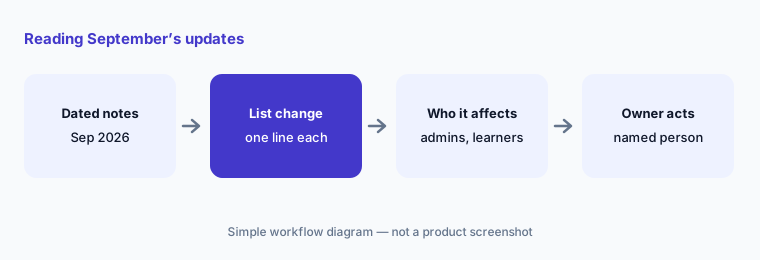
This page is for a learning ops lead, LMS admin, or Docebo Superadmin who wants September’s changes without reading the whole release article — especially anything that changes what an AI assistant can do in your platform, which AI features are in beta, and what learners and managers see.
We list only entries dated September 2026 in Docebo’s Product updates article, which Docebo updates weekly (it read “Last updated: October 05, 2026” when we opened it). Docebo says updates roll out progressively from Monday to Wednesday and that knowledge-base articles may lag behind, so a feature can be live in your platform before its help page catches up — or the other way round. Items dated October 2026 are outside this page except for one FAQ answer.
The learning-ops guardrails stay the same: AI drafts and suggests; a named person approves every course that is published, every enrollment an assistant makes, and every caption learners see. No employee personal data goes into a general chat tool to test an MCP connection, and an AI-drafted lesson isn’t accurate until its owner has checked it.
Major features (with how someone uses them)
Examples at a glance: each feature has a concrete example from a real job plus a short Try this you can run this week.
1. Five changes a learning ops lead should act on (primary)
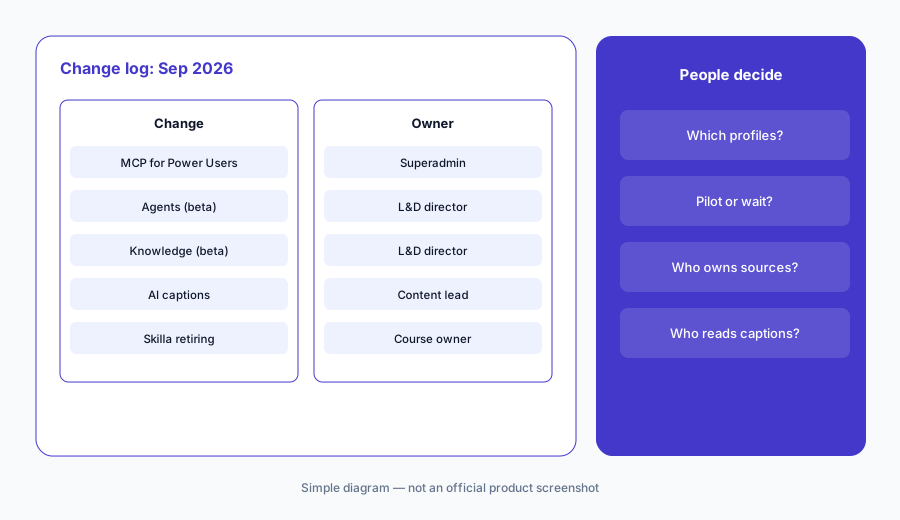
What it is: From the September updates, these five need a decision, not just awareness: (1) selected Docebo MCP server tools are now available to Power Users, who can manage courses, learning plans, and enrollments from a connected AI assistant within their existing platform permissions (28 September — Docebo product updates, 28 Sep); (2) Docebo Agents (beta), task-oriented AI assistants that run defined workflows and automated actions, pre-built or custom (28 September — Docebo product updates, 28 Sep); (3) Docebo Knowledge (beta), which connects external systems so the AI assistant, AI tutor, and agents can draw on that information (28 September — Docebo product updates, 28 Sep); (4) AI-generated captions for Creator videos, which Docebo says to review and edit before publishing (28 September — Docebo product updates, 28 Sep); and (5) the Skilla integration retiring on October 28, 2026, after which learners lose access to imported Skilla content (announced 14 September — Docebo product updates, 14 Sep).
Primary workflow:
From Docebo’s Sep 2026 product updates, list 5 changes a learning ops lead should act on — cite sources.
2. MCP for Power Users and playing courses in an assistant (28 Sep)
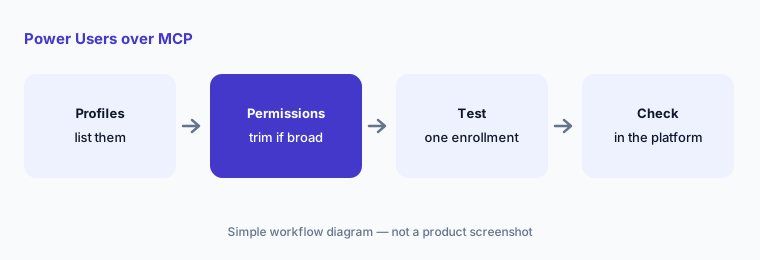
What it is: Until September, Docebo’s MCP server tools for managing the platform were for Superadmins. The 28 September entry opens selected tools to Power Users: they can connect a supported AI assistant to the Docebo MCP server and manage courses, learning plans, and enrollments through conversation, with actions staying within each Power User’s existing permissions. The Insights and Content marketplace tools stay Superadmin-only. A second entry the same day lets learners play learning items via MCP: in an assistant that supports MCP Apps, they ask for a course and open it in the conversation (Docebo product updates, 28 Sep).
Permissions that were fine for clicking through menus deserve a fresh look once they can be used in bulk from a chat window. Docebo’s MCP product page lists ChatGPT Enterprise/Team, Microsoft Copilot (via Copilot Studio), Claude Enterprise/Team, and Gemini Enterprise as supported assistants; its FAQ still describes the beta as focused on learner tools, which is older than the 28 September entry.
Permissions before connection:
List every Power User profile and what it may change. Have the Superadmin trim any that are broader than the person’s job before anyone connects an AI assistant to the Docebo MCP server.
3. Docebo Agents and Docebo Knowledge, both beta (28 Sep)
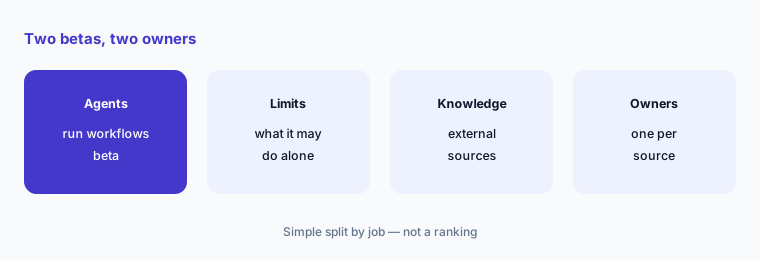
What it is: Two betas arrived on 28 September. Docebo Agents (beta) are, in Docebo’s words, task-oriented AI assistants that execute defined workflows and automated actions; you can enable pre-built agents for common learning workflows or create custom ones. Docebo Knowledge (beta) connects external systems so the AI assistant, AI tutor, and agents can draw on that information as a source, beyond learning content (Docebo product updates, 28 Sep). Both are labelled beta in the release note, so treat them as pilots: one agent, one workflow, one owner, and a written list of the actions it may take without a person confirming.
Knowledge raises an ownership question that the LMS never had before: every connected source needs an owner who decides what is current. An assistant that quotes last year’s handbook to a new hire is a content problem, not an AI problem — the people who own a knowledge base or a wiki should be in the room.
One pilot, written limits:
Pick one Docebo agent workflow to pilot. Write down which actions it may take alone, which need a person to confirm, and who owns each Knowledge source before you turn the beta on.
4. Creator: real-time comments and AI captions (28 Sep)
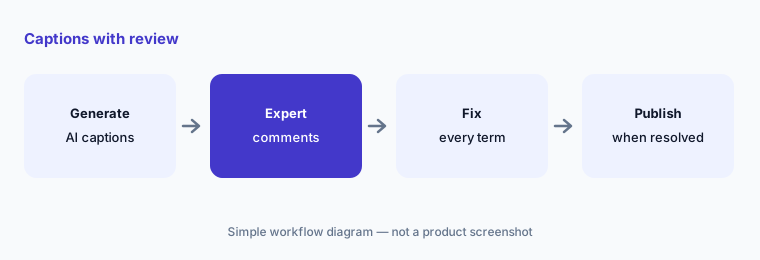
What it is: Creator, Docebo’s AI lesson builder, got three updates on 28 September: real-time commenting on Creator lessons for authors and reviewers; AI-generated captions for videos in Creator lessons, which Docebo says you should review and edit before publishing, and which learners can turn on or off; and editor improvements including more text formatting and a divider element (Docebo product updates, 28 Sep). Comments make it easier to get a subject expert’s corrections inside the lesson rather than in email; captions make lessons more accessible, provided someone reads them.
Captions matter most where words are technical or regulated: product names, part numbers, dosages, legal terms. A wrong caption on a safety or compliance lesson is a wrong instruction. Build the caption check into the same review in which the subject expert approves the lesson.
Caption check with comments:
Generate AI captions for one Creator video lesson. Ask the subject expert to comment on every wrong term, fix each one, and publish only when all comments are resolved.
5. My team dashboard filters change what managers see (28 Sep)
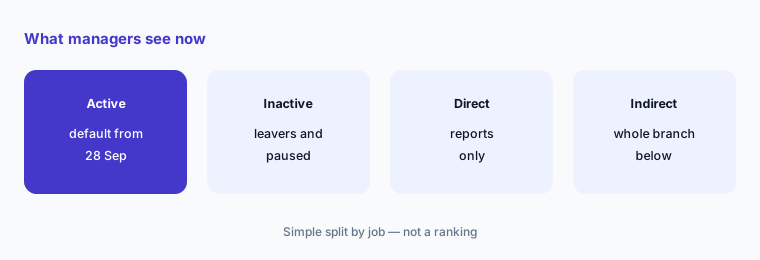
What it is: The Courses and Learning plans dashboards in the My team menu now have Active users and Inactive users filters, with Active users selected by default, and managers can view direct reports or both direct and indirect reports (Docebo product updates, 28 Sep). Docebo says this helps metrics reflect the current active team. In practice, a manager’s numbers can shift overnight with no change in anyone’s learning — people who left drop out, and a manager who switches on indirect reports suddenly sees a larger team.
Tell managers before they notice. A completion figure that jumps after a filter default changed is the kind of thing that gets quoted in a leadership meeting. And as always, completion is not competence: these dashboards show who finished a course, not who can do the work.
Warn managers first:
Pick two managers and compare their My team dashboards with Active users selected and cleared. Send all managers one sentence explaining the new default before the next reporting cycle.
6. Smaller September changes and who approves each one
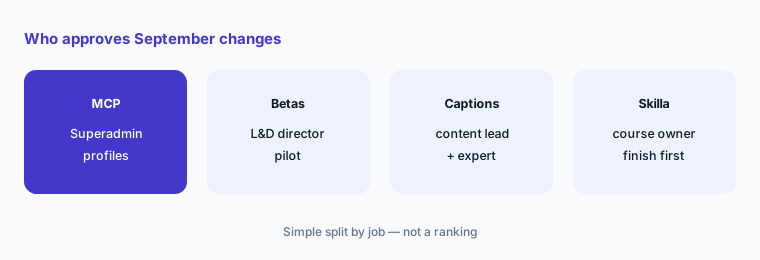
What it is: Also dated September: the Skilla integration retirement notice (14 Sep) — after the retirement date, admins won’t see Skilla in the Content Marketplace, no new imports or self-enrollments are possible, and learners lose access to previously imported Skilla content, so Docebo tells admins to make sure learners finish those courses first; scheduled Communities maintenance on 22 and 23 September (announced 14 Sep, repeated 21 Sep); a refreshed content page for Go1 collections in the Content Marketplace with functionality unchanged (7 Sep); Go.Learn and branded mobile app 7.11.0 with a preselected Keep me logged in option (28 Sep); and accessibility improvements (7 and 28 Sep) — all in Docebo product updates, 7–28 Sep. Owners: MCP access → the Superadmin; Agents and Knowledge pilots → the L&D director; captions → the content lead; manager dashboards → the learning ops lead; Skilla → whoever owns the courses that use it.
The Keep me logged in default is worth a look on shared devices — kiosks, warehouse tablets, or a front-desk computer — where the next person could open the previous learner’s account. If your mobile admin manages those devices, tell them about the change.
One owner per change:
For the five September themes above, write one named owner and one October review date. Have the learning ops lead approve the list before anyone connects an assistant or turns on a beta.
Pricing context (October 2026)
September’s entries don’t mention price changes. Docebo’s pricing page (as listed 11 October 2026) says “Custom pricing tailored to your organization’s needs,” with two plans, Elevate and Enterprise, each behind “Get Your Pricing.” No dollar prices are published. AI rows in the feature table show “Usage-based AI credits,” and the FAQ says Docebo is best for training at least 250 learners, counted as active learners on a monthly, yearly, or registered basis depending on the contract.
Whether the September betas draw on AI credits isn’t stated in the release note — ask your account team before a pilot. For our dated review of Docebo’s AI features and plans, see Docebo AI.
Uncertainty: We read Docebo’s Product updates article (last updated 5 October 2026) and its pricing and MCP pages on 11 October 2026. Dates are as Docebo lists them; Docebo says updates roll out from Monday to Wednesday and documentation can lag, so check your own platform. Agents and Knowledge are labelled beta; beta features can change or be withdrawn. The MCP product page’s FAQ is older than the 28 September entry. This is product education, not advice on your compliance training obligations.
When it’s useful (honest take)
Useful when you run Docebo for employee, partner, or customer learning and want September’s dated changes with an owner and an action for each.
Useful when Power Users or learners may soon connect AI assistants to your platform over MCP and you need to decide what they may do.
Less useful when you want a full product review — read Docebo AI — or you don’t use Creator, MCP, or the AI assistant.
Paying for Docebo and a few other AI tools? The $9 AI toolkit spreadsheet lists every AI subscription you have, what each one costs, and how fast it pays for itself, so you can see which ones are worth the money.
Want someone to do it for you? AI toolkit audit — $19
Related options (educational)
| Need | Better home | Why |
|---|---|---|
| Full review of Docebo’s AI features | Docebo AI | Not a changelog |
| Two LMS platforms side by side | Docebo vs 360Learning · 360Learning AI | Who authors, AI, MCP, pricing |
| Another LMS’s September notes | What’s new in 360Learning (Sep 2026) | Same format |
| Inventory learning-ops AI seats | Stack map for learning ops | Jobs, tools, overlaps |
| The content library inside the marketplace | Go1 AI | Library, playlists, integrations |
FAQ
What did Docebo change in September 2026?
Per its Product updates article: on 28 September, selected MCP tools for Power Users, playing learning items via MCP, Docebo Agents (beta), Docebo Knowledge (beta), Creator real-time comments, AI captions and editor improvements, My team dashboard filters, mobile app 7.11.0, and accessibility updates; on 14 and 21 September, Communities maintenance and the Skilla retirement notice; on 7 September, a refreshed Go1 content page and accessibility updates.
Are Docebo Agents and Docebo Knowledge generally available?
Not as of the 28 September entry, which labels both “(beta).” Treat them as pilots with one owner, one workflow, and written limits on what an agent may do without a person confirming.
Can Power Users now do anything through MCP?
No. Docebo says actions remain within each Power User’s existing platform permissions, and the Insights and Content marketplace tools remain available to Superadmins only. Review Power User profiles before anyone connects an assistant.
What changed in early October?
Outside this page’s September scope: the 5 October entry adds managing notifications from course and learning plan pages, describes a context-aware change to two bootstrap API responses starting with the September 30, 2026 release, and says the new Certifications & Retraining experience becomes a core capability on October 28, 2026.
Did Docebo change prices in September 2026?
The entries we read don’t mention price changes. As of 11 October 2026, Docebo’s pricing page shows custom pricing for its Elevate and Enterprise plans, with usage-based AI credits and no published dollar prices.
Optional next step (if seats overlap)
If learning ops pays for an LMS assistant, a chat assistant connected over MCP, and an authoring tool’s AI that all draft the same lessons, fix that overlap before adding another seat. Map the overlap with the $19 AI toolkit audit or the $9 AI toolkit spreadsheet. Email Audit $19 or Toolkit spreadsheet $9.
Checkout is live via Stripe. After you pay, we email delivery (spreadsheet) or intake next steps (audit).