How-to · Law firm ops · Stack inventory · Oct 2026
Stack map for law firm ops (Oct 2026): which AI tool owns which practice management, research, drafting, PI, eDiscovery, and intake job, and who signs off
How-to inventory — law firm jobs, tools, owners, approving attorneys, and overlaps. Overlap is the point: in 2026 the practice management system, the document management system, a firm-wide drafting assistant, and a chat seat can all summarize the same matter; a research platform and a drafting assistant can both suggest the same citation; and a PI demand tool, a case management platform, and a medical-records tool can all draft the same demand. Every output that reaches a court, an opposing party, or a client needs one named licensed attorney who signs off. This inventory is not legal advice.
What this how-to covers
Law firms rarely buy one AI tool on purpose. The practice management system adds matter summaries and drafting; the document management system adds search and chat over the firm's files; a litigation group pilots a firm-wide drafting assistant; the research platform adds an agent; the PI team adds a demand tool and a medical-records tool; eDiscovery adds AI review; intake adds automated follow-up; and every lawyer already has a chat seat. A year later, three tools can summarize the same matter or draft the same letter, and nobody knows which output the attorney relied on. This how-to builds one table — Job | Tool | Owner | Approving attorney | Cost/mo | Overlap | Decision — for the ten jobs where that overlap is most common.
It is an inventory, not a ranking. Fill Cost/mo from your own contracts and invoices, write overlaps in plain sentences, and give each job one owner (the person who can change or cancel the tool) and each output one named approver. A licensed attorney owns any filing, citation, demand, deadline, client message, or discovery response that draws on any of these tools: the attorney of record for filings and discovery responses, the responsible attorney for every citation, the PI attorney for every demand, the docketing attorney for every deadline, and the responsible partner for every client message. AI drafts and suggests; a named attorney decides. What client data may go into a chat seat is a confidentiality question — see ChatGPT for law firm ops and Microsoft 365 Copilot for law firm ops.
How to map law firm AI to jobs and approving attorneys
Examples at a glance: each feature has a concrete example from a real job plus a short Try this you can run this week.
1. List every AI feature by job (primary)
What it is: Start with ten rows and seven columns, and leave cells blank until you have a source: an admin user list, a contract, an invoice, or the person who uses the tool. The ten jobs: practice management AI (Clio, 8am MyCase, Smokeball), document management AI (iManage), firm-wide drafting assistants (Harvey, Legora), litigation and PI case management (Filevine, Litify), legal research (CoCounsel Legal, Lexis+ with Protégé), PI demands and medical records (EvenUp, Supio, Eve), eDiscovery (Everlaw, Relativity aiR), intake (Lawmatics), written discovery and depositions (Briefpoint, Steno), and the chat assistant (ChatGPT or Microsoft 365 Copilot seats — see ChatGPT for law firm ops and Microsoft 365 Copilot for law firm ops).
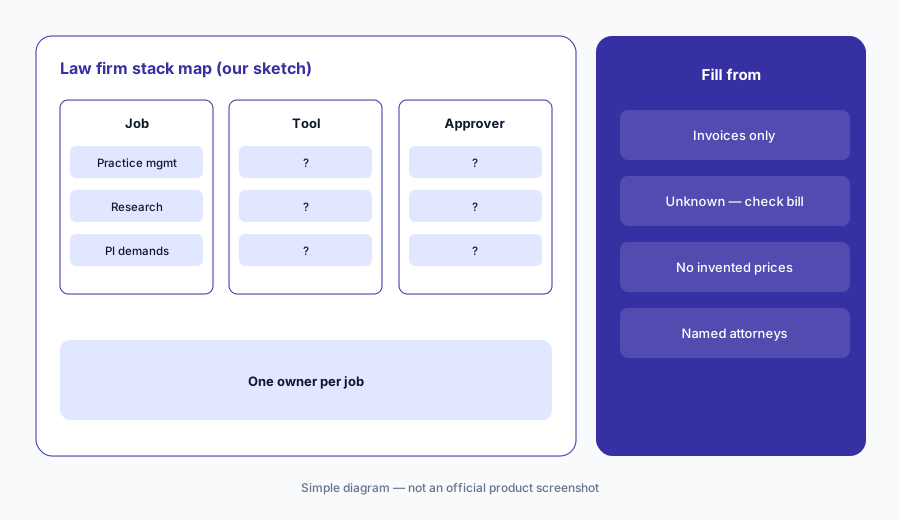
Primary workflow:
List every AI feature your firm pays for today. Have the managing partner write one job and one named approving attorney next to each before adding another tool.
2. One owner per job, and Cost/mo from invoices
What it is: For each job, write one owner — the person who can change the settings or cancel the tool — and the monthly cost from the contract, invoice, or card statement. If you can't find it, write "Unknown — check bill". Don't fill costs from list prices. Many vendors in today's reviews are quote-only — Harvey, Legora, Filevine, EvenUp, Supio, Everlaw, and iManage among them. Others publish list prices (Clio, 8am MyCase, Smokeball, and Briefpoint), Steno says its transcript AI comes with its depositions, and AI is often an add-on tier, a per-seat upgrade, or folded into a research or case management contract — so your bill is the only number that counts.
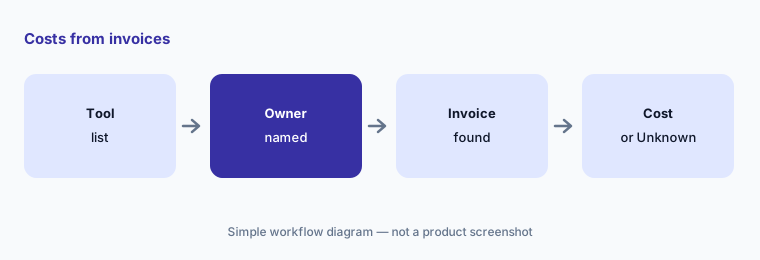
Costs from invoices only:
For each of the ten jobs, have the firm controller name one owner and fill Cost/mo from contracts and invoices only. If missing, write Unknown — check bill. Do not invent prices, per-case fees, or per-seat figures.
3. Mark overlaps in plain language
What it is: For each job with two or more tools, write one sentence about what both do — for example, "The practice management system and the drafting assistant both summarize deposition notes for the same matters." Common law firm overlaps: matter summaries and drafting in practice management, document management, and a drafting assistant (Clio vs 8am MyCase, Harvey vs Legora, What’s new in Clio (Sep 2026), What’s new in Harvey (Sep 2026)); citations suggested by two research platforms and a drafting assistant (CoCounsel Legal vs Lexis+ with Protégé); demands drafted by a PI tool and a case management platform (EvenUp vs Supio, Eve AI, Litify AI); and transcripts and productions reviewed in eDiscovery and in a deposition tool (Relativity aiR, Steno AI).
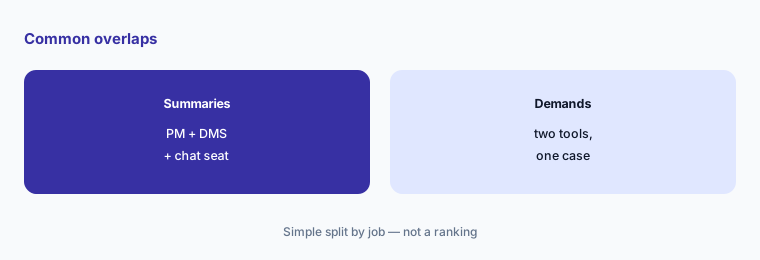
One sentence per overlap:
Wherever two tools share a job, have the practice manager write what both do in one sentence — for example, both summarize the same depositions. Ask each tool's owner to confirm it before anyone suggests dropping a seat.
4. Name an approving attorney for every output
What it is: Fill the Approving attorney column per output, not per tool. Many legal tools can now act, not just draft — send an intake follow-up, file a document to a matter, suggest objections, cut a deposition clip, or produce documents. Name the licensed attorney who approves each: the attorney of record for every filing and discovery response; the responsible attorney for every citation; the PI attorney for every demand; the docketing attorney for every deadline; the responsible partner for every client message; and the intake attorney for every automated message to a prospective client. Write what client data may go in, and check the vendor's terms before confidential material does. September changelogs show why this matters — see What’s new in Clio (Sep 2026) and What’s new in Harvey (Sep 2026).
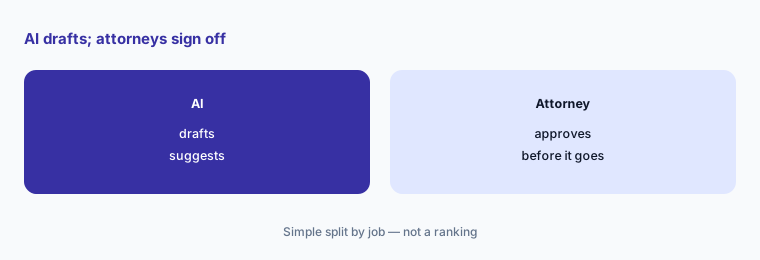
Who signs off, what goes in:
For each tool, have the managing partner write which attorney approves filings, citations, demands, deadlines, discovery responses, and client messages, and one line on what client data may go in.
5. Write one-sentence decisions
What it is: For each overlap, write one decision: keep both (with a reason), consolidate into one, or pause one for 30 days. Name who owns the follow-up and the renewal date. Start with the three rows where overlap costs the most attention: matter summaries, citations, and demand letters — the places where two outputs for one task reach a court, an opposing party, or a client.
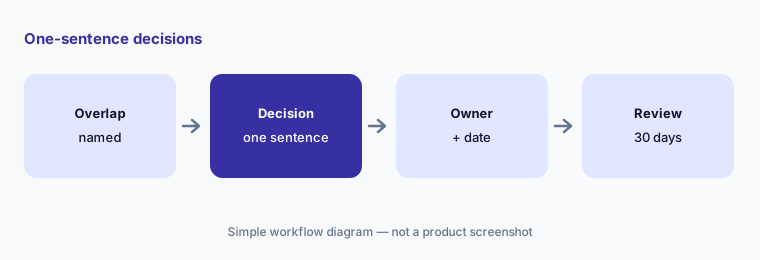
One sentence, one owner:
For the matter summaries, citations, and demand letters rows only, have the managing partner write a Decision in one sentence each (keep both, consolidate, or pause), name who owns the follow-up date, and note any renewal date.
6. Run a 30-day check
What it is: After 30 days, check each paused or consolidated tool with three questions: did anyone ask for it back, did any filing, deadline, or client message fall through, and did every output still reach its named approving attorney? Update the table and keep it next to your renewal list. Revisit it after each big vendor release — compares such as Clio vs 8am MyCase, Harvey vs Legora, EvenUp vs Supio, and CoCounsel Legal vs Lexis+ with Protégé show how far the overlap goes.
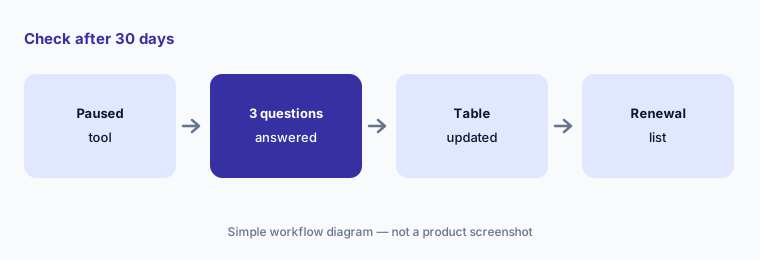
Check after 30 days:
After 30 days, have the firm administrator ask the managing partner three questions for each paused tool: did anyone ask for it back, did any filing, deadline, or client message fall through, and did every output reach its named approving attorney? Update the table.
Pricing context (October 2026)
This how-to does not quote vendor prices. Fill Cost/mo from your contracts and invoices only; use Unknown — check bill when missing. Today's law firm reviews (checked 20 Oct 2026) note which vendors are quote-only — many of them — and which publish list prices.
Our soft offers stay $9 for the toolkit spreadsheet and $19 for the audit — links on /stack and /audit.
Uncertainty: Legal software is often sold on custom contracts, with AI as an add-on tier, a per-seat upgrade, or folded into a research or case management agreement, so a list price would not be your bill even where one exists. This page invents none. Vendor AI features and the actions they can take change with each release — re-check each tool's settings after major updates. Nothing here is legal advice; confidentiality and ethics rules depend on your jurisdiction and your firm's policies.
When it’s useful (honest take)
Useful when you suspect three tools summarize the same matter, suggest the same citation, or draft the same demand, and nobody is sure which attorney signs off.
Less useful when you only need a single-product review — start from Clio AI or Harvey AI instead.
Comparing several AI tools for the same job? The $9 AI toolkit spreadsheet puts each one you pay for on one page with cost, usage, and payback, so overlaps are easy to spot.
Want someone to do it for you? AI toolkit audit — $19
Related options (educational)
| Need | Better home | Why |
|---|---|---|
| Practice management compare | Clio vs 8am MyCase | Compare |
| Drafting assistant compare | Harvey vs Legora | Compare |
| PI demands compare | EvenUp vs Supio | Compare |
| Legal research compare | CoCounsel Legal vs Lexis+ with Protégé | Compare |
| Chat assistant roles | ChatGPT for law firm ops / Microsoft 365 Copilot for law firm ops | Role |
FAQ
What columns does the table need?
Job, Tool, Owner, Approving attorney, Cost/mo, Overlap, and Decision — plus Data rules once you are ready.
What if I cannot find a price?
Write Unknown — check bill. Do not invent amounts from directories, a vendor's sales deck, or a list figure that is not your contract.
Which ten jobs?
Practice management AI, document management AI, firm-wide drafting assistants, litigation and PI case management, legal research, PI demands and medical records, eDiscovery, intake, written discovery and depositions, and the chat assistant — the inventory order for this page.
Can AI file, cite, or message a client on its own in this inventory?
No. The inventory assumes a licensed attorney owns any filing, citation, demand, deadline, client message, or discovery response — and owns any automatic setting a tool offers. Nothing here is legal advice.
Where do chat assistants fit when client data is involved?
On the chat-assistant row, with a data rule the firm writes down. See ChatGPT for law firm ops and Microsoft 365 Copilot for law firm ops for what each vendor says about data use.
Optional next step (if seats overlap)
If your firm pays for practice management AI, a drafting assistant, a research agent, PI or discovery tools, and chat seats that all touch the same matter, finish this inventory before the next renewal. Map the overlap with the $19 AI toolkit audit or the $9 AI toolkit spreadsheet. Email Audit $19 or Toolkit spreadsheet $9.
Checkout is live via Stripe. After you pay, we email delivery (spreadsheet) or intake next steps (audit).