Tool · Law firm ops · Relativity · Oct 2026
Relativity aiR review (Oct 2026): aiR for Review, custom analyses, aiR for Privilege, and conversational AI in RelativityOne
Relativity is the Chicago company behind the RelativityOne eDiscovery platform. On 16 September 2026 it renamed its cloud platform RelativityOne to Relativity aiR, and its help center now calls aiR for Review aiR Review and aiR for Privilege Privilege. This page uses both the old and new names. It covers relevance review, custom analyses, privilege predictions with draft log descriptions, and two conversational tools — aiR Assist (generally available) and claiR (in Advanced Access). Each section has a Try this.
What this Relativity aiR page covers
This page is for a litigation partner, review attorney, privilege review lead, or litigation support manager at a firm that runs discovery on Relativity or is comparing platforms. It is educational and not legal advice. We did not test Relativity; facts come from Relativity's newsroom, blog, help center, and pricing page read on 20 October 2026, plus a PR Newswire release.
Relativity's 16 September 2026 release says RelativityOne is now Relativity aiR, the same platform under a new name, and that the platform's AI is included in its current pricing. The name “Relativity aiR” used to mean only the AI features; now it means the whole platform. Expect contracts, training material, and older pages to use RelativityOne, aiR for Review, and aiR for Privilege.
Relativity attributes large numbers to aiR — more than 620 million “high-value legal results” in 2026 as of 9 September, defined as work a qualified human confirmed and used on real matters, and customer stories with precision rates as high as 99.8% on some productions. Those are Relativity's figures, not ours.
Ground rules: a licensed attorney owns any filing, citation, demand, deadline, client message, or discovery response that comes out of Relativity aiR. The review attorney validates relevance calls on a coded sample before scaling, the privilege review attorney owns every privilege call and every log entry, and the supervising partner decides what is produced.
Major features (with how someone uses them)
Examples at a glance: each feature has a concrete example from a real job plus a short Try this you can run this week.
1. aiR Review relevance calls with rationale and citations (primary)
What it is: Relativity's aiR Review help says the tool uses an Azure OpenAI model to read each document's extracted text against prompt criteria written by subject-matter experts and returns a recommendation (such as relevant, not relevant, or borderline), a rationale, considerations about possible errors, and citations — up to five per document for relevance analyses and one per issue for issues analysis — which aiR verifies against the document. Analysis types are Relevance, Relevance and Key Documents, Issues, Confidential Business Information (phased rollout), and Custom. Relativity recommends starting on a sample already coded by human reviewers and refining the criteria when predictions differ.
The rationale makes disagreements easy to read, which is the point: every mismatch with the human call is either a criteria problem or a coding problem, and the review attorney should know which before the set grows.
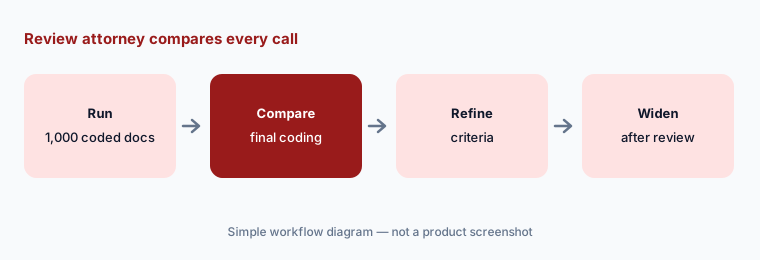
Primary workflow:
Run aiR for Review on a closed matter's first 1,000 documents. Have the review attorney compare every relevance call and rationale with the final coding before widening to a live matter.
2. Custom analyses: your own prompts, run on every document
What it is: Custom analyses reached general availability at RelFest London on 16 June 2026, standard in the platform by the end of June. Relativity's help center says a project can have up to five custom insights, each a plain-language instruction (summary, yes/no, classification label, extraction, short explanation) run on every eligible document, with a Text model for extracted text and a Vision model for scans, photos, screenshots, and handwriting. Results stay inside the aiR Review project until someone runs Apply to publish them to document fields, and Review Center prompt validation does not cover custom analyses.
Because validation tooling does not cover custom insights, the team has to build its own check: a sample with known answers, written down before the insight is applied to fields others will search.
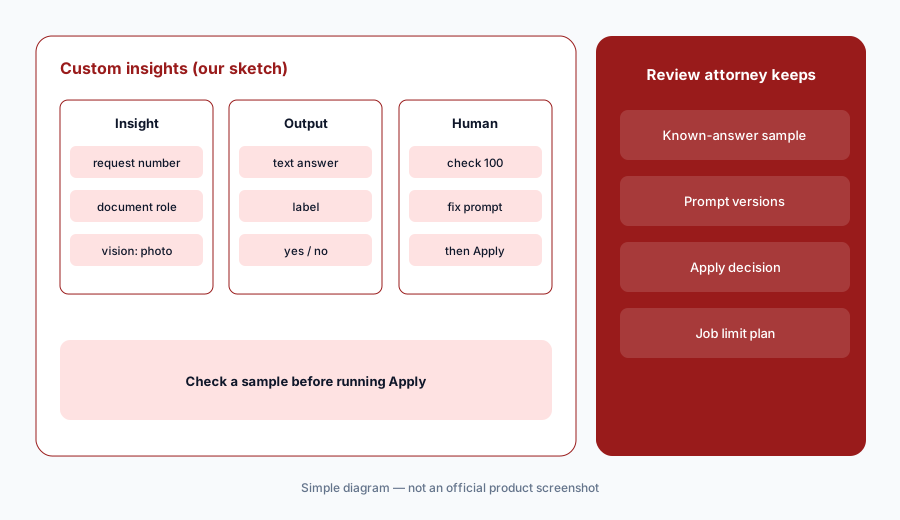
Check before Apply:
Write one custom insight on a closed matter. Have the review attorney check 100 results against the documents before anyone runs Apply to publish them to document fields.
3. Privilege (formerly aiR for Privilege): predictions and draft log descriptions
What it is: Relativity's Privilege help says it combines generative AI, machine learning, and social network graphs to predict whether documents may be privileged, explaining each prediction with rationales, citations, considerations, and a draft privilege log description. Users upload known attorneys and law firms, confirm the AI's annotations, and decide which people and firms are privilege conferring, neutral, or breaking. Predictions are deliberately conservative to favour recall. Draft log descriptions follow a set structure (document type, legal action, subject matter) and land in a field that cannot be edited, so Relativity recommends copying them into a separate field to finalize.
Relativity says it tested Privilege mainly on English documents, and the tool only reads email headers in nine languages. A privilege log goes to the other side and the court; every entry needs an attorney's judgement for the jurisdiction.
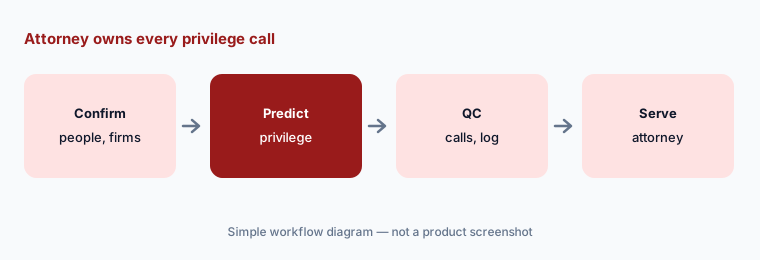
Own every privilege call:
On a closed matter, run Privilege and have the privilege review attorney compare its predictions and draft log descriptions with the log the firm actually served before using it on a live production.
4. aiR Assist: plain-language questions with cited answers
What it is: aiR Assist became generally available at RelFest London (16 June 2026). Relativity says users ask questions in plain language and get citation-backed answers that connect documents, evidence, and relationships across a project, from the moment data arrives, with support for up to 300,000 documents per index and 1.5 million documents per workspace. Relativity says aiR Assist will also power interactive memo drafting in aiR for Case Strategy, which joined the standard offering on 1 July 2026.
Early case questions shape staffing and strategy. Treat a cited answer as a starting point for the case team, and record which documents it rested on.
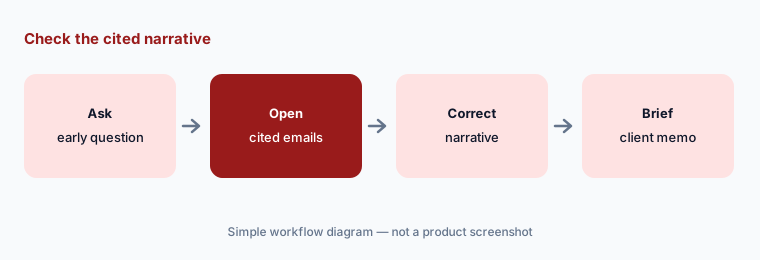
Check the narrative:
Ask aiR Assist three early case questions on a closed matter. Have the associate open every cited document and compare the answers with the early case memo the team actually wrote.
5. claiR: conversational AI for lawyers (Advanced Access)
What it is: Relativity announced claiR on 12 August 2026 as a conversational experience for lawyers that reasons across a matter's documents, metadata, and connections and returns cited answers. Its product page describes custom AI data columns, document finding by description, pre-built and custom skills, and memo and summary drafting. claiR is in an Advanced Access program — A&O Shearman, Foley & Lardner, and K&L Gates first, with KPMG, Latham & Watkins, Ashurst Perkins Coie, and Troutman Pepper Locke added at RelFest Chicago (29 Sep 2026) — with general availability planned for early 2027 and inclusion in Relativity aiR pricing expected at no additional cost.
Advanced Access means the product is still changing. Firms not in the program should not plan a 2026 workflow around it; firms in it should keep a log of answers checked against the record.
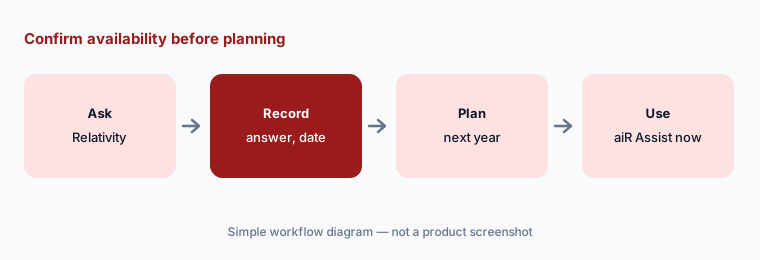
Confirm before planning:
Before planning any workflow around claiR, have the KM partner confirm with Relativity in writing whether it is available to your firm and when, and record the answer and date.
6. Case Strategy, Microsoft Word via Gavel, and MCP connections
What it is: aiR for Case Strategy builds a chronological narrative from analysed documents for witness prep and case theory. Relativity acquired Gavel to bring the platform into Microsoft Word (16 Sep 2026), and its Model Context Protocol integrations let outside AI assistants such as Claude, Gemini, Copilot, and ChatGPT Enterprise set up workspaces and manage day-to-day operations in natural language, which Relativity says are audited as the user who ran them (pricing page; 16 Jun 2026).
An assistant that can set up workspaces and change access is acting with your administrator's permissions. Keep those connections to named people and review the audit log.
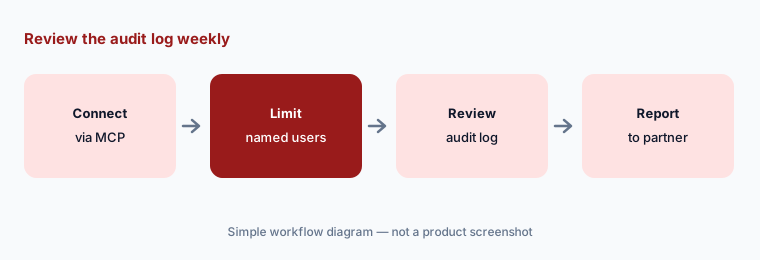
Review the audit log:
If you connect an outside AI assistant through MCP, have the litigation support manager review every action in the audit log weekly for the first month and report changes to access to the supervising partner.
Pricing context (October 2026)
Relativity publishes no dollar prices (checked 20 Oct 2026). Its pricing page says AI capabilities come standard with your committed data volume, with pay-as-you-go or one- or three-year commitments, no separate AI licenses, and no per-user fees, and lists claiR, Assist, aiR Review, Privilege, and Case Strategy as included. Specialized solutions such as data breach response are licensed separately. Pricing is quote-only (as of 20 Oct 2026).
One conflict to clear up: the pricing page lists Privilege as included, but Relativity's Privilege help says you must complete Privilege contracting and have the application installed before use. Ask your account team which applies to your contract, how data volume is measured, and what the custom-analysis job limits (20 concurrent jobs; each insight counts as a job) mean for large matters.
Uncertainty: We did not test Relativity aiR. Features, dates, names, and limits come from Relativity's newsroom, blog, help center, and pricing page read on 20 Oct 2026 and one PR Newswire release. Product names changed in 2026, so older contracts and pages use RelativityOne, aiR for Review, and aiR for Privilege. claiR is in Advanced Access. Precision and volume figures are Relativity's.
When it’s useful (honest take)
Useful when your firm already runs discovery on Relativity, handles productions large enough that first-pass and privilege review are real costs, and has a review attorney and privilege review attorney who will validate samples and own every call.
Less useful when your matters are small, you run discovery on another platform (Everlaw AI), or you mainly need case management, intake, or PI demand work (Litify AI, Lawmatics AI, Supio).
Paying for Relativity aiR and a few other AI tools? The $9 AI toolkit spreadsheet lists every AI subscription you have, what each one costs, and how fast it pays for itself, so you can see which ones are worth the money.
Want someone to do it for you? AI toolkit audit — $19
Related options (educational)
| Need | Better home | Why |
|---|---|---|
| eDiscovery with aiR Review, Privilege, Assist | Relativity aiR (this page) | Quote; AI with data volume |
| eDiscovery with Deep Dive and Coding Suggestions | Everlaw AI | Quote only; AI on credits |
| Large-firm drafting and review platform | Harvey AI / Legora AI | Quote only |
| Research and citator checks | Lexis+ with Protégé | Quote only |
| Firm document and email management | iManage AI | Quote; AI add-ons |
FAQ
Is Relativity aiR the same as RelativityOne?
Yes. On 16 September 2026 Relativity renamed RelativityOne to Relativity aiR. It says it is the same platform; the name used to refer only to its AI features. Its help center also now calls aiR for Review “aiR Review” and aiR for Privilege “Privilege”.
What does aiR for Review return for each document?
A recommendation such as relevant, not relevant, or borderline, a rationale, considerations about possible errors, and citations from the document (up to five per document for relevance analyses). Relativity recommends testing the criteria on a sample already coded by people.
How much does Relativity aiR cost in October 2026?
Relativity publishes no dollar prices. Its pricing page says AI comes standard with your committed data volume, with no per-user fees, and offers pay-as-you-go or one- or three-year commitments. Treat it as quote-only.
Is claiR available now?
Not generally. claiR was announced on 12 August 2026 in an Advanced Access program with a small group of firms and KPMG. Relativity plans general availability in early 2027. aiR Assist, a conversational question tool, is generally available.
Who should own privilege calls made with Relativity Privilege?
The privilege review attorney. Privilege predicts and drafts log descriptions; an attorney confirms roles, QCs the calls, and finalizes every log entry for the jurisdiction before anything is produced or served.
Optional next step (if seats overlap)
If you pay for Relativity data volume, a second review platform, and drafting tools that read the same productions, that overlap is worth mapping. Map the overlap with the $19 AI toolkit audit or the $9 AI toolkit spreadsheet. Email Audit $19 or Toolkit spreadsheet $9.
Checkout is live via Stripe. After you pay, we email delivery (spreadsheet) or intake next steps (audit).