Tool · Law firm ops · Clio · Oct 2026
Clio AI review (Oct 2026): Manage AI deadlines and billing, Clio Work agentic research and drafting, Skills, Memory, and Visualizations for solo and small firms
Clio is the cloud practice-management system many solo, small, and mid-sized law firms run on. Its AI now comes in two parts: Manage AI inside Clio Manage (deadlines pulled from court documents, AI-drafted bills, client updates) and Clio Work, a separate AI workspace for research, analysis, and drafting that gained agentic tasks, Skills, Memory, and Visualizations in 2026. This page is about using both while a named attorney still owns every date, bill, and word that leaves the firm. Each section has a Try this.
What this Clio page covers
This page is for a managing partner, firm administrator, or practice manager at a solo or small firm that runs on Clio or is evaluating it. It is not legal advice, and nothing here replaces a lawyer reading the rule, the order, or the case.
Clio describes Manage AI as the next step after Clio Duo: it extracts deadlines from court documents and schedules them, drafts invoices and routes them to approvers, files emails and attachments to matters, builds task workflows, and drafts letters and client updates. Clio Work is the AI workspace for research and drafting, built on Vincent by Clio and the Clio Library; since April 2026 it is sold on its own as well as with Clio Manage (LawSites).
Governance worth knowing before you turn anything on: Clio's help center lists an AI Event Log covering the last 90 days and a firm-level AI access switch for administrators (Clio Work sits outside that switch). Clio's pricing FAQ says firm data is never used for AI training. Ground rules: the responsible attorney confirms every AI-calendared date; the billing partner approves every AI-drafted bill; no client update goes out unread.

Major features (with how someone uses them)
Examples at a glance: each feature has a concrete example from a real job plus a short Try this you can run this week.
1. Deadlines pulled from court documents (primary)
What it is: Manage AI reads court documents, extracts dates, and turns them into calendar events and tasks; Clio's pricing page lists this on Core and above as “turn documents into calendar events and tasks, confirmed against the source,” and the AI Actions card in a matter asks you to review events it captured.
A wrong date on the firm calendar is a malpractice problem, not a software glitch. Court days vs calendar days, service method, and holidays all change the count.
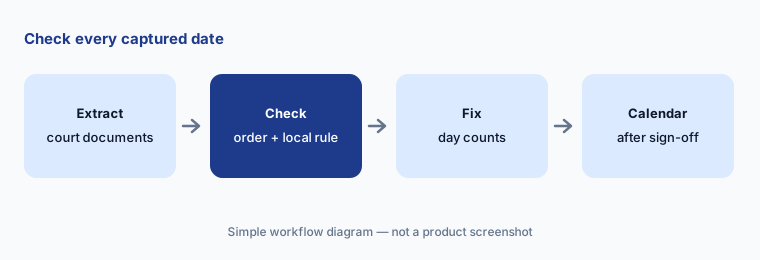
Primary workflow:
Pick ten court documents where Manage AI pulled deadlines into the calendar. Have the responsible attorney check every date against the order and the local rules before anyone relies on the calendar entry.
2. AI-drafted bills on a schedule
What it is: Clio says Manage AI can auto-generate draft invoices, route bills to the right approvers, and configure end-of-month billing once you set billing parameters (ClioCon 2025); the pricing page lists automated billing on Core and above.
Client billing guidelines (block billing, task codes, rate caps) are where draft bills go wrong. The draft is a start, not an approval.
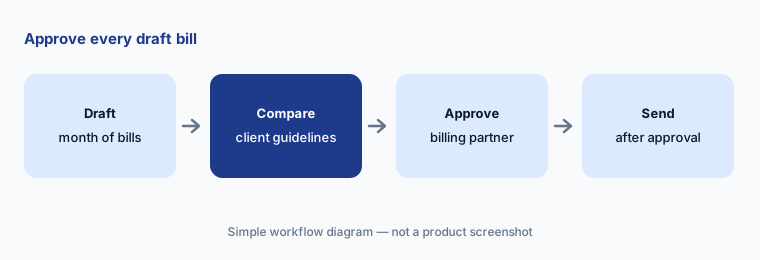
Approve before send:
Let Manage AI draft one month of bills for five matters. Have the billing partner compare each draft with the client's billing guidelines before any bill is sent.
3. AI client updates and matter catch-up
What it is: On Core and above, Clio drafts client updates from real matter activity, and the Catch up widget in a matter shows an AI summary of recent activity that refreshes in the background (help center).
Matter activity includes internal notes. An update drafted from everything can repeat something the client should never see.
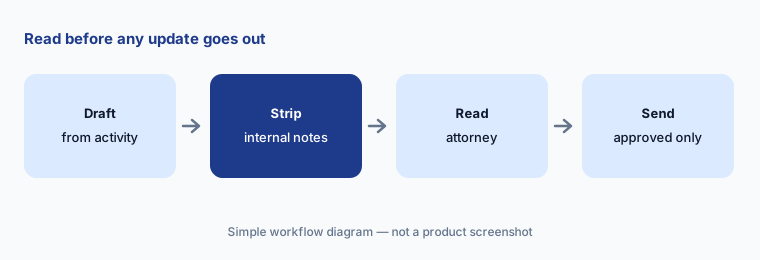
Read before send:
Generate client updates for ten matters. Have the responsible attorney remove anything drawn from internal notes before a single update is sent.
4. Clio Work research with citations
What it is: Clio Work answers research questions in natural language with citation-backed results from the Clio Library (Clio says over 1 billion documents) and can read your matter documents and recordings; Clio's Clio Work pricing page also lists Clio Docket for court filing alerts.
A cited answer is still a lead. Read the authority in full; a citation can support a narrower point than the answer claims.
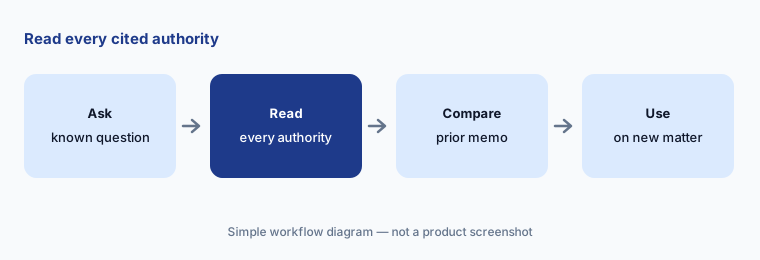
Read every authority:
Ask Clio Work one research question your firm answered last quarter. Have the associate read every cited authority in full and compare the answer with the memo you filed before trusting it on a new matter.
5. Agentic tasks, Skills, and Memory
What it is: Since 2 April 2026 Clio Work can run multi-step tasks from one goal-style prompt, showing thinking traces you can interrupt or redirect (Clio says 84% of AI queries were already freeform, goal-based requests). The 30 July 2026 update added Skills (saved standards for a task, plus pre-loaded ones such as discovery review and memo drafting), Memory (key facts, preferences, past conversations), and Clio Grow context for firms that use both products.
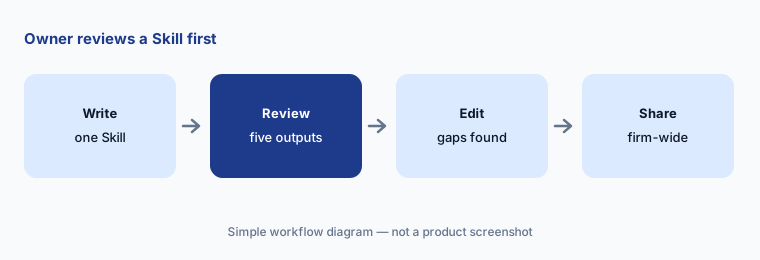
A Skill copies one person's standards to everyone. If the standard is wrong, the mistake scales.
Owner reviews first:
Write one Skill for the memo format your partner prefers. Have that partner review the first five memos it shapes before the Skill is shared firm-wide.
6. Visualizations and Clio for Word
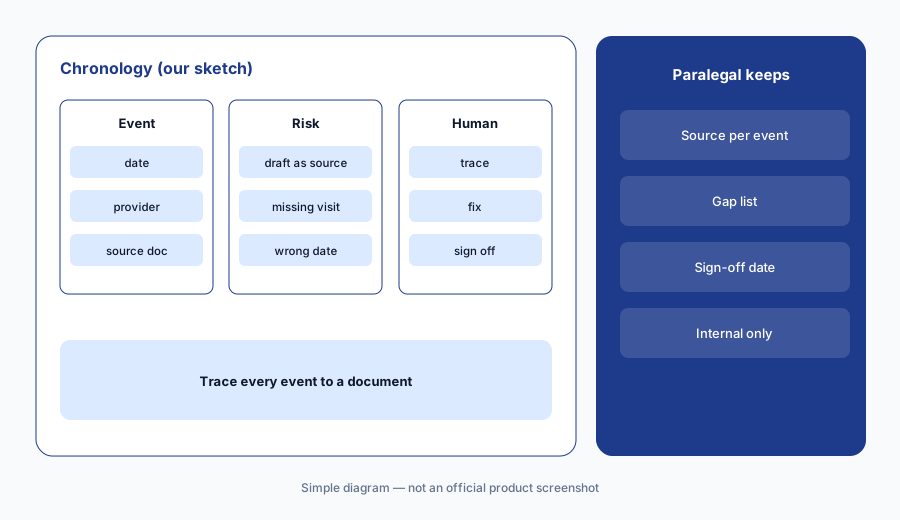
What it is: On 1 October 2026 Clio introduced Visualizations in Clio Work: describe a view such as an interactive chronology, settlement calculator, client dashboard, or firm-wide performance view, and Clio Work writes and runs the code to build it from one matter or many. Separately, Clio for Word (30 Jul 2026) brings drafting and review into Microsoft Word, with proposed edits shown as track changes and research results linked to their sources.
A chronology that looks finished is easy to trust. Every event still has to trace back to a document.
Trace every event:
Ask Clio Work for an interactive chronology on one closed matter. Have the paralegal check every event and date against the source documents before using one on a live case.
Pricing context (October 2026)
Clio's pricing page (checked 20 Oct 2026) prints one number: Starter starting at $49 per user per month (Clio Manage; the comparison table shows no AI features on Starter). Core, Signature, and Elite are quote-based (“Get pricing”). Clio's FAQ says AI is included on Core and above rather than sold as a separate add-on.
Clio Work uses “per-user pricing” with a free trial or demo and no printed price (Clio Work pricing). LawSites reported a $199 per user per month add-on price at the October 2025 launch, for Clio Manage subscribers — a dated report, not today's rate card. The Signature Work and Elite Work bundles are quote-based; Clio says they save over 10% and over 18% versus buying the products separately (packages).
Payment processing is listed the same on every plan: card 2.95% (3.75% Amex), eCheck/ACH 1%, Pay Later with Affirm 4.95%. Clio Grow's AI phone, web, and email agents are priced “pay per matter hired with Grow AI's help”; Personal Injury and Advanced Document Automation add-ons are quote-only.
Uncertainty: We did not test Clio. Prices beyond Starter, Clio Work's current price, and which AI features land in which tier for your firm come from Clio's pages as read on 20 Oct 2026 and can change. Time-saved and usage figures (for example, Clio Duo users reclaiming “as much as five hours each week”) are Clio's claims, not our measurements.
When it’s useful (honest take)
Useful when your firm already runs Clio Manage (or is choosing a practice system), deadlines and billing prep eat staff hours, and a named attorney will confirm every captured date and approve every bill.
Less useful when your work lives in large data rooms and matter Spaces at a big firm (Harvey AI), you run high-volume PI litigation that needs demand letters and medical chronologies (Filevine AI), or you are an in-house team redlining contracts (Spellbook).
Paying for Clio AI and a few other AI tools? The $9 AI toolkit spreadsheet lists every AI subscription you have, what each one costs, and how fast it pays for itself, so you can see which ones are worth the money.
Want someone to do it for you? AI toolkit audit — $19
Related options (educational)
| Need | Better home | Why |
|---|---|---|
| Practice-management AI: deadlines, bills, client updates | Clio AI (this page) | From $49/user (Starter); AI on Core and above, quote |
| Large-firm agents inside matter Spaces | Harvey AI | Quote only |
| PI and litigation case AI, demands, chronologies | Filevine AI | Quote only |
| Contract redlines in Word (in-house job) | Spellbook | Different job |
| Sanitized policy drafts in general chat | Claude for legal ops | No matter data |
FAQ
What is the difference between Manage AI and Clio Work?
Manage AI lives inside Clio Manage and handles practice tasks such as deadlines from court documents, draft bills, and client updates. Clio Work is a separate AI workspace for legal research, analysis, and drafting, sold on its own or with Clio Manage.
Is AI included in Clio plans in October 2026?
Clio says AI is included on Core and above, not sold as a separate add-on. Starter (from $49 per user per month) shows no AI features. Clio Work is priced separately per user by quote.
How much does Clio Work cost?
Clio does not print a current price; its page says per-user pricing with a trial or demo. LawSites reported $199 per user per month at the October 2025 launch. Ask for a written quote.
Can Clio's AI be turned off?
Clio's help center describes a firm-level AI access setting for administrators that covers Clio Manage and Clio Grow, and an AI Event Log for the last 90 days. Clio Work sits outside that setting.
Who should check Clio AI output?
The responsible attorney for every captured deadline and client update; the billing partner for AI-drafted bills; the associate for every cited authority; a paralegal plus attorney for chronologies.
Optional next step (if seats overlap)
If you pay for Clio, a separate research subscription, and a general chat seat that all draft the same memos, that overlap is worth mapping. Map the overlap with the $19 AI toolkit audit or the $9 AI toolkit spreadsheet. Email Audit $19 or Toolkit spreadsheet $9.
Checkout is live via Stripe. After you pay, we email delivery (spreadsheet) or intake next steps (audit).