Tool · Law firm ops · Filevine · Oct 2026
Filevine AI review (Oct 2026): LOIS console, DemandsAI demand letters, MedChron chronologies, LOIS Legal Research, and Depo CoPilot for litigation firms
Filevine is case-management software used widely by plaintiff personal-injury and litigation firms. Its AI layer is called LOIS (Legal Operating Intelligence System): since June 2026 a LOIS console can run agents across every matter and write results back as tasks, deadlines, calendar entries, and documents. Around it sit DemandsAI, MedChron chronologies, AIFields, a passage-level legal research tool, and Depo CoPilot for depositions. This page is about using them while a named attorney still checks every figure and citation. Each section has a Try this.
What this Filevine page covers
This page is for a managing attorney, case manager, operations director, or litigation paralegal at a firm on Filevine or evaluating it. It is not legal or medical advice; demands, chronologies, citations, and deposition notes are drafts until a lawyer has checked them.
Filevine's 2 June 2026 LOIS console launch describes AI that reads matters and then acts on them: it sets tasks, moves deadlines, updates calendars, generates documents, refreshes contact records, and runs reports. Filevine says LOIS is informed by more than 40 million legal matters across 6,000+ firms — its figures. The LOIS help page (updated 1 Oct 2026) lists where LOIS appears: the console, a side panel in Filevine, LOIS for Word, MedChron, Depositions, Lead Docket, AIFields, ImmigrationAI, and DemandsAI.
Ground rules: a write-back that moves a deadline is reviewed like a human change; the handling attorney signs every demand; a paralegal and attorney check every chronology against the records; nobody cites a case from an AI memo without reading it. Filevine's own product terms say LOIS Legal Research output is not legal advice and that subscribers must verify every citation.

Major features (with how someone uses them)
Examples at a glance: each feature has a concrete example from a real job plus a short Try this you can run this week.
1. LOIS console across every matter (primary)
What it is: The LOIS console takes requests across projects, drafts documents, builds skills, and writes results back into Filevine. Filevine's own example is asking which open matters need a demand letter this week and having drafts waiting for review within minutes (2 Jun 2026). Per the product specifications, the console is in LOIS Advanced and Expert, not the entry LOIS Assistant package.
Write-back is the point and the risk. A wrong task, date, or contact update lands in the system of record your whole team trusts.
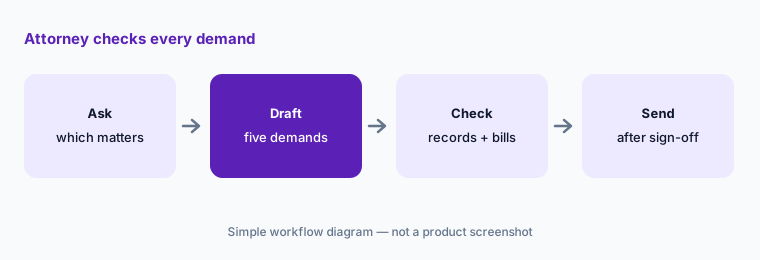
Primary workflow:
Ask LOIS which open matters need a demand letter this week and let it draft five. Have the handling attorney check every injury, treatment date, and dollar figure against the medical records and bills before any demand goes out.
2. DemandsAI demand letters
What it is: DemandsAI drafts demand letters (or other documents) from Filevine case data and a project template. Per the help center (updated 14 May 2026), you choose the template, select human-known information such as medical providers, deposition materials, expert reports, and strategic positioning, then generate each section; sections can be regenerated, anything can be edited, and the result exports to Word or PDF.
The section-by-section design helps: review the specials and liability sections separately instead of skimming a finished letter.
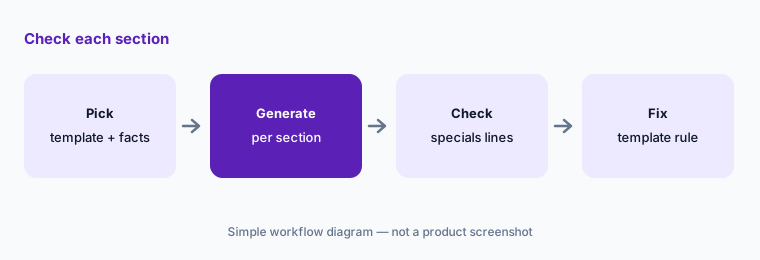
Check each section:
Generate one DemandsAI draft per section for a closed case. Have the handling attorney check every specials line against the bills before reusing the template.
3. MedChron medical chronologies
What it is: MedChron by Filevine extracts key facts from medical records and builds chronologies (Filevine help center). Filevine's product specifications (24 Aug 2026) list Chronologies (MedChron) only in the LOIS Expert package; image and video analysis (DICOM) sits in all three LOIS case packages.
Chronologies drive the demand and the damages story. A missed visit or a wrong date is a value problem, so check against the records, not against the summary.
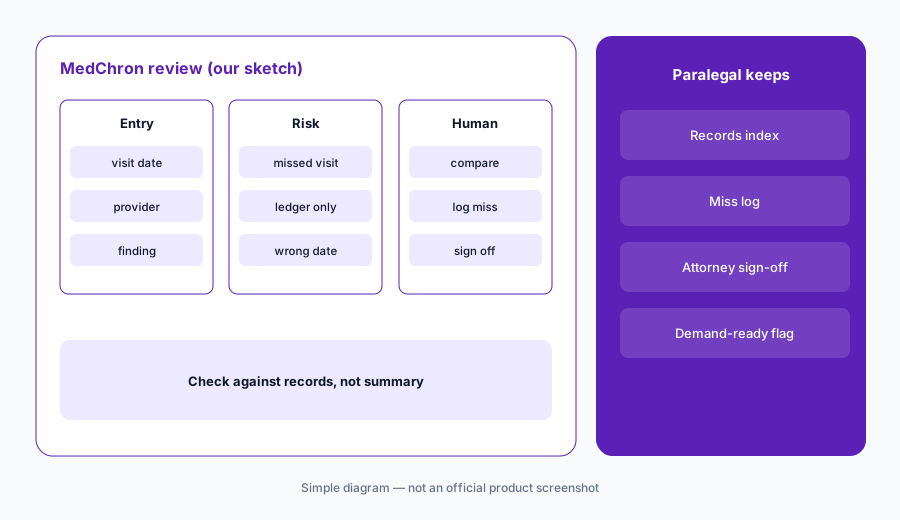
Compare with records:
Run MedChron on three closed cases that already have a human chronology. Have the paralegal mark every missed or wrong entry before relying on it for new files.
4. AIFields and AI Data Mapping
What it is: AIFields and AI Data Mapping populate Filevine project fields from documents (help center); when Filevine launched AI Fields in May 2023 it described OCR that can read handwritten notes and text in images, with extracted data feeding reports and demand generation.
Extracted fields flow into reports and demands. One wrong policy limit can shape a whole settlement conversation.
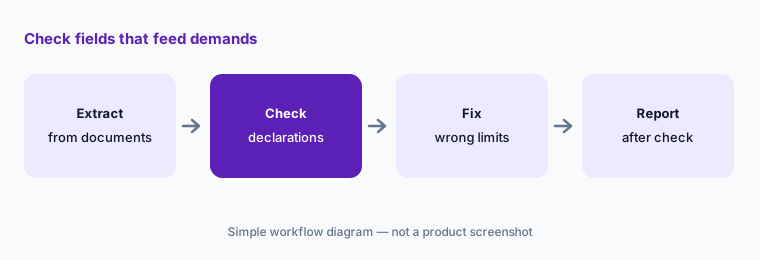
Check feeding fields:
Let AIFields fill insurance and policy-limit fields on twenty new cases. Have the case manager check every field against the declarations page before reports use it.
5. LOIS Legal Research passage-level citator
What it is: LOIS Legal Research (release dated 22 Jun 2026) lets a lawyer highlight the exact passage or holding they plan to rely on and returns a structured memo on how later courts treated that proposition, combining a citation-graph search with a semantic search for opinions that engage the same point without citing it, plus a treatment signal and table of authorities. It runs as an asynchronous job inside the LOIS console and is billed per user per month as a separate add-on.
A treatment memo is a reading list. The later opinion still has to be read before your brief changes.
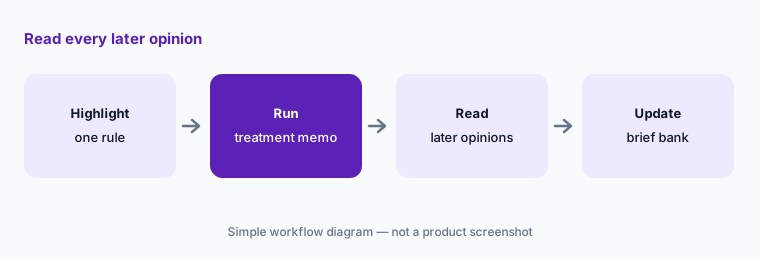
Read the opinions:
Highlight one rule you cite often and run LOIS Legal Research on it. Have the associate read every later opinion in its memo before changing your brief bank.
6. Depo CoPilot and deposition summaries
What it is: Depo CoPilot transcribes and analyzes depositions in real time with goal tracking and follow-up suggestions; after a deposition hosted with Filevine you get an AI transcript and summary (Filevine). Filevine's terms say Depo CoPilot is not an official legal transcription, that the subscriber must obtain recording consents, and that plans come in tiers with a set number of depositions per year that do not roll over.
The certified transcript is the record. AI notes are for the questioner, not for citing.
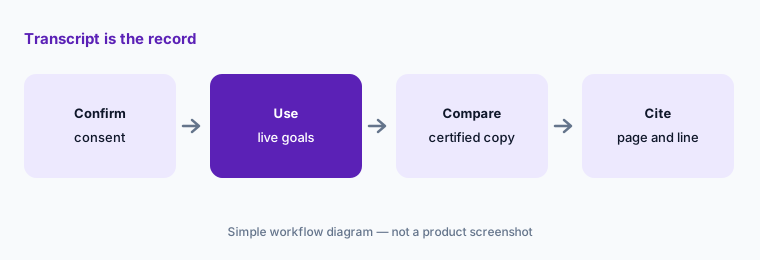
Transcript is the record:
Use Depo CoPilot in one low-stakes deposition with consent confirmed. Have the deposing attorney check its summary against the certified transcript before anyone cites it.
Pricing context (October 2026)
Filevine's pricing page says “All packages are custom built for your team's needs” — there is no price list, so Filevine and LOIS are quote-only (checked 20 Oct 2026). Filevine does offer a free LOIS Explore tier for research and drafting without a case-management connection.
Its product specifications (last updated 24 Aug 2026) explain how billing works without giving rates: the base platform is per user per month with metered AI (three chats per user per month unless your sales order says otherwise); LOIS Assistant, Advanced, and Expert are billed per Project with a contracted yearly minimum that is use-it-or-lose-it; LOIS Legal Research and LOIS for Meetings (iOS only) are per user per month; Depo CoPilot is sold in tiers by deposition count.
The few unit prices published there are for Lead Docket: a text line is $20 per month per number including 1,000 texts and 300 minutes, then $0.02 per text and $0.05 per minute; automations beyond the included 500 actions per user per month are $100 per 500 actions. Ask which LOIS package includes the console and MedChron for your firm, and how Projects are counted.
Uncertainty: We did not test Filevine. Package contents and billing terms come from Filevine's product specifications and help pages as read on 20 Oct 2026 and apply only to what is on your sales order. Scale figures (40M+ matters, 6,000+ firms) and “first” or “only” language in Filevine releases are Filevine's claims; several LOIS features are listed by Filevine as initial-release services.
When it’s useful (honest take)
Useful when you run PI or litigation matters in Filevine, demands and chronologies eat staff hours, and a handling attorney and paralegal will check every figure against the records.
Less useful when you are a general small firm that mainly needs deadlines, billing, and client updates (Clio AI), a large firm working in data rooms and matter Spaces (Harvey AI), or an in-house team whose work is contracts (Ironclad).
Paying for Filevine AI and a few other AI tools? The $9 AI toolkit spreadsheet lists every AI subscription you have, what each one costs, and how fast it pays for itself, so you can see which ones are worth the money.
Want someone to do it for you? AI toolkit audit — $19
Related options (educational)
| Need | Better home | Why |
|---|---|---|
| PI and litigation case AI, demands, chronologies | Filevine AI (this page) | Custom quote; per-Project LOIS billing |
| Small-firm deadlines, bills, client updates | Clio AI | From $49/user; AI on Core and above |
| Large-firm agents in matter Spaces | Harvey AI | Quote only |
| Contract review in Word (in-house job) | Spellbook | Different job |
| Sanitized intake or policy drafts | Claude for legal ops | No case data |
FAQ
What is LOIS in Filevine?
LOIS (Legal Operating Intelligence System) is Filevine's AI layer. It answers questions across cases, drafts documents, and since June 2026 its console can act across matters by writing back tasks, deadlines, calendar entries, and documents.
How much does Filevine AI cost in October 2026?
Filevine publishes no price list; packages are custom quotes. Its product specifications say LOIS case packages are billed per Project with a yearly minimum, and LOIS Legal Research is a separate per-user add-on.
Is MedChron included in every LOIS package?
No. Filevine's August 2026 product specifications list MedChron only in LOIS Expert. Confirm against your own sales order.
Can Depo CoPilot replace the court reporter?
No. Filevine's terms say Depo CoPilot is not an official legal transcription. Use the certified transcript for anything you cite.
Who should check Filevine AI output?
The handling attorney for every demand and LOIS write-back that changes a deadline; a paralegal and attorney for chronologies and extracted fields; the associate for every authority in a research memo; the deposing attorney for deposition summaries.
Optional next step (if seats overlap)
If you pay for Filevine LOIS, a separate demand-letter service, and a research subscription that all touch the same PI file, that overlap is worth mapping. Map the overlap with the $19 AI toolkit audit or the $9 AI toolkit spreadsheet. Email Audit $19 or Toolkit spreadsheet $9.
Checkout is live via Stripe. After you pay, we email delivery (spreadsheet) or intake next steps (audit).