Tool · Legal · Spellbook · Oct 2026
Spellbook review (Oct 2026): contract drafting and review inside Word for legal ops
Spellbook is an AI add-in for Microsoft Word that reviews and redlines contracts, drafts clauses, answers legal questions with sources, and compares terms to market data. Lawyers and legal ops teams use it where they already work. This page walks through each feature with an example and a Try this. It is not legal advice; counsel decides every term.
What this Spellbook page covers
This page is for the in-house counsel, contracts manager, or legal ops lead who reviews third-party paper in Word and wants to know what Spellbook adds — and where a lawyer still makes the call.
Spellbook’s site moved from spellbook.legal to spellbook.com. Its pricing page lists the Spellbook Suite: the Word add-in (Review, Draft, Ask, Benchmarks, Playbooks) and Associate, which Spellbook calls an AI agent for multi-document legal matters, with your oversight. It is also taking early-access requests for Autonomous Contract Management (ACM), covering intake from email and Slack, a first-pass review, and a monitored repository.
Facts come from spellbook.com’s pricing, Review, Market, Draft, Ask, ACM, and security pages, read on 5 October 2026. Spellbook does not publish list prices.
Major features (with how someone uses them)
Examples at a glance: each feature has a concrete example from a real job plus a short Try this you can run this week.
1. Compare one clause to market (primary)
What it is: Spellbook’s Market feature compares your contract’s terms to similar agreements inside Word, filtered by industry, jurisdiction, and deal type, so you can see how common a term is and what alternatives look like. On its Market page, one capability — inserting redlines that fix off-market terms — is marked “Coming Soon”, so expect to make those edits yourself for now.
“Market standard” is a statistic, not a recommendation. A term can be common and still wrong for your risk position; that’s the judgment counsel adds.
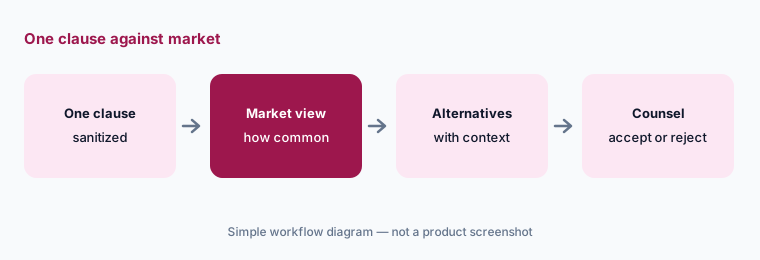
Primary workflow:
Paste one sanitized NDA clause. Ask for the market-standard alternative. Have counsel mark accept or reject on each suggestion, with one line of reasoning.
2. Review: redlines and comments you approve
What it is: Review scans a whole document for risks and drafting errors and suggests redlines and comments; you choose which are approved and applied, and can bulk approve. Spellbook notes that edits appear under your name. Playbooks save your team’s review instructions so every review checks the same positions.
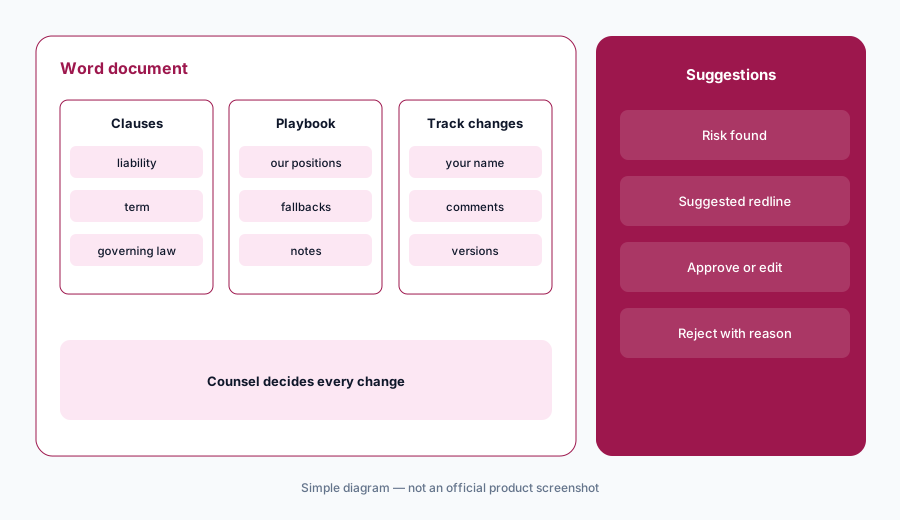
Review with a playbook:
Write five positions your team always takes (liability cap, governing law, auto-renewal notice). Save them as a playbook, run Review on one sanitized contract, and count how many suggestions you approved unchanged.
3. Draft and Ask: clauses and cited answers
What it is: Draft writes clauses, full agreements, and revisions from AI or your saved precedents and clause library. Ask answers legal questions; Spellbook says it draws on 1,000+ statutes and legal databases, cites sources, and works in 140+ languages. The citations are there so a lawyer can check them — not so the answer can be trusted unchecked.
Check the citations:
Ask one question you already know the answer to. Open every cited source. If any citation doesn’t support the answer, note it before trusting Ask on new questions.
4. Associate and Autonomous Contract Management
What it is: Associate handles multi-step, multi-document workflows. ACM, in early access, aims to handle routine contract work from intake to renewal: pulling contracts in from email and Slack, running a first-pass review against your standards, and keeping signed contracts searchable and monitored for renewals and new risks. Spellbook’s FAQ says lawyers stay in control of legal judgment, approvals, and final decisions.
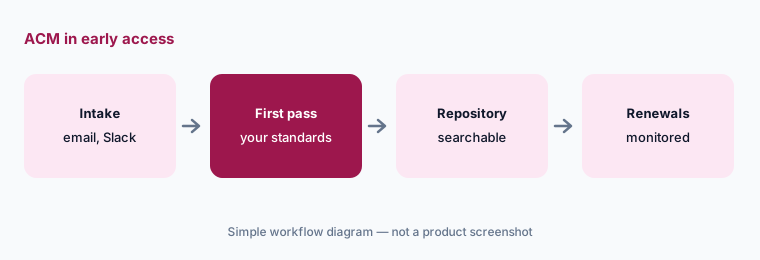
Ask what’s live:
Before buying for ACM, ask Spellbook which parts are generally available on your plan and which are early access, and pilot with one contract type.
5. Security, and versus Juro, Ironclad, and Gemini
What it is: Spellbook says it has zero data retention agreements with OpenAI and Anthropic (so its providers don’t train on or store your data), SOC 2 Type II, and HIPAA and GDPR coverage. On fit: Spellbook is a Word-first review and drafting tool. Juro is a browser-native contract platform with AI built in. Ironclad is a CLM for larger legal teams. Gemini in Workspace helps with trackers and intake drafts, not clause negotiation.
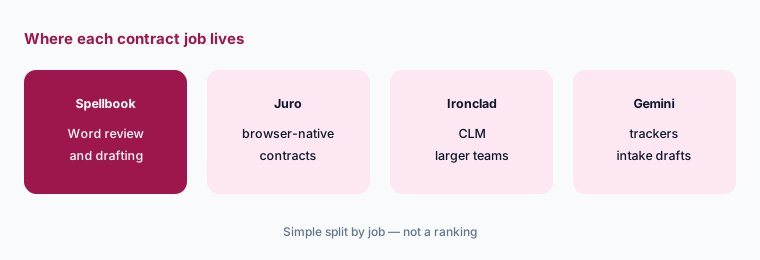
Home for the job:
Count where last month’s contracts were negotiated: Word attachments, a CLM, or a browser editor. Put review AI where most negotiation happens.
Pricing context (October 2026)
Spellbook does not publish list prices. When we checked on 5 October 2026, its pricing page said pricing is custom and based on the number of team members on your license, offered a 7-day free trial (with extended trials possibly available for larger organizations), and said academic institutions can get free access. We don’t list or estimate a price.
Uncertainty: Your quote is the only reliable number. Ask whether Associate and ACM are included or extra, and what happens to price at renewal. Spellbook’s time-saved figures and team counts are vendor claims.
When it’s useful (honest take)
Useful when your team negotiates in Word, has positions it can write down as playbooks, and wants first-pass redlines and market context — with counsel approving each change.
Less useful when contracts mostly live in a browser-based CLM, when nobody will maintain playbooks, or when you expect the tool to make the legal call. It doesn’t.
Paying for Spellbook and a few other AI tools? The $9 AI toolkit spreadsheet lists every AI subscription you have, what each one costs, and how fast it pays for itself, so you can see which ones are worth the money.
Want someone to do it for you? AI toolkit audit — $19
Related options (educational)
| Need | Better home | Why |
|---|---|---|
| Clause review and drafting in Word | Spellbook (this page) | Redlines and market context you approve |
| Browser-native contract creation and review | Juro AI | Templates, approvals, and AI in one platform |
| CLM for larger legal teams | Ironclad AI | Repository and workflows |
| Contract trackers and intake drafts in Workspace | Gemini for legal ops | Sheets and Docs, not negotiation |
| Signing and agreement management | Docusign AI | After the terms are agreed |
FAQ
What does Spellbook do?
Spellbook is a Word add-in that reviews and redlines contracts, drafts clauses and agreements, answers legal questions with cited sources, and compares terms to market data. Associate handles multi-document work.
How much does Spellbook cost in October 2026?
Spellbook does not publish list prices. Its pricing page says pricing is custom and based on team size, with a 7-day free trial.
Can Spellbook insert market-standard redlines automatically?
On 5 October 2026, Spellbook’s Market page marked inserting redlines that fix off-market terms as Coming Soon. You can see how common a term is and the alternatives, then edit yourself.
Does Spellbook train on my contracts?
Spellbook says it has zero data retention agreements with OpenAI and Anthropic, so its providers don’t train on or store your data, and it is SOC 2 Type II compliant.
Is Spellbook legal advice?
No. It suggests edits and answers with sources; a qualified lawyer decides every term. This page is educational, not legal advice.
Optional next step (if seats overlap)
If legal pays for a Word add-in, a CLM with AI, and chat seats that all redline the same NDAs, that overlap is worth mapping before renewal. Map the overlap with the $19 AI toolkit audit or the $9 AI toolkit spreadsheet.
Both pages explain what you get and how delivery works before you decide.