Tool · Ops & automation · Ironclad · Oct 2026
Ironclad AI review (Oct 2026): contract review drafts for legal ops
Ironclad when contracts already route there. A draft can flag a clause. Counsel or the named owner decides. This is not legal advice. Questionnaire evidence is Vanta AI. General legal-ops writing in a project is Claude for legal ops.
What this page covers
This page is for legal ops and the operators who feed contracts into a system the company already uses. Ironclad is a contract lifecycle tool. Assists that summarize a clause or compare it to a playbook are drafts. We did not fetch a price. We do not tell you whether a clause is acceptable. A person accountable for the contract does that. Do not paste a contract into a random chat when the workflow is supposed to stay in Ironclad.
Major features (with how someone uses them)
Examples at a glance: each feature has a concrete ops example plus a short Try this.
1. Extract the clause before anyone opines (primary)
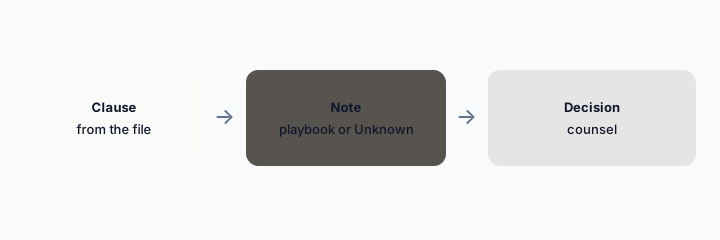
What it is: Point at one clause: limitation of liability, data processing, auto-renewal. Ask for the text and where it sits. Then ask which playbook rule it might touch. If you have no playbook rule, the note says Unknown, not “this is fine.”
Primary workflow:
Pick one clause. Quote it. Write the playbook rule or Unknown. Do not write accept or reject unless you are the owner.
2. Routing is a workflow, not a chat
What it is: Who reviews, who signs, and which template to start from are workflow settings. An assistant can remind you of the path. It should not reassign a contract or send it for signature. Signature is a human step. PandaDoc is a different tool if proposals, not the signed archive, are the job.
Route check:
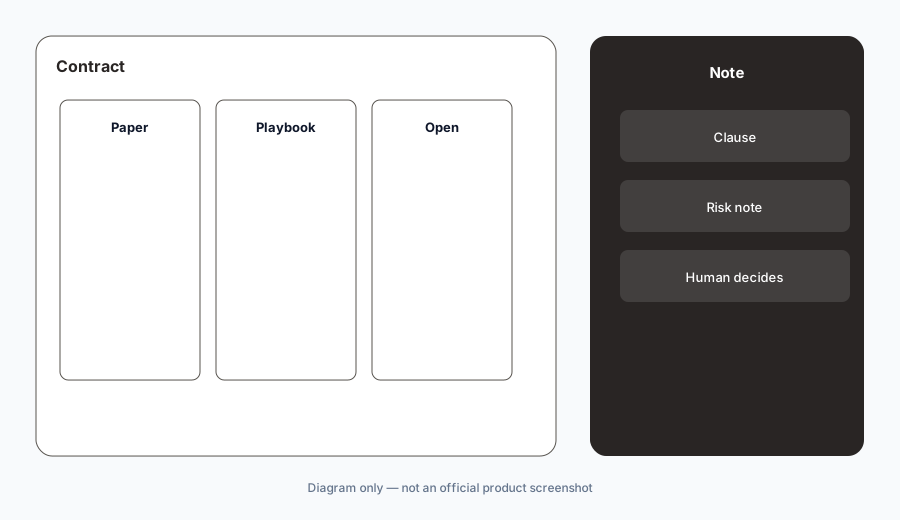
Write the steps a contract must pass. Compare them to any “you can skip” sentence. The workflow wins.
3. Contracts do not go into a side chat
What it is: If Ironclad is the system of record, the file stays there. Pasting the full agreement into a personal chatbot to “get a second opinion” spreads copies you cannot delete cleanly. Use the assist inside the tool, or a project your counsel already approved, such as the pattern on Claude for legal ops.
Copy check:
Write where contract text is allowed. Personal chat accounts are not on the list.
4. Versus Claude for legal ops and Vanta
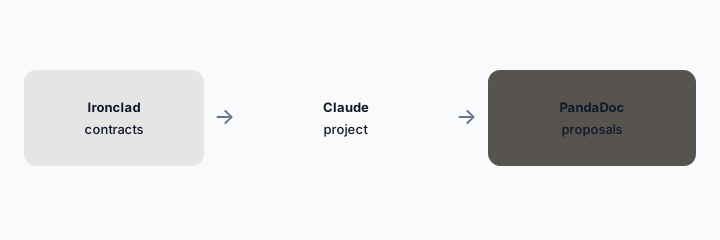
What it is: Ironclad holds the contract and the route. Claude for legal ops is a writing project when counsel wants a memo from files they uploaded. Vanta AI answers security questionnaires. PandaDoc is for proposals and quotes. Do not ask one tool to do all four.
Home for the job:
Three artifacts, three homes. If two tools have the same PDF, delete one copy.
Pricing context (October 2026)
We did not open this vendor’s public price table for this review. October 2026 is the date of the page, not a quote. Use the vendor’s live pricing page and your invoice.
If an assist is included or missing on your plan, record that from the admin screen.
Uncertainty: Names, limits, and which workspaces have the assist change. This page does not claim a dollar price or a general-availability date.
When it’s useful (honest take)
Useful when Ironclad already routes contracts and a named person decides after reading the quoted clause. Less useful if you wanted a robot lawyer. This page is not legal advice. Less useful if contracts actually live in email and Ironclad would be an empty system.
Paying for Ironclad AI and a few other AI tools? The $9 AI toolkit spreadsheet lists every AI subscription you have, what each one costs, and how fast it pays for itself, so you can see which ones are worth the money.
Want someone to do it for you? AI toolkit audit — $19
Related options (educational)
| Need | Better home | Why |
|---|---|---|
| Clause and route in Ironclad | Ironclad (this page) | Quote the clause; a human decides |
| Memo from uploaded files | Claude for legal ops | Project, not the archive |
| Security questionnaire | Vanta AI | Evidence, not redlines |
| Proposals and quotes | PandaDoc | Before the signed archive |
FAQ
Is this legal advice?
No. Counsel or the named owner decides.
How much does Ironclad cost?
We do not say. Your order form is the source.
Can it send for signature?
A human sends. A draft is not a signature.
Can I paste the contract into another chat?
Not if Ironclad is the record. Keep the file where the workflow says.
Optional next step (if seats overlap)
If two AI seats would answer the same question, map the overlap with the $19 AI toolkit audit or the $9 AI toolkit spreadsheet. Email Audit $19 or Toolkit spreadsheet $9.
Checkout is live via Stripe. After you pay, we email delivery (spreadsheet) or intake next steps (audit).