Tool · Law firm ops · Harvey · Oct 2026
Harvey AI review (Oct 2026): Harvey II Spaces and Memory, agentic Vault search, review tables, Agent Builder, and the LexisNexis motion-to-dismiss workflow
Harvey is a legal AI platform sold mostly to large law firms and in-house legal teams. In August 2026 it relaunched as Harvey II: agents now open inside a matter's Space with its documents, people, permissions, and ethical walls, and carry a Memory of how each lawyer works. Around that sit Vault for large document sets, review tables, Agent Builder, and LexisNexis-backed research and drafting. This page is about handing agents first-pass work while a named lawyer still checks every finding. Each section has a Try this.
What this Harvey page covers
This page is for a practice-group partner, supervising associate, knowledge-management lead, or innovation director at a firm evaluating or already paying for Harvey. It is not legal advice, and no Harvey output is work product until a lawyer has checked it.
Harvey's 18 August 2026 Harvey II announcement describes Spaces (matter or project workspaces where tasks can go to a lawyer or an agent), Memory (which you can view, change, or turn off, and which Harvey says is never used to train models), and Harvey Tenet, its first model post-trained for legal reasoning (Harvey describes it as frontier-level on prominent legal benchmarks — its claim). The 14 October 2026 release notes add a new Agents page, Custom Agents, simplified governance, and Spaces tagged to client matters.
Ground rules: ethical walls and Vault permissions apply to agents exactly as to the user (Harvey's description); a named associate checks every agent first pass before it moves to a partner; the KM lead approves any agent shared beyond one team; no client data leaves an approved Space.

Major features (with how someone uses them)
Examples at a glance: each feature has a concrete example from a real job plus a short Try this you can run this week.
1. Agents inside matter Spaces (primary)
What it is: In Harvey II an agent opens inside the matter or project, with the documents, parties, tasks, permissions, and history already there. When an agent finishes a first-pass review the task moves to the specialist who owns the next step, and Harvey says usage and cost stay tied to the same matter (Harvey II).
Overnight first-pass work is only useful if someone owns the morning check. Set who that is per matter before the agent runs.
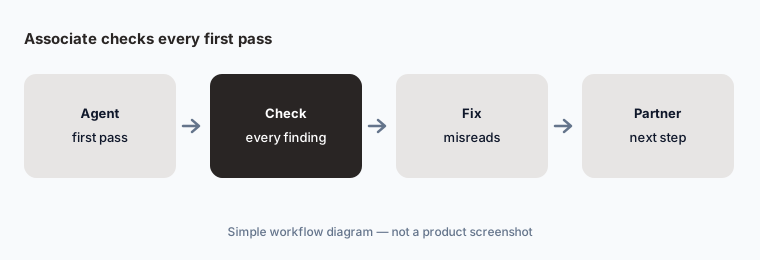
Primary workflow:
Pick ten first-pass reviews a Harvey agent finished inside a matter Space. Have the supervising associate check every cited finding against the source document before the task moves to the partner.
2. Agentic Vault Search and Organization
What it is: Vault holds large document sets such as data rooms, discovery productions, and contract portfolios. Agentic Vault Search (26 Aug 2026) finds the right files without you picking them first; Agentic Vault Organization (8 Sep 2026) renames, moves, and tags files from a plain-language instruction. Harvey says the agent proposes a plan and shows every change before touching anything, the most recent set of changes can be undone, it never edits file contents, and every file it touches is logged.
A confident reorganization of a production can still misfile documents. Read the plan; do not just approve it.
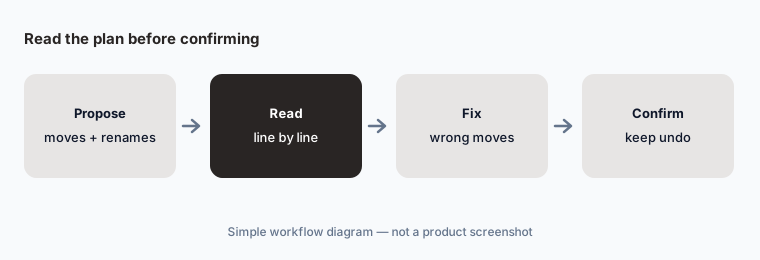
Confirm the plan:
Ask Harvey to propose a reorganization plan for one closed Vault. Have the paralegal check the plan line by line and confirm only the moves she agrees with.
3. Review tables for term extraction
What it is: Review tables pull the same terms out of many documents into rows and columns; Harvey says teams have extracted more than 20 million terms this way across litigation and transactional work (Mar 2026 — Harvey's figure).
A table makes every cell look equally certain. Sampling is the only way to learn which columns need a human pass.
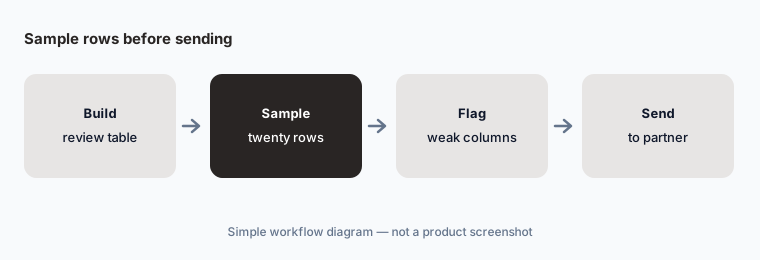
Sample before sending:
Build one review table across fifty agreements. Have the associate check twenty random rows against the source clauses before the table goes to the partner.
4. Agent Builder and Custom Agents
What it is: Agent Builder (9 Mar 2026) turns a team's process into a reusable workflow agent with templates and steps; Harvey cites 25,000+ custom workflows already built and says scheduled background runs are planned. The 14 Oct 2026 release made Custom Agents usable as soon as they are saved, with admin approval only at the sharing levels a firm chooses, and Harvey now nudges users toward a matching custom agent.
Easier sharing means a weak agent can spread across a practice group in a day. Decide who approves sharing before anyone builds.
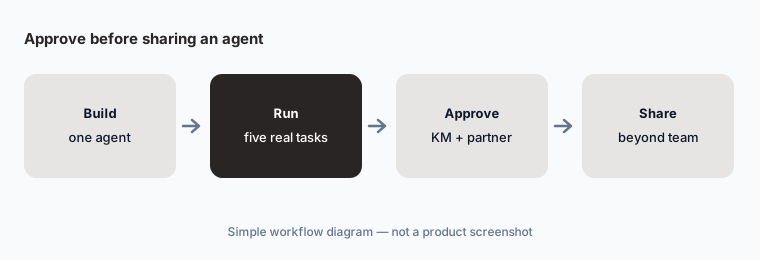
Approve before sharing:
Build one Custom Agent for a task your team repeats weekly. Have the KM lead and one partner approve it on five real outputs before sharing it beyond the team.
5. Ask LexisNexis and the Motion to Dismiss workflow
What it is: Through its LexisNexis alliance, Harvey offers Ask LexisNexis (citation-backed answers from U.S. primary law with Shepard's) and, since 7 October 2026, a co-developed Motion to Dismiss workflow: a planning agent reads the complaint and proposes up to eight candidate grounds ranked by strength, the lawyer approves or edits the plan, research agents return memos with Bluebook citations and the Shepard's Signal, and a drafting agent writes the motion in the forum's vehicle (for example a demurrer in California or a Rule 12(b)(6) motion in federal court). Harvey frames a motion to dismiss as 40 to 50+ hours of associate work — its framing, not our measurement. It is available to Harvey customers with Ask LexisNexis access or a Lexis+ with Protégé subscription; a summary-judgment workflow is next.
The plan step is where the lawyer's judgment matters most. A ground that looks strong in a ranked list can be wrong for the client's strategy.
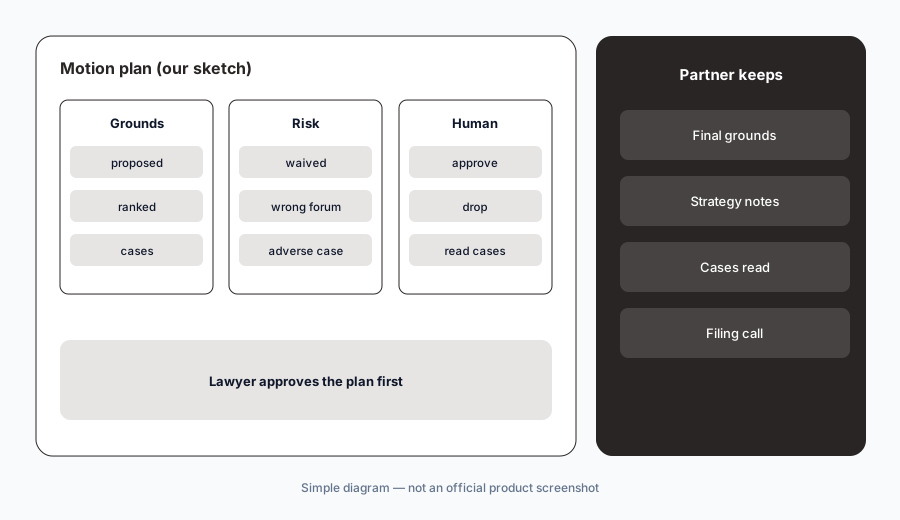
Partner owns the plan:
Run the Motion to Dismiss workflow on one complaint you already moved against. Have the litigation partner compare its proposed grounds with the motion you filed before using it on a live complaint.
6. Memory across Harvey, Word, and Outlook
What it is: Harvey II Memory learns how you structure a summary, what you want cited, and how you write, partly from what you tell it and partly from your edits, and it follows you across Harvey and the Word and Outlook integrations. Harvey says you can see everything it remembers, change it, or turn it off, and that memory is never used to train models (Harvey II).
Memory picks up habits, including ones you do not want repeated, such as one client's style rules applied to another client's work.
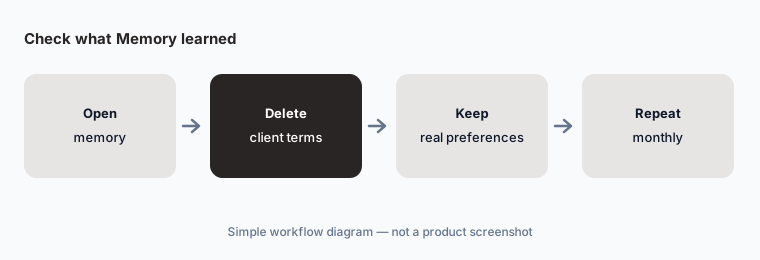
Check what it learned:
Open Harvey's memory for one associate after a month of use. Have the associate delete anything wrong or client-specific before it shapes more drafts.
Pricing context (October 2026)
Harvey does not publish prices: harvey.ai/pricing returned a 404 when we checked on 20 Oct 2026, and every route leads to sales. Pricing is quote-only.
Law360 reported on 19 Aug 2026 that Harvey is sticking with seat-based pricing. Per-seat figures that circulate online are third-party reports Harvey has not confirmed (in June 2025 Harvey told Artificial Lawyer one published estimate was “wildly off”), so we do not repeat them. Get an itemized written quote.
Ask what is included versus extra: Ask LexisNexis and the Motion to Dismiss workflow require LexisNexis access, and Harvey II ties usage and cost to each matter or project — ask how that shows up on the invoice and in client bills.
Uncertainty: We did not test Harvey. Feature dates come from Harvey's own blog and release notes as read on 20 Oct 2026; usage figures (400K+ agentic queries a day, 20M+ terms, 25,000+ workflows) and model claims are Harvey's. Availability can differ by workspace, region, and contract.
When it’s useful (honest take)
Useful when you are a large firm or in-house team with big document sets, repeatable review and drafting work, a KM lead who will govern shared agents, and associates who will check every first pass.
Less useful when you are a solo or small firm that mainly needs deadlines, billing, and client updates (Clio AI), a PI or litigation shop that needs case management, demands, and medical chronologies in one system (Filevine AI), or an in-house team that mostly needs contract lifecycle tools (Ironclad).
Paying for Harvey AI and a few other AI tools? The $9 AI toolkit spreadsheet lists every AI subscription you have, what each one costs, and how fast it pays for itself, so you can see which ones are worth the money.
Want someone to do it for you? AI toolkit audit — $19
Related options (educational)
| Need | Better home | Why |
|---|---|---|
| Agents in matter Spaces, Vault, review tables | Harvey AI (this page) | Quote only |
| Small-firm deadlines, bills, client updates | Clio AI | From $49/user; AI on Core and above |
| PI and litigation case AI, demands, chronologies | Filevine AI | Quote only |
| Contract redlines in Word | Spellbook | Narrower job |
| Sanitized drafting in general chat | Claude | No matter Spaces or walls |
FAQ
What is Harvey II?
Harvey's August 2026 relaunch. Agents open inside matter or project Spaces with documents, parties, tasks, permissions, and ethical walls already attached, and Memory carries how each lawyer works across Harvey, Word, and Outlook.
How much does Harvey cost in October 2026?
Harvey does not publish prices; it is quote-only and, per Law360 in August 2026, seat-based. Treat any per-seat number you find online as an unconfirmed report and ask for an itemized quote.
Does Harvey change documents in Vault on its own?
Harvey says Agentic Vault Organization proposes a plan and waits for a person to confirm, can undo the most recent set of changes, and never edits the content inside files. Read the plan before confirming.
Can Harvey draft a motion to dismiss?
Harvey's LexisNexis workflow (October 2026) proposes grounds, researches them, and drafts a motion with human checkpoints. A litigation partner still decides the strategy and an associate reads every case before anything is filed.
Who should check Harvey output?
The supervising associate for every agent first pass and review table; the litigation partner for motion strategy; the KM lead for shared agents; each lawyer for what Memory has learned.
Optional next step (if seats overlap)
If you pay for Harvey, a research platform, and general chat seats that all draft the same first-pass memos, that overlap is worth mapping. Map the overlap with the $19 AI toolkit audit or the $9 AI toolkit spreadsheet. Email Audit $19 or Toolkit spreadsheet $9.
Checkout is live via Stripe. After you pay, we email delivery (spreadsheet) or intake next steps (audit).