Compare · Law firm ops · Oct 2026
Clio vs 8am MyCase (Oct 2026): Manage AI and Clio Work vs 8am IQ assistants for small-firm practice management
Clio and 8am MyCase are two of the most common practice systems for small firms, and both now build AI in. Clio puts Manage AI on Core and above — deadlines from court documents, AI-drafted bills, client updates — and sells Clio Work separately for research and drafting. 8am MyCase adds Writing and Document Assistants on Pro and Case and Discovery Assistants on Advanced, at published per-user prices. This page splits the two by job and asks when a small firm should not switch practice systems just for AI. It is not a ranking, and each section has a Try this.
What this comparison covers
This page is for a managing partner, firm administrator, or solo attorney choosing between Clio and 8am MyCase, or already on one and being pitched the other's AI. It is educational, not legal advice.
Facts come from our Clio AI and 8am MyCase AI reviews, re-checked on 20 October 2026 against Clio's pricing page (Starter “starting at $49/user”; “Is AI included in my plan? Yes, on Core and above”), Clio Work pricing (per-user, by quote), MyCase's pricing page (Basic, Pro, and Advanced per-user prices), the MyCase help center, and 8am's AI page.
One source conflict to know: MyCase's pricing page and help center put Case Assistant on Advanced only, while 8am's AI page says Pro includes it. Confirm on the order form.
Ground rules for either system: a licensed attorney owns any filing, citation, demand, deadline, client message, or discovery response that AI produces. The responsible attorney checks every AI-calendared date, the billing partner approves every AI-drafted bill, and an attorney approves every AI-drafted client message. This comparison is not a ranking.
| Question | Clio (Manage AI, Clio Work) | 8am MyCase (8am IQ) |
|---|---|---|
| Entry plan | Starter from $49/user/month; no AI on Starter | Basic $50/user/month annual ($60 monthly); no 8am IQ listed |
| First plan with AI | Core (AI included on Core and above); price via “Get pricing” | Pro $100 annual / $120 monthly: Writing and Document Assistants |
| Deadlines | Core: documents turned into calendar events and tasks, confirmed against the source; court rules 3/firm (Core), 10/firm (Signature, Elite) | Court-rules calendaring needs a separate subscription; no AI deadline extraction found on MyCase pages |
| Billing | AI drafts bills on a schedule you set (Core and above) | Writing Assistant in invoice descriptions and fund requests; Smart Time Finder |
| Scanned documents | Full-text document search (Core and above) | Discovery Assistant OCR on Advanced ($130 / $150): 5,000 pages per user per month, pooled; +5,000 pages $30 |
| Research and drafting | Clio Work (separate, per-user quote): agentic research, Skills, Memory, Visualizations | Not a research product; MyCase MCP connector lets Claude read MyCase data |
| Who signs off | Responsible attorney for dates; billing partner for bills | Attorney for client messages and discovery summaries |
Major features (with how someone uses them)
Examples at a glance: each feature has a concrete example from a real job plus a short Try this you can run this week.
1. Write down three AI jobs and ask which plan includes each (primary)
What it is: Both vendors put AI behind plan tiers. Clio includes AI on Core and above but prints only the Starter price (Clio); MyCase prints every tier but splits its four assistants across Pro and Advanced (MyCase). Every MyCase user in a firm must be on the same tier, so one litigator who needs OCR moves the whole firm to Advanced.
A demo shows what exists. Your question is which plan you would actually pay for to get the three jobs you need, in writing.
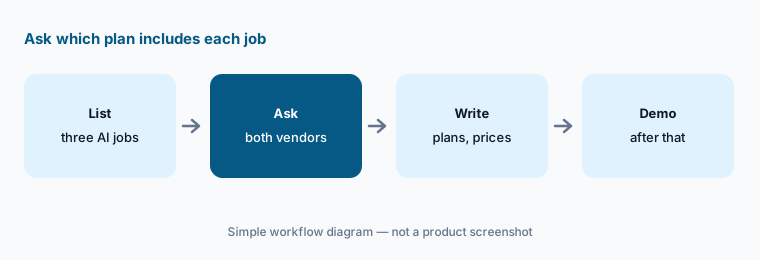
Primary workflow:
List the three AI jobs your firm needs this year (deadlines, billing drafts, discovery OCR). Have the managing partner ask both vendors which plan includes each and write the answers and prices down before any demo counts.
2. Deadlines: Manage AI from court documents vs court-rules calendaring
What it is: Clio's Core plan turns documents into calendar events and tasks “confirmed against the source,” with court calendaring rules (3 per firm on Core, 10 on Signature and Elite) (Clio); its help center describes AI Actions cards for reviewing events captured from documents (Clio). MyCase lists court-rules calendaring as an integration that needs its own subscription, and Case Assistant can answer questions about deadlines already in the case — but we found no MyCase page describing AI that puts deadlines on the calendar from court documents (checked 20 Oct 2026).
Whichever system you use, an AI-calendared date is only right after an attorney checks it against the order and the local rules.
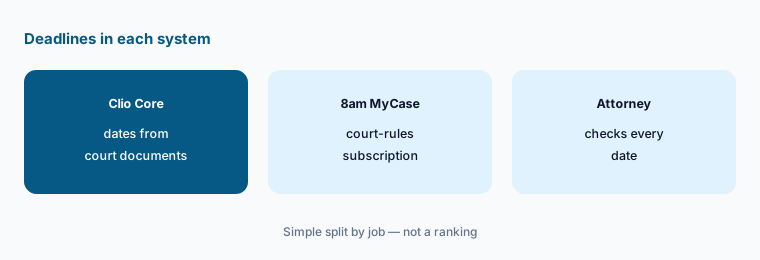
Check every date:
In whichever system you run, have the responsible attorney check ten deadlines entered by AI or rules against the order and the local rules before anyone relies on the calendar.
3. Billing: AI-drafted bills vs Writing Assistant on invoices
What it is: On Clio Core and above, you set billing parameters once and AI drafts bills on a schedule, routed to an approver (Clio; Clio AI). MyCase's Writing Assistant works in invoice descriptions and fund requests to rephrase and tidy text (help center), and its plan comparison lists Smart Time Finder for billable time you might miss (MyCase).
These are different jobs: one drafts the bill, the other polishes the words on it. In both, the billing partner approves what the client sees.
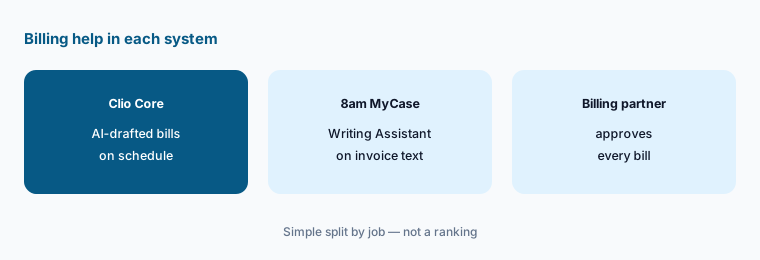
Approve every bill:
For one billing cycle, have the billing partner compare every AI-drafted bill or AI-edited invoice description with the time entries and rates before any bill is sent.
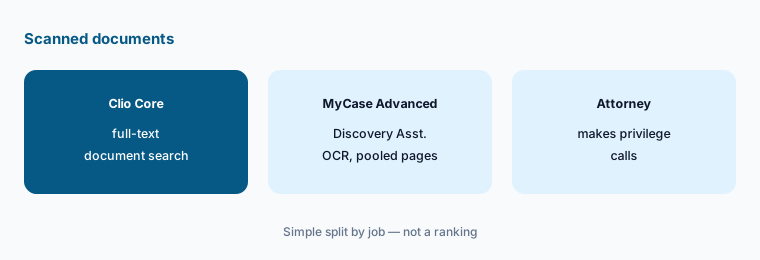
4. Scanned documents: full-text search vs Discovery Assistant OCR
What it is: Clio lists full-text document search on Core and above (Clio). MyCase Advanced adds Discovery Assistant, built-in OCR for PDF, JPG, PNG, and TIFF files with 5,000 pages per user per month pooled across the firm, and $30 for each extra 5,000 pages (help center; pricing). MyCase's Document Assistant (Pro) summarizes text-based documents.
OCR makes text searchable; it does not decide what matters. Privilege and key-document calls stay with the attorney.
Test one production:
Load the same closed production into both trials. Have the litigation paralegal search for ten known documents and the attorney review any privilege or key-document call before deciding OCR matters to you.
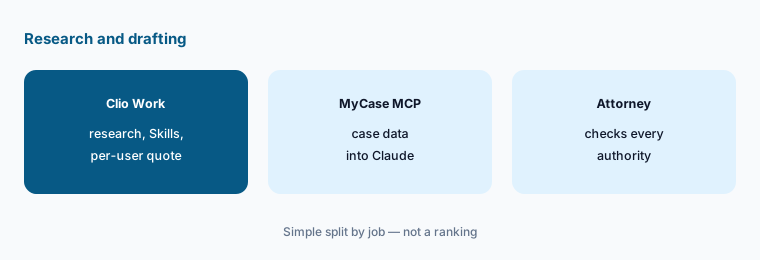
5. Research and drafting: Clio Work vs MyCase MCP
What it is: Clio Work is a separate AI workspace with agentic research and drafting, Skills, Memory, Clio for Word, and Visualizations (1 Oct 2026), sold per user by quote (Clio). MyCase does not sell a research product; its MyCase MCP connector (LawSites, 23 Sep 2026) lets Claude read MyCase data, read-only, with MyCase permissions enforced (8am).
Neither is a citator. For authority you will cite, firms usually keep a research platform of record such as CoCounsel Legal or Lexis+ with Protégé.
Check every authority:
If you pilot Clio Work or MyCase MCP, have the supervising attorney check every cited authority and every fact against the file before any output reaches a client or court.
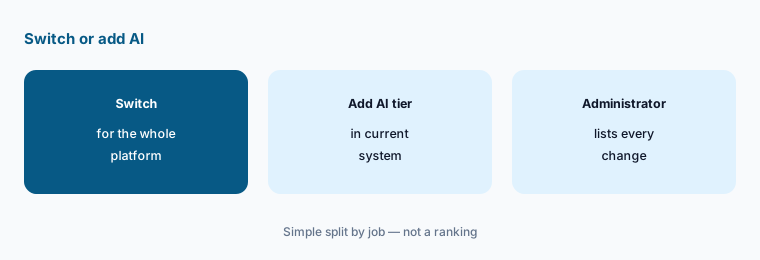
6. When not to switch practice systems just for AI
What it is: A practice-system change moves matters, contacts, trust ledgers, templates, and billing history, and retrains every user. Both vendors ship AI updates often — Clio says it ships improvements “several times a month” (Clio), and 8am called its September 2026 releases the start of an ongoing series (LawSites). A missing feature this quarter may arrive in your current system next quarter.
Switch for the whole platform — trust accounting, billing, intake, support — not for one AI feature.
List what would change:
Before any switch, have the firm administrator list every workflow that would change besides AI, and price the AI tier in your current system alongside the move.
Pricing context (October 2026)
Clio (as of 20 Oct 2026): Starter “starting at $49/user” per month, with no AI; Core, Signature, and Elite show “Get pricing,” and AI is included on Core and above. Clio Work is per-user by quote; $199/user/month is LawSites' report of the October 2025 launch price, not today's rate card. Clio Grow is included in Elite; Clio for Personal Injury and Advanced Document Automation are by quote.
8am MyCase (as of 20 Oct 2026): Basic $50/user/month annually or $60 monthly; Pro $100 or $120 (Writing and Document Assistants); Advanced $130 or $150 (adds Case Assistant and Discovery Assistant OCR). Extra OCR pages: $30 per 5,000 for the firm. All users must be on the same tier. MyCase is the only one of the two that prints every tier's price.
Uncertainty: We did not test either product. Clio's Core-and-above prices are not printed, so a like-for-like price comparison needs a quote. MyCase sources disagree on whether Case Assistant is on Pro. Features change often; check the plan contents on your order form.
When it’s useful (honest take)
Useful when you are a small firm choosing a practice system, or already on one and weighing the other's AI, and you want to compare jobs, plan contents, and prices rather than demos.
Less useful when you work mostly in Word and Outlook and want a matter assistant there (Smokeball AI), you run a plaintiff PI practice (Supio or Filevine AI), or you need a research platform (CoCounsel Legal).
Still choosing between Clio and 8am MyCase? The $19 AI toolkit audit gives you a written plan for which tools to keep using and which to drop across your whole AI stack, including this pair.
Prefer to do it yourself? Spreadsheet — $9
Related options (educational)
| Need | Better home | Why |
|---|---|---|
| Deadlines from court documents, AI bills | Clio AI | From $49/user; AI on Core and above |
| Practice AI with published prices | 8am MyCase AI | Pro $100/$120; Advanced $130/$150 per user/month |
| Matter assistant in Word and Outlook | Smokeball AI | Quote only; Archie is an add-on |
| Westlaw-grounded research and briefs | CoCounsel Legal | Configurator or quote |
| Plaintiff PI chronologies and records | Supio | Quote only |
FAQ
What is the main difference between Clio and MyCase AI?
Clio includes Manage AI on Core and above for deadlines from court documents, AI-drafted bills, and client updates, and sells Clio Work separately for research. 8am MyCase adds Writing and Document Assistants on Pro and Case and Discovery Assistants on Advanced. This is not a ranking.
Which is cheaper in October 2026?
MyCase publishes prices: Pro $100/user/month annually and Advanced $130. Clio prints only Starter at $49/user, which has no AI; Core and above are by quote. A real comparison needs Clio's quote.
Does MyCase pull deadlines from court documents?
We found no MyCase page describing that as of 20 Oct 2026. MyCase offers court-rules calendaring through a separate subscription, and Case Assistant answers questions about dates already in the case.
Should we switch practice systems to get AI?
Usually not for one feature. List every workflow that would change and price the AI tier in your current system first.
Who should approve AI output in either system?
The responsible attorney for every AI-calendared date, the billing partner for every AI-drafted bill, and an attorney for every AI-drafted client message and discovery summary.
Optional next step (if seats overlap)
If your firm pays for a practice system's AI tier, a separate research workspace, and a general chat assistant that all touch the same matters, that overlap is worth mapping. Map the overlap with the $19 AI toolkit audit or the $9 AI toolkit spreadsheet. Email Audit $19 or Toolkit spreadsheet $9.
Checkout is live via Stripe. After you pay, we email delivery (spreadsheet) or intake next steps (audit).