Tool · Law firm ops · Thomson Reuters · Oct 2026
Thomson Reuters CoCounsel Legal AI review (Oct 2026): Deep Research on Westlaw, Deep Research Verify, Westlaw Brief Builder, guided workflows, and matter workspaces
CoCounsel Legal is Thomson Reuters' legal AI suite, grounded in Westlaw primary law and Practical Law guidance. It launched in August 2025 with Deep Research, and a rebuilt next generation went generally available in the U.S. on 20 August 2026 with Westlaw Brief Builder, matter Workspaces, and Deep Research Verify. This page is about using it while a named attorney still reads every authority before it reaches a brief. Each section has a Try this.
What this CoCounsel Legal page covers
This page is for a litigation or research attorney, a knowledge-management lead, or a managing partner at a firm on Westlaw or weighing CoCounsel Legal. It is educational, not legal advice; research reports, briefs, and tables are drafts until a lawyer has read the sources.
Thomson Reuters launched CoCounsel Legal on 5 August 2025 with Deep Research and agentic guided workflows, and announced general availability of a rebuilt next generation on 20 August 2026 (U.S. first; Canada, the U.K., and Australia were described as later in 2026). The vendor says the new version is built on Anthropic's Claude Agent SDK, that one million professionals across 107 countries and territories use CoCounsel, and that customer data is never used to train models — all Thomson Reuters statements, not our measurements. Its August 2026 release notes (posted 8 Sep 2026) add document-management connectors, a Verbatim column for exact quotes, and a Claude connection.
Ground rules: a licensed attorney owns any filing, citation, demand, deadline, client message, or discovery response that comes out of CoCounsel Legal. The supervising attorney reads every cited authority and its KeyCite status before it enters a brief, and nobody treats a Verify check or a citation link as a substitute for reading the case.

Major features (with how someone uses them)
Examples at a glance: each feature has a concrete example from a real job plus a short Try this you can run this week.
1. Deep Research on Westlaw (primary)
What it is: Deep Research takes a research question in plain language, builds a multi-step plan, works through it with Westlaw tools such as KeyCite and Key Numbers, and returns a report whose citations link back to Westlaw and Practical Law (Aug 2025 launch). Thomson Reuters' legal blog says each report includes a research log of the questions explored and sources consulted, and that the tool may ask clarifying questions when an issue is ambiguous.
The research log is useful for supervision: a reviewer can see which avenues were tried, not only the answer. It does not tell you whether the authority fits your facts or your court.
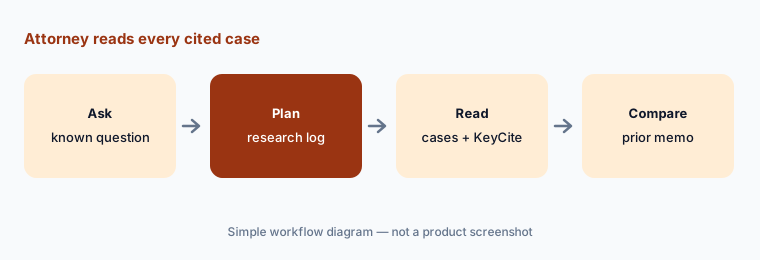
Primary workflow:
Run three research questions you already answered last month through Deep Research. Have the supervising attorney compare every cited case and KeyCite flag with your prior memo before trusting it on a new matter.
2. Deep Research Verify
What it is: Deep Research Verify checks whether the Westlaw and Practical Law authority cited in a report supports specific legal assertions (20 Aug 2026). In Thomson Reuters' August 2026 notes, the Canadian version is described as showing supporting text from the cited source for each assertion and flagging where support may be lacking, with a path to further manual checking.
A Verify pass is a triage list, not a sign-off. “Support found” means a passage was located; whether it carries the weight your argument needs is still a lawyer's call.
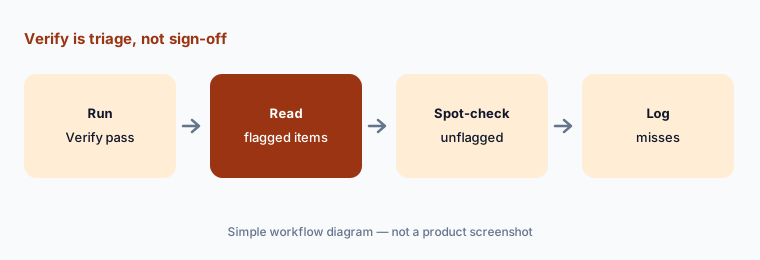
Read past the flag:
Run Deep Research Verify on one report your team already checked by hand. Have the research attorney compare every flagged and unflagged assertion with the sources before relying on Verify alone.
3. Westlaw Brief Builder
What it is: Westlaw Brief Builder is the newest piece of CoCounsel Legal (20 Aug 2026). It walks a litigator through intake and document analysis, argument identification, supporting-authority research with Westlaw Deep Research, and a full first draft, with citation and quote checks along the way. Thomson Reuters' September 2026 training notes list five motion types today — motion to dismiss, to transfer venue, to exclude evidence, to compel, and for protective order — as a U.S. release that needs CoCounsel Legal or Westlaw Advantage with CoCounsel Essentials. In Word, CoCounsel can check every standard and citation in a draft against Westlaw and KeyCite and offer changes as tracked revisions you accept or reject.
Thomson Reuters says lawyers stay in control of strategy, legal theory, and final decisions. Treat that as the design goal and keep the human choices on the record: which arguments were dropped, which authority was swapped, and who decided.
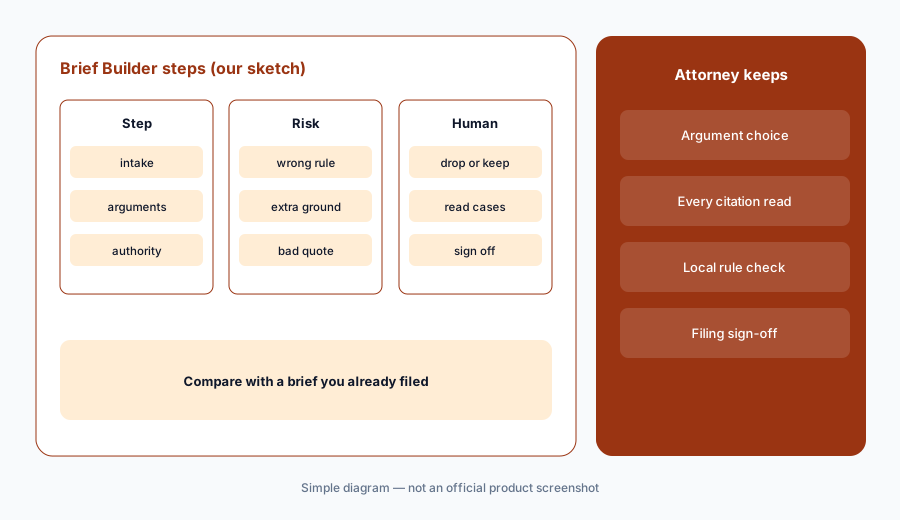
Draft against a filed brief:
Run Brief Builder on one motion your firm already filed. Have the supervising attorney compare its arguments and every citation with the filed version before using it on a live motion.
4. Guided multi-step workflows
What it is: CoCounsel Legal started with agentic guided workflows for litigation, transactional, and regulatory tasks (Aug 2025). In the 2026 version, the product page says you describe a matter in plain language and get a step-by-step plan with visible reasoning, then research, analysis, and drafting from that single request.
A visible plan lets the responsible lawyer stop a wrong path early. Read the plan before the work starts, not only the output at the end.
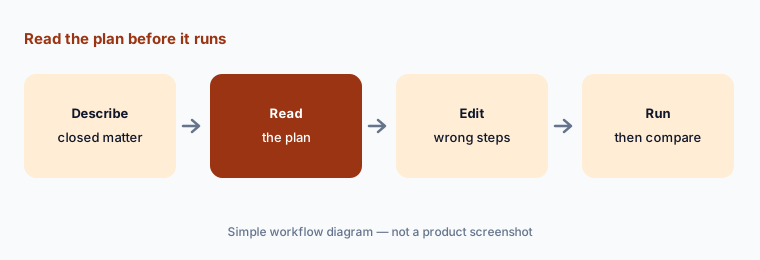
Plan first:
Give CoCounsel Legal one closed matter and stop at the plan. Have the senior associate mark every step right, wrong, or missing before letting it run on a live matter.
5. Matter workspaces and document connectors
What it is: Workspaces give each matter its own place for documents, templates, conversations, and matter history so context carries forward (product page). The August 2026 notes add admin-connected document-management connectors through Syncly — iManage on-prem, iManage Cloud, and SharePoint — and the product page lists further integrations such as NetDocuments, HighQ, Box, Litify, and Smokeball.
Connectors decide what the AI can read. Ethical walls and matter permissions in your document system should be checked before a workspace pulls from it.
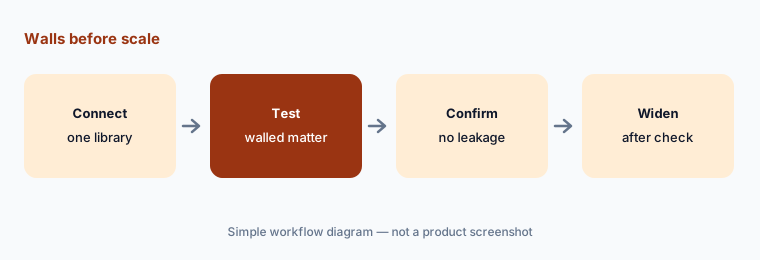
Walls before scale:
Connect one practice group's document library to a workspace. Have the knowledge-management lead test a walled matter with a restricted user before anyone else gets access.
6. Tabular Analysis, Verbatim columns, and drafting in Word
What it is: Tabular Analysis reviews up to 10,000 documents against up to 100 questions and returns a filterable table (20 Aug 2026); it now runs by default on Thomson, Thomson Reuters' own legal model. A Verbatim column type returns exact source text with the span highlighted in the source (Aug 2026 notes). The Drafting Agent in CoCounsel for Word drafts and edits agreements from instructions using Practical Law and the firm's own documents and playbooks.
Verbatim cells are easier to check than summaries because you can click straight to the highlighted text. Sample them anyway before a schedule or privilege log goes out.
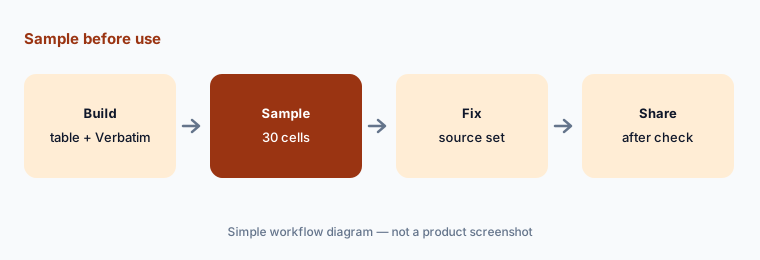
Sample before use:
Build one Tabular Analysis table with a Verbatim column on a closed matter. Have the handling attorney check a 30-cell sample against the documents before any table leaves the team.
Pricing context (October 2026)
Thomson Reuters does not print a CoCounsel Legal price on its plans page (checked 20 Oct 2026). Three plans are listed — CoCounsel Legal (Westlaw Advantage, Practical Law Dynamic Tool Set, and CoCounsel Essentials), Practical Law Dynamic Tool Set with CoCounsel Essentials, and CoCounsel Essentials — each with a “View pricing” link.
That link opens an online configurator that asks for sector, number of attorneys, jurisdiction, and plan length before it shows a figure. Its FAQ says plans run one, two, or three years (longer terms cost less per year), online prices are for new customers only, existing customers call sales at 888-728-7677, and firms with more than 10 attorneys are routed to a sales rep. We treat it as configurator or quote pricing and do not print third-party per-attorney figures.
Brief Builder needs CoCounsel Legal or Westlaw Advantage with CoCounsel Essentials, per Thomson Reuters' training notes. Ask which plan includes Deep Research Verify, Brief Builder, and the document-management connectors for your jurisdiction before comparing quotes.
Uncertainty: We did not test CoCounsel Legal. Features and dates come from Thomson Reuters releases, blog posts, training pages, and product pages read on 20 Oct 2026; some items (Reveal integration from October, non-U.S. availability) were described as upcoming. “Senior associate level”, “first”, “only”, adoption figures, and ROI studies are Thomson Reuters' claims.
When it’s useful (honest take)
Useful when your firm already relies on Westlaw and Practical Law, litigators spend real hours on research memos and first-draft motions, and a supervising attorney will read every cited authority before it is used.
Less useful when your research platform of record is Lexis (Lexis+ with Protégé), your main need is small-firm deadlines and billing (Clio AI), you run PI demands and chronologies (EvenUp or Filevine AI), or you want large-firm agents inside matter Spaces (Harvey AI).
Paying for CoCounsel Legal and a few other AI tools? The $9 AI toolkit spreadsheet lists every AI subscription you have, what each one costs, and how fast it pays for itself, so you can see which ones are worth the money.
Want someone to do it for you? AI toolkit audit — $19
Related options (educational)
| Need | Better home | Why |
|---|---|---|
| Westlaw-grounded research, briefs, verification | CoCounsel Legal (this page) | Configurator or quote |
| Lexis-grounded research with Shepard's checks | Lexis+ with Protégé | Quote only |
| Plaintiff PI demands and chronologies | EvenUp | Case-based quote |
| Large-firm agents in matter Spaces | Harvey AI | Quote only |
| Small-firm deadlines, bills, client updates | Clio AI | From $49/user; AI on Core and above |
FAQ
What is CoCounsel Legal?
Thomson Reuters' legal AI suite grounded in Westlaw and Practical Law. It launched in August 2025 with Deep Research, and a rebuilt version became generally available in the U.S. on 20 August 2026 with Westlaw Brief Builder, Workspaces, and Deep Research Verify.
How much does CoCounsel Legal cost in October 2026?
Thomson Reuters prints no price on its plans page. An online configurator shows pricing to new customers after you enter sector, attorney count, jurisdiction, and a one-, two-, or three-year term; firms with more than 10 attorneys go to sales.
Does Deep Research Verify mean I don't need to read the cases?
No. It points to supporting text and flags weak support, but a lawyer still reads the authority and decides whether it carries the argument. A licensed attorney owns every citation that goes into a filing.
Which motions does Westlaw Brief Builder handle?
Thomson Reuters' September 2026 training notes list motions to dismiss, to transfer venue, to exclude evidence, to compel, and for protective order, as a U.S. release. Check the current list with your rep.
Who should check CoCounsel Legal output?
The supervising attorney for every cited authority and KeyCite flag; the research attorney for Verify results; the attorney of record for every brief; the handling attorney for tables and extracted clauses that leave the team.
Optional next step (if seats overlap)
If you pay for Westlaw with CoCounsel, a separate drafting tool, and a general AI seat that all touch the same research memo, that overlap is worth mapping. Map the overlap with the $19 AI toolkit audit or the $9 AI toolkit spreadsheet. Email Audit $19 or Toolkit spreadsheet $9.
Checkout is live via Stripe. After you pay, we email delivery (spreadsheet) or intake next steps (audit).