Tool · Law firm ops · 8am MyCase · Oct 2026
8am MyCase AI review (Oct 2026): 8am IQ Writing, Document, Case, and Discovery Assistants for small law firms
8am MyCase (formerly MyCase IQ, now 8am IQ) is practice management for small firms with AI assistants built in. Pro adds the Writing and Document Assistants; Advanced adds Case Assistant, which answers questions with citations across a case, and Discovery Assistant, which turns scanned files into searchable text. In September 2026 8am added a read-only MyCase MCP connector for Claude. Unlike most legal AI, MyCase prints its prices. This page is about using it while an attorney approves every AI-drafted client message and discovery summary. Each section has a Try this.
What this 8am MyCase page covers
This page is for a solo or small-firm attorney, firm administrator, or paralegal on MyCase or considering it. It is educational, not legal advice. We did not test MyCase; facts come from the MyCase pricing page, the MyCase help center, 8am's AI page, and LawSites' report of 8am's September 2026 announcements, all read on 20 October 2026.
Which assistant is on which plan matters, because every user in a firm must be on the same tier (help center). The pricing page and help center put Writing and Document Assistants on Pro and Case and Discovery Assistants on Advanced. 8am's AI page says Pro customers also get Case Assistant. The sources disagree, so confirm on your order form.
8am says client data is not used to train third-party models, that 8am IQ respects existing user permissions, and that outputs “may sometimes be misleading or inaccurate” and should be reviewed before use (8am FAQ). LawSites reports that MyCase's native AI runs on OpenAI GPT models, while the MCP connector works through Claude (23 Sep 2026).
Ground rules: a licensed attorney owns any filing, citation, demand, deadline, client message, or discovery response that comes out of MyCase AI. The attorney approves every AI-drafted or translated client message and every discovery summary before it is used.
Major features (with how someone uses them)
Examples at a glance: each feature has a concrete example from a real job plus a short Try this you can run this week.
1. Discovery Assistant OCR on a closed production (primary)
What it is: Discovery Assistant (help center, 1 Jun 2026) is built-in OCR on Advanced: every PDF, JPG, PNG, and TIFF uploaded to a qualifying case becomes searchable text, so search and the other assistants can read it. It does not write summaries itself — those come from Case Assistant or Document Assistant once the text exists. The allowance is 5,000 pages per user per month, pooled across the firm; files must be under 300 MB and 1,000 pages; extra 5,000-page blocks cost $30 for the firm (pricing page).
Closed or inactive cases are not converted automatically: retroactive processing covered only open cases with activity in the past 12 months. To test on a closed production, load it into an active test case first (or ask 8am), and keep privileged documents out of anything shared.
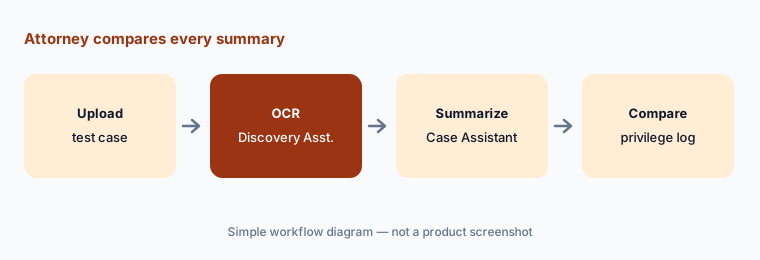
Primary workflow:
Run Discovery Assistant on one closed production. Have the attorney compare its summary of key documents with the privilege log and the documents actually used at deposition.
2. Case Assistant: cited answers across the case record
What it is: Case Assistant (help center, 4 Aug 2026) answers natural-language questions about one case. It searches documents (including scanned files once OCR'd), notes, calendar events, tasks, case fields, client portal messages, texts, call logs, invoices, payments, time entries, and expenses, and 8am says every answer links back to its source (8am). The first use on a case runs an embedding step (about five minutes for a 400-page case, per 8am); that data is deleted after 30 days without case activity; each user has their own chat history, which cannot currently be deleted.
A cited answer is only as complete as the case file. If a deadline or a call never made it into MyCase, Case Assistant cannot know it.
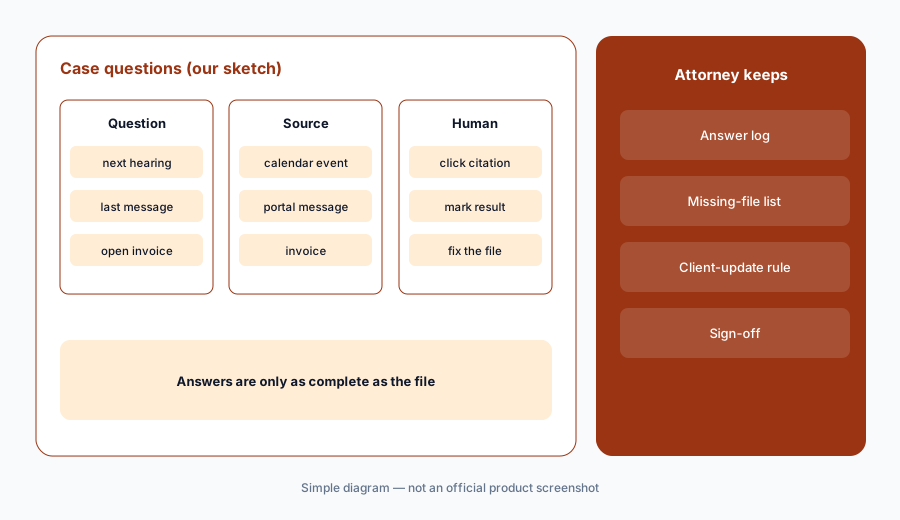
Click every citation:
Ask Case Assistant five questions about one active case you know well. Have the responsible attorney click every citation and mark each answer right, wrong, or incomplete before anyone uses it for client updates.
3. Document Assistant summaries
What it is: Document Assistant (Pro and Advanced) gives a generative-AI summary of any text-based document stored in MyCase, from the 8am IQ button next to the file, so staff can preview it without opening it (help center). Scanned or image files must be OCR'd first. 8am describes it as extracting parties, dates, obligations, and key clauses (8am).
A summary is a preview, not a reading. Dates and obligations in a summary are the details most worth checking against the page.
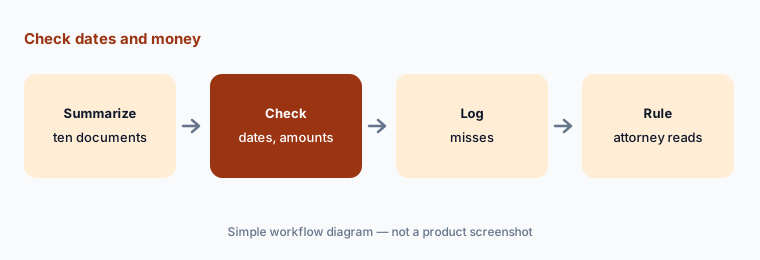
Check dates and money:
Have a paralegal compare Document Assistant summaries of ten documents with the originals, and have the attorney read every clause with a date or dollar amount before a summary is relied on.
4. Writing Assistant for client messages and translations
What it is: Writing Assistant (Pro and Advanced) summarizes messy notes, fixes grammar, rephrases, changes tone (formal, assertive, persuasive, empathetic, advisory, confident, neutral), and translates to and from Spanish and Arabic (help center). It works in notes, messages, text messages, task descriptions, invoice descriptions, and fund requests; you insert or discard the result.
Tone changes can change meaning, and a translated message is a client communication the firm is responsible for. A persuasive rewrite of a fee message can read like a promise.
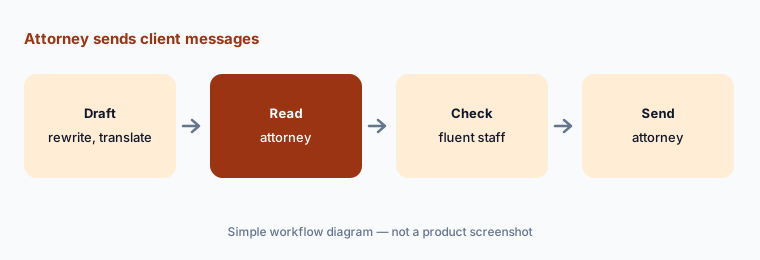
Attorney sends client messages:
For two weeks, have the responsible attorney approve every client message Writing Assistant rewrote or translated, with a fluent staff member checking each Spanish or Arabic version before it is sent.
5. MyCase MCP connector for Claude
What it is: Announced at 8am's Kaleidoscope conference (LawSites, 23 Sep 2026), MyCase MCP lets users search and pull MyCase data from Claude: case summaries, documents, outstanding invoices, and firm financials. 8am says it is read-only by design and that MyCase permissions are enforced (8am); LawSites reports 73 supported actions (8am's figure) and that tier limits may restrict what Claude can reach. LawSites also reports that results via the connector lack the in-app citation links that 8am's own assistants show.
Once case data is in a Claude conversation, it is governed by your Claude account and its settings, not only by MyCase. Decide which users may connect and what may be pulled.
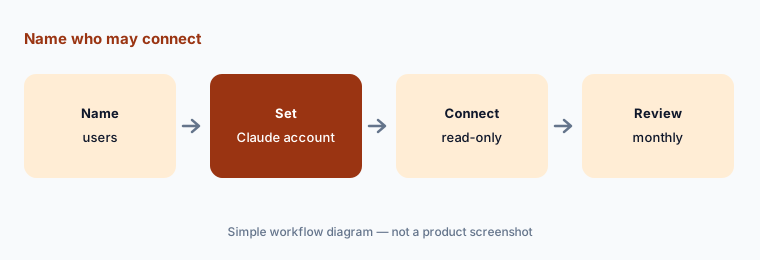
Name who may connect:
Before anyone connects MyCase MCP, have the managing partner name the users and the Claude account allowed to hold client data, and review what was pulled after the first month.
6. Firm-wide AI setting, permissions, and data handling
What it is: 8am IQ features sit behind a firm-wide AI setting; if it is off, no one has access (help center). 8am says the assistants only reach data a user can already view, that customer data is not used to train third-party models, and that it may use inputs and outputs to improve its own products under its privacy policy (8am FAQ).
One switch for the whole firm is simple but blunt. The policy behind it — which matters, which users, which outputs need sign-off — is the firm's job.
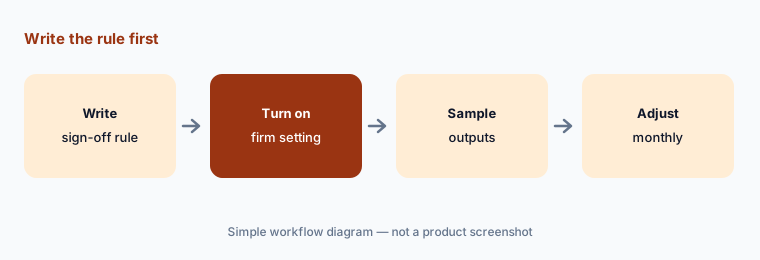
Write the rule first:
Before turning on 8am IQ firm-wide, have the managing partner write which outputs need attorney sign-off and check a sample of each type after the first month.
Pricing context (October 2026)
MyCase publishes per-user prices on its pricing page (as of 20 Oct 2026): Basic $50/user/month billed annually or $60 monthly (no 8am IQ listed); Pro $100 annually or $120 monthly, with 8am IQ Writing and Document Assistants; Advanced $130 annually or $150 monthly, adding Case Assistant and Discovery Assistant (OCR). Annual billing saves up to 16% per MyCase. 10-day free trial; no long-term contract or setup fee.
Discovery Assistant includes 5,000 pages per user per month, pooled across the firm; another 5,000 pages for the firm costs $30 and expires at the end of the subscription period. MyCase Accounting is $39/user/month on Pro and Advanced. Every user in a firm must be on the same tier, so Advanced for one litigator means Advanced for everyone.
Uncertainty: We did not test MyCase. Plan contents conflict between sources: the pricing page and help center put Case Assistant on Advanced only, while 8am's AI page says Pro includes it — confirm before buying. The MCP connector's action count and adoption figures are 8am's, reported by LawSites. Finance Assistant is listed as coming soon. Prices change; the figures above are as published on 20 Oct 2026.
When it’s useful (honest take)
Useful when you are a small firm that wants AI inside the practice system it already uses, values published prices, and has an attorney who approves every AI-touched client message and discovery summary.
Less useful when you need deadlines pulled from court documents onto the calendar (see Clio AI and Clio vs 8am MyCase), you want matter-aware drafting in Word and Outlook (Smokeball AI), you run a plaintiff PI practice needing chronologies (Supio or EvenUp), or you need full legal research (Lexis+ with Protégé).
Paying for 8am MyCase AI and a few other AI tools? The $9 AI toolkit spreadsheet lists every AI subscription you have, what each one costs, and how fast it pays for itself, so you can see which ones are worth the money.
Want someone to do it for you? AI toolkit audit — $19
Related options (educational)
| Need | Better home | Why |
|---|---|---|
| Practice management with 8am IQ assistants | 8am MyCase (this page) | Pro $100/$120; Advanced $130/$150 per user/month |
| Deadlines from court documents, AI bills | Clio AI | From $49/user; AI on Core and above |
| Matter assistant in Word and Outlook | Smokeball AI | Quote only; Archie is an add-on |
| Plaintiff PI chronologies and records | Supio | Quote only |
| Lexis-grounded research and drafting | Lexis+ with Protégé | Quote only |
FAQ
What is 8am IQ in MyCase?
8am IQ is the set of AI assistants built into 8am MyCase: Writing Assistant and Document Assistant on Pro, plus Case Assistant and Discovery Assistant (OCR) on Advanced. Finance Assistant is listed as coming soon.
How much does MyCase cost in October 2026?
As published on 20 Oct 2026: Basic $50/user/month annually or $60 monthly, Pro $100 or $120, Advanced $130 or $150. Extra Discovery Assistant pages are $30 per 5,000 for the firm.
Does Discovery Assistant summarize documents?
No. Discovery Assistant is OCR that makes scanned and image files searchable. Summaries come from Case Assistant or Document Assistant once the text exists, and an attorney should check them.
Is Case Assistant on the Pro plan?
Sources disagree. The MyCase pricing page and help center list it on Advanced only; 8am's AI page says Pro includes it. Confirm with 8am before you buy.
Who should check MyCase AI output?
The attorney for every AI-drafted or translated client message and every discovery summary, a paralegal plus attorney for document summaries, and the managing partner for who may use the MCP connector.
Optional next step (if seats overlap)
If you pay for MyCase Advanced, a separate OCR or eDiscovery tool, and a general chat assistant that all read the same case files, that overlap is worth mapping. Map the overlap with the $19 AI toolkit audit or the $9 AI toolkit spreadsheet. Email Audit $19 or Toolkit spreadsheet $9.
Checkout is live via Stripe. After you pay, we email delivery (spreadsheet) or intake next steps (audit).