Tool · Law firm ops · Smokeball · Oct 2026
Smokeball AI review (Oct 2026): Archie matter assistant, Word and Outlook drafting, LawY research, and Westlaw Deep Research
Smokeball is practice management for small and mid-size “people-law” firms, and Archie is its AI matter assistant. Archie reads the matter — documents, emails, tasks, events, memos — to summarize, suggest next steps, and draft tasks you approve. It also works inside Word (edits as tracked changes, firm Playbooks) and Outlook, answers legal questions through LawY, and, per a 13 October 2026 announcement, is getting Westlaw Deep Research later this month. This page is about using it while the responsible attorney confirms every Archie-created task and event. Each section has a Try this.
What this Smokeball page covers
This page is for a solo or small-firm attorney, practice manager, or legal assistant on Smokeball or comparing it with Clio and 8am MyCase. It is educational, not legal advice. We did not test Smokeball; facts come from Smokeball's Archie page, blog, product updates, help center, pricing page, and its Thomson Reuters marketplace page, read on 20 October 2026.
Smokeball says Archie runs in its secured environment under zero-data-retention agreements, that data is never shared with third parties for viewing, training, or AI modeling, that Archie only works within the matter you are in and is visible only to staff assigned to it, and that Smokeball holds ISO 27001:2022 (Smokeball). Customer quotes on that page, such as a 117% productivity increase at one firm, are customer claims, not our measurement.
Ground rules: a licensed attorney owns any filing, citation, demand, deadline, client message, or discovery response that comes out of Archie. The responsible attorney confirms every Archie-created task and event, reviews every tracked change before accepting it, and reads every cited authority before research shapes advice.

Major features (with how someone uses them)
Examples at a glance: each feature has a concrete example from a real job plus a short Try this you can run this week.
1. Matter summaries and suggested next steps (primary)
What it is: Archie answers “what's happened, what's missing, or what comes next” with the file behind it, gives document or matter summaries linked to source, and analyzes the matter as it changes to suggest next steps (Archie page). Smokeball's help center says Archie reads tasks, events, memos and file notes, and full document text, and that “if something is unclear or missing, Archie will let you know instead of guessing” (updated 6 Sep 2026).
A suggested next step is a proposal. Whether it is right depends on facts that may not be in the file — a phone call, a judge's preference, a client's instructions.
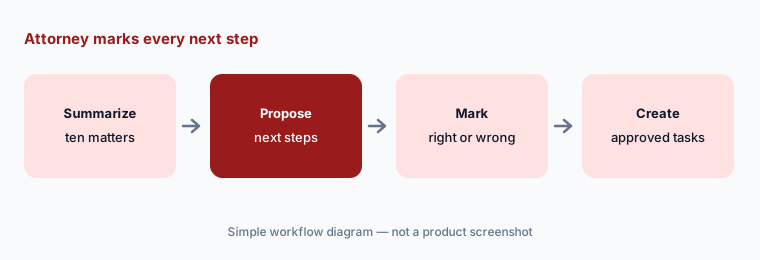
Primary workflow:
Let Archie summarize ten active matters and propose next steps. Have the responsible attorney mark each next step right, wrong, or missing before Archie creates any task.
2. Draft tasks, memos, and events you approve
What it is: When you ask Archie to create a task, it prepares a draft for review — subject, notes, due date, assignee — and nothing is saved until you choose Save Task (help center, updated 4 May 2026). Memos and calendar events work the same way: Archie drafts, you edit, then save. Smokeball notes that events cannot yet include attachments or reminders and that full workflow automation is not yet supported.
The draft step is the control point. A wrong due date approved in a hurry is still the firm's wrong due date.
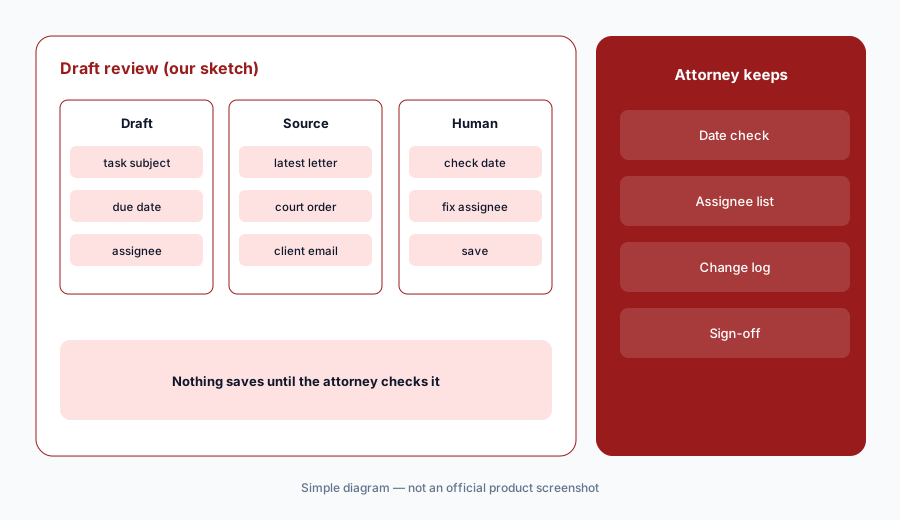
Check before saving:
Ask Archie to draft five tasks and two events from one matter's latest correspondence. Have the responsible attorney check every due date and assignee against the source before anything is saved.
3. Archie in Word: tracked changes and Playbooks
What it is: Archie in Word drafts, edits, and reviews documents with the matter's files, correspondence, events, notes, and tasks as context, and applies edits as tracked changes you accept, reject, or modify; users can choose GPT, Claude, or Gemini models (product update, 22 Jun 2026). Playbooks turn a firm's review checklist into plain-language rules; results come back as issues, warnings, and passes, with suggested fixes applied as tracked changes, and ready-made playbooks exist for subpoenas, affidavits, and more (September update, posted 2 Oct 2026; help center).
Tracked changes keep the attorney in control only if someone reads them. Accept-all on an AI redline is the same as not reviewing it. Save-back to the matter also differs by tier and Word version (help center).
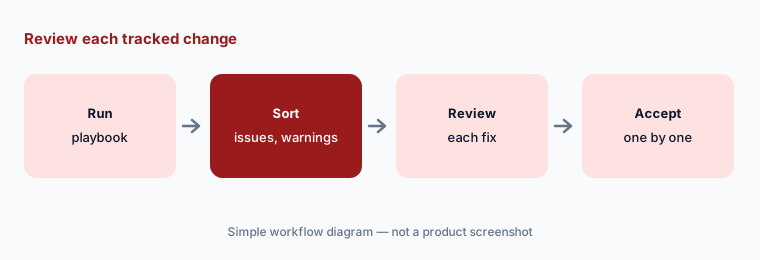
Review each tracked change:
Run one ready-made playbook on three closed documents. Have the supervising attorney review every issue and warning and accept or reject each tracked change individually before using Playbooks on live documents.
4. Archie in Outlook: thread summaries and drafts
What it is: Archie in Outlook, through Smokeball's new Outlook add-in, summarizes email threads, offers quick replies, and drafts full responses from the matter's details, with tone, length, and style adjustable before sending (Archie page). The September update also added one-step Word-to-PDF attachments in new Outlook (Smokeball).
A matter-aware email is still a client message. Facts pulled from the wrong matter or an outdated document are the risk to check.
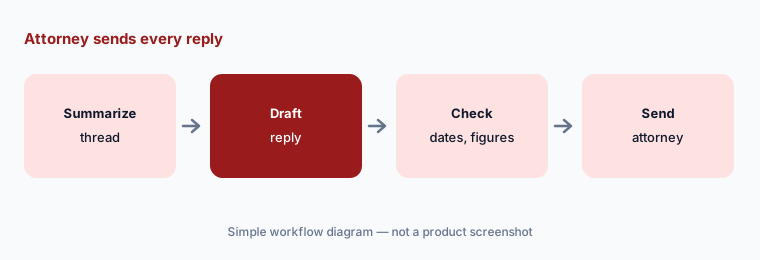
Attorney sends every reply:
For one week, have the responsible attorney read every Archie-drafted client email and check each date and figure against the latest matter document before it is sent.
5. LawY jurisdiction-aware research
What it is: LawY is included with the Archie add-on (help center, updated 20 Oct 2026). It is configured to the matter's practice area, answers legal questions with links to the resources it considered, offers Deep Research (about an hour, no extra cost), and lets users send an answer to a qualified lawyer in the practice area for verification. Smokeball's help center says LawY “does not provide legal advice” and users must check the accuracy of every answer.
Outside verification is a second opinion, not your supervision duty. The firm's attorney still reads the authority before it shapes advice to a client.
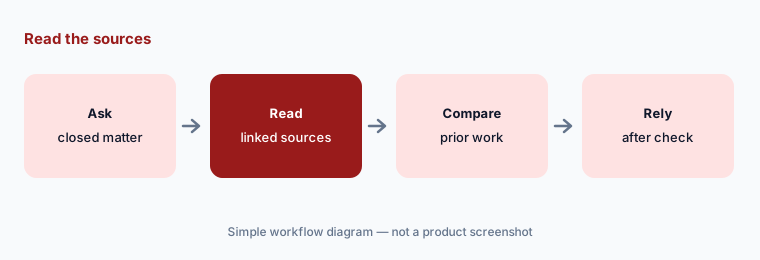
Read the sources:
Ask LawY three questions your firm already answered on closed matters. Have the responsible attorney read every linked source and compare the answers with the firm's prior work before relying on LawY for a live matter.
6. Westlaw Deep Research inside Archie
What it is: On 13 October 2026 Smokeball announced that Thomson Reuters' Westlaw Deep Research will be integrated into Archie “later this month.” Archie recognizes when a question needs research, runs Deep Research, and returns a citation-backed report in which every citation links to Westlaw; reports can be saved to the matter as a memo or document, and one prompt can produce both the research and a draft. Smokeball's Thomson Reuters marketplace page adds concise or expanded reports and KeyCite treatment flags, and says current Smokeball clients who are Westlaw Advantage or CoCounsel Legal subscribers get it at no additional cost. A CoCounsel Legal integration is planned for early 2027 (roadmap). Archie also lists partner apps such as Supio for medical chronologies and demands.
A report saved to the matter becomes context for future Archie answers. Check it before it is saved, or Archie will build on any mistake in it.
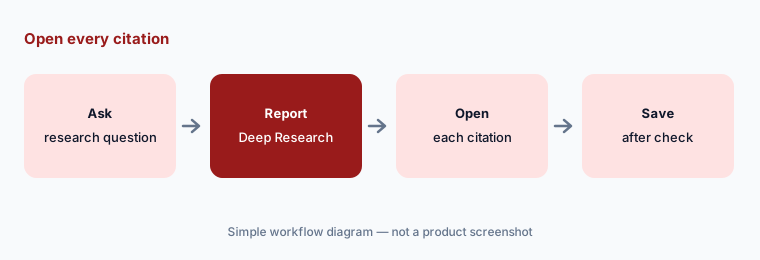
Open every citation:
When Westlaw Deep Research is live in your account, run two research questions from closed matters. Have the responsible attorney open every citation on Westlaw and check its KeyCite flag before saving any report to a matter.
Pricing context (October 2026)
Smokeball publishes no prices (checked 20 Oct 2026). Its pricing page lists four plans — Bill, Boost, Grow, and Prosper+ — each with “Get pricing,” and says price depends on the number of users, plan, contract term, and optional products. The Archie AI assistant is listed as an add-on on Boost, Grow, and Prosper+. We treat it as quote-only and print no third-party figures.
LawY and its Deep Research are included with the Archie add-on (help center). Westlaw Deep Research in Archie comes at no additional cost for current Smokeball clients who already subscribe to Westlaw Advantage or CoCounsel Legal; others are set up with Thomson Reuters through Smokeball. AutoTime is included in Prosper+ and an add-on for Grow. Ask which Archie features your quote covers on your tier and region.
Uncertainty: We did not test Smokeball. Westlaw Deep Research was announced on 13 Oct 2026 as arriving later in October — confirm it is live in your account. Playbooks and some Outlook features differ by tier and region (US, AU, UK). Productivity figures are customer quotes. The CoCounsel Legal integration is a roadmap item for early 2027.
When it’s useful (honest take)
Useful when you are a small or mid-size firm that drafts in Word and lives in Outlook, wants AI that knows the matter, and has a responsible attorney who confirms every Archie-created task, event, and tracked change.
Less useful when you want published per-user prices (8am MyCase AI prints them), deadlines pulled from court documents (Clio AI; see Clio vs 8am MyCase), a plaintiff PI platform (Supio or Filevine AI), or a full research platform of record (CoCounsel Legal).
Paying for Smokeball AI and a few other AI tools? The $9 AI toolkit spreadsheet lists every AI subscription you have, what each one costs, and how fast it pays for itself, so you can see which ones are worth the money.
Want someone to do it for you? AI toolkit audit — $19
Related options (educational)
| Need | Better home | Why |
|---|---|---|
| Matter assistant in Word and Outlook | Smokeball (this page) | Quote only; Archie is an add-on |
| Practice AI with published prices | 8am MyCase AI | Pro $100/$120; Advanced $130/$150 per user/month |
| Deadlines from court documents, AI bills | Clio AI | From $49/user; AI on Core and above |
| Westlaw research platform of record | CoCounsel Legal | Configurator or quote |
| Plaintiff PI chronologies and records | Supio | Quote only |
FAQ
What is Archie in Smokeball?
Archie is Smokeball's AI matter assistant. It summarizes matters and documents, suggests next steps, drafts tasks, memos, and events for you to approve, works inside Word and Outlook, and answers legal questions through LawY.
When is Westlaw Deep Research coming to Archie?
Smokeball announced on 13 October 2026 that Westlaw Deep Research would be integrated into Archie later in October 2026. Confirm it is live in your account before relying on it.
How much does Smokeball cost in October 2026?
Smokeball publishes no prices. All four plans (Bill, Boost, Grow, Prosper+) show Get pricing, and the Archie AI assistant is an add-on on Boost, Grow, and Prosper+.
Does Archie create tasks on its own?
Smokeball's help center says Archie prepares a draft task, memo, or event for you to review and edit, and it is saved only when you choose to save it.
Who should check Archie output?
The responsible attorney for every task, event, and client email; the supervising attorney for every tracked change and Playbook fix; and the responsible attorney for every LawY or Westlaw citation.
Optional next step (if seats overlap)
If you pay for Smokeball with Archie, a separate research subscription, and a general chat assistant in Word and Outlook, that overlap is worth mapping. Map the overlap with the $19 AI toolkit audit or the $9 AI toolkit spreadsheet. Email Audit $19 or Toolkit spreadsheet $9.
Checkout is live via Stripe. After you pay, we email delivery (spreadsheet) or intake next steps (audit).