Tool · Law firm ops · Eve · Oct 2026
Eve AI review (Oct 2026): EveOS plaintiff AI workforce, case agents, AI Auditor, Eve Research, and Atlas case data
Eve (San Mateo) sells AI built only for plaintiff firms — personal injury, medical malpractice, workers' compensation, SSDI, and employment. In January 2026 it introduced Eve 2.0, agents that act when a case is ready plus a nightly AI Auditor; in June it relaunched as EveOS with Eve Research, Communication Agents, and Intake Signing; and in August it turned on Atlas, a self-updating case file, and Analyst. This page is about letting Eve's agents draft while the handling attorney still owns every pleading, discovery response, and client message. Each section has a Try this.
What this Eve page covers
This page is for a managing attorney, litigation lead, case manager, or intake manager at a plaintiff firm. It is educational, not legal advice and not medical advice. We did not test Eve; facts come from Eve's Tort Report posts, knowledge base, and platform page read on 20 October 2026.
Eve introduced Eve 2.0 on 13 January 2026 as “the first proactive AI workforce for plaintiff firms” (Eve's claim), with Agents, Auditor, and Analyst; Agents and Auditor became generally available on 10 March 2026. Eve said on 7 April 2026 that more than 1,000 plaintiff firms and 200,000 active cases were on the platform; its site now says 1,200+ firms. On 11 June 2026 Eve became EveOS, and on 25 August 2026 it said Analyst and Atlas were live. Outcome figures Eve cites — 3x attorney capacity, settlement values up 30%, case cycles 50% shorter — are Eve's claims, marked “results may vary” on its own pages.
One source conflict to know: Eve's 25 August post says Analyst is live, but the FAQ on its platform page (read 20 Oct 2026) still says Analyst “is currently in design and available to waitlist firms.” Ask which applies to your account.
Ground rules: a licensed attorney owns any filing, citation, demand, deadline, client message, or discovery response that comes out of Eve. The handling attorney approves every agent-drafted pleading, discovery request or response, and client message before it is served or sent; a case manager checks every Auditor flag; and an attorney confirms every statute-of-limitations date.
Major features (with how someone uses them)
Examples at a glance: each feature has a concrete example from a real job plus a short Try this you can run this week.
1. Casework agents that draft discovery (primary)
What it is: Eve's platform page lists casework agents that “draft demands, discovery, and motions,” and its EveOS post says agents start drafting when case conditions are met — records land, a discovery deadline approaches — with “the attorney approves before anything goes out.” Eve says firms built more than 20,000 casework agents in the three months before June 2026 (Eve's figure). The June 2026 update added Document Preparation in beta: Bates stamping, redaction, and form filling from a plain-English request.
An agent that starts a draft on its own still produces a draft. Discovery that goes out under an attorney's signature needs that attorney's line-by-line review against the pleadings.
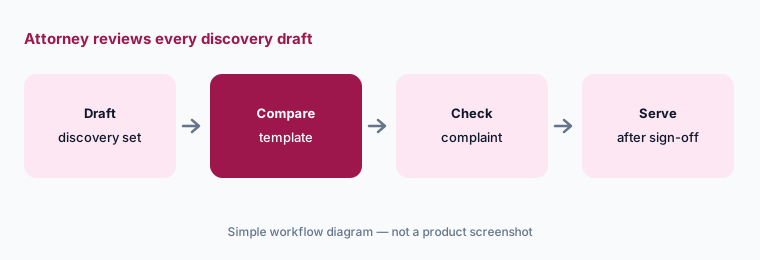
Primary workflow:
Let Eve's agents draft discovery requests for five active cases. Have the handling attorney compare each draft with the firm's own template and the complaint before anything is served.
2. AI Auditor and Recommended Next Actions
What it is: Eve's Auditor reached general availability with Eve 2.0 on 10 March 2026. Eve says it reads medical records, ER notes, and case files every night for findings that move case value — buried injuries, brain injuries, surgical indicators, permanent impairment, treatment gaps before a demand, missing documentation. Since June 2026, Recommended Next Actions turns those findings into a prioritized daily queue for case managers, and Eve says findings can trigger agents directly. Eve claims customers see 30% higher settlement values; its own page adds “results may vary.”
A nightly flag is a lead for a person, not a conclusion. A “buried injury” may be a prior condition, a coding error, or a real finding that needs a treating provider's opinion.
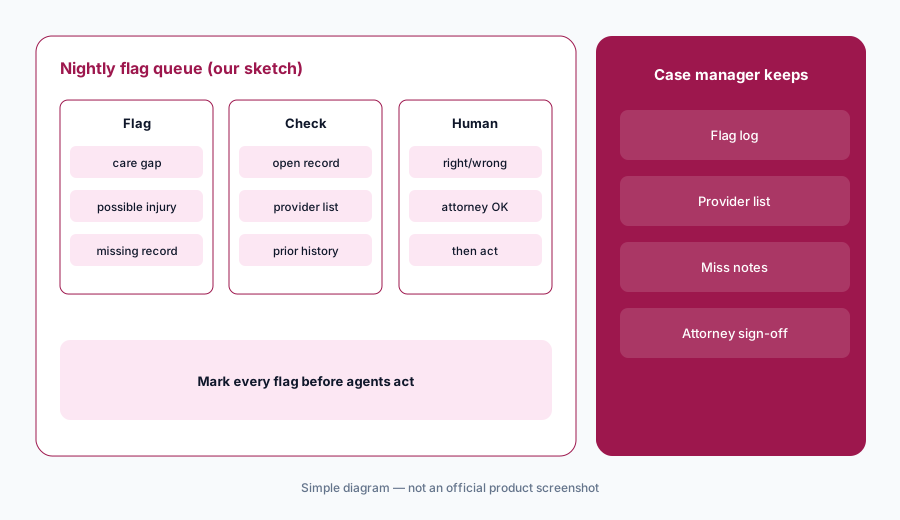
Mark every flag:
For two weeks, have the case manager mark every Auditor flag right, wrong, or unclear against the records, and have the handling attorney review every flag that would change a demand before any agent acts on it.
3. Eve Research inside the matter
What it is: Eve Research became generally available in the June 2026 update: case law, statutes, regulations, medical literature, business filings, and web search inside the matter. Eve says it identifies the jurisdiction from the case facts, links every citation to the source passage, and flags opinions later overruled in whole or in part (EveOS), and that agents use it as part of their normal work.
An overruled flag is helpful; it is not a full citator check. Authority that goes into a filing gets read and checked in the firm's research platform of record.
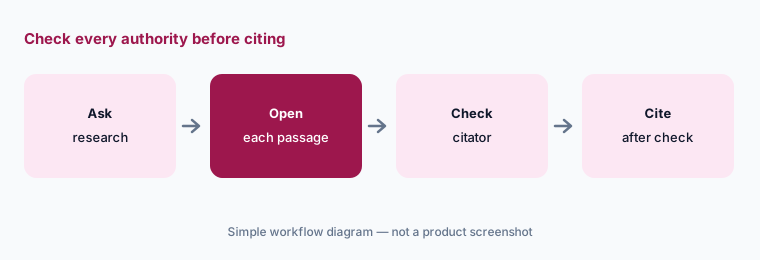
Check every authority:
For one motion, have the associate open every Eve Research citation at its source passage and check it in your citator of record before any of it is cited.
4. Communication Agents for calls to clients, carriers, and providers
What it is: Communication Agents became generally available in June 2026. Eve says they call insurers to open and confirm claims, chase providers through records requests, run treatment check-ins (up to 40 clients at once), give case updates during quiet stretches, and handle the standard part of onboarding calls (EveOS). Eve frames it as handling the calls that don't need a lawyer.
A call to a client or an adjuster speaks for the firm. Scripts need a written rule about what the agent may never say — case value, advice, settlement talk — and an attorney's sign-off.
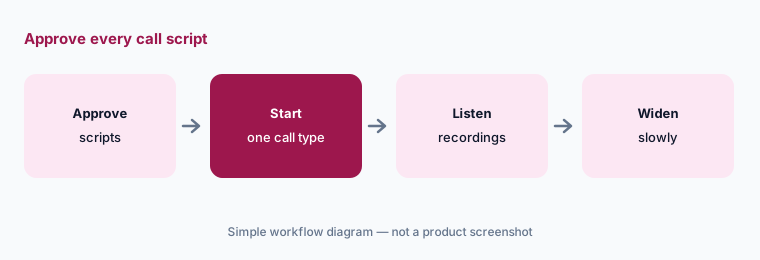
Approve every script:
Turn on one call type for ten cases. Have the managing attorney approve the script, then listen to every recorded call for two weeks before adding another call type.
5. Atlas case data and Analyst for firm leaders
What it is: Eve said on 25 August 2026 that Atlas and Analyst are live. Atlas reads records, bills, transcripts, and filings as they arrive and fills in contacts, policies, liens, expenses, providers, and case facts, each linked to its source; Eve says hand-entered values stay put. The platform page says routine fields such as visit dates can update automatically, billing amounts are flagged for review, and statute-of-limitations dates always require attorney sign-off. Atlas is opt-in for eligible PI firms. Analyst is read-only and answers plain-English questions about the firm from Eve, a connected case system (Smart Advocate, Litify, or Prevail), or Atlas.
Automatic fields are only as good as the rules behind them. Set which fields need a person before Atlas writes anything a deadline depends on.
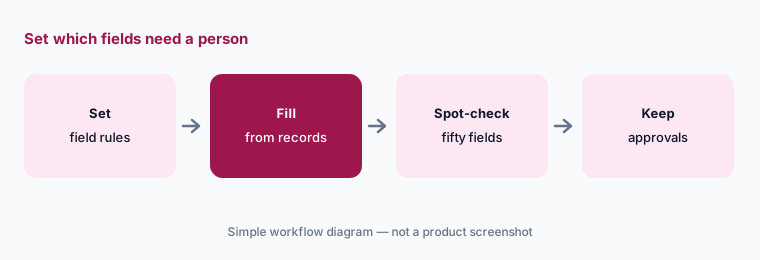
Set the field rules:
Before turning on Atlas, have the firm administrator list which fields may update on their own and which need a person, with every statute-of-limitations date confirmed by the handling attorney.
6. Eve Intake: 24/7 calls and Intake Signing
What it is: Eve's intake agent, Jenny, answers calls 24/7 in 28 languages, qualifies the lead, assesses case viability, and since the June 2026 update can send the engagement letter for signature before the call ends. The signed retainer populates Atlas and a CRM such as Clio Grow, Lead Docket, or Smart Advocate (EveOS). Eve says firms using Intake Signing capture 1.5x more qualified leads — its claim.
A retainer signed on the first call is still the firm's engagement. Who may be signed without an attorney's review is firm policy, not a vendor default.
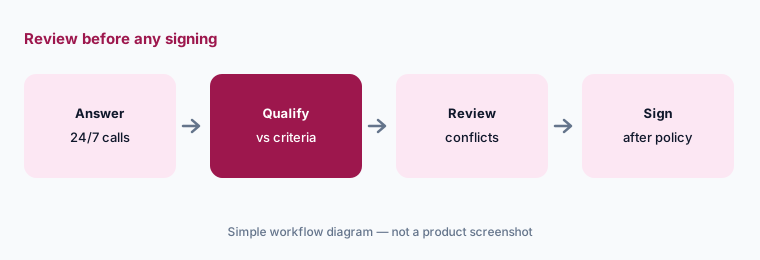
Review before signing:
For two weeks, have the intake manager review every lead Eve Intake would have signed against your case criteria and conflicts before letting it send any engagement letter on its own.
Pricing context (October 2026)
Eve publishes no price list (checked 20 Oct 2026): eve.legal/pricing returns a 404, and its site lists “Contact for pricing. Free demo available.” Pricing is quote-only, and we print no third-party figures.
Ask what your quote counts (cases, users, or modules), which of Agents, Auditor, Research, Communication Agents, Intake, Atlas, and Analyst it includes, whether call minutes or languages cost extra, and what onboarding support comes with it.
Uncertainty: We did not test Eve. Features and dates come from Eve's own posts, knowledge base, and platform page read on 20 Oct 2026. Capacity, settlement, cycle-time, lead, and adoption figures are Eve's claims. Eve's pages disagree on whether Analyst is live or waitlist; Atlas is opt-in for eligible PI firms, and Document Preparation was in beta in June 2026.
When it’s useful (honest take)
Useful when you are a plaintiff firm that wants agents drafting and following up across the caseload, and the handling attorney, case managers, and intake manager will review every draft, flag, and call script.
Less useful when you mainly need demand letters as a service (EvenUp), record retrieval and chronologies (Supio), a full case-management platform with AI built in (Litify AI or Filevine AI), or general small-firm practice management (Clio AI).
Paying for Eve AI and a few other AI tools? The $9 AI toolkit spreadsheet lists every AI subscription you have, what each one costs, and how fast it pays for itself, so you can see which ones are worth the money.
Want someone to do it for you? AI toolkit audit — $19
Related options (educational)
| Need | Better home | Why |
|---|---|---|
| Agents, Auditor, Research, Atlas for plaintiff firms | Eve AI (this page) | Quote only |
| PI agent, chronologies, record retrieval | Supio | Quote only |
| PI demands and pre-litigation service | EvenUp | Case-based quote |
| Case management on Salesforce with ACE agents | Litify AI | Quote only |
| PI case management with demand drafting | Filevine AI | Custom quote |
FAQ
What is EveOS?
Eve's name, since 11 June 2026, for its AI platform for plaintiff firms: agents that draft and follow up, a nightly Auditor, Eve Research, Communication Agents, Intake, Atlas case data, and Analyst for firm leaders.
When did Eve 2.0 launch?
Eve introduced Eve 2.0 on 13 January 2026 and made Agents and Auditor generally available on 10 March 2026.
How much does Eve cost in October 2026?
Eve publishes no prices; eve.legal/pricing returned a 404 on 20 Oct 2026 and the site says to contact Eve for pricing. Treat it as quote-only.
Can Eve file or send discovery on its own?
Eve says agents draft discovery, demands, and motions when case conditions are met and that the attorney approves before anything goes out. Keep that rule in writing: the handling attorney reviews and signs every set.
Who should check Eve output?
The handling attorney for every pleading, discovery set, demand, and client message; the case manager for Auditor flags; the intake manager for intake rules; and an attorney for every statute-of-limitations date.
Optional next step (if seats overlap)
If you pay for Eve, a case-management system's AI tier, and a separate demand or records service that all touch the same file, that overlap is worth mapping. Map the overlap with the $19 AI toolkit audit or the $9 AI toolkit spreadsheet. Email Audit $19 or Toolkit spreadsheet $9.
Checkout is live via Stripe. After you pay, we email delivery (spreadsheet) or intake next steps (audit).