Tool · Law firm ops · Litify · Oct 2026
Litify AI review (Oct 2026): ACE agentic case expert, intake triage, demand generation, and matter summaries on Salesforce
Litify is a legal operations platform built on Salesforce for plaintiff firms, insurance defense firms, and corporate legal departments. Its AI layer is Litify ACE, the Agentic Case Expert, launched on 31 March 2026 and expanded on 15 September 2026 with firm-wide Global Mode, a Chrome extension, and mobile access. ACE runs agents for intake triage, damages and demand generation, interrogatories, depositions, and matter summaries. This page is about letting those agents propose and act while named people still approve every rule and every write. Each section has a Try this.
What this Litify page covers
This page is for a managing partner, intake supervisor, operations director, or legal-ops lead at a firm on Litify or evaluating it. It is educational and not legal advice. We did not test Litify; facts come from Litify's press releases, blog, and product pages read on 20 October 2026.
Litify's 31 March 2026 launch describes ACE as a proactive agent that analyzes matter data, flags risks and opportunities, and runs multi-step workflows inside Litify, powering Ask, Draft, Summarize, and packaged and custom agents. The 15 September 2026 release added Global Mode across the firm, a Chrome extension, a web app, a mobile shortcut, role-aware recommendations, and connections to iManage, Google Drive, and SharePoint. A centralized Skills Library replaced the old prompt library (Litify).
Litify's AI page says it is built on Salesforce, AWS, and Anthropic, that customer data is never retained or used to train the model, and that it is configurable for HIPAA, GDPR, and SOC 2. Two of its AI features — Damages Assistant and Instant Demands — are labeled “Powered by Supio,” and AI Time Capture is “Powered by Billables.ai.” See our Supio review.
Ground rules: a licensed attorney owns any filing, citation, demand, deadline, client message, or discovery response that comes out of Litify. The intake supervisor approves every auto-qualified lead rule, the handling attorney approves every demand and interrogatory response, and the billing partner approves every time-entry change before a bill goes out.

Major features (with how someone uses them)
Examples at a glance: each feature has a concrete example from a real job plus a short Try this you can run this week.
1. ACE intake triage with the Intake Qualifier Agent (primary)
What it is: Litify's Intake Qualifier Agent “evaluates intake data against firm criteria to assess case viability and recommend whether to accept or turn down a case.” The launch release describes an Intake Agent that identifies high-value cases, recommends conversion, and sends retainers by e-signature. LitifyAI Call Intelligence adds live transcription, pre-filled questionnaires, and lead ranking from calls and voicemails.
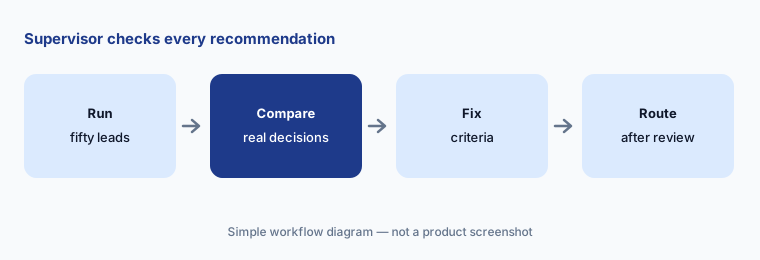
A declined lead is a person who asked for help. The criteria the agent applies are firm policy, and the intake supervisor should see every recommendation before any of them route on their own.
Primary workflow:
Run ACE intake triage on last month's fifty leads. Have the intake supervisor check every accept or decline against the firm's case criteria before turning on auto-routing.
2. Global Mode: firm-wide questions and bulk actions you preview
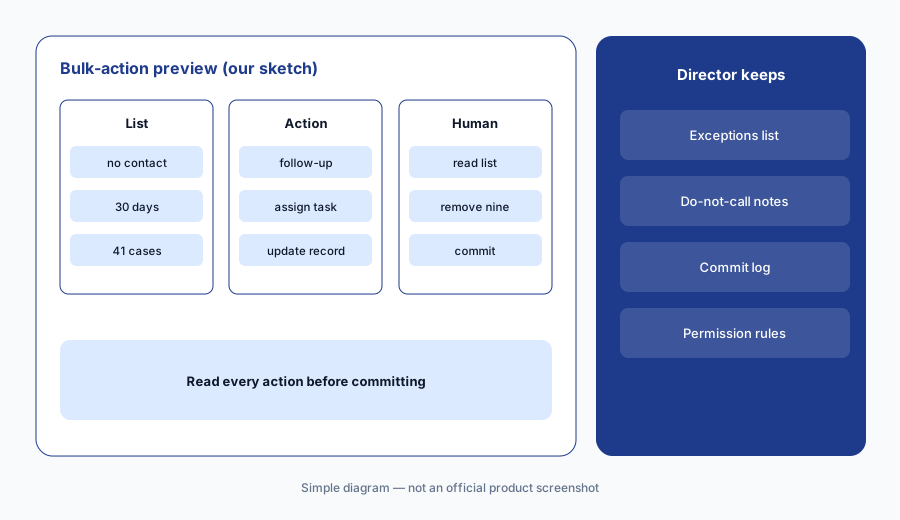
What it is: The next-generation ACE (15 September 2026) has two modes: Matter Mode for one case and Global Mode for questions across the firm — stalled cases, clients who need outreach, approaching deadlines, workload — with bulk actions such as assigning tasks, starting follow-ups, and updating records. Litify's product post says ACE creates, assigns, edits, and completes Salesforce records at single-matter or firm-wide scale, and that “every action is previewed and editable before it commits, so a human stays in the loop on every write,” with permission controls on who can act.
A bulk action is many small decisions made at once. Preview is only a safeguard if someone actually reads the list before committing it.
Read the preview:
Ask ACE in Global Mode for one firm-wide list (for example, clients with no contact in 30 days). Have the operations director read every proposed action in the preview and remove exceptions before committing any of them.
3. Damages Assistant and Instant Demands
What it is: Litify describes a PI chain (15 Sep 2026): ACE Document Assistant ingests and classifies new documents; the Damages Assistant scans new records and bills to keep a source-linked medical chronology; if records are missing, ACE requests them from the provider with a signed HIPAA authorization; the Policy Agent tallies damages against policies; and when damages reach a threshold, Instant Demands drafts the demand packet. Both Damages Assistant and Instant Demands are “Powered by Supio” (Litify).
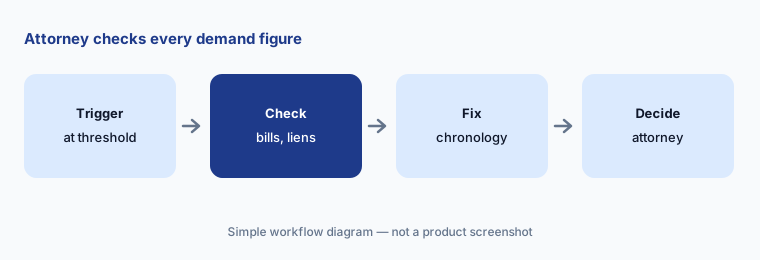
A demand drafted because a number crossed a threshold still needs the handling attorney to decide whether, when, and for how much to demand.
Check every figure:
For the next three Instant Demands drafts, have the handling attorney check every injury, date, and dollar figure against the records, bills, and lien letters before any demand goes out.
4. Interrogatory, deposition prep, and deposition review agents
What it is: Litify's agent list includes an Interrogatory Agent that analyzes incoming interrogatories and drafts suggested responses from case data, a Deposition Prep Agent that pulls the most relevant facts into a prep document, and a Deposition Review Agent that extracts key facts, admissions, and conflicting testimony from transcripts. A Strengths & Weakness Agent reviews the file for key strengths and risks.
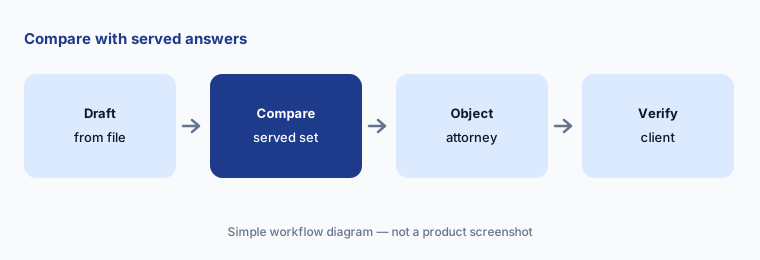
Suggested responses use whatever the case file says, including what it gets wrong. Objections, privilege, and verification are the attorney of record's calls.
Compare with served answers:
Run the Interrogatory Agent on one set your firm already served. Have the attorney of record compare every suggested answer and objection with the served version before using it on a live set.
5. Matter Summary Agent and ACE wherever you work
What it is: The Matter Summary Agent consolidates Chatter, notes, tasks, emails, and files into a narrative overview on the matter record, on a schedule or on demand. Since 15 September 2026, ACE is available in a standalone web app, a Chrome extension that detects the active matter, a component on matter pages, and a mobile shortcut, and it opens with role-aware recommendations. Litify says ACE has no page limits and can export stage charts and reports to PDF or Excel.
A narrative summary reads as complete even when the file is not. Spot-check it against the record before it shapes a client call.
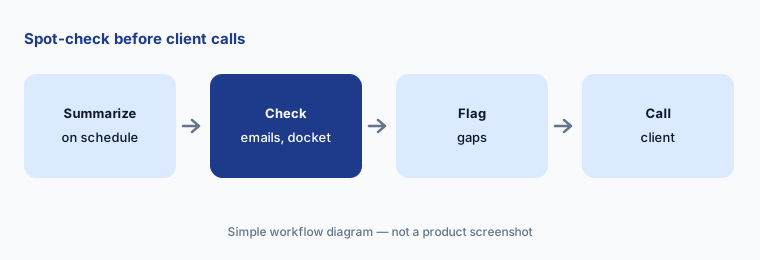
Spot-check before calls:
For two weeks, have the case manager check every scheduled matter summary against the latest emails and docket entries before any client call that relies on it.
6. Billing-guideline review, AI Time Capture, and AI cost attribution
What it is: For insurance defense firms, Litify says ACE reviews a client's history of bill reductions and appeals, flags proposed time entries at risk of reduction with the specific precedent, and “recommends a compliant rewrite or makes the adjustment automatically before billing” (15 Sep 2026). AI Time Capture, powered by Billables.ai, proposes review-ready time entries, and an AI Attribution Agent logs AI usage costs to case records (Litify).
An automatic rewrite of a time entry changes what the firm tells a client it did. Keep a person approving every change, and never let a rewrite add work that was not done.
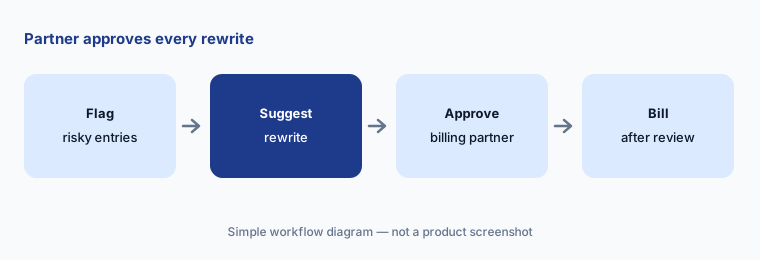
Approve every change:
For one billing cycle, run billing-guideline review in recommend-only mode. Have the billing partner approve or reject every suggested rewrite before any invoice goes out.
Pricing context (October 2026)
Litify publishes no prices (checked 20 Oct 2026): litify.com/pricing is a demo-request form describing an intro call and a tailored demo. Pricing is quote-only, and we print no third-party figures.
Ask which ACE agents are included versus extra, whether Supio-powered Damages Assistant and Instant Demands or Billables.ai Time Capture are priced separately, what Salesforce licensing the quote assumes, and whether AI usage costs are passed through to matters (Litify's AI Attribution Agent logs them to case records).
Uncertainty: We did not test Litify. Features and dates come from Litify's press releases, blog, and product pages read on 20 Oct 2026. Agent availability can depend on practice area, package, and Salesforce setup. Partner-powered features (Supio, Billables.ai) may carry their own terms. Customer outcome quotes are Litify's.
When it’s useful (honest take)
Useful when you already run on Litify or Salesforce, handle PI, litigation, insurance defense, or legal-department work at volume, and have an intake supervisor, handling attorneys, and a billing partner who will approve rules and writes.
Less useful when you are a small firm that wants simpler practice management (Clio AI, 8am MyCase AI, Smokeball AI), you want an AI layer without changing case systems (Eve AI connects to Litify; Supio), or you mainly need large-firm drafting and review (Harvey AI, Legora AI).
Paying for Litify AI and a few other AI tools? The $9 AI toolkit spreadsheet lists every AI subscription you have, what each one costs, and how fast it pays for itself, so you can see which ones are worth the money.
Want someone to do it for you? AI toolkit audit — $19
Related options (educational)
| Need | Better home | Why |
|---|---|---|
| Case management on Salesforce with ACE agents | Litify AI (this page) | Quote only |
| PI case management with LOIS, demands, chronologies | Filevine AI | Custom quote |
| Plaintiff AI agents, Auditor, Atlas | Eve AI | Quote only |
| PI agent, chronologies, record retrieval | Supio | Quote only |
| Small-firm practice management with AI | Clio AI | From $49/user; AI on Core and above |
FAQ
What is Litify ACE?
Litify's Agentic Case Expert, launched 31 March 2026: an AI layer inside Litify that analyzes matter data, flags risks and opportunities, and runs multi-step workflows. The 15 September 2026 release added firm-wide Global Mode, a Chrome extension, and mobile access.
How much does Litify cost in October 2026?
Litify publishes no prices; its pricing page is a demo-request form. Treat it as quote-only and ask which agents and partner features the quote includes.
Does Litify AI write to case records on its own?
Litify says ACE creates, edits, and completes Salesforce records, and that every action is previewed and editable before it commits. Firms should decide who may commit bulk actions.
Who builds Litify's demand letters?
Litify labels its Damages Assistant and Instant Demands features as powered by Supio. The handling attorney still checks every figure before any demand goes out.
Who should check Litify output?
The intake supervisor for every lead rule and recommendation, the handling attorney for demands and interrogatory responses, the operations director for bulk actions, and the billing partner for every time-entry change.
Optional next step (if seats overlap)
If you pay for Litify's AI, a separate demand or records service, and general chat seats that all touch the same matters, that overlap is worth mapping. Map the overlap with the $19 AI toolkit audit or the $9 AI toolkit spreadsheet. Email Audit $19 or Toolkit spreadsheet $9.
Checkout is live via Stripe. After you pay, we email delivery (spreadsheet) or intake next steps (audit).