Tool · Law firm ops · iManage · Oct 2026
iManage AI review (Oct 2026): Ask iManage agentic search, playbook analysis, AI Enrichment, and MCP Server for law firm document management
iManage makes iManage Work, the document and email management system many large and mid-size firms keep their matter files in. Its AI layer adds Ask iManage, an assistant that searches the whole repository and answers with citations, playbook analysis for contract review, AI Enrichment that classifies documents and extracts parties and governing law, and an MCP Server that lets outside AI tools read governed content. This page is about getting value from a firm's own past work while ethical walls hold and the responsible attorney checks every cited answer. Each section has a Try this.
What this iManage page covers
This page is for a knowledge management partner, CIO, practice support lead, or records manager at a firm on iManage Work or evaluating it. It is educational and not legal advice. We did not test iManage; facts come from iManage's news releases, product pages, and Ask iManage release notes read on 20 October 2026.
iManage's AI page groups its AI into Ask iManage, AI Enrichment (AI Services), and the Model Context Protocol connection. Its FAQ says iManage AI runs only on the cloudimanage.com endpoint and that Ask iManage, AI Services, and Mailbox Assistant are not included in a standard cloud subscription and are bought as additional products. Data processed by iManage AI stays on the iManage platform.
At ConnectLive on 20 May 2026 iManage said Security Policy Manager will support more granular client- and matter-level restrictions on AI use, that Threat Manager now shows AI agent activity in user activity reporting, and that iManage OCR makes scanned PDFs searchable for AI. iManage's customer-share figures differ between its pages, so we do not repeat them.
Ground rules: a licensed attorney owns any filing, citation, demand, deadline, client message, or discovery response that draws on iManage AI. The responsible attorney checks every cited answer before prior work is reused on a new matter, a named attorney owns each playbook, and the records and risk teams decide which outside AI tools may connect.
Major features (with how someone uses them)
Examples at a glance: each feature has a concrete example from a real job plus a short Try this you can run this week.
1. Ask iManage agentic search with cited answers (primary)
What it is: On 29 January 2026 iManage expanded Ask iManage from analyzing documents a user selects to answering natural-language questions across the iManage Work repository, with responses grounded in governed firm content and citations linking to the exact documents used. From an answer, users can move into summaries, side-by-side comparisons, and redline analysis. iManage says permissions, information barriers, and security policies are enforced natively and content is not moved outside iManage; the update was generally available to Ask iManage subscribers at no additional cost.
Prior work answers a question about a past matter, for a past client, under past facts and law. The attorney reusing it decides whether it applies now, and whether the client's confidences allow it.
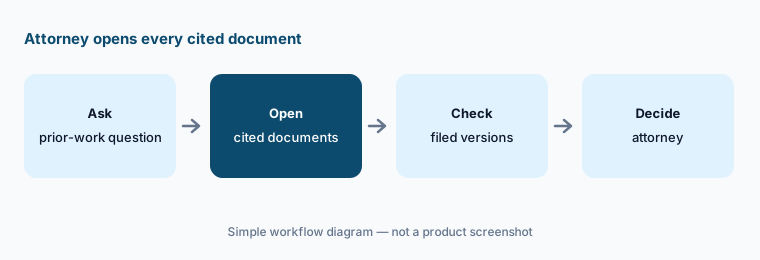
Primary workflow:
Ask iManage five questions your knowledge team already answered from prior matters. Have the responsible attorney open every cited document and confirm it supports the answer before anyone reuses it on a live matter.
2. Playbook analysis: contracts checked against your approved positions
What it is: iManage announced playbook analysis on 11 May 2026 (general availability at the end of that month). Inside Ask iManage, a reviewer uploads or selects a contract, runs it against a saved playbook, and gets a structured risk report: where the contract deviates from approved positions, which protections are missing, and which clauses do not meet the standard. iManage says each finding comes with an explanation, citations, and a proposed revision the reviewer can apply in one click with inline comments, and that playbooks can be saved for personal or organization-wide reuse (Ask iManage release notes, May 2026).
A one-click revision is still a change to a client's contract. The playbook is firm or client policy, so a named attorney should own it, and every applied revision should be read before the draft leaves the firm.
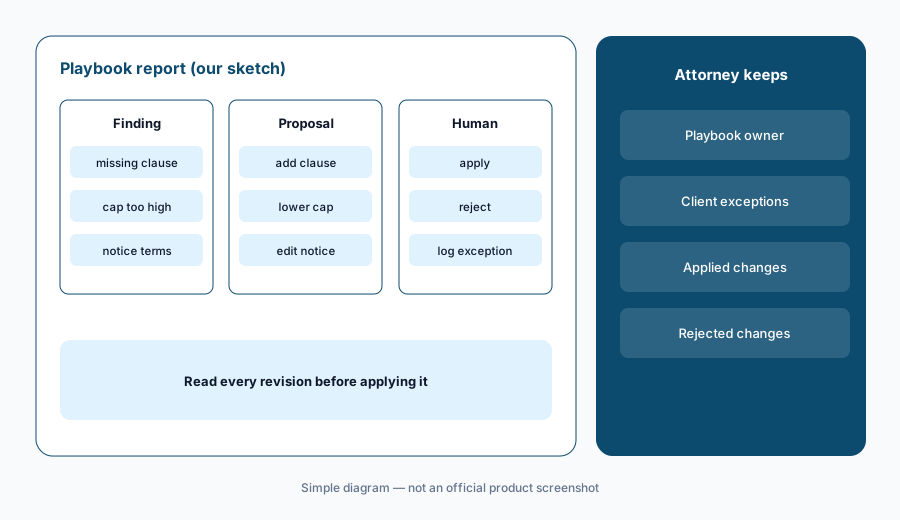
Read every revision:
Run playbook analysis on five agreements your team already negotiated. Have the supervising attorney compare every finding and proposed revision with what the team actually agreed before using it on a live deal.
3. Ask iManage controls: thinking mode, search scope, and projects
What it is: The Ask iManage release notes list a July 2026 thinking mode (Quick answer favours speed and leans on search results; Deep analysis, the default, reasons across documents more thoroughly) and a search mode (Auto, Always search the repository, or Attached documents only). June 2026 added Summary, Category, and Heading metadata columns in project tables and search that remembers the conversation; earlier releases added Ask Across for questions over many documents, a Chronology action, and Ask iManage in Microsoft Word (July 2025).
Quick answers trade depth for speed. For anything that will reach a client or a court, the reviewing attorney should know which mode produced the answer and which documents it searched.
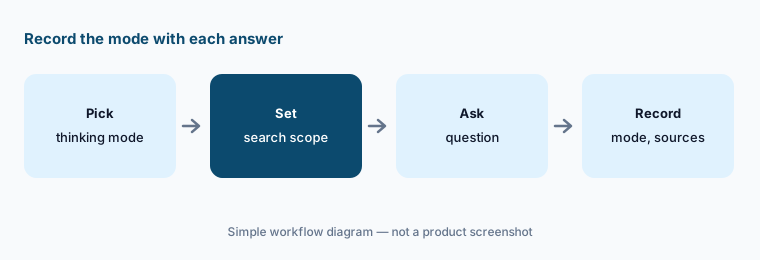
Record the mode:
For two weeks, have each knowledge lawyer record the thinking mode and search mode with every Ask iManage answer they share, and have the supervising attorney spot-check five answers.
4. AI Enrichment: classification and extraction at filing
What it is: iManage AI Enrichment classifies documents and extracts metadata such as parties, jurisdiction, and governing law at the point of filing, retroactively across the library and again when documents are edited, versioned, or restored. iManage says it supports 60+ agreement subclasses (NDA, MSA, and more), inherits existing permissions, ethical walls, and retention policies, processes documents within your region, lets admins control which libraries show enrichment fields, and offers a per-document override.
Wrong metadata quietly sends the wrong documents into search and AI answers. Someone should own correcting it and measuring how often it is wrong.
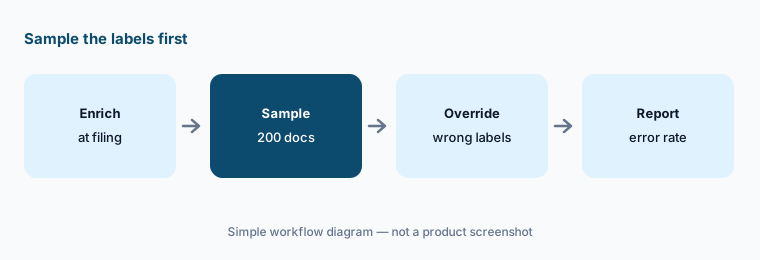
Sample the labels:
Have the records manager check 200 enriched documents from one practice group, override wrong labels, and report the error rate to the knowledge partner before anyone filters searches by those fields.
5. iManage MCP Server for Harvey, Legora, ChatGPT, Claude, and Copilot
What it is: iManage announced the iManage MCP Server on 14 May 2026 as a standard connection that lets AI systems — iManage names Harvey, Legora, ChatGPT, Claude, Microsoft Copilot, and firms' own agents — read governed iManage content without custom integrations or bulk exports. iManage says access through it is authenticated, permission-bound, and fully logged, and respects ethical walls. Its own release adds that customers should work with their vendors to understand what data leaves iManage through the connection and how it is handled. See also iManage's MCP page.
Permission-bound access stops the AI seeing what the user cannot see; it does not decide what the outside vendor keeps. That is a contract and client-consent question for the firm.
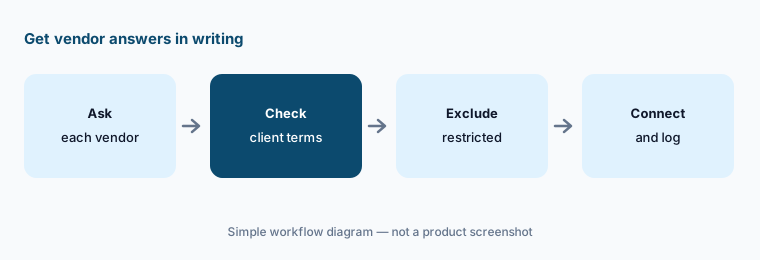
Get it in writing:
Before any outside AI tool connects to iManage through MCP, have the firm's general counsel get each vendor's written answer on what data leaves iManage and how long it is kept, and check client AI restrictions.
6. Governance: ethical walls, AI restrictions, and agent activity logs
What it is: iManage says its AI tools respect existing ethical walls and security permissions today, and at ConnectLive (20 May 2026) it said Security Policy Manager will support more granular client- and matter-level restrictions on AI use and that Threat Manager now surfaces AI agent activity — what agents access, move, and modify — in user activity reporting, with a roadmap for broader monitoring of agent behaviour.
Client- and matter-level AI restrictions were described as coming, not live. Until they are in your environment, client AI terms have to be enforced by people and process.
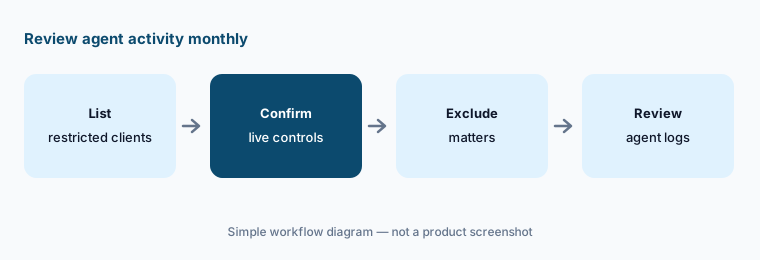
Review monthly:
Each month, have the risk manager review AI agent activity for matters whose clients restrict AI use and report any access to the general counsel.
Pricing context (October 2026)
iManage publishes no prices (checked 20 Oct 2026; imanage.com/pricing returns 404, and every route leads to “Book a demo”). Pricing is quote-only (as of 20 Oct 2026).
iManage's Ask iManage page FAQ says Ask iManage, AI Services (including AI Enrichment), and Mailbox Assistant are not included in a standard cloud subscription and must be bought as additional products, and that iManage AI needs the cloudimanage.com endpoint. The January 2026 agentic search update came at no additional cost to existing Ask iManage subscribers. Ask how each add-on is priced (per user, per library, or per volume), whether playbook analysis needs anything extra, and what moving to cloudimanage.com involves for your firm.
Uncertainty: We did not test iManage. Features and dates come from iManage's news releases, product pages, and Ask iManage release notes read on 20 Oct 2026. Some governance controls were described as coming. Add-on availability depends on your cloud endpoint and contract. iManage's customer-share figures differ between its own pages, so none are printed here.
When it’s useful (honest take)
Useful when your firm already keeps matters in iManage Work on the cloud, has years of prior work worth finding, and has a knowledge partner, records manager, and risk team who will check answers, labels, and connections.
Less useful when you are a small firm whose documents live inside practice management (Clio AI, 8am MyCase AI, Smokeball AI), your work is mostly litigation review in an eDiscovery platform (Everlaw AI, Relativity aiR), or you are not yet on the cloudimanage.com endpoint.
Paying for iManage AI and a few other AI tools? The $9 AI toolkit spreadsheet lists every AI subscription you have, what each one costs, and how fast it pays for itself, so you can see which ones are worth the money.
Want someone to do it for you? AI toolkit audit — $19
Related options (educational)
| Need | Better home | Why |
|---|---|---|
| Document management with Ask iManage and Enrichment | iManage AI (this page) | Quote; AI add-ons |
| Drafting and review that reads iManage via MCP | Harvey AI / Legora AI | Quote only |
| Research grounded in Westlaw or Lexis | CoCounsel Legal / Lexis+ with Protégé | Configurator or quote |
| eDiscovery review platforms | Everlaw AI / Relativity aiR | Quote only |
| Microsoft 365 drafting help | Microsoft 365 Copilot | Per-user add-on |
FAQ
What is Ask iManage?
iManage's AI assistant built into iManage Work. Since 29 January 2026 it can answer natural-language questions across the whole repository with citations to the documents used, and then move into summaries, comparisons, and redline analysis, while respecting permissions and ethical walls.
How much does iManage AI cost in October 2026?
iManage publishes no prices. Its FAQ says Ask iManage, AI Services, and Mailbox Assistant are bought as additional products, not included in a standard cloud subscription. Treat it as quote-only.
Do outside AI tools get my iManage documents?
Through the iManage MCP Server (14 May 2026), tools like Harvey, Legora, ChatGPT, Claude, or Copilot can read governed content with the user's permissions, and access is logged. iManage itself tells customers to ask each vendor what data leaves iManage and how it is handled.
Does iManage AI respect ethical walls?
iManage says its AI tools respect existing ethical walls and security permissions. More granular client- and matter-level AI restrictions in Security Policy Manager were described in May 2026 as coming, so check what is live for your firm.
Who should check Ask iManage answers?
The responsible attorney for any answer reused on a matter, a named attorney for each playbook, the records manager for enrichment labels, and the general counsel or risk team for any outside AI connection.
Optional next step (if seats overlap)
If you pay for iManage AI add-ons, Microsoft 365 Copilot, and a legal AI platform that reads the same documents through MCP, that overlap is worth mapping. Map the overlap with the $19 AI toolkit audit or the $9 AI toolkit spreadsheet. Email Audit $19 or Toolkit spreadsheet $9.
Checkout is live via Stripe. After you pay, we email delivery (spreadsheet) or intake next steps (audit).