Tool · Law firm ops · Everlaw · Oct 2026
Everlaw AI review (Oct 2026): Deep Dive document Q&A, Coding Suggestions, and AI review for eDiscovery teams
Everlaw is a cloud eDiscovery and litigation platform used by law firms, corporate legal teams, and government agencies. Its AI suite covers Deep Dive (questions across a whole document set, answered with citations), Coding Suggestions (first-pass review against criteria your attorneys write), Review Assistant, and Writing Assistant. In 2026 Everlaw also announced connections to ChatGPT Enterprise (live), Legora, Harvey, CoCounsel Legal, Gemini, and Microsoft 365 Copilot (several still rolling out). This page is about using that AI on review work while the review attorney still validates every batch. Each section has a Try this.
What this Everlaw page covers
This page is for a litigation partner, review attorney, eDiscovery manager, or litigation support lead at a firm that uses Everlaw or is comparing eDiscovery platforms. It is educational and not legal advice. We did not test Everlaw; facts come from Everlaw's product pages, press releases, case study, and help center read on 20 October 2026.
Everlaw's AI suite page lists Deep Dive, Coding Suggestions, Writing Assistant, Review Assistant, Predictive Coding, and Clustering. The generative features run on AI credits; Everlaw's pricing page marks Deep Dive, Coding Suggestions, Machine Translation, and Custom Extractions as credit-based, with single-document Coding Suggestions, translation, and extractions not using credits.
On 5 March 2026 Everlaw added Deep Dive for Transcripts (questions over deposition testimony with linked citations) and Fact Management (turning key documents into structured facts and timelines inside Storybuilder). Everlaw's own adoption figures from that release — 30 million+ documents in Deep Dive databases and an average Deep Dive project above 100,000 documents — are Everlaw's numbers, not ours.
Ground rules: a licensed attorney owns any filing, citation, demand, deadline, client message, or discovery response that comes out of Everlaw. The review attorney validates every Coding Suggestions batch with a sample before relying on it, the supervising attorney decides what is produced and what is withheld, and nobody treats an AI answer as a fact until someone has opened the cited document.
Major features (with how someone uses them)
Examples at a glance: each feature has a concrete example from a real job plus a short Try this you can run this week.
1. Coding Suggestions for first-pass review (primary)
What it is: Everlaw's Coding Suggestions applies criteria your team writes — a case description, a category description, and a code description — to each document and returns Yes, Soft Yes, Soft No, or No for each configured code, with a written rationale and a pointer to the relevant passage. Everlaw's help center (article updated 19 Oct 2026) says batches can run up to 250,000 documents, only the first 200–300 pages of long text documents are analyzed, suggestions go out of date when the criteria change, and applying a code from a suggestion leaves no mark that it came from the AI — so reviewers should agree with it first.
Everlaw publishes customer results — for example, its Dinsmore & Shohl case study reports about 92% recall on a first pass and 98.2% after more runs on a contract population, starting from a 120-document attorney-coded sample. Those are Everlaw's and the customer's figures; your criteria and documents will produce your own.
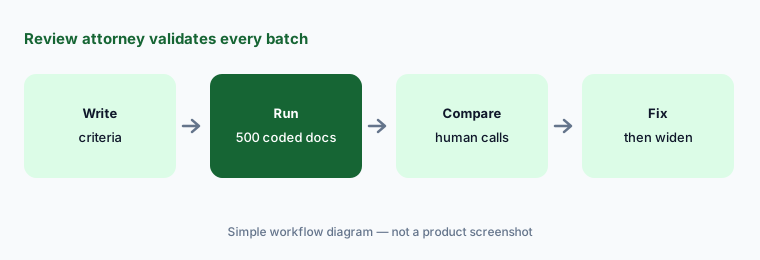
Primary workflow:
Take one closed review where you know the responsive set. Have the review attorney compare Coding Suggestions on a 500-document sample with the final human calls before using it on live productions.
2. Deep Dive: questions across the whole production, with citations
What it is: Everlaw describes Deep Dive as natural-language questions over a full matter, answered with a retrieval-augmented workflow grounded in the full text of the documents, with citations, visible multi-step reasoning, and follow-up questions in the same thread. Its launch release (Everlaw Summit, 22 October 2025) says answers are ranked by confidence and come with a list of facts, and that when evidence is insufficient the system is designed to say so. Availability expanded to Everlaw's UK, EU, and Canada instances on 3 February 2026. Everlaw says Deep Dive has handled matters of 20 million+ documents.
A cited answer is a lead to the evidence, not the evidence. The person who will rely on it should open the cited documents, and a “no evidence found” answer is not proof the documents do not exist.
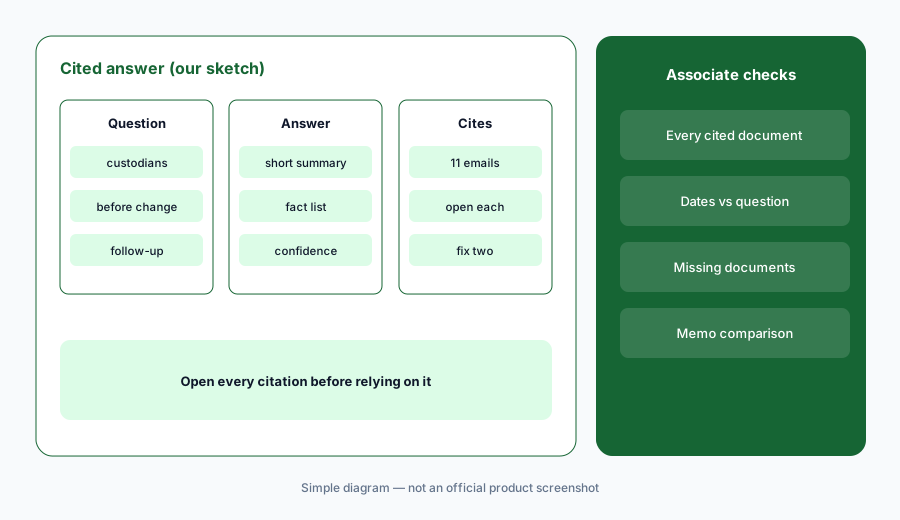
Open every citation:
Ask Deep Dive three questions your team already answered on a closed matter. Have the senior associate open every cited document and compare the answers with the memo the team actually wrote.
3. Review Assistant: summaries, extractions, and document Q&A
What it is: Everlaw's Review Assistant gives document-level summaries, topics, sentiment, custom extractions (for example, people, organizations, dates, or diagnosis codes in medical records), and questions about a single document answered with clickable citations. Everlaw's training workflow suggests adding descriptions or custom extractions as results-table columns and batch-generating them with AI credits.
A summary column speeds triage, but reviewers still code from the document. Extracted values that feed a chronology or a damages table need a person to check each one against the page.
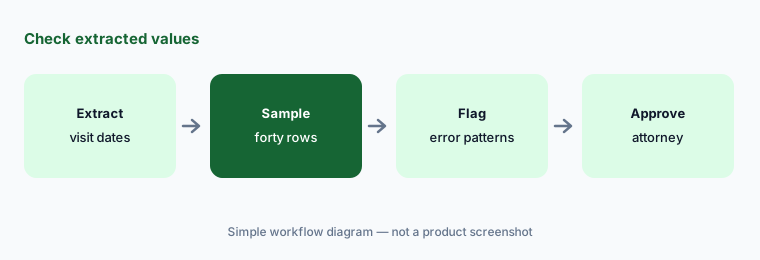
Check extracted values:
Batch-extract one data point (for example, visit dates) from a set of produced records. Have the paralegal check forty rows against the source pages and report error patterns to the supervising attorney before anyone uses the column.
4. Writing Assistant and Deep Dive for Transcripts
What it is: Everlaw's Writing Assistant drafts memos, evidence outlines, deposition question outlines, and comparison tables from documents you select, with citations back to the record, and analyzes transcripts for inconsistencies with page-line citations. Deep Dive for Transcripts (5 Mar 2026) extends natural-language questions to deposition testimony. Everlaw's October 2025 release said Writing Assistant, Deposition Analyzer, and single-document Review Assistant would be included at no additional cost.
A deposition outline drafted from selected documents is only as complete as the selection. The examining attorney still decides what to ask and checks every page-line cite before it goes into a motion or an outline.
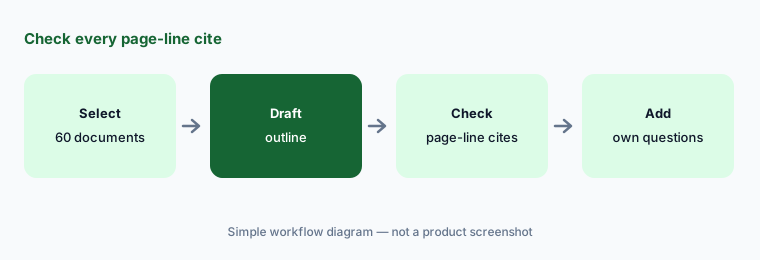
Check every cite:
Have Writing Assistant draft a deposition outline for one witness in a closed case. Have the examining attorney check every cited document and page-line reference before comparing it with the outline the team actually used.
5. Predictive Coding and Clustering
What it is: Alongside the generative features, Everlaw's AI page lists Predictive Coding, which learns from your team's coding decisions and ranks documents by likely relevance, and Clustering, which groups documents by conceptual similarity without model training. Both appear on the pricing page as platform features rather than credit items.
A relevance ranking changes the order people review in. Decide in writing how far down the ranking the team will review and how the cut-off will be validated before anyone relies on it.
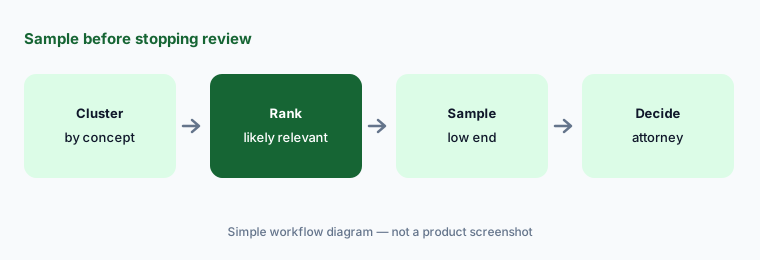
Sample before stopping:
Before your team stops reviewing low-ranked documents on any matter, have the review attorney code a random sample from the low end and record the result.
6. Everlaw as the evidence layer: ChatGPT, Harvey, CoCounsel, Copilot, Legora
What it is: Everlaw announced a ChatGPT Enterprise plugin on 17 September 2026 (available now; users see only projects, binders, and datasets they can already access). On 25 August 2026 it announced integrations with Thomson Reuters CoCounsel Legal and a Harvey MCP integration (both expected fall 2026), a Gemini Enterprise for Legal MCP integration (private preview), and a Microsoft 365 Copilot MCP connector (expected fall 2026). A Legora partnership (4 May 2026) brings Everlaw documents into Legora's drafting environment for mutual customers.
Each connection is another place evidence can be read and summarized. Decide which matters may use which outside tool, and keep client and protective-order restrictions ahead of convenience.
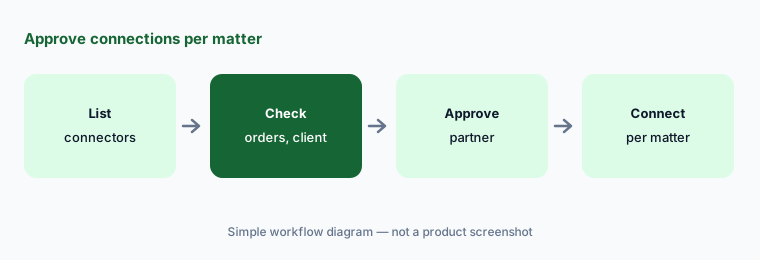
Approve connections per matter:
Before anyone connects ChatGPT, Harvey, Copilot, or Legora to Everlaw on a matter, have the supervising partner check the protective order and client instructions and approve that matter in writing.
Pricing context (October 2026)
Everlaw publishes no dollar prices (checked 20 Oct 2026). The pricing page lists what the platform includes — unlimited user licenses, processing, review, productions, Predictive Coding, Clustering, Writing Assistant, Transcript Analysis — and marks Deep Dive, Coding Suggestions, Machine Translation, and Custom Extractions as credit-based (single-document Coding Suggestions, translation, and extractions use no credits). The Intake Portal is an add-on. Pricing is quote-only (as of 20 Oct 2026).
Everlaw's help center says Coding Suggestions credits scale with the documents, their text, and the number of codes in blocks of ten (1–10 codes = one multiple, 11–20 = two). Everlaw's October 2025 release announced a 40% cut to Coding Suggestions pricing; we print no per-GB or per-credit figures because Everlaw does not publish them. Ask how many credits a typical 100,000-document batch with your code count uses, whether credits expire, and what Deep Dive questions cost.
Uncertainty: We did not test Everlaw. Features, dates, and limits come from Everlaw's product pages, press releases, case study, and help center read on 20 Oct 2026. Several integrations were announced as “expected fall 2026” or private preview and may not be live in your instance. Recall, precision, and cost-savings figures are Everlaw's or its customers', not ours.
When it’s useful (honest take)
Useful when your firm already runs discovery on Everlaw or is choosing an eDiscovery platform, you handle productions large enough that first-pass review is a real cost, and you have a review attorney who will write criteria, sample results, and sign off on each batch.
Less useful when your matters are small enough that attorneys read every document anyway, your discovery runs on another platform (Relativity aiR), or what you mainly need is case management and demand work for PI matters (Filevine AI, Litify AI, EvenUp).
Paying for Everlaw AI and a few other AI tools? The $9 AI toolkit spreadsheet lists every AI subscription you have, what each one costs, and how fast it pays for itself, so you can see which ones are worth the money.
Want someone to do it for you? AI toolkit audit — $19
Related options (educational)
| Need | Better home | Why |
|---|---|---|
| eDiscovery with Deep Dive and Coding Suggestions | Everlaw AI (this page) | Quote only; AI on credits |
| eDiscovery with aiR Review, Privilege, Assist | Relativity aiR | Quote; AI with data volume |
| Drafting on top of the evidence | Harvey AI / Legora AI | Quote only |
| Research grounded in Westlaw | CoCounsel Legal | Configurator or quote |
| Firm document and email management | iManage AI | Quote; AI add-ons |
FAQ
What is Everlaw Deep Dive?
Everlaw's natural-language question feature for a whole matter. It answers from the documents in the project with citations and a list of facts, and is designed to say when it finds no supporting evidence. It launched at Everlaw Summit in October 2025 and reached Everlaw's UK, EU, and Canada instances on 3 February 2026.
How do Everlaw Coding Suggestions work?
Your team writes a case description and criteria for each code. Everlaw suggests Yes, Soft Yes, Soft No, or No for each configured code with a rationale. Batches can run up to 250,000 documents, and suggestions go out of date when the criteria change.
How much does Everlaw AI cost in October 2026?
Everlaw publishes no dollar prices. Its pricing page lists platform features and marks Deep Dive, Coding Suggestions, translation, and extractions as credit-based. Treat it as quote-only and ask how many credits your typical batch uses.
Can we rely on Coding Suggestions instead of human review?
Not without validation. Run it on a closed review where you know the answers, have the review attorney compare a sample with the final human calls, and keep sampling on live matters. The review attorney and supervising attorney own every production decision.
Does Everlaw connect to other AI tools?
Yes, by Everlaw's announcements: a ChatGPT Enterprise plugin (17 Sep 2026), integrations with CoCounsel Legal and Harvey and an MCP connector for Microsoft 365 Copilot (expected fall 2026), a Gemini Enterprise MCP integration in private preview, and a Legora partnership. Check which are live in your instance.
Optional next step (if seats overlap)
If you pay for Everlaw credits, a second review platform, and drafting tools like Harvey or Legora that now read the same evidence, that overlap is worth mapping. Map the overlap with the $19 AI toolkit audit or the $9 AI toolkit spreadsheet. Email Audit $19 or Toolkit spreadsheet $9.
Checkout is live via Stripe. After you pay, we email delivery (spreadsheet) or intake next steps (audit).