Tool · Law firm ops · Lawmatics · Oct 2026
Lawmatics AI review (Oct 2026): Merlin Qualify lead triage, Merlin Engage outreach, and Merlin Copilot automations for law firm intake
Lawmatics is an intake, CRM, and marketing automation platform for law firms. Its AI suite, Merlin (unveiled 9 July 2026), has three parts: Merlin Qualify evaluates new leads against your firm's criteria, Merlin Engage runs outreach and booking conversations by text and email, and Merlin Copilot answers questions and builds automations and reports in plain language. This page is about letting Merlin recommend and draft while the intake manager approves every template and every rule that turns a person away. Each section has a Try this.
What this Lawmatics page covers
This page is for an intake manager, marketing director, firm administrator, or managing partner at a consumer-facing firm (PI, family, estate planning, immigration, criminal defense) that uses Lawmatics or is comparing intake tools. It is educational and not legal advice. We did not test Lawmatics; facts come from Lawmatics' website, blog, and help center read on 20 October 2026.
Lawmatics' 9 July 2026 announcement introduced Merlin as a family of AI features, each an add-on to the Lawmatics platform: Copilot (just released then), Qualify (released earlier in 2026), and Engage (then in beta). The suite overview says Merlin is built on OpenAI models through the developer API, that firm data is not used to train models, and that Merlin starts out recommending rather than acting until the firm chooses to delegate more.
Lawmatics' marketing quotes customer results — a customer reporting about 75% less manual intake work, and a self-reported customer survey on added clients. Those are Lawmatics' and its customers' figures, with Lawmatics' own note that results vary.
Ground rules: a licensed attorney owns any filing, citation, demand, deadline, client message, or discovery response, and intake conversations must not turn into legal advice. The intake manager approves every outreach template and every auto-decline rule, the responsible attorney decides which matters the firm takes and runs conflict checks, and nobody is turned away by an automation the intake manager has not reviewed.
Major features (with how someone uses them)
Examples at a glance: each feature has a concrete example from a real job plus a short Try this you can run this week.
1. Merlin Qualify: lead evaluation on your criteria (primary)
What it is: Merlin Qualify evaluates new leads against firm-defined intake criteria and recommends a next step — the help center names outcomes such as Chase Hard, Refer Out, Reject, or Inconclusive — with a confidence level and the reasoning behind each recommendation. Firms can trigger automations from the result and refine criteria with feedback (suite overview). Lawmatics says Qualify reads the lead's form submission and standard matter fields (case value, practice area, marketing source, contact details, custom fields), never opens uploaded files, and reads notes only if the firm turns on Use Notes (up to 10 notes from the last 60 days).
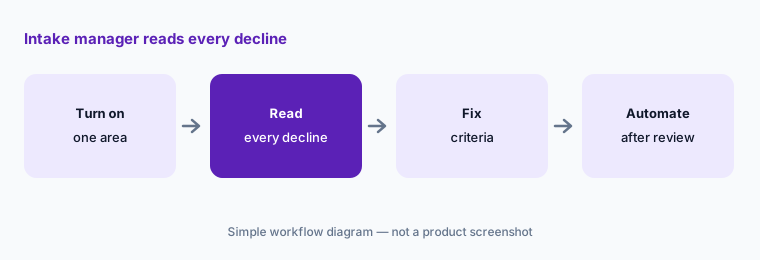
A Reject recommendation tied to an automation can send a decline without a person seeing it. Run Qualify as a recommendation first, and have the intake manager read every decline until the criteria have earned trust.
Primary workflow:
Turn Merlin Qualify on for one practice area for two weeks. Have the intake manager review every lead it declined before letting it decline leads on its own.
2. Merlin Engage: outreach agents with an approval queue
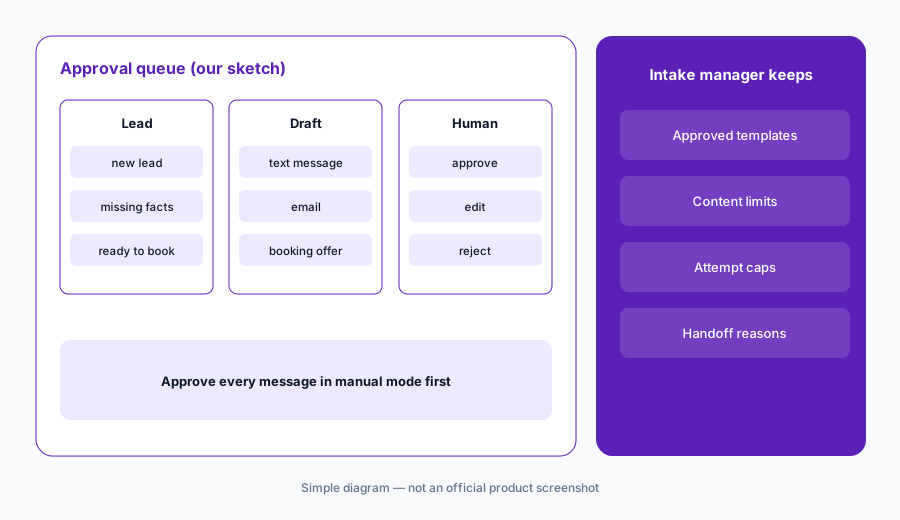
What it is: Merlin Engage agents hold conversations with leads toward a goal you set. The help center lists three agent types — Collect and Qualify (gathers missing facts and sends the lead back to Qualify), Booking (schedules consultations using your booking form), and Collect Data Only — reaching leads by SMS, email, or both, with one channel as a fallback. Lawmatics' suite overview says Engage can run in manual mode, where every proposed message pauses for a person to approve, edit, or reject; that agents hand off to a human with a recorded reason when a lead asks for a person, sounds frustrated, raises something sensitive, or goes outside your practice areas; and that Engage never claims to be human.
Every message an agent sends speaks for the firm to someone who is not yet a client. The intake manager should approve the templates, the persona, and the opt-out and attempt limits before any message goes out without a pause.
Approve before sending:
Run one Engage agent in manual mode for two weeks. Have the intake manager approve, edit, or reject every proposed message and write down each change before allowing it to send on its own.
3. Booking agents and handovers
What it is: When a lead qualifies, Engage can hand it to a Booking agent in the same conversation to schedule a consultation using the firm's booking form, or to another Collect and Qualify agent for a specific practice area (help center). Lawmatics' pricing article shows how one lead journey can create several billable AI Outcomes — for example Qualify, Collect and Qualify, and Booking together count as three.
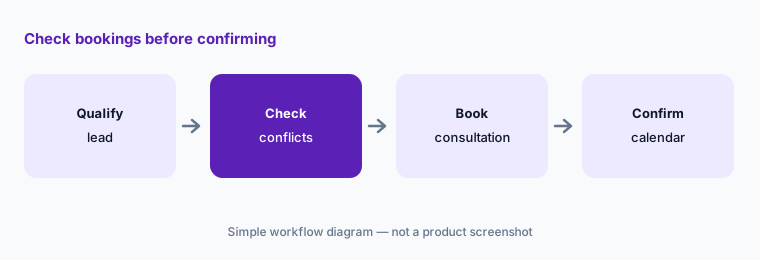
A booked consultation is a promise of an attorney's time, and in some practice areas booking before a conflict check is a risk. Decide which practice areas may auto-book and what must happen first.
Check bookings:
For the first month, have the firm administrator check every agent-booked consultation against the attorney's calendar and the conflict check before the client receives a confirmation.
4. Merlin Copilot: questions, automations, and reports in plain language
What it is: Merlin Copilot answers questions about a matter, updates matter data through conversation, builds automations from a description, builds reports and one-time exports, finds where a merge field is used, and answers firm-wide questions such as pipeline performance. Routines turn a request into something that runs on a schedule, such as a 9 AM daily briefing. Lawmatics' suite overview cautions that Copilot is not yet a full substitute for matter-level restrictions: firms with ethical walls or staff limited to assigned matters should treat Copilot as firm-wide report access, and the permission is off by default for everyone but administrators.
An automation built from a sentence runs on every lead that matches it. Read the generated steps before turning it on, and keep Copilot to staff who already have reporting access.
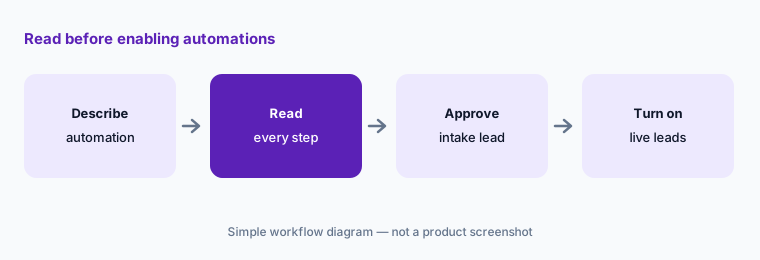
Read before enabling:
Ask Copilot to build one automation you need. Have the intake manager read every step and message it created and approve it before it runs on live leads.
5. Guardrails: what Merlin reads and when it hands off
What it is: Lawmatics' suite overview describes the boundaries: Merlin sees one firm's data only; Qualify reads defined fields and never attachments; Engage works from contact details, the configured persona, and the conversation; Copilot retrieves data through permission-checked tools. It lists Engage constraints that apply even when messages send without approval — opt-out, attempt caps, outreach windows, confidence gating, and content boundaries — and says supervisor notifications for escalations always fire. Firms choose whether Engage confirms it is AI and continues, or confirms and hands off to staff.
Guardrails only help if someone set them for your practice areas. Write down the topics Engage must never discuss by text, the hours it may contact people, and how many attempts it may make.
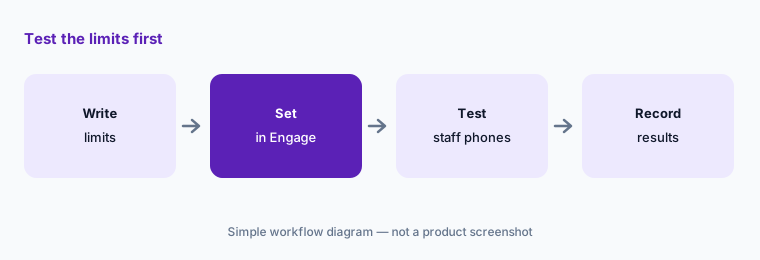
Test the limits:
Before Engage contacts real leads, have the intake manager test the opt-out, attempt cap, outreach window, and escalation rules from staff phones and record the result.
6. Activity Hub and AI Outcome usage
What it is: The Activity Hub shows what Qualify and Engage are doing across the firm — which leads are inconclusive, which Engage is working, and which have wrapped up. Usage, included AI Outcomes, and overages appear on the Billing page (Lawmatics); unused Outcomes do not roll over.
Outcome-based billing rewards the agents for acting. A weekly look at what they did and what it cost keeps the budget and the intake standards in the same conversation.
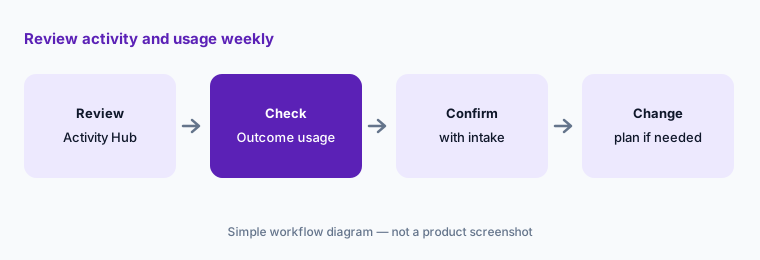
Review weekly:
Every Monday for the first two months, have the firm administrator review the Activity Hub and AI Outcome usage with the intake manager before changing plans or widening any agent.
Pricing context (October 2026)
Lawmatics' pricing page offers Essential, Premium, and Enterprise plans as a custom quote (no prices printed; 3-user minimum). Merlin features are add-ons. As of 20 Oct 2026, Lawmatics' Merlin Pricing article (dated 9 Sep 2026) bills Merlin Qualify, Merlin Engage, and future agents from a shared monthly allowance of AI Outcomes: 50 for $149/month ($2.98 each; overage $3.25), 100 for $249, 200 for $399, 500 for $749, 1,000 for $999, and 2,000 for $1,999 (overage $1.25 at the top two tiers); above 2,000, enterprise pricing. An Outcome is counted when an agent completes a billable task, one lead can create several, and unused Outcomes do not roll over.
Merlin Copilot is priced separately by seat (as of 20 Oct 2026): Lite $29 per seat per month and Pro $49 per seat per month, with usage tied to the seat. One mismatch to note: the pricing page still describes the AI lead feature as credit-based, while the help center says AI Credits became AI Outcomes (1 credit = 1 Outcome) on 8 September 2026 — confirm which terms your order form uses.
Uncertainty: We did not test Lawmatics. Features, prices, and guardrails come from Lawmatics' website, blog, and help center read on 20 Oct 2026. Base platform prices are quote-only. Channel coverage for Engage differs between the July 2026 announcement (SMS, email, website chat, phone) and the current help article (SMS and email). Customer results are Lawmatics' and its customers'.
When it’s useful (honest take)
Useful when your firm takes consumer leads at volume, already runs intake in Lawmatics (or is ready to), and has an intake manager who will write criteria, approve every template, and read declines before automating them.
Less useful when most of your work comes from referrals and existing clients, your intake already lives inside case management (Litify AI, Filevine AI), or you want practice management with built-in AI first (Clio AI, 8am MyCase AI, Smokeball AI).
Paying for Lawmatics AI and a few other AI tools? The $9 AI toolkit spreadsheet lists every AI subscription you have, what each one costs, and how fast it pays for itself, so you can see which ones are worth the money.
Want someone to do it for you? AI toolkit audit — $19
Related options (educational)
| Need | Better home | Why |
|---|---|---|
| Intake CRM with lead evaluation and outreach agents | Lawmatics AI (this page) | Platform quote; Outcomes from $149/mo for 50 |
| Intake triage inside Salesforce case management | Litify AI | Quote only |
| PI intake and case agents | Supio / Eve AI | Quote only |
| Practice management with built-in AI | Clio AI | From $49/user; AI on Core and above |
| Sanitized intake-form cleanup | Claude for legal ops | Seat-based |
FAQ
What is Lawmatics Merlin?
Lawmatics' AI suite, unveiled 9 July 2026: Merlin Qualify evaluates new leads against your criteria, Merlin Engage runs outreach and booking conversations, and Merlin Copilot answers questions and builds automations and reports in plain language. Each is an add-on to the Lawmatics platform.
How much does Merlin cost in October 2026?
Per Lawmatics' help center (9 Sep 2026), Qualify and Engage share a monthly AI Outcomes allowance starting at $149/month for 50 Outcomes, up to $1,999/month for 2,000. Copilot is priced by seat: Lite $29 per seat per month, Pro $49 per seat per month. The base Lawmatics plans are a custom quote.
Can Merlin decline leads automatically?
Qualify can recommend Reject and firms can trigger automations from the result. Start with recommendations only, and have the intake manager read every decline for a few weeks before letting any rule decline on its own.
Will leads know they are talking to AI?
Lawmatics says Engage never claims to be human. If a lead asks, the firm chooses whether the agent confirms it is AI and continues, or confirms and hands the conversation to staff.
Does Merlin Copilot respect ethical walls?
Not fully yet, per Lawmatics: Copilot respects matter-level access when opening a matter, but for search and reporting it works across firm records. Lawmatics suggests treating Copilot access like firm-wide report access; the permission is off by default except for administrators.
Optional next step (if seats overlap)
If you pay for Lawmatics, Merlin Outcomes and Copilot seats, a practice management system with its own AI, and a separate answering or chat service, that overlap is worth mapping. Map the overlap with the $19 AI toolkit audit or the $9 AI toolkit spreadsheet. Email Audit $19 or Toolkit spreadsheet $9.
Checkout is live via Stripe. After you pay, we email delivery (spreadsheet) or intake next steps (audit).