What’s new · Law firm ops · Harvey · Sep 2026
What's new in Harvey (Sep 2026): September Vault, agent, and workflow updates to verify with your KM team
Harvey's blog and release notes list a busy September 2026: Agentic Vault Search and Organization (8 September), Review Tables you change by asking the Harvey Agent (17 September), the agent's approach to US case law research (22 September), custom agents inside Word (23 September), and agentic search across iManage, SharePoint, and Google Drive plus new connectors (23 and 30 September). For a knowledge management team the useful question is “is this live in our workspace, who must approve it, and who checks the output?” For the product review, see our Harvey AI review.
What this page covers
This page is for a knowledge management lead, innovation partner, practice support manager, or IT lead at a firm or legal team on Harvey who wants September's changes without reading every post — especially anything that lets the Harvey Agent search, move, or rename documents, change a review table, or run your own agents inside Word. It is educational and not legal advice.
We list only entries dated September 2026 on Harvey's own Harvey blog and the public Harvey release notes index: Agentic Vault Search and Organization (8 September), Review Tables with the Harvey Agent (17 September), the Harvey Agent and legal research (22 September), custom agents in Word (23 September), and agentic search for document systems (30 September). The release notes add Agentic Search for SharePoint and Google Drive (23 September) and PacerPro Vault Sync, the Connector Library, Ironclad import, Connectors on Mobile, and new interface languages (30 September). Individual release-note pages sit behind a sign-in, so we link the public index. October items (the Motion to Dismiss workflow with LexisNexis, custom agent governance) are covered in Harvey AI.
Ground rules stay the same: a licensed attorney owns any filing, citation, demand, deadline, client message, or discovery response that draws on Harvey. The supervising associate checks agent findings against the source document, and the KM lead decides which agents and connectors are switched on. Figures in these posts are Harvey's, not our measurement.
Major features (with how someone uses them)
Examples at a glance: each feature has a concrete example from a real job plus a short Try this you can run this week.
1. September items to check with your KM team (primary)
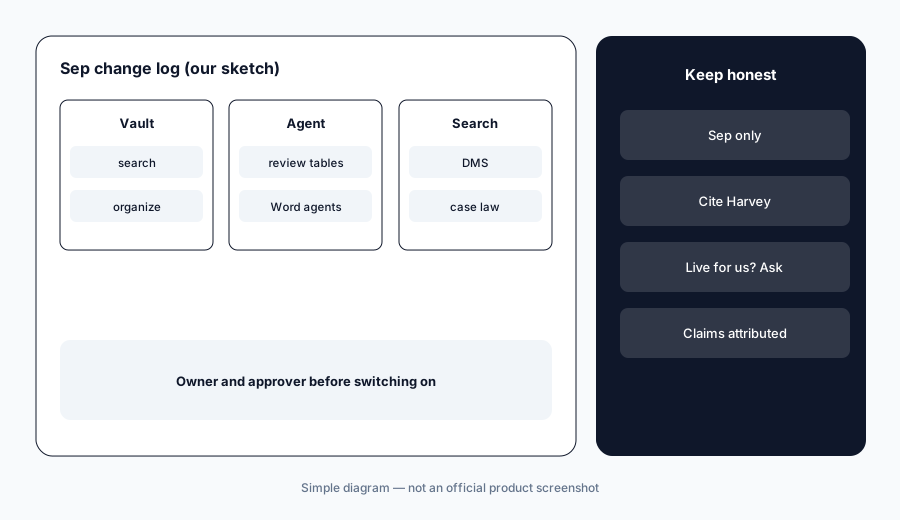
What it is: From Harvey's dated September posts, five need an owner: (1) Agentic Vault Search, generally available, and Agentic Vault Organization, then in Early Access (Harvey blog, 8 Sep); (2) Review Tables reshaped, corrected, and routed by asking the Harvey Agent in plain language (Harvey blog, 17 Sep); (3) the Harvey Agent's approach to US case law research, including planned runtime checks on precedential treatment (Harvey blog, 22 Sep); (4) Custom Agents for Word, running your Agent Builder agents on the open document (Harvey blog, 23 Sep); and (5) agentic search across iManage, SharePoint, and Google Drive using each person's existing permissions (Harvey blog, 30 Sep). We list only entries dated September 2026.
Primary workflow:
Pick one September Harvey item. Have the KM lead ask Harvey whether it is live in your workspace and who must approve it, and write the answer and date down.
2. Agentic Vault Search and Organization (8 Sep)
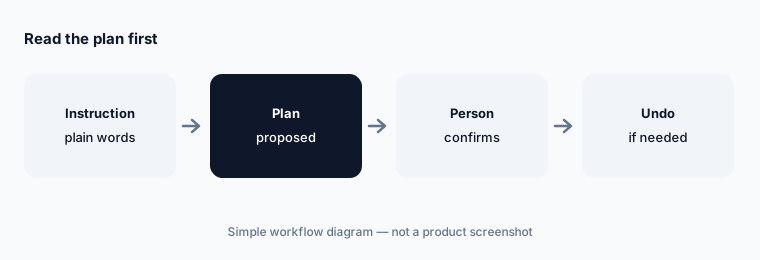
What it is: Per the 8 September post, the Harvey Agent can find the right documents in a whole Vault without being told which folder to check, using signals such as folder, naming convention, and uploader. It works with the user's own permissions: ethical walls and existing Vault permissions apply, and every file the agent touches is logged in the audit trail. Agentic Vault Organization moves, renames, and tags files from a plain-language instruction; Harvey says it proposes a plan and shows what it will change before touching anything, never edits file contents, never runs a change without a person confirming it, and lets you undo the most recent set of changes. Search was generally available; Organization was in Early Access on 8 September.
Renaming and moving files in a data room changes what a client or counterparty sees. Someone who knows the matter should read the plan before confirming it.
Read the plan first:
On a copy of a closed matter's Vault, have the practice support manager read every line of Harvey's organization plan before confirming it, and log any moves she rejected.
3. Review Tables run by the Harvey Agent (17 Sep)
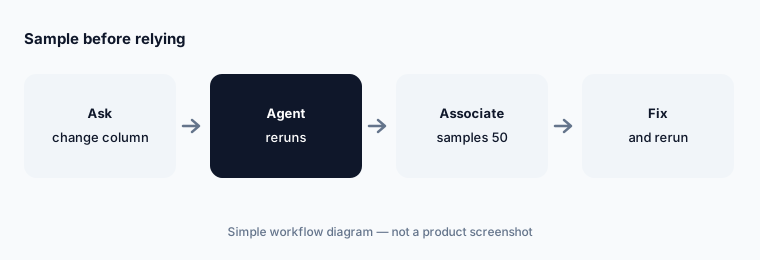
What it is: Harvey's 17 September post says every action in a Review Table can now be delegated to the Harvey Agent in plain language: rerun a column with a new prompt, format, or model; turn a free-text column into a classification; add columns from an iManage load file, a CSV, or web search; apply one edit across hundreds of cells; group email threads with attachments or complaints with exhibits; find a table by describing it; and build a memo or chart from the table in the same chat. Harvey's example is a privilege column reclassified to attorney-client, work product, or not privileged and routed to a reviewer.
Reclassifying privilege across hundreds of rows in one request is fast and easy to get wrong. Privilege calls stay with the reviewing attorney, row by row, before anything is withheld or produced.
Sample before relying:
After any agent-made change to a privilege or responsiveness column, have the supervising associate check fifty rows against the documents before the table is used for a production decision.
4. Custom agents in Word (23 Sep)
What it is: On 23 September Harvey made custom agents built in Agent Builder available in the Harvey for Word add-in. Users pick an agent from an Agents tab or @-mention it; the agent runs on the open document, can pull files from Vault, and asks questions mid-run. Suggestions show a preview and are inserted as tracked changes, and updates to an agent in the web app carry over to Word. Harvey notes the release supports agents built in the Agent Builder interface; custom workflows are not yet supported in Word.
A firm agent encodes firm positions. The partner who owns those positions should approve the agent's instructions before it runs on a counterparty's draft.
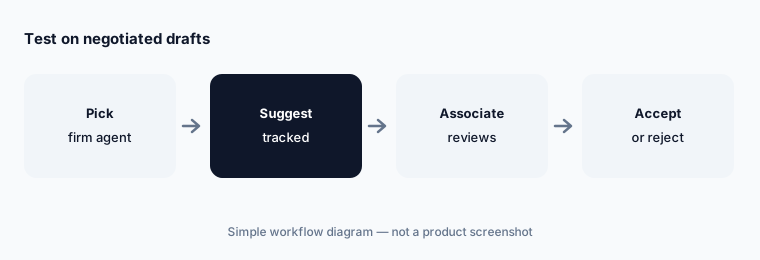
Test on negotiated drafts:
Run one custom agent in Word on five drafts your team already negotiated, and have the supervising associate compare every tracked change with the agreed positions before the agent is shared firm-wide.
5. Agentic search across iManage, SharePoint, and Google Drive (23 and 30 Sep)
What it is: The Harvey release notes list Agentic Search for SharePoint, OneDrive, and Google Drive on 23 September, and the 30 September post adds iManage: describe what you need and Harvey plans the search across connected document systems, returns results linked to source files, and pauses for review when more results are available. It runs in Harvey Assistant and the Word add-in, supports site, folder, author, and exact-phrase filters, and uses each person's permissions in the connected system so documents they cannot open do not appear. The 30 September release notes also list the Harvey Connector Library, Ironclad contract import into Vault or Assistant, and connectors in the mobile app.
Permissions-based results are only as tight as the document system's permissions. Matters with ethical walls should be checked in the document system before search is switched on.
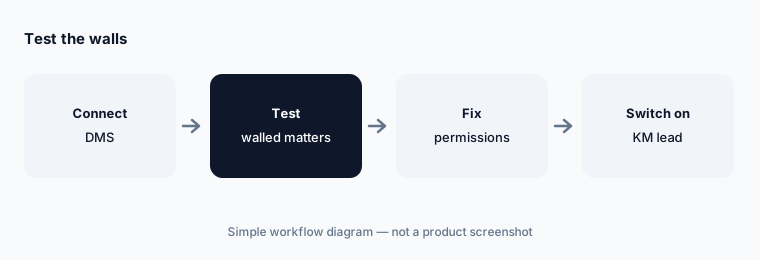
Test the walls:
Before agentic search is switched on, have the risk manager ask a lawyer outside three walled matters to search for terms from them, and fix any document that appears in the document system first.
6. Case law research and PacerPro docket sync (22 and 30 Sep)
What it is: Harvey's 22 September post describes how the Harvey Agent uses relationships across its US case law corpus — which cases cite which and how they are treated — and lists work underway: deeper classification of opinions (court, judge, posture, subsequent history) and a runtime check on whether a specific claim remains viable when a case was overturned or questioned. Those are described as next-quarter work, not live features. The 30 September Harvey release notes add PacerPro Vault Sync, which syncs a federal docket into a Vault and keeps it current as new filings arrive.
Treatment checks described as coming are not a citator today. Until your firm confirms what is live, the associate should still run every authority through the firm's citator before it goes in a brief.
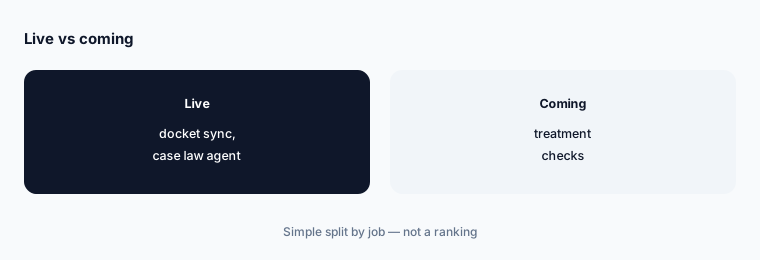
Keep the citator step:
Have the research attorney run three answered research questions through the Harvey Agent and check every cited case in the firm's citator before anyone drops that step.
Pricing context (October 2026)
Harvey publishes no prices (harvey.ai/pricing returned 404 on 20 Oct 2026; product pages lead to “Request a demo”). Pricing is quote-only (as of 20 Oct 2026). Harvey has been reported to sell seat-based licenses; per-seat figures online are third-party reports Harvey has not confirmed, so we do not print them.
None of the September posts gives a price. Ask whether Agentic Vault Organization, Custom Agents for Word, connectors, and document-system search are included in your agreement or need separate approval.
Uncertainty: We list only dated September 2026 entries from harvey.ai and the public help.harvey.ai release-notes index, read on 20 Oct 2026. Several items were Early Access or need a workspace administrator to turn them on; research treatment checks are described as coming. Figures are Harvey's. Release-note detail pages need a sign-in, so their full text was not read.
When it’s useful (honest take)
Useful when your firm or legal team runs on Harvey and you need September's dated items with an owner, an approver, and a check for each.
Less useful when you need the product deep-dive — use Harvey AI — or you are still choosing a platform (Harvey vs Legora, Legora AI).
Paying for Harvey and a few other AI tools? The $9 AI toolkit spreadsheet lists every AI subscription you have, what each one costs, and how fast it pays for itself, so you can see which ones are worth the money.
Want someone to do it for you? AI toolkit audit — $19
Related options (educational)
| Need | Better home | Why |
|---|---|---|
| Harvey product review | Harvey AI | Tool review |
| Harvey vs Legora | Harvey vs Legora | Compare |
| Document management behind Harvey search | iManage AI | Tool review |
| Clio's September changes | What’s new in Clio (Sep 2026) | What’s new |
| Law firm stack inventory | Stack map for law firm ops | Stack map |
FAQ
Which September 2026 Harvey items did you read?
Harvey blog posts dated 8 Sep (Agentic Vault Search and Organization), 17 Sep (Review Tables with the Harvey Agent), 22 Sep (the agent and legal research), 23 Sep (custom agents in Word), and 30 Sep (agentic search for document systems), plus release-notes index entries dated 23 and 30 Sep, all read 20 October 2026.
Can the Harvey Agent rename or move our files on its own?
Harvey says Agentic Vault Organization proposes a plan, shows what it will change, never edits file contents, and never runs a change without a person confirming it, with undo for the most recent set. It was in Early Access on 8 September; ask whether it is on in your workspace.
Does agentic search show documents a lawyer cannot open?
Harvey says it uses each person's permissions in the connected system, so documents they cannot access there do not appear. Test walled matters before switching it on.
Does Harvey now check whether a case is still good law?
The 22 September post describes runtime treatment checks as work underway, not a live feature. Keep your citator step. Nothing here is legal advice.
How much does Harvey cost in October 2026?
Harvey publishes no prices; treat it as quote-only (harvey.ai/pricing returned 404 on 20 Oct 2026).
Optional next step (if seats overlap)
If September's Harvey items overlap with a document system's own AI, a research platform, or chat seats your firm already pays for, map that overlap before you add another seat. Map the overlap with the $19 AI toolkit audit or the $9 AI toolkit spreadsheet. Email Audit $19 or Toolkit spreadsheet $9.
Checkout is live via Stripe. After you pay, we email delivery (spreadsheet) or intake next steps (audit).