Compare · Law firm ops · Oct 2026
CoCounsel Legal vs Lexis+ with Protégé (Oct 2026): Westlaw Deep Research and Brief Builder vs Protégé agents and Shepard's checks
Thomson Reuters and LexisNexis both rebuilt their research platforms around agents in 2026. CoCounsel Legal runs Deep Research on Westlaw and Practical Law, checks authority with KeyCite and Deep Research Verify, and drafts motions with Westlaw Brief Builder. Lexis+ with Protégé routes requests to Protégé agents, drafts into Word and other formats, checks citations with Shepard's, and keeps matter work in Workrooms and Vault. Neither prints a price. This page splits them by job, explains how to test both on questions you already answered, says why most firms keep one research platform of record, and is not a ranking. Each section has a Try this.
What this comparison covers
This page is for a research attorney, librarian, knowledge-management lead, or managing partner deciding which research platform to renew, or whether to pay for both. It is educational, not legal advice.
Facts come from our CoCounsel Legal and Lexis+ with Protégé reviews and were re-checked on 20 October 2026 against Thomson Reuters' next-generation launch and August 2026 release notes, and LexisNexis' general availability announcement, May 2026 release, and August 2026 update. We did not test either product. Time-saved and customer-count figures are vendor claims and are left out.
Both platforms now plan multi-step research, show their sources, and draft into Word. The differences that matter most are the content each one stands on, what its citation check actually checks, and how each fits the drafting and document tools a firm already uses.
Ground rules: a licensed attorney owns any filing, citation, demand, deadline, client message, or discovery response that either platform helps produce. The research attorney reads every cited authority in full, and the associate runs the citator before anything is filed. This comparison is not a ranking.
| Question | CoCounsel Legal | Lexis+ with Protégé |
|---|---|---|
| Latest platform release | Next generation, generally available in the U.S. 20 Aug 2026 | Generally available 24 Feb 2026; agentic update 24 Aug 2026 |
| Research content | Westlaw and Practical Law | Lexis content with Shepard's |
| Citation checks | KeyCite; Deep Research Verify checks support for assertions | Shepard's; Shepard's Verify Trust Markers check that an authority exists and is retrievable |
| Brief drafting | Westlaw Brief Builder (five motion types in TR training, Sep 2026) | Protégé agentic drafting to Word, Excel, PowerPoint, PDF |
| Matter space | Workspaces; Tabular Analysis | Workrooms; Vault document analysis |
| Price | Online configurator for new customers or sales quote; no printed price | Quote only (1-888-AT-LEXIS); 2-day free trial |
| Who signs off | Research attorney on every cited authority | Associate Shepardizes every authority before filing |
Major features (with how someone uses them)
Examples at a glance: each feature has a concrete example from a real job plus a short Try this you can run this week.
1. Ask both the same three research questions (primary)
What it is: Both vendors offer trials: Thomson Reuters lists a free trial on its plans page, and LexisNexis offers a 2-day free trial on its product page. A trial is where you learn how each platform handles your jurisdictions and your practice areas. Questions your firm already answered are the safest test, because a memo already says what the right authorities were.
Use questions with a known answer, including at least one where the law changed recently. That is where a stale or misread authority shows up.
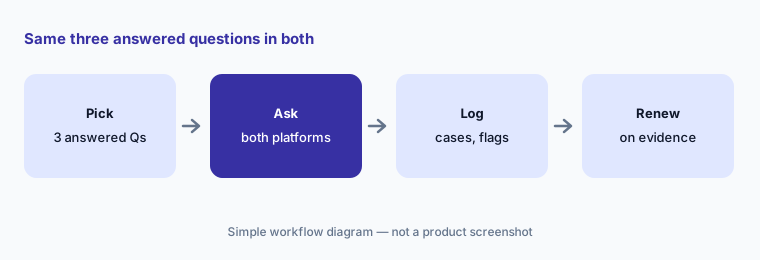
Primary workflow:
Ask both tools the same three research questions. Have the research attorney compare every cited authority and citator flag before renewing either contract.
2. Multi-step research: Deep Research on Westlaw vs Protégé agents
What it is: CoCounsel Legal's Deep Research (launched 5 Aug 2025) builds a multi-step research plan, shows its reasoning, and returns a citation-backed report grounded in Westlaw and Practical Law, with a research log. Lexis+ with Protégé (24 Feb 2026) takes one natural-language request and, since the 7 May 2026 release, routes it to a skill or workflow and shows a structured plan before it runs.
A visible plan helps you catch a wrong turn early. Read it before the agent runs, not after.
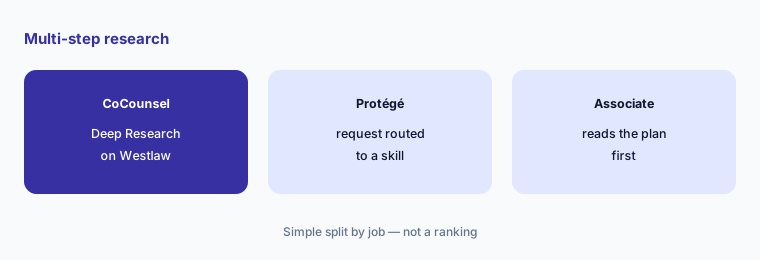
Read the plan first:
Before each run, have the associate read the research plan both platforms show and note any step that is missing, then compare the final reports.
3. Citation checks: KeyCite and Deep Research Verify vs Shepard's
What it is: Thomson Reuters says Deep Research Verify, part of the 20 Aug 2026 release, checks whether a cited Westlaw or Practical Law authority supports a specific assertion and flags where support may be lacking (TR). LexisNexis' Shepard's Verify Trust Markers (7 May 2026) flag citations that cannot be verified, which LexisNexis describes as confirming that a cited authority exists and is retrievable; LawSites noted that this is not the same as confirming it supports the proposition.
Neither check replaces reading the case. A real case that says something different is still a bad citation.
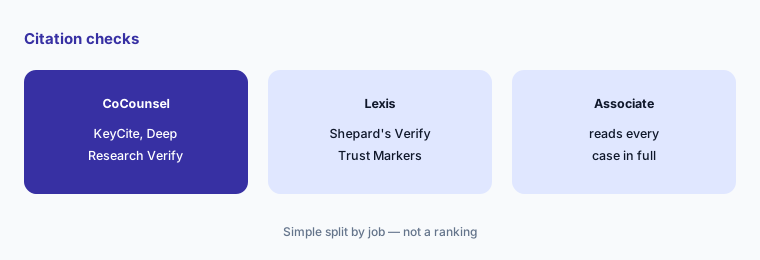
Read every case:
Run one closed brief through both citation checks. Have the associate read every cited case and quotation in full and record what each check missed.
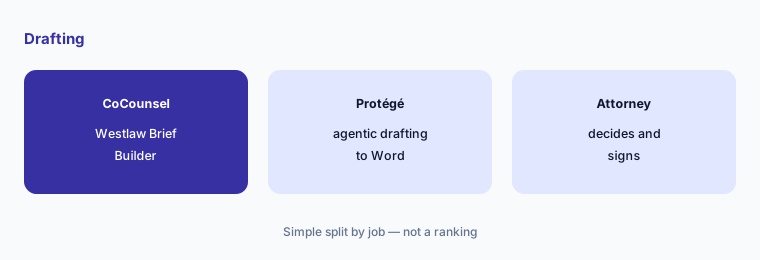
4. Drafting: Westlaw Brief Builder vs Protégé agentic drafting
What it is: Westlaw Brief Builder (20 Aug 2026) combines Deep Research, KeyCite, and Practical Law with the lawyer in control of strategy; Thomson Reuters training in September 2026 listed five motion types and said it needs CoCounsel Legal or Westlaw Advantage with CoCounsel Essentials. Protégé agentic drafting (7 May 2026) covers contracts, motions, briefs, and deal documents, and the 24 Aug 2026 update turns one prompt into Word, Excel, or PowerPoint output with tracked changes.
A drafted motion is a filing in waiting. The attorney of record decides the arguments and signs; the tool supplies a first draft.
Mark the draft:
On one closed motion, have the litigation partner compare each platform's draft with what you filed and mark every argument and rule that would need to change.
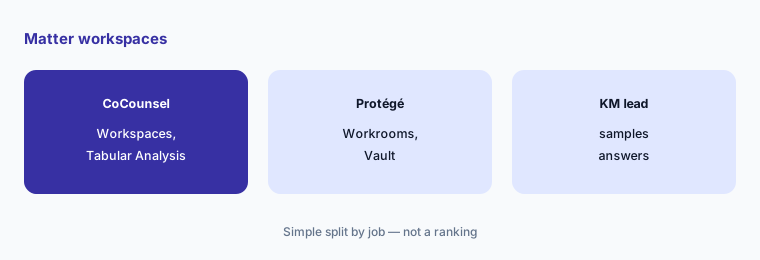
5. Matter workspaces: Workspaces and Tabular Analysis vs Workrooms and Vault
What it is: CoCounsel Legal's next generation added per-matter Workspaces and Tabular Analysis, which Thomson Reuters says runs up to 10,000 documents against 100 questions (TR). Lexis+ with Protégé has permission-aware Workrooms with dual approvals and audit trails, and Vault document analysis (7 May 2026); Vault limits differ across LexisNexis pages — 100,000 documents per Vault in May, “expanding to 10,000 documents” in an August product post, and 50 Vaults of up to 500 documents in the product FAQ.
Confirm document limits, retention, and who can see a matter space in your contract, not on a product page.
Sample the answers:
Load the same closed document set into both pilots. Have the KM lead check twenty random answers in each against the source and get document limits confirmed in writing.
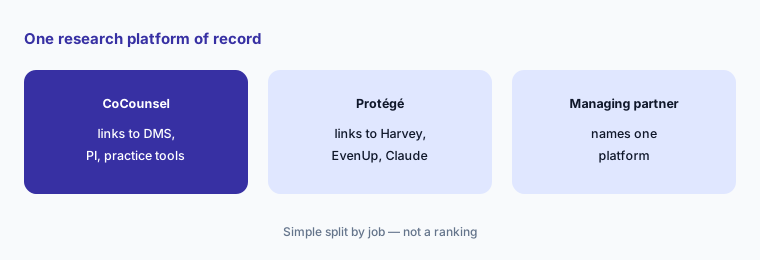
6. Why most firms keep one research platform of record
What it is: Each platform is now wired into other tools. Thomson Reuters lists CoCounsel Legal integrations with iManage, NetDocuments, SharePoint, Smokeball, Litify, Supio, and Claude (product page). LexisNexis added Anthropic's Claude legal plugins on 13 May 2026, Harvey's motion-to-dismiss workflow draws on LexisNexis content, and EvenUp's Companion is powered by Protégé. Paying for two platforms of record usually means two sets of citator habits and two places to check.
Pick the platform whose citator your associates will actually run, then let other tools link to it. Our EvenUp vs Supio and Harvey vs Legora pages show where each research partner turns up.
Name one platform:
List every tool that links to Westlaw or Lexis. Have the managing partner name one research platform of record and the citator every filing must pass before renewal.
Pricing context (October 2026)
CoCounsel Legal (as of 20 Oct 2026): no printed price. The plans page links to an online configurator that asks for sector, number of attorneys, jurisdiction, and plan duration, offers 1-, 2-, and 3-year plans (longer terms save more), and sends firms with more than 10 attorneys to a sales rep. Configurator or quote; we print no third-party figures.
Lexis+ with Protégé (as of 20 Oct 2026): no printed price. The product page FAQ says pricing is customized by organization size, capabilities, and content, and points to 1-888-AT-LEXIS; the LexisNexis store also sends buyers to 888-AT-LEXIS. Quote-only. Ask both for an itemized quote covering seats, content sets, AI add-ons, term, and renewal caps.
Uncertainty: We did not test either product. Features and dates come from each vendor's own announcements and product pages as read on 20 Oct 2026; document limits differ across LexisNexis pages and Brief Builder motion types come from Thomson Reuters training. Prices depend on content, seats, and term, so get them in writing.
When it’s useful (honest take)
Useful when your firm is renewing one research platform, considering a switch, or paying for both, and has a research attorney who will test both on questions you already answered.
Less useful when you need an agent platform for large-firm matters (Harvey vs Legora), practice management with AI (Clio vs 8am MyCase), or plaintiff PI case prep (EvenUp vs Supio).
Still choosing between CoCounsel Legal and Lexis+ with Protégé? The $19 AI toolkit audit gives you a written plan for which tools to keep using and which to drop across your whole AI stack, including this pair.
Prefer to do it yourself? Spreadsheet — $9
Related options (educational)
| Need | Better home | Why |
|---|---|---|
| Westlaw-grounded research, KeyCite, Brief Builder | CoCounsel Legal | Configurator or quote |
| Lexis research, Shepard's, Protégé agents | Lexis+ with Protégé | Quote only |
| Agents in matter Spaces with LexisNexis workflows | Harvey AI | Quote only |
| aOS, Agent, Skills for large firms | Legora AI | Quote only |
| Matter assistant with Westlaw Deep Research announced | Smokeball AI | Quote only |
FAQ
What is the main difference between CoCounsel Legal and Lexis+ with Protégé?
CoCounsel Legal stands on Westlaw and Practical Law with KeyCite, Deep Research Verify, and Brief Builder. Lexis+ with Protégé stands on Lexis content with Shepard's, Protégé agents, Workrooms, and Vault. This page is not a ranking.
Which is cheaper in October 2026?
Neither prints a price. CoCounsel Legal uses an online configurator for new customers or a sales quote; Lexis+ with Protégé is quoted through 1-888-AT-LEXIS. Compare itemized written quotes for the same seats and term.
Do the citation checks prove a case supports my point?
No. Deep Research Verify flags where support may be lacking, and Shepard's Verify Trust Markers confirm a citation exists and is retrievable. An attorney still reads every authority in full.
Should a firm pay for both?
Most firms keep one research platform of record so associates run one citator and check one place. A second subscription can make sense for a specific practice group, but write down which one governs filings.
Who should approve output during a trial?
The research attorney for every cited authority, the associate for every citator check before filing, the litigation partner for drafted motions, and the managing partner for the renewal decision.
Optional next step (if seats overlap)
If your firm pays for two research platforms plus AI add-ons in practice-management and PI tools that all claim to do research, that overlap is worth mapping. Map the overlap with the $19 AI toolkit audit or the $9 AI toolkit spreadsheet. Email Audit $19 or Toolkit spreadsheet $9.
Checkout is live via Stripe. After you pay, we email delivery (spreadsheet) or intake next steps (audit).