Tool · Law firm ops · Steno · Oct 2026
Steno AI review (Oct 2026): Transcript Genius deposition analysis, contradiction search, and synced clip cutting for litigators
Steno (Los Angeles) is a court reporting and litigation support company that builds its own software. Its AI tool, Transcript Genius, sits in the Steno Firm Dashboard: ask questions across deposition transcripts, find contradictions between witnesses, generate summaries with page-and-line cites, upload transcripts from other reporters, and — since July 2026 — cut synced video clips yourself. In October 2026 Steno opened a beta of Litigation Genius for whole case files. This page is about using it while the trial attorney checks every cite against the certified transcript. Each section has a Try this.
What this Steno page covers
This page is for a trial attorney, litigation associate, paralegal, or litigation support manager who takes or defends depositions. It is educational and not legal advice. We did not test Steno; facts come from Steno's product pages and blog posts read on 20 October 2026.
Transcript Genius works on transcripts in the Steno Firm Dashboard and on .txt or .pdf transcripts you upload from any source. Steno's FAQ says it only works on final, ordered transcripts (not drafts or rough copies), that conversations are not used to train the AI, and that its AI partners do not retain data after a session; Steno cites SOC 2 Type II and HIPAA compliance (trust center). Steno also connects its dashboard with practice and case management tools — see its Clio integration and Litify integration pages.
A certified transcript is the record; an AI answer about it is not. Ground rules: a licensed attorney owns any filing, citation, demand, deadline, client message, or discovery response that draws on Transcript Genius. The trial attorney checks every page and line cite against the certified transcript, and the person who designates a clip checks it against the transcript and the video before it is shown to anyone.

Major features (with how someone uses them)
Examples at a glance: each feature has a concrete example from a real job plus a short Try this you can run this week.
1. Contradictions across multiple depositions (primary)
What it is: Steno's Transcript Genius page says you can interrogate several depositions at once to “uncover connections and contradictions”, compare witness testimony, and track evolving narratives. Answers come back with linked page-and-line citations shown side by side with the transcript, so “human verification is a simple click away”, in Steno's words. Conversations are kept in a thread so follow-up questions keep their context.
A contradiction the AI finds is a lead, not impeachment material. Before it goes into a cross outline or a motion, the trial attorney reads both passages in the certified transcript and decides whether they really conflict.
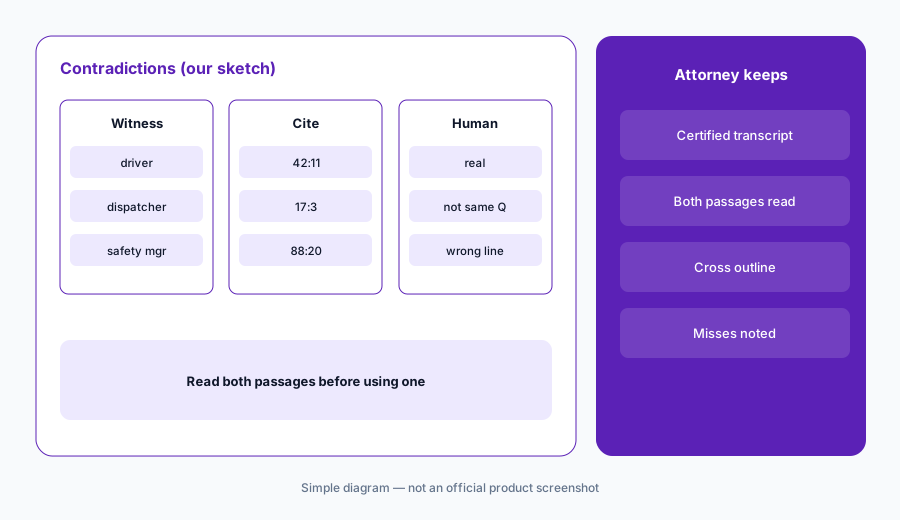
Primary workflow:
Ask Transcript Genius for contradictions across three depositions in a closed case. Have the trial attorney check every page and line cite against the certified transcript before relying on it.
2. Search across the firm's transcripts
What it is: Transcript Genius searches the depositions in your Firm Dashboard with exact-match and semantically related results, so you can find testimony without remembering the exact term, and filters by case, attorney, or witness (Transcript Genius page).
Semantic search can surface testimony from another client's matter. Who may search across matters is a confidentiality decision, not a convenience setting.
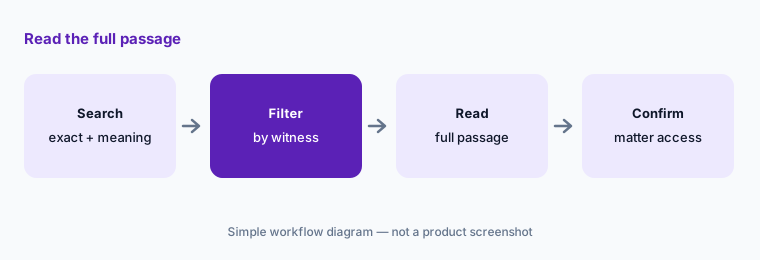
Read the full passage:
Have the associate search for one returning expert's prior testimony, read every hit in the full certified transcript, and confirm with the supervising attorney that each matter may be used before it goes into an outline.
3. Custom summaries with page-and-line citations
What it is: Steno says Transcript Genius creates summaries customized by length, level of detail, and focus topics, with linked page-and-line citations so each point can be checked against the original transcript (Transcript Genius page).
A focused summary leaves things out by design. Whoever relies on it should know which topics it was asked to cover.
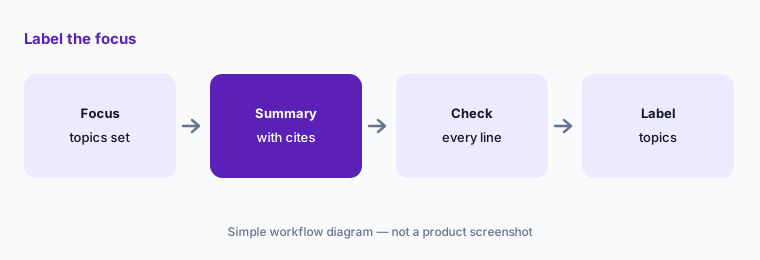
Label the focus:
Have the paralegal generate one focused deposition summary, check every page-and-line cite, and write the focus topics at the top before the trial attorney uses it.
4. Upload transcripts from other reporters
What it is: Transcript Genius accepts .txt and .pdf transcripts from any source, so opposing counsel's depositions or old case files can be analyzed alongside Steno-reported ones (Transcript Genius page). Steno's FAQ says it will not interrogate draft or unordered transcripts, to preserve court reporters' work.
A PDF of a transcript can be an uncertified copy. Know which version you uploaded before quoting it.
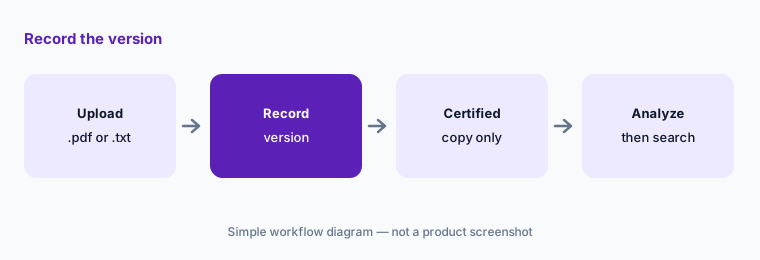
Record the version:
For every transcript uploaded from another reporter, have the litigation support manager record whether it is the certified copy and replace any rough copy before anyone runs a search on it.
5. Text-to-Video Sync and clip cutting (Jul 2026)
What it is: Text-to-Video Sync shows synchronized deposition video inside Transcript Genius: click a line to watch that moment, or scrub the video and the transcript follows (Transcript Genius page). Since 14 July 2026 users can cut clips themselves: pick start and end points in the transcript, adjust to a tenth of a second, captions burned in by default, and export individual clips plus a merged file. Steno says clip cutting and playback are included at no extra cost on depositions ordered with Text-to-Video or Text-to-PiP Sync (legal videography page), and its 30 September 2026 product briefing calls synced video and clips the year's headline addition.
A clip played to a jury is evidence presentation. Designations, objections, and the exact cut points follow the court's rules, so the attorney who designates the clip checks it against the transcript and the video.
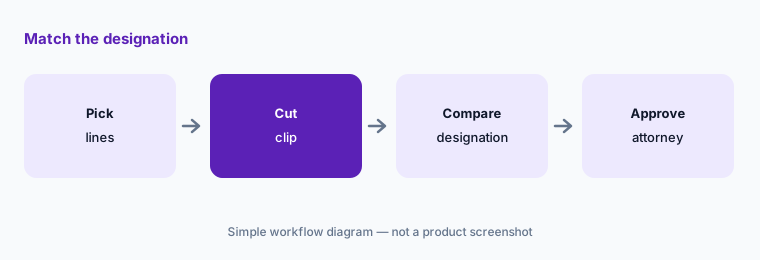
Match the designation:
Before any clip leaves the firm, have the paralegal compare its start and end points with the transcript designation and have the trial attorney approve it.
6. Litigation Genius open beta (13 Oct 2026)
What it is: On 13 October 2026 Steno opened a beta of Litigation Genius in the Firm Dashboard: completed Steno jobs automatically create a case with transcripts and marked exhibits, and teams can add pleadings, medical records, financial documents, discovery responses, handwritten notes, images, and other providers' transcripts (or import from Google Drive and Dropbox). Steno says answers come with clickable citations to the exact file and page, each case gets a summary and timeline, conversations can be shared with role-based access, and its AI model providers operate under zero data retention agreements (Litigation Genius page).
It is an open beta. Steno says feedback will shape what it builds next, so treat outputs as drafts and keep sensitive matters out until your firm has reviewed the terms.
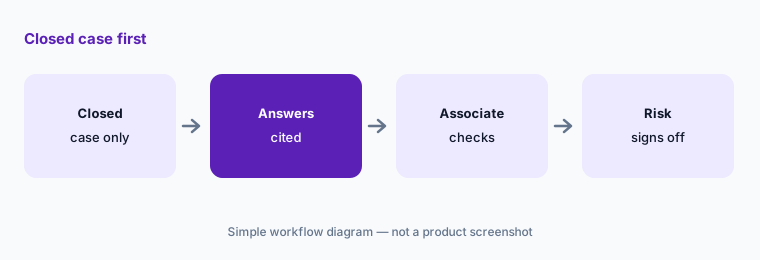
Closed case first:
Try Litigation Genius on one closed case only, have the associate open every cited file and page, and have the risk partner approve before any live matter is added.
Pricing context (October 2026)
Steno says Transcript Genius is included in its product suite with no additional charge or limitations (Transcript Genius FAQ, read 20 Oct 2026), and its homepage says it is available free with all Steno depositions. Clip cutting and interactive playback are included at no extra cost on depositions ordered with Text-to-Video or Text-to-PiP Sync (legal videography page).
Steno does not publish court reporting prices (steno.com/pricing returned 404 on 20 Oct 2026), so the cost of the depositions that unlock these features is quote-based (as of 20 Oct 2026). DelayPay lets firms defer court reporting costs until a case concludes; Steno describes it as no interest, no liens, and no upfront payments, under a rate card it shares at sign-up (not public). Litigation Genius is an open beta for Steno clients; Steno lists no separate price for it.
Uncertainty: We did not test Steno. Features and terms come from Steno's product pages and blog posts read on 20 Oct 2026. “Included” depends on booking Steno for the deposition, and court reporting rates are not published. Litigation Genius is a beta. Customer quotes on Steno's pages are Steno's selection.
When it’s useful (honest take)
Useful when your firm already books Steno (or is willing to) for depositions, you have multi-witness cases where contradictions matter, and a trial attorney or paralegal will check every page-and-line cite.
Less useful when your reporters are another agency and you only need occasional summaries, or the job is document review (Everlaw AI, Relativity aiR) or written discovery (Briefpoint AI).
Paying for Steno AI and a few other AI tools? The $9 AI toolkit spreadsheet lists every AI subscription you have, what each one costs, and how fast it pays for itself, so you can see which ones are worth the money.
Want someone to do it for you? AI toolkit audit — $19
Related options (educational)
| Need | Better home | Why |
|---|---|---|
| Deposition transcript analysis and clips | Steno AI (this page) | Included with Steno depositions |
| Deposition tools inside case management | Filevine AI / Litify AI | Quote only |
| Written discovery drafting | Briefpoint AI | Published per-attorney plan |
| eDiscovery and transcript review | Everlaw AI / Relativity aiR | Quote only |
| PI case prep and records | Supio / Eve AI | Quote only |
FAQ
What is Transcript Genius?
Steno's AI tool for deposition transcripts: ask questions across depositions, find contradictions, search semantically, generate custom summaries with page-and-line cites, upload other reporters' transcripts, and cut synced video clips.
How much does Steno's AI cost in October 2026?
Steno says Transcript Genius is included with no additional charge, and clip cutting is included on depositions ordered with Text-to-Video or Text-to-PiP Sync. Court reporting itself is quote-based; Steno publishes no rate card.
Can Transcript Genius work on rough drafts?
No. Steno's FAQ says it only allows interrogation of final, ordered transcripts. You can upload .txt or .pdf transcripts from other sources.
Does Steno train AI on our transcripts?
Steno says Transcript Genius conversations are not used to train the AI and that its AI partners do not retain data after a session; it cites SOC 2 Type II and HIPAA compliance. Ask for the terms in writing.
Who should check Transcript Genius output?
The trial attorney for every page-and-line cite and claimed contradiction, the paralegal for every clip designation, and the risk partner before live matters go into the Litigation Genius beta. Nothing here is legal advice.
Optional next step (if seats overlap)
If you pay for a case management system with deposition AI, a separate transcript tool, and chat seats that get pasted transcripts, that overlap is worth mapping. Map the overlap with the $19 AI toolkit audit or the $9 AI toolkit spreadsheet. Email Audit $19 or Toolkit spreadsheet $9.
Checkout is live via Stripe. After you pay, we email delivery (spreadsheet) or intake next steps (audit).